
Install the app
How to install the app on iOS
Follow along with the video below to see how to install our site as a web app on your home screen.
Note: This feature may not be available in some browsers.
-
After 15+ years, we've made a big change: Android Forums is now Early Bird Club. Learn more here.
You are using an out of date browser. It may not display this or other websites correctly.
You should upgrade or use an alternative browser.
You should upgrade or use an alternative browser.
S Pen/S Note Help-Tutorial-Tips - Note 4
- Thread starter Teris
- Start date
I think this was a stock (bloat) app that came with the phone (Sprint phones) called Hancom Office that will work with that. Just search Google Play for "S Pen PDF" for more.So here is my wish. Is there a way to use s pen to annotate on a pdf or other document? Looking for something that functions like screen write, but on a document i can keep coming back to.
M
Member112085
Guest
I don't have the pin option. I have seen i in the video tutorials, but it just isn't there on my phone. Is there some setting I can change to get the pin capability?Got my Note 4 a couple of weeks ago. Really like this phone. I like the ability to pin the action notes to my home page. I have two home screens that I only use for pinned notes. Really handy for notes on multiple subjects or lists. Easy to open and modify and save to s-note.
I don't have the pin option. I have seen i in the video tutorials, but it just isn't there on my phone. Is there some setting I can change to get the pin capability?
It should be there if would are using the stock touchwiz. If you are running a 3rd party launcher like Nova, you won't have that feature.
shiningmonk
Lurker
While I love the S Note Link-to Actions feature, is there any way to customize it by adding new actions, like Play Store or Viber?
Alternatively, is there another app in the store that lets me do this without rooting?
Alternatively, is there another app in the store that lets me do this without rooting?
shiningmonk
Lurker
Can I change the thickness of pen strokes when using handwriting input in any app? Since individual apps let me customize pen thickness (e.g. fountain pen) I would have thought it should be possible for ANY app's input.

Duplicate topics merged.

BanterandRant
Member
Love the S-pen! 
... use it constantly to cut and paste text and images....
... use it constantly to cut and paste text and images....

nyydynasty
Android Expert
That requires TW. You can't pin on any launcher other than TWanyone else come across the issue of when using Nova Launcher, the option to "pin" a note from Action memo, is gone? There's no pin icon....
nyydynasty
Android Expert
unless i'm misunderstanding your question, you can't "right click". You can long press on the screen to get secondary options, depending on where you press and if the dev allows that in the app you're in.

okay how do i explain this , on one of my home screens that had all the s-pen info i accidentally deleted it.... can i get that back ?
I want to get it back on my one of my homescreens where it originally was.
or how can i get the widget back on one of the home screens?
I Finally got it. Thanks
or how can i get the widget back on one of the home screens?
I Finally got it. Thanks
note 4 user
Lurker
new to forums in general have had a note 4 for 3 weeks or so.
couple of questions:
where do I find the "photo studio" after I have edited or modified a photo?
and
If I just copy some text where is it saved and how do I paste it.
really want to learn this aspect.
thank you
couple of questions:
where do I find the "photo studio" after I have edited or modified a photo?
and
If I just copy some text where is it saved and how do I paste it.
really want to learn this aspect.
thank you
D
Deleted User
Guest
Got a set with my Note 4 from Verizon
I just got my Note 4 from AT&T, and there were extra tips inside the box. I'm guessing that the little clicker on the side of the s-pen, is for changing tips.


You would be correct
Popoi Siregar
Lurker
Can anyone help me to fix my phone problem please
Because the air command on my phone cant be enable as usual since im upgarding the latest version of android 6.0.1
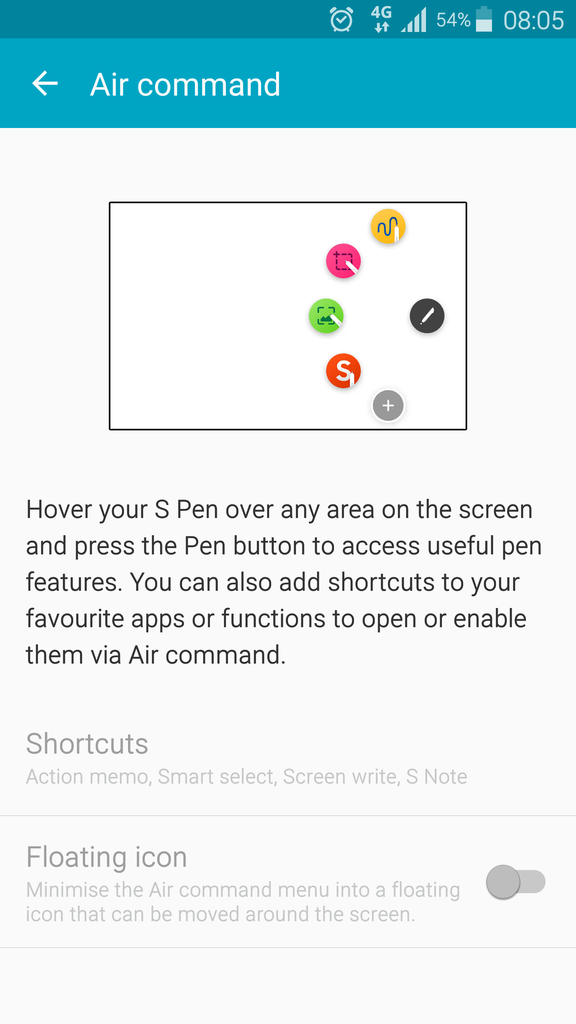
Because the air command on my phone cant be enable as usual since im upgarding the latest version of android 6.0.1