• After 15+ years, we've made a big change: Android Forums is now Early Bird Club. Learn more here.

Share how you use your screens

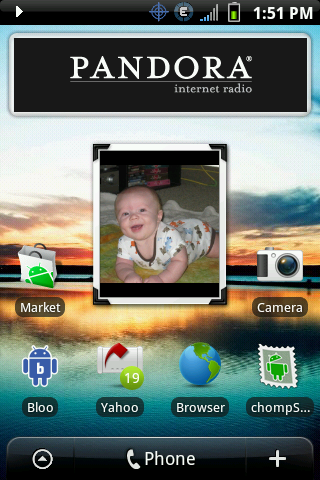
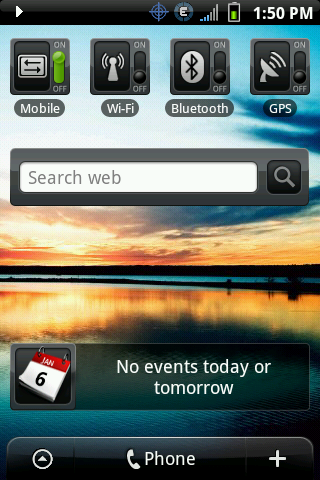
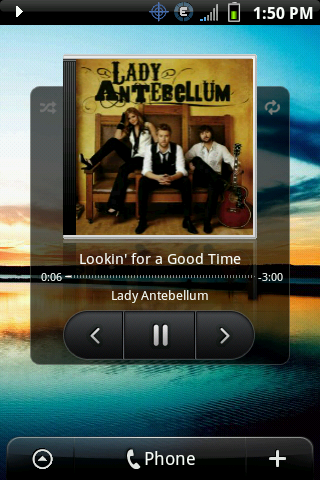
Finally got everything the way I want it, for now. Does anyone know if there's a good text widget out there (not a fan of the HTC one, using Handcent for now).
snap20100221_125834.png

snap20100220_160543.png

snap20100221_124812.png

snap20100220_160550.png

snap20100221_124758.png

snap20100220_160604.png

snap20100221_124803.png
 
ok this is probably a stupid question... for some reason i cannot figure out how to remove the image i have as my lockscreen... i'm trying to make it "clear" and replace with one from the pre-kitchen but every one i install from kitchen, it just installs over the image i have on there. i tried going thru menu > wallpaper > lock screen, but there isn't an option to delete pic... any help?! thanks!
 
I got them as a free icon pack on the market. The 360 icons are AppsOrganizer folders.

Indeed, I did the same thing for mine. There are tons of free icon packs to chose from on the market. AppManager can recognize them so you can customize your folders.

BetterCuts also works with the icon packs.
 
You guys that are creating your own clear lockscreens. How exactly does that work? Are you using a transparent png file? I want to create one with a Virginia Tech logo.
 
6jm3gh.png
27y8wh.png
21kja4o.png


I got an issue with wallpapers for home as of right now...

before I was able to stretch out the arrows and now i cant....any of you have had the same problem as me?
 
6jm3gh.png
27y8wh.png
21kja4o.png


I got an issue with wallpapers for home as of right now...

before I was able to stretch out the arrows and now i cant....any of you have had the same problem as me?

You can only stretch to the exteme's of the picture, and must maintain the aspect ratio. In the third picture, you have maxed out the vertical extreme, so it will go no further.
 
well..i turned off the phone and turned it back on....it's back to normal.........WEIRD!

that's my 1st issue with the htc hero LOL
 
You mean I'm not already? ;)

...Damn :)

...J/K....Looking forward to creating it and helping others to learn and share their knowledge/experience.
 
I am just wondering if anyone would like to share pics of how you have you 7 screens setup :)

added mine :)


snap20100106_135138.png


snap20100106_141152.png


snap20100106_135049.png


snap20100106_135044.png


snap20100106_135145.png


snap20100106_135157.png


AngelaChristensen
Can you please let me know which apps you're using for your wifi, bluetooth, gps, and mobile toggle switches? I may not be searching correctly, but I cannot find the ones you have.

P.S. Thanks for starting this thread. After seeing all of these rooted homescreens, Im rooting my Hero tonite!
 
Can you please let me know which apps you're using for your wifi, bluetooth, gps, and mobile toggle switches? I may not be searching correctly, but I cannot find the ones you have.

P.S. Thanks for starting this thread. After seeing all of these rooted homescreens, Im rooting my Hero tonite!

Add>HTC Widget>Settings
 
So after looking through this entire thread I'm loving the look of FreshRom. I would like to root but all the walkthroughs of it look like they are from windows, I'm on a Macbook. Just wondering how difficult it is to do. Also wondering how easy it is to go back to stock for when 2.1 comes.
 
So after looking through this entire thread I'm loving the look of FreshRom. I would like to root but all the walkthroughs of it look like they are from windows, I'm on a Macbook. Just wondering how difficult it is to do. Also wondering how easy it is to go back to stock for when 2.1 comes.


why would you want to go back to stock when 2.1 comes out when the devs will have new roms out based on 2.1?
 
So after looking through this entire thread I'm loving the look of FreshRom. I would like to root but all the walkthroughs of it look like they are from windows, I'm on a Macbook. Just wondering how difficult it is to do. Also wondering how easy it is to go back to stock for when 2.1 comes.

Here is a Guide for rooting on a Mac:

Rooting CDMA Hero [Mac] - xda-developers

Let us know if you get stuck, someone will be able to help you through.
 
Back
Top Bottom