nexusbandit
Lurker
You have any links to it? I haven't been able to find a working download link on broken roms.I'm on carbon now which is the only one I've found to work flawlessly .
Follow along with the video below to see how to install our site as a web app on your home screen.
Note: This feature may not be available in some browsers.

the BrokeOS guys dont want links posted. you can google their download forum on androidfilehostYou have any links to it? I haven't been able to find a working download link on broken roms.I'm on carbon now which is the only one I've found to work flawlessly .

Thanks guys..I googled it and for some reason everything that came up sent me to dead links..just found them on Google + though..Thanks for pointing me the right directionThe way we look at it, people using the ROM shouldn't need any hand holding. Users that can find the ROM download link on their own are more likely to do the due diligence and search for solutions to minor problems before asking for help. If you find the broken os community on google+ and read the pinned post it will explain everything.


Where I download it?U have to flash a dif baseband custom ROMs aren't built for new baseband
Yes but if you want working LTE you need to flash the old baseband.
Is it supposed to take long to load after installing and rebooting?PLEASE SEE MY POST ABOUT THE STATUS OF BUTTERNOOB BY CLICKING THIS
PLEASE READ NEW FLASHING INSTRUCTIONS

Disclaimer:
I am not responsible for any bricks. By flashing this you understand that no one involved with the making of this Rom is responsible for a brick. However, if two nations go to war, that's okay, because they will destroy themselves and their people will worship me, THE BUTTAHLORD OF BUTTERNOOBIA!!!
I mean uhh... No, very bad thing, no countries should not go to war *cough* destroy yourselves *cough*
PLEASE READ ENTIRE THREAD BEFORE FLASHING
Okay past the joking, this is a stock, rooted KitKat ROM for the ZTE ZMAX. The deodexed version would not boot, so this is odexed. However, this version is free of any King Related apps and I've also removed the little bit of crapware in the device.
WHAT TO EXPECT:
Removal of All King Related Apps
Pre-Rooted
Clear of Bloatware
Added SuperSU
Removed crappy ZTE/Metro/TMO apps
Overall Clean experience
HOW TO FLASH (NEW INSTRUCTIONS):
1. Place ZIP on SD Card
2. Reboot Into TWRP
3. NANDROID (DO NOT SKIP THIS FOR YOUR SAKE)
4. Don't factory reset the normal way, go to wipe > advanced wipe and click "dalvik cache", "data", "cache" and "system". If you don't, you run the risk of getting an updater-script error (not from the zip, it's a bug in some TWRP builds).
5. New Step: Reboot recovery (in the recovery menu). It will ask if you want to install su, press do not install.
5. Flash the ROM
6. Reboot and rep Butternoob!
BUGS:
Free and clear, you tell me!
ADDITIONAL INFORMATION:
Butternoob has been confirmed to work on all variants of the ZTE ZMAX by at least two people on each variant. THIS IS NOT SUPERBUTTER! For those that don't know, Superbutter will be a heavily modified custom rom. Butternoob was designed to be a stock, clean experience with solid performance. I may add tweaks, but you won't find a lot beyond the stock experience.
CREDITS:
-XDA User Mazer.One for the Bootanimation. I made some edits to his and don't take credit for the original work.
-JCase for helping us get root
-Hroark13 for helping me fix the wifi issue in the updater-script
-ZTE Because I have to... They are banished from ButterNoobia though...
-Masterchief87 for the 4.4.4 base and boot.img
ENJOY, REPORT BUGS, FEEL FREE TO USE AS A BASE AND GIVE PROPER PERMISSIONS!
Changelog:V2:
-Updated to Android 4.4.4 base
-Replaced Google Launcher with Apex
--Advice on Apex: Go into menu > apex settings > drawer settings > drawer animation > circle to enable Lollipop-style animation for the drawer opening!
-Fixed SuperUser (All binaries updated)
-Fixed Gapps Force Closes
- New Wallpaper, taste of the SuperButter
-All bugs are squashed
V1:
-Initial Release
-Android 4.4.2
-Removed T-Mobile Apps
-Removed ZTE Apps (i.e. music, file manager, etc.)
DOWNLOAD:
BUTTERNOOB Stock 4.4.4 v2.0
md5: E44F1F84B47D3C4401DA522D0A7494F5
BUTTERNOOB Stock 4.4.2 v1.0
md5: 092cee0504d07fa4decde02d2206a2b7
SCREENSHOTS:
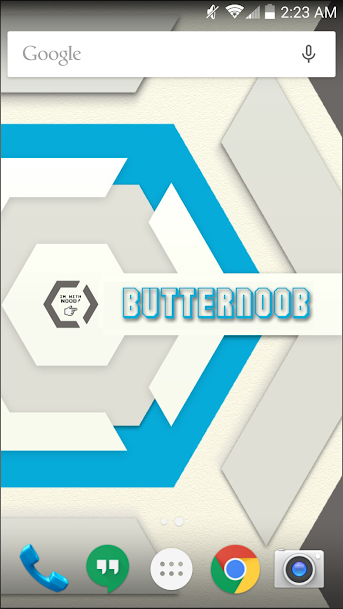


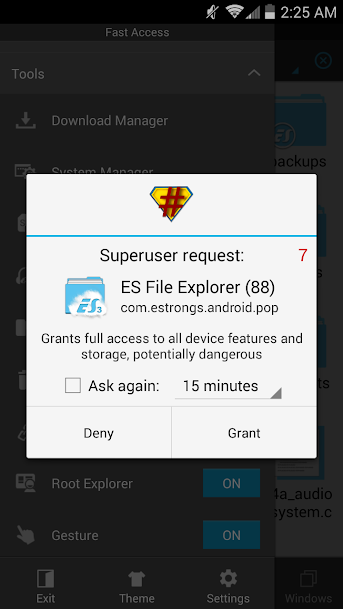

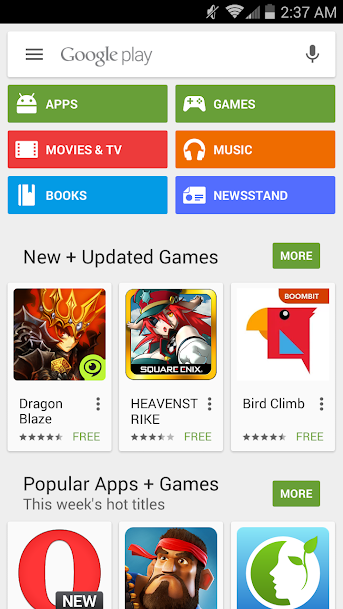
People have asked what my PayPal email is for donations, it is mkallen6family@gmail.com . Never required but always appreciated, I'll give 100% regardless