
Install the app
How to install the app on iOS
Follow along with the video below to see how to install our site as a web app on your home screen.
Note: This feature may not be available in some browsers.
-
After 15+ years, we've made a big change: Android Forums is now Early Bird Club. Learn more here.
You are using an out of date browser. It may not display this or other websites correctly.
You should upgrade or use an alternative browser.
You should upgrade or use an alternative browser.
Text Message Won't Delete
- Thread starter Colin56
- Start date

Szadzik
Extreme Android User
I cannot delete a text message on my LG GW620 phone, the message won't show up in the inbox so i can't delete it. It only comes up in the notifications bar. I've cleared the message data in the application manager but it keeps comming back.
Do you only have the stock Messaging application or other messaging applications like Handcent or ChompSMS?
If you have multiple messaging apps go into each one and one of them will show that text.
Have you checked texts on the SM card?
Thanks for reply, only orig text msg app, it is more a notification message from T Mob. "these are the settings you require for picture messaging etc... it does not appear in the text box to delete. If I delete from notif. bar it come back next time I open text.
How do I check text on sim card?
Thanks for help.
How do I check text on sim card?
Thanks for help.
Szadzik
Extreme Android User
Thanks for reply, only orig text msg app, it is more a notification message from T Mob. "these are the settings you require for picture messaging etc... it does not appear in the text box to delete. If I delete from notif. bar it come back next time I open text.
How do I check text on sim card?
Thanks for help.
To view SIM card messages go to Messaging>Menu>settings>Manage Sim card messages.
Szadzik
Extreme Android User
Thanks, it can't open, it's a "message"? in the notification bar and not the the message box.
When it shows in notification bar, pen the notification bar and click on the message.
Szadzik
Extreme Android User
Thanks, it just opens blank text box to send a reply.
Sorry it's such a pain!
Could you post a picture of what it looks like when you open it?
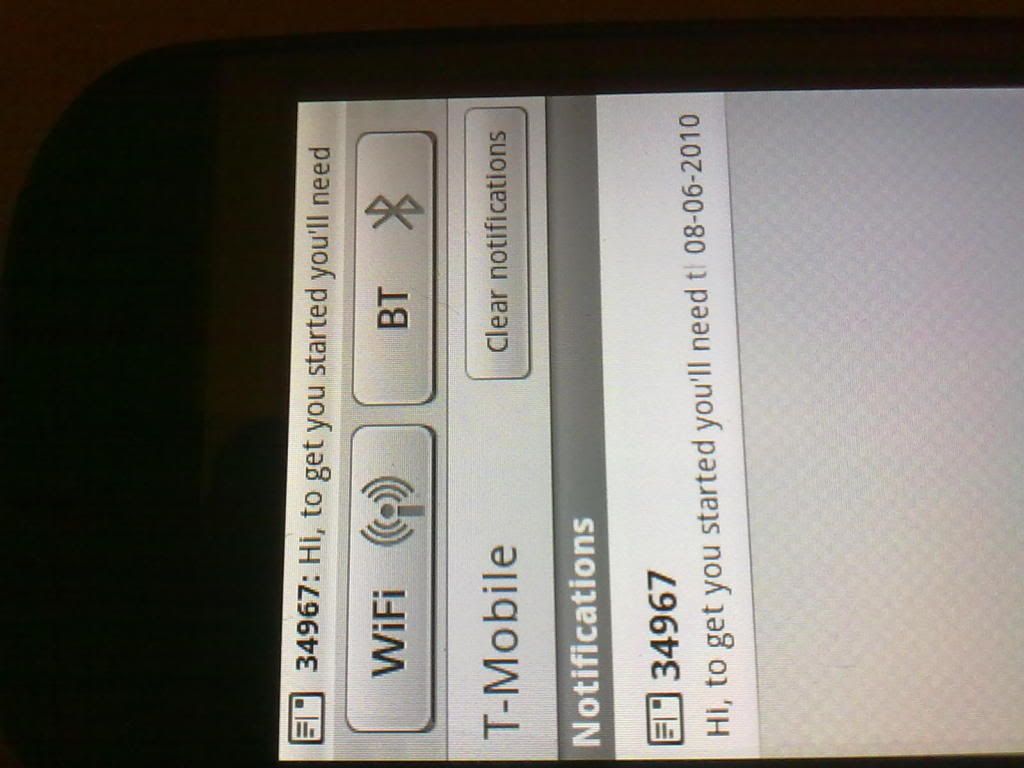
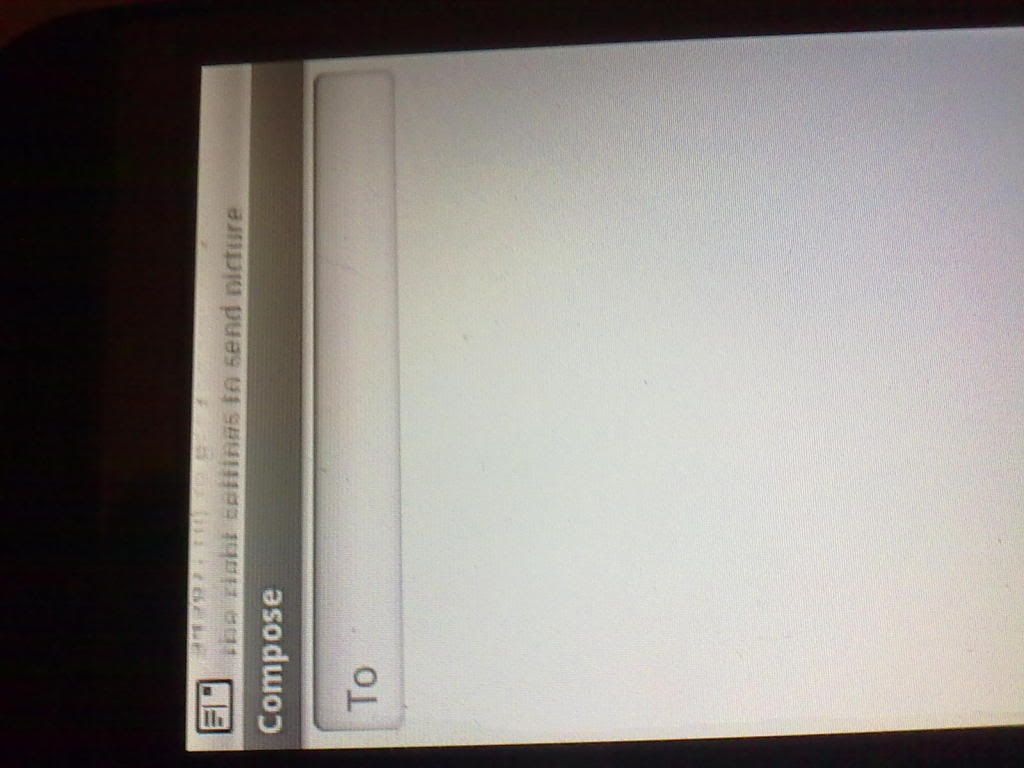
Szadzik
Extreme Android User
Looks like a service message. I really do not know how to get rid of this if it does not show in Messaging.
Have you tried rebooting your phone?
One more thing to try:
Go to Settings>Applications?Manage applications>Menu>Filter>All and find Messaging. Open it and click on Clear data.
Have you tried rebooting your phone?
One more thing to try:
Go to Settings>Applications?Manage applications>Menu>Filter>All and find Messaging. Open it and click on Clear data.
Szadzik
Extreme Android User
Hi, thanks for trying, have cleared data but still comes back so will try a reset. Is that the one where I need to back up my phone first?
If you just shut don the phone and start back up, no data is lost.
Only if you plan on doing a hard reset and deleting all you data then you need to back up.
bigbadwulff
Android Expert
If you have a Droid-X, check your phone contacts. Pick a contact and slide to the right in an open field. You will be surprised to see all of the messages you THOUGHT you deleted............................. still there!!! 
Just wondering, did you end up getting this sorted? I have the exact same problem and I cant seem to fix it.
My story... The other day I deleted a message thread and around the same time or just afterwards I received another message from the same person whose thread I deleted. For the whole week, that message has been showing up as an unread message. it shows up in my notification area and I can read it from there (its only 1 word), but whenever I try and go to the message, it just opens a new blank message box as if I had gone to new message.
The weird thing, I have just done a full reflash with a new ROM from the SGS ROM kitchen, and it's still doing it! Now admittedly, I did restore my SMS's from Titanium Backup, but still, what the hell? How can I get rid of it? Is it something I did or a problem with my carrier re-delivering the message over and over, or something else? Every time I reboot my phone it comes back.
I can clear the message from my notification area, but it always comes back. And my Launcher Pro message shortcut always has the "1" unread message bubble. It's driving me nuts!
My story... The other day I deleted a message thread and around the same time or just afterwards I received another message from the same person whose thread I deleted. For the whole week, that message has been showing up as an unread message. it shows up in my notification area and I can read it from there (its only 1 word), but whenever I try and go to the message, it just opens a new blank message box as if I had gone to new message.
The weird thing, I have just done a full reflash with a new ROM from the SGS ROM kitchen, and it's still doing it! Now admittedly, I did restore my SMS's from Titanium Backup, but still, what the hell? How can I get rid of it? Is it something I did or a problem with my carrier re-delivering the message over and over, or something else? Every time I reboot my phone it comes back.
I can clear the message from my notification area, but it always comes back. And my Launcher Pro message shortcut always has the "1" unread message bubble. It's driving me nuts!
Shameless bump...

Googled around and cant find a way to fix this. I know a full hard reset would probably do it, but I really dont want to have to set everything up from scratch. There must be a way to simply wipe all the SMS data or delete the database file or something? I dont mind losing my texts, I have them backed up to Gmail anyway. But i'd rather avoid a full hard reset.
Googled around and cant find a way to fix this. I know a full hard reset would probably do it, but I really dont want to have to set everything up from scratch. There must be a way to simply wipe all the SMS data or delete the database file or something? I dont mind losing my texts, I have them backed up to Gmail anyway. But i'd rather avoid a full hard reset.
I had the same problem with blank text messages dated in 1969 would not delete. This all started when my Droid 2 Global froze and I had to pull the battery to reboot. After the phone rebooted, if I received a text and then attempted to delete it, I was left with a blank message from the same sender dated December 31, 1969.
After almost giving up, I located a fix by going to the Android Market and downloading History Eraser. I had it delete all SMS messages and that solved the whole problem. Hopefully, if anyone is still looking for a fix, this will help them, too.
After almost giving up, I located a fix by going to the Android Market and downloading History Eraser. I had it delete all SMS messages and that solved the whole problem. Hopefully, if anyone is still looking for a fix, this will help them, too.
samsungduser
Lurker
This issue turned out to be caused by using MyBackup Pro to restore SMS and MMS messages from my old HTC Evo to my Galaxy S3 (Sprint). I was able to fix it by backing up/Restoring ONLY SMS messages, the issue will still be there if you try to restore any MMS messages.
1. Installed History Eraser from the Play Store
2. Use History Eraser to delete ALL SMS/MMS/Failed (just checked everything under SMS/MMS) and ran it
3. Opened Messaging app again and selected Delete Threads > Select All > Delete
Note, it might still show all your texts in the Messaging app but you can't open them. Restart the phone and they should all be gone. If not then repeat step 3.
After your messaging app is empty, you can use MyBackup Pro or whatever you use to restore ONLY SMS messages! I did not have to factory reset my phone and it is working fine now. Sucks to lose the old MMS messages but it's better than restoring nothing
1. Installed History Eraser from the Play Store
2. Use History Eraser to delete ALL SMS/MMS/Failed (just checked everything under SMS/MMS) and ran it
3. Opened Messaging app again and selected Delete Threads > Select All > Delete
Note, it might still show all your texts in the Messaging app but you can't open them. Restart the phone and they should all be gone. If not then repeat step 3.
After your messaging app is empty, you can use MyBackup Pro or whatever you use to restore ONLY SMS messages! I did not have to factory reset my phone and it is working fine now. Sucks to lose the old MMS messages but it's better than restoring nothing