

xaelith
Android Enthusiast
After creating the Red-n-Black theme, I decided I wanted to do an orange and black theme for Halloween. While I haven't put as much work into this theme as I have my pride and joy, I still packed a lot of goodies into this theme. Enjoy.  NOTE: There's a known issue where the default wallpaper doesn't change for some reason. Hard as I try, I can't figure out how to fix it, so I've included the file that was supposed to be the default wallpaper, and instructions on how to install it manually with ES File Explorer. WARNING: Some people have had issues with this theme on their phones. If that happens, you may need to do a fresh (re-)install of Megatron 6.0.4, then flash the theme. Also, your first boot-up after installing the ROM will take a few minutes, so be patient
Halloween Theme - Click the theme to download.
Default Wallpaper - Download this if you want your phone to (more or less) match the screenshots.
Default Megatron Boot ani/sound - This theme changes the boot animation and sound, so I've included a zip to change it back.
Theme installation Instructions: The meat and potatoes of....um, well, the meat and potatoes that is this theme.
1. Download the theme, and move it to the SD card on your phone, if necessary.
2. Reboot into ClockWorkMod. Using Volume up to move up, Volume Down to go down, and the Power button to select, follow the next steps.
3. From the main menu, choose "Wipe cache > Yes - Wipe Cache". When that's finished, you should be returned to the main menu.
4. From the main menu, select "advanced > Wipe Dalvik Cache > Yes - Wipe Dalvik Cache". When the phone is finished, it should return you to the "advanced" menu. Select "+++++Go Back+++++" to return to the main menu.
5. From the main menu, select "install zip from sdcard > choose zip to install", navigate to where you copied or downloaded the theme zip to, select "Halloween-theme.zip > Yes - Install Halloween-them", and enjoy the show.
6. After the theme is finished installing, reboot the phone by choosing "reboot system now" from the main menu, and enjoy your eye candy
Default Wallpaper Installation Instructions: Just like olives in a martini, no theme is complete without a good wallpaper to go with it.
1. Download the default wallpaper file, and move it to your SD card, if necessary.
2. Using ES File Explorer (included with Megatron), navigate to where the file was saved.
3. View it using ES File Explorer's Image Browser, then press the menu button.
4. From the options that appear, select "Set Wallpaper", and use the box that appears to select the area of the photo you would like to use as your wallpaper.
5. Exit out of ES File Explorer, and you're done
Megatron Default boot ani/sound Installation After the Halloween party's over, we need some way to clean up the mess, right?
1. Download the boot-ani-backup.zip, move it to your SD (if needed), and flash it like you would the theme, except clearing the cache and Dalvik aren't necessary.
Boot Animation:
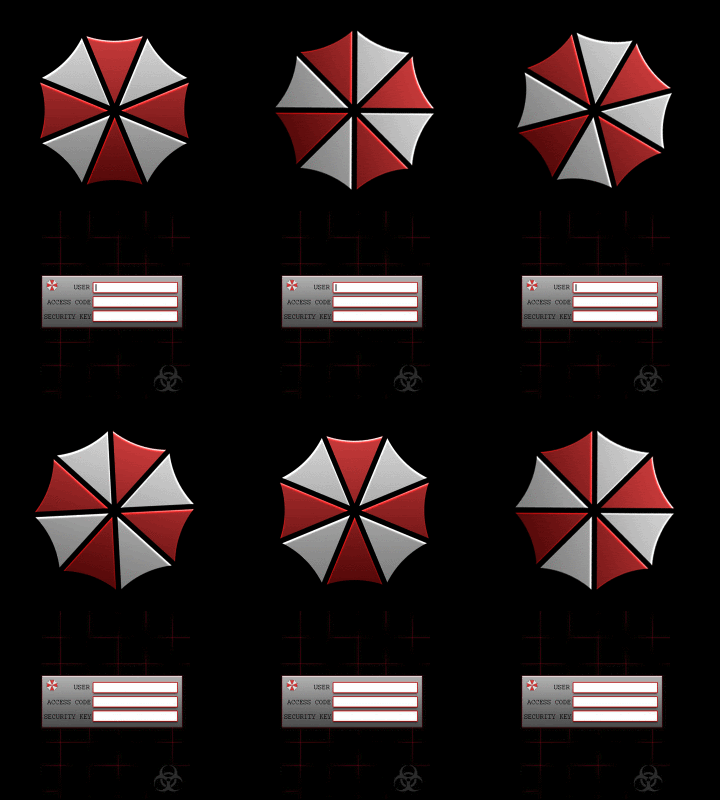
Screenshots:


NOTE: There's a known issue where the default wallpaper doesn't change for some reason. Hard as I try, I can't figure out how to fix it, so I've included the file that was supposed to be the default wallpaper, and instructions on how to install it manually with ES File Explorer. WARNING: Some people have had issues with this theme on their phones. If that happens, you may need to do a fresh (re-)install of Megatron 6.0.4, then flash the theme. Also, your first boot-up after installing the ROM will take a few minutes, so be patient Halloween Theme - Click the theme to download.
Default Wallpaper - Download this if you want your phone to (more or less) match the screenshots.
Default Megatron Boot ani/sound - This theme changes the boot animation and sound, so I've included a zip to change it back.
Theme installation Instructions: The meat and potatoes of....um, well, the meat and potatoes that is this theme.
1. Download the theme, and move it to the SD card on your phone, if necessary.
2. Reboot into ClockWorkMod. Using Volume up to move up, Volume Down to go down, and the Power button to select, follow the next steps.
3. From the main menu, choose "Wipe cache > Yes - Wipe Cache". When that's finished, you should be returned to the main menu.
4. From the main menu, select "advanced > Wipe Dalvik Cache > Yes - Wipe Dalvik Cache". When the phone is finished, it should return you to the "advanced" menu. Select "+++++Go Back+++++" to return to the main menu.
5. From the main menu, select "install zip from sdcard > choose zip to install", navigate to where you copied or downloaded the theme zip to, select "Halloween-theme.zip > Yes - Install Halloween-them", and enjoy the show.
6. After the theme is finished installing, reboot the phone by choosing "reboot system now" from the main menu, and enjoy your eye candy
Default Wallpaper Installation Instructions: Just like olives in a martini, no theme is complete without a good wallpaper to go with it.
1. Download the default wallpaper file, and move it to your SD card, if necessary.
2. Using ES File Explorer (included with Megatron), navigate to where the file was saved.
3. View it using ES File Explorer's Image Browser, then press the menu button.
4. From the options that appear, select "Set Wallpaper", and use the box that appears to select the area of the photo you would like to use as your wallpaper.
5. Exit out of ES File Explorer, and you're done
Megatron Default boot ani/sound Installation After the Halloween party's over, we need some way to clean up the mess, right?
1. Download the boot-ani-backup.zip, move it to your SD (if needed), and flash it like you would the theme, except clearing the cache and Dalvik aren't necessary.
Boot Animation:
Screenshots:




 because they weren't all in my backup! tried it agin and waited a few min and it booted up . Thansks man