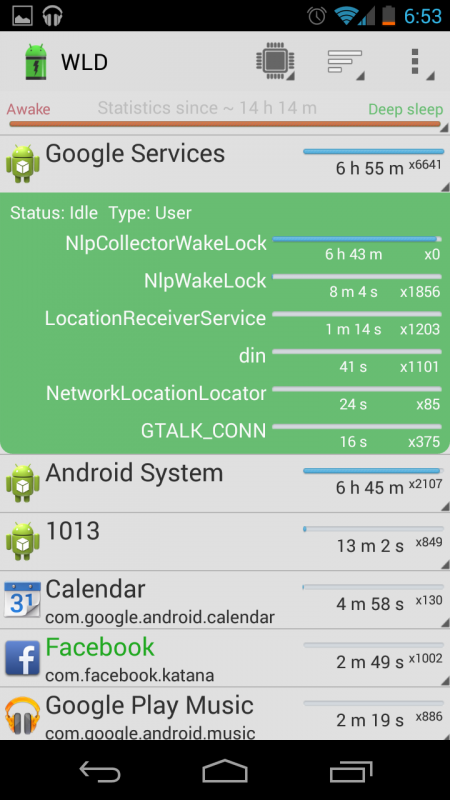
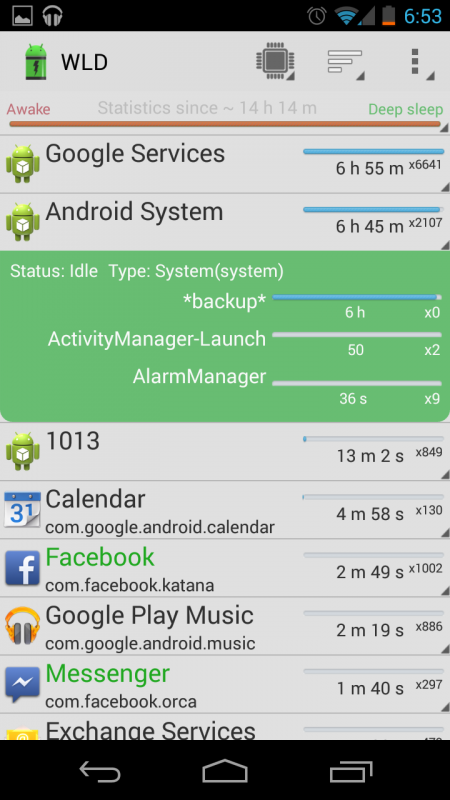
As the title states, my battery is now draining like a mofo. Under the battery usage stats, where normally screen takes 80% of the battery and everything else is in the teens, now android services is getting up to 50%. It seems that android services is a catch-all for a lot of things, so I'm not really sure what is being such a battery suck. Suggestions?
Install the app
How to install the app on iOS
Follow along with the video below to see how to install our site as a web app on your home screen.
Note: This feature may not be available in some browsers.
-
After 15+ years, we've made a big change: Android Forums is now Early Bird Club. Learn more here.
You are using an out of date browser. It may not display this or other websites correctly.
You should upgrade or use an alternative browser.
You should upgrade or use an alternative browser.
Help Updated to 4.3, now battery is drained by noon
- Thread starter omgitsoop
- Start date
-
- Tags
- galaxy nexus
Had the same problem and it seems others are as well. After a lot of trying, I found that it was the new "Scanning Always Available" setting in the WiFi settings. Go to WiFi ==> Settings ==> Advanced and then you'll see the option. I unchecked it permanently (and saved) powered down, and then powered it back up again and it never was a problem again.
I think the feature is constantly pinging WiFi routers and it drains down the battery extremely quickly.
I think the feature is constantly pinging WiFi routers and it drains down the battery extremely quickly.

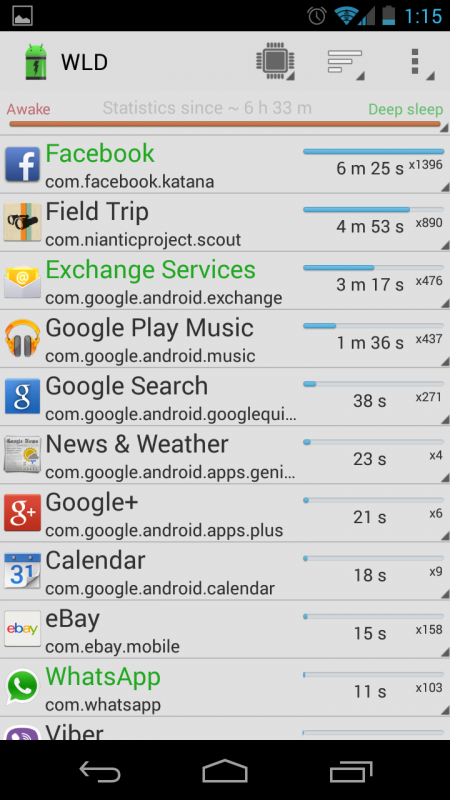
Wifi always scanning wasn't checked for me either. At the suggestion of another forum post, I force stopped all location services, deleted google maps and all it's data/cache, then reinstalled it, it seems to have helped. I will install the wakelock detector and see if it shows me anything interesting.


Tim K
Android Expert
Wakelock detector misses a ton of partial wakelocks. You need a program like better battery stats to see everything.
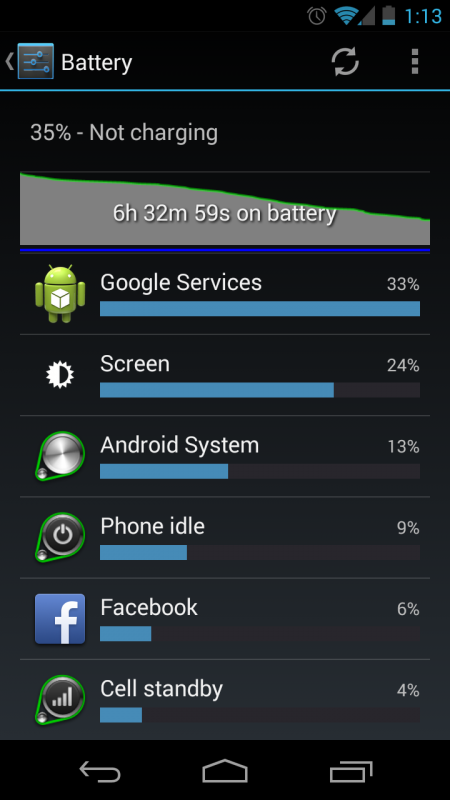
That said, Google Services at 33% is telling enough. It is almost certainly related to syncing. What syncs do you have enabled under account? You should only sync services that you really need to keep synced. I sync Chrome, contacts, calendar, and gmail. Sometimes I'll turn on music sync but I don't update my music often so I don't really use that sync either. That's it. Anything else I can update as needed. I almost never buy/rent books or movies so there is no point in syncing those. I don't sync my photos either. People details is some sort of syncing related to Google+ so I don't sync that. App data is some sort of data backup which I also don't sync.
Also, apps like Facebook and Google+ have been known to suck battery life.
That said, Google Services at 33% is telling enough. It is almost certainly related to syncing. What syncs do you have enabled under account? You should only sync services that you really need to keep synced. I sync Chrome, contacts, calendar, and gmail. Sometimes I'll turn on music sync but I don't update my music often so I don't really use that sync either. That's it. Anything else I can update as needed. I almost never buy/rent books or movies so there is no point in syncing those. I don't sync my photos either. People details is some sort of syncing related to Google+ so I don't sync that. App data is some sort of data backup which I also don't sync.
Also, apps like Facebook and Google+ have been known to suck battery life.