• After 15+ years, we've made a big change: Android Forums is now Early Bird Club. Learn more here.

Thik Thak – Short Video Sharing Community[Free][App]

Thik Thak – Short Video Sharing Community

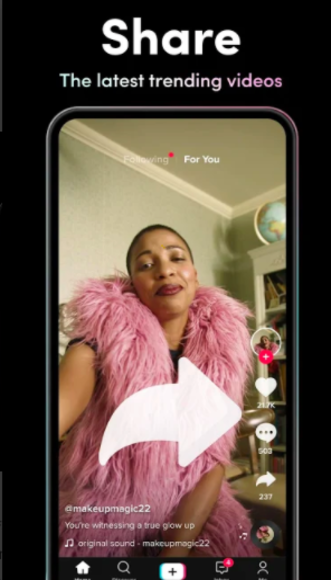
ThikThak is a free short video app and social platform for video creators and influencers. Watch unlimited short videos, funny videos and entertainment videos by popular video creators that will make your day! Designed for people to showcase their innovative videos online, ThikThak Short video app provides an easy and seamless interface for users to create, edit and share their videos across the globe.
Features of ThikThak short video community app
- Full screen video experience with high quality short video content
- Meet new people online, make friends, chat online and watch amazing short video clips
- Create & Upload interesting short videos and get famous on ThikThak with thousands of likes and followers! Be a social media star for Free!
- Discover amazing music and short video to keep you entertained
- Light short video sharing app for you and your friends!
- Enjoy short funny videos with light humour and entertainment
- 100% Free short video sharing app
Download to Google Play: Thik Thak
PRtum-5OSWeYrGvE6MWBaM0fq0jMV0tbEgvSlSmJ-8gboGi0ugQYQa_BmBJu6Z61rnQ=w2504-h1200

Insta Downloader

Intro: Insta Downloader lets you browse instagram and includes a download button to let you download the Instagram video to MP4 (video) or MP3 (audio) format.
It's one of the easiest Instagram to video/audio downloaders available.

For more https://insta-downloader.online/
Contributor: https://apkpure.com/insta-downloade...sde.instagramdownloader/download?from=details

Attachments

Help my anroid system crashed i need my data before formatting it

"stated, your very critical System or boot partition (kernel) is unfixably corrupt" no didn't state this .. is there still hope ..isn't there any way to get the internal memory out and deal with it as an extrenal disk
Unfortunately I have to agree with the others: unlikely.

The problem is that unless you have a custom recovery (and if you had you would know it) there's no way of transferring data from the phone unless you can get it to boot into the android operating system. You can't copy data from the bootloader or the standard recovery module.

So how can you recover from the bootloop? That depends on the cause. It's just about possible that the problem is some piece of corrupt data that is preventing the boot. If that's the case then removing those bit of data would fix it. However you cannot know what bit of data that is, and there is no way of selectively removing it: all you can do is wipe an entire partition from recovery. This is why @MrJavi suggests wiping the cache partition from recovery: it's a long shot, but it's the only data wipe you can do without erasing the stuff you are trying to save, so it's worth a try (will cost you nothing if it doesn't work).

It's even less likely it's a bad app, but that's what booting into Safe Mode will test (it disables user-installed apps, so if one of them is somehow interrupting the boot this will prevent it).

If it's corruption to system data that's behind it (i.e. the settings or data of a system app, or maybe a corrupted update to a system app) then a factory reset will fix it, but will erase what you are trying to save. But if that's the situation there is nothing else you can do anyway.

The remaining possibility is that the system software itself has been corrupted. If that's the case then the only fix is to reflash the device's firmware. The tools for reflashing the firmware, and the availability of firmware files to flash, vary with manufacturer and device. As said above, some devices allow you to reflash without wiping the data, but most devices will erase the data as part of the reflashing. You'll need to do some research to find out whether there is a way of doing it without a wipe on your device. Of course the worst case is that a significant part of the internal storage has failed, and this is the reason for the corruption.

The storage itself is bonded to the motherboard and would take specialist tools to remove it, and is in any case encrypted, so there's no way of removing it and reading it from a computer.

I'm sorry that's not terribly optimistic, but those are all of the possibilities I can think of. As you can see, there are very few of these scenarios where it will be possible to recover the data.

Help Non root app that backups most apps to free up space?

I've used that app in the past, the last time to transfer apps and data from my old phone to my current one (since Google's phone transfer app failed). It won't work for every app - it is possible for an app developer to exclude themselves from the backup mechanism it uses - but it should get most. On one-star reviews it's worth reading the reasons: it may be that in some cases incompetence of the user (e.g. the inability to manage an adb command, or not understanding what the app does) is blamed on the app.

Retrieving mistakenly deleted WhatsApp chat.

A "recycle bin" in a file manager won't help with things you delete in WhatsApp (or other apps apart from that file manager). There are two reasons for this:

1) the "recycle bin" is not a system feature but a feature of that file manager app. WhatsApp doesn't know about it so won't use that feature if you tell WhatsApp to delete a message or chat.

2) the live WhatsApp chat data (as opposed to the backup) is stored in a private area of the internal storage which that file manager cannot access unless it has root privileges. So it would be impossible for that app to intervene "save" things you delete using WhatsApp into its recycle bin.

I'm not saying this to be contrary, but as a warning that people reading this shouldn't think that installing this file manager will mean you can simply undo deletions of WhatsApp messages, or SMS, calendar events or other such things.

Connect to server with Files

I use "File Manager +" from Google Play.
It has "Remote" and "Access From PC" features that allow you to transfer or view files wirelessly.
I use "Access from PC" to have my phone act as an FTP server when it is on my high-speed charger across the room. Turn wifi on in your phones main menu, and the program will get address from your router and show you what to type in on your pc. It's like magic - manage or backup your phones files on your pc - wirelessly.

The "Remote" function would do exactly what you are looking for.

Cashapp-Best Self Earning App (by gonfreecs)

Cashapp is a application where you can earn coins for doing simple task like..

Watching Videos
Completing surveys
Installing Apps
Spin The Lucky Wheel
Daily Checkin
Refer & Earn
Scratch & Earn

and when you complete your minimum redeem coin quota then you can convert your coins to real cash!

More Earning options will add in next update so keep loving our app and earn money

Price:Free

Download link:
https://play.google.com/store/apps/details?id=com.cashapp.offer.scratch

[GAME] Fall Guys as Soda Guys on Play Store

can we say ripoff?????
We would've been able to call it a ripoff previously when the app was named "Fall Soda Guys". After that, we removed the app from the store and published a new one with a different name and logo, having different characters and maps from the original Fall Guys, but with the same game play giving players the opportunity to enjoy the game on mobile without any impersonation or ripping off.

Filter

Back
Top Bottom