• After 15+ years, we've made a big change: Android Forums is now Early Bird Club. Learn more here.

Help Mail Merge only in Android

I am searching for a way to do a mail merge while in Android, using Gmail and Excel (or Sheets), without any desktop involvement. There's an old app in the Play Store that no longer works. I thought a workflow app like Power Automate might work in combination with Gmail and Excel and I am investigating that. But I thought someone out there might have figured out a way to do this exclusively in Android without using a desktop at all. Thanks.

Apps Forcing camera rotation (Android 7.1.2)

Hi,

I'm developing an app to scan QR codes (not for Covid-19) that will run on a (chinese) tablet equipped with Android 7.1.2.
The app works and I'm able to read QR codes but unfortunately the camera is rotated 90° (counterclockwise) respect to the display that is in "portrait" mode.
This tablet doesn't have options for display rotation so it is "fixed" to portrait mode.
Since (apparently) it's not possible to rotate the camera through the operating system (no option found, on the camera app neither), I tried to "force" the rotation through my app but all the examples that I found are relating to deprecated functions that are not supported anymore.
I'm using Android Studio "Bumblebee" and "targetSDK" is 25.
This is the code to initialize camera and code scanner:
Java:
private void initialiseDetectorsAndSources()
    {
        String str="";

        Toast.makeText(getApplicationContext(), "Barcode scanner started", Toast.LENGTH_SHORT).show();

        barcodeDetector = new BarcodeDetector.Builder(this)
                .setBarcodeFormats(Barcode.ALL_FORMATS)
                .build();

        cameraSource = new CameraSource.Builder(this, barcodeDetector)
                .setRequestedPreviewSize(1920, 1080)
                .setAutoFocusEnabled(true) //you should add this feature
                .build();

       
        surfaceView.getHolder().addCallback(new SurfaceHolder.Callback()
        {
            @Override
            public void surfaceCreated(SurfaceHolder holder)
            {
                try
                {
                    if (ActivityCompat.checkSelfPermission(ScannerBarcodeActivity.this, Manifest.permission.CAMERA) == PackageManager.PERMISSION_GRANTED)
                    {
                        cameraSource.start(surfaceView.getHolder());
                    }
                    else
                    {
                        ActivityCompat.requestPermissions(ScannerBarcodeActivity.this, new
                                String[]{Manifest.permission.CAMERA}, REQUEST_CAMERA_PERMISSION);
                    }

                } catch (IOException e)
                {
                    e.printStackTrace();
                }
            }

            @Override
            public void surfaceChanged(SurfaceHolder holder, int format, int width, int height)
            {

            }

            @Override
            public void surfaceDestroyed(SurfaceHolder holder)
            {
                cameraSource.stop();
            }
        });

        barcodeDetector.setProcessor(new Detector.Processor<Barcode>()
        {
            @Override
            public void release()
            {
                Toast.makeText(getApplicationContext(), "To prevent memory leaks barcode scanner has been stopped", Toast.LENGTH_SHORT).show();
            }

            @Override
            public void receiveDetections(Detector.Detections<Barcode> detections)
            {
                final SparseArray<Barcode> barcodes = detections.getDetectedItems();
                if (barcodes.size() != 0)
                {
                    String str= barcodes.valueAt(0).displayValue; /**scanned code*/
                    TextView txt= (TextView) findViewById(R.id.txtBarcodeValue);
                    txt.setText(str);

                    Toast.makeText(ScannerBarcodeActivity.this, str, Toast.LENGTH_LONG).show(); 
                }
            }
        });
    }

How can I force rotation of the camera?
Thank you, regards.

Roberto

Help Moto G keeps resetting.

I have a Moto G (50) that does all I want it to except this device keeps resetting parts of the system. The NFC will sometimes turn off very embarrassing at the checkout. Yesterday the messenger stopped sending out notifications. The sound had shifted to a non-existant one (73).
Is this a fault of the device or Android 11? If it's the former I will look at a medium priced reliable phone.
Thanks
Robert...

New App: Birthday Slideshow Video Maker - Create Birthday Photo Video

full

Online Happy Birthday Video Maker with photos in which you can add songs to video. Birthday Video Creator can create a video with your photos and music. Use our Birthday Movie Creator app to create a movie for your birthday party. Birthday Photo Video Maker has a lot of features for making slideshow videos. It's a straightforward and simple-to-use Birthday Movie Maker and Birthday Video Creator tool. Make a funny video with the images and songs you've chosen. It’s a Photo Slideshow with music for a birthday.

Download: Birthday Slideshow Video Maker
  • Online Happy Birthday Video Maker with photos in which you can add songs to video.
  • Birthday Video Creator can create a video with your photos and music.
  • Use our Birthday Movie Creator app to create a movie for your birthday party.
  • Birthday Photo Video Maker has a lot of features for making slideshow videos

How to make a birthday video slideshow from photos?
  1. For the birthday video, choose numerous photos from the collection.
  2. For slideshow animation, select your preferred video effects and transitions.
  3. Choose from a variety of birthday video frames & music.
  4. Set the duration and frame rate of the birthday video with slideshow birthday slideshow maker

So, Now you can create amazing birthday videos with slideshow birthday video maker to express your love for your friends and family. Make amazing birthday slideshows with photos, music, photo frames, effects, transitions, and cool animations. Below are screenshots of this app

full

full

full

Gmail only makes notification sound on first email?

Recently switched to Android so i have no idea if this is normal. I originally thought my notifications were borked. I was not hearing them very often but then i checked my phone i had lots. I think i figured out what is happening.

When I get a Gmail i've set it to play a sound and vibrate. It does. Sometimes. It seems that it will only make a sound/vibration if its the first email in the notifications. If there are others from Gmail it wont make a peep. So, if i clear notifications the next one will make a noise. If that makes any sense. Is this something i can change? I'd like to hear it for each email.

Cheers

how can I copy the screen icons and folders from one old phone to another new phone ?

Hello.

Every time I've change my phone I've the same problem.
At the new phone I recover the configuration and app's from the cloud backup of the old phone.
That's right, but I can't recover the screen icons and folders of the old phone to be equal at the new phone.
Is there an app or xiaomi utility to clone this icons from the old phone to the new.
It's hard to do manually.
Maybe some backup app do it.

My old phone redmi note9S miui 12.5.4 and android 11
My new phone poco x4 Pro 5g miui 13.0.3 and android 11

Thanks.

Help -Earbuds not working properly on 1 phone only

Hello, I been trying to fix my bluetooth earbuds. Calls work fine but media doesn't, and makes youtube/etc freeze up. I have tried fixing it with BTmono but the quality is really bad. Weird thing is, this only happens on my other phone, Galaxy A72. I tried it on my note 10 and it worked fine, i also tried it on my brothers phone, which is an older phone than the A72 and it worked fine. I tried doing a reset on the headphones still the same, works on other phones just not on the A72, it needs BTMono to fix it which means bad audio quality. Anyone know a fix for this?


i have tried the volume up, etc, and going into the earbud settings enabling "media" and "calls", they're both enabled, but when i turn off media, headphones just tell me "disconnected"

Help Flashing an already locked phone

So I have been looking into flashing my current note 20 phone. I purchased it unlocked but it still has the AT&T firmware on it. At first I thought it was no big deal but I've had it for a while and see that I am still on Android 10 while everyone else in my family is on Android 11 or higher. I have MetroPCS as my carrier right now and am wondering if I flash Tmobile Firmware (I can't seem to find fully unlocked firmware) then will it still work and not brick the phone?
The phone is unlocked already from AT&T and I've been using it for almost 2 years. I would like to update it soon but I wasn't sure if flashing to Tmobile would brick it.

Problem with cleaning hidden cache?

I just installed ccleaner for my Fire Tablet 10 (9th gen) and so far it is working more quickly now. There was one option I chose not to have it do--clean the hidden cache. Is there a reason why I would not want this cleaned out? Ccleaner said that it was occupying something like 2 gigs of space, which sounds like a lot. FWIW the overall storage is something like 12gigs used out of 26 available or something like that.

[Free][New Game] Word Search

Hi guys. I'm from Ukraine. I'm a novice Android developer. And this is my third app on Google play called Word Search. Don't judge strictly) It took me about 3 months to develop the game. You can say that such games are already available in Google play. You're right, but in my game you can create word puzzles yourself and send them to friends. Will they be able to pass them? The game also supports 6 languages and contains more than 1000 levels. As you progress, chapters of the story that I wrote and much more will open up to you.

Google play: https://play.google.com/store/apps/details?id=sav.max.searchwords

[GALLERY=media, 1573]Screenshot_1 by SavMax98 posted Mar 15, 2022 at 5:08 PM[/GALLERY]
[GALLERY=media, 1574]Screenshot_2 by SavMax98 posted Mar 15, 2022 at 5:08 PM[/GALLERY]
[GALLERY=media, 1575]Screenshot_3 by SavMax98 posted Mar 15, 2022 at 5:08 PM[/GALLERY]
[GALLERY=media, 1576]Screenshot_4 by SavMax98 posted Mar 15, 2022 at 5:08 PM[/GALLERY]
[GALLERY=media, 1577]Screenshot_5 by SavMax98 posted Mar 15, 2022 at 5:08 PM[/GALLERY]
[GALLERY=media, 1578]Screenshot_6 by SavMax98 posted Mar 15, 2022 at 5:08 PM[/GALLERY]
[GALLERY=media, 1579]Screenshot_7 by SavMax98 posted Mar 15, 2022 at 5:08 PM[/GALLERY]
[GALLERY=media, 1580]Screenshot_8 by SavMax98 posted Mar 15, 2022 at 5:08 PM[/GALLERY]

Moto G4 FRP

I sold my Moto G4 ( 1624) on eBay and the guy decided he didn't want it and sent it back. Thats fine
BUT. he locked it to his gmail address and now won't answer any of my messages so I'm stuck with a phone I cant use !

Is there a safe, reliable FRP removal tool for the G4 ?

thanks

Users android app

Hey guys i just started some project but i am bugged with something and pls im new to this sorry if its a stupid question. If i publosh my app ext where do i manage the people using my app like where is login info saved and like if you have a dishonest user to ban him or delete his profile. What can i use for that.

Custom battery saver mode?

Hello, as my model is old, my battery does not last very long. The phone supports the following battery power modes: Performance, Optimized, Medium power saving, and Maximum power saving.

If I am out and not able to charge the battery, I have to put it in Maximum power saving mode and that makes the battery last a long time as it shuts down most background processes, along with other settings.

My question is: is there a way to use the maximum power saving mode with biometrics turned on? I hate to keep typing my password every time I need to access the phone. Or is there an app that would mimic such behavior?

Fixing: 'Invocation failed' error, when managing remote repository

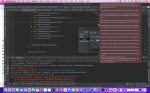
Trying to define a remote (BitBucket) repository for an Android Studio project, and I'm getting the attached error message. One solution posted on the internet suggested putting a check mark in 'Use credential helper' in Android Studio -> Preferences -> Git, but this didn't solve the problem. Any suggestions on how to fix this error?

Attachments

  • Screen Shot 2022-03-09 at 11.25.00 AM.png
    Screen Shot 2022-03-09 at 11.25.00 AM.png
    1.4 MB · Views: 166

What phone is carrier, bootloader unlocked with removable battery

I've been using my Samsung J7 Perx (rooted) for years now, I like this phone, the battery last forever but apparently Sprints LTE network is not compatible with the standard LTE network and i'll lose service in a couple weeks. So I'm on a hunt for a new phone. I would like to find a carrier unlocked phone with a removable battery and has an unlocked bootloader or is easy to root. One thing I've learned about this phone is being able to stop it from updated and disabling programs from running in the background makes a big difference on battery life.

Help Frp

Recently my wife as well as we both have our phones on hers is a Samsung galaxy a 12 mines a Samsung galaxy a 32 We managed to get them back they had been factory reset and they no longer will except our information our email accounts our passwords I don’t have a goingwe managed to get them back but they had been factory reset and they no longer will except our information in our email accounts or our passwords I I am not that knowledgeable about phones I’m trying to figure out how to bypass the FRP I can’t figure out any way to do it somebody told me that I needed to go into the settings and enable developer options so that I feel down/reflash it without the program start from when I go in to set up developer options it doesn’t allow me to do that it doesn’t matter how many times do I click on the bill number it doesn’t do anything so I’m kind of lost trying to figure out how to save our phones so if anybody has any pertinent information that would be greatly greatly appreciated thank you

App TinyCam Pro not working on Xcover5

Hi There Folks. . I have a problem with an app called (tinycam pro) the app is for my home security IP cameras. It loads up OK and detects all 4 cameras, but will not play the video stream. I get message incorrect name and password on screen. My old Nokia 2.2 has no issues with app and my android TV box plays app without issues either. They are both running android 11.All permissions have been given to my Samsung xcover5 for thIs app.I have uninstalled the app and reinstall several times, still no luck. I have also uninstall android Web browser and reinstall it with no result. Also, my other apps work just fine on the phone, it just this one (tiny cam pro) by Tiny Solutions LLC. Any suggestion to solve the issue would be very much appreciated, Thank you for your help

Filter

Back
Top Bottom