• After 15+ years, we've made a big change: Android Forums is now Early Bird Club. Learn more here.

Best Way to Read Web Page Out Loud?

Under Android what is the best way to read a web page out loud? I would prefer to not rely on an app like Google Assistant just because it has so many intrusive features and profiles your voice. I would prefer a stand-alone application that I can just link from Google Chrome and have it read the web page from which it is invoked. I just want a few standard voices and the ability to go forward or backward by a sentence or a paragraph. I would also need this to work when I am not connected to the web.

My most common use case for this would be reading a web page when I am out walking or hiking.

Is It Possible to Retrieve Data After Factory Reset

My wife did a factory reset to her 1 year old LG phone (tracfone) to restore from google backup a 3 year long text conversation she'd accidentally deleted. The reset did restore the conversation after signing back in to google, but then she realized (to her extreme horror) none of her audio or video files had been backed up and they now seemed to be lost forever. Many of these held representations of her now 99 year old grandmother who sadly often doesn't know who any of us are anymore (though she did in the video & audio renderings).

My wife has already suffered some pretty bad breaks lately but is now absolutely inconsolable over these lost files. And to add insult to injury, the only escape from darkness she's had in the past 1.5 years is a game she's been playing on her phone called Lily's Garden. She'd reached something like the 1100th level, but that has been reset back to level zero. She hasn't picked up her phone since and without that "escape" has become very depressed.

Is anyone aware of a way to get her files back, and/or get her back on track with Lily's Garden???? I'd be very much obliged!!!!

Gary

Do Google actually think about app design?

Today I received an update to the Play Store (silently, of course). And the main thing it does is removes the "updates" list in "my apps", replacing it with a page that tells me how many updates I have, a button to install them without even knowing what they are, and another to actually look at them.

The thing that struck me about this is how mind-numbingly dumb this is. If I wanted apps to update without my knowing which ones they were I would turn automatic updates on. So given that anyone who is presented with this option in the first place will have that turned automatic updates off, is it really imaginable that they will want to press the "go ahead and update without telling me what you are updating" button? They clearly didn't analyse the use cases here.

But I guess Google just want people to let everything happen automatically and never think about it, and app updates are no different. So the fact that this leads to a nonsensical Play Store design isn't important to them.

Help "Notification sound" list doesn't play the sounds when they're selected

I'm setting up a new Galaxy S9 running Android 10. When I go to Settings > Sounds and vibration > Notification sound, it doesn't play each sound when I select it from the list.

If I go to Sounds and vibration > Ringtone, each time I select the radio button next to any item in the list, it starts playing that ringtone, just as it has always worked on other Android devices I've had, but in the Notification sound list, when I tap a radio button to select a new sound, it stays silent.

The device does play the selected notification sound when I actually get notifications. Also, I am able to change the notification sound, i.e. if I select a new sound from the Notification sound list, I do hear that new sound the next time I get a notification. The only problem is that while I'm selecting a notification sound from the list, it doesn't play each sound as I select it with the radio button next to it so I can hear what it sounds like.

Similarly, when I go to Sounds and vibration > Volume, if I move the slider for Ringtone, it starts playing the currently selected ringtone at the designated volume, so I can hear how loud it is, the way it has always worked on other devices, but when I move the sliders for Notifications, Media, and System, it stays silent. Again, it does change the volume for all of those sound channels, I just can't hear a sample while I'm moving the slider. For the Media and System volume sliders, this is consistent with the behavior of other devices I've had, but for Notifications, it has always played a sample when I moved the volume slider, just as it does for Ringtone volume.

(I did try wiping the cache partition, it didn't help)

Help cannot retrieve data from realtime firebase database

I want to retrieve data from realtime firebase database into my android studio app. I am using TextView to display the data however it gives me an error. The data from firebase won't display in the TextView. can someone help me with this error..tqq

this is my error message

2021-06-09 03:01:09.992 11837-11837/com.fyp.airpollutiondetection E/AndroidRuntime: FATAL EXCEPTION: main
Process: com.fyp.airpollutiondetection, PID: 11837
com.firebase.client.FirebaseException: Failed to bounce to type
at com.firebase.client.DataSnapshot.getValue(DataSnapshot.java:183)
at com.fyp.airpollutiondetection.reading$1.onDataChange(reading.java:30)
at com.firebase.client.core.ValueEventRegistration.fireEvent(ValueEventRegistration.java:45)
at com.firebase.client.core.view.DataEvent.fire(DataEvent.java:45)
at com.firebase.client.core.view.EventRaiser$1.run(EventRaiser.java:38)
at android.os.Handler.handleCallback(Handler.java:883)
at android.os.Handler.dispatchMessage(Handler.java:100)
at android.os.Looper.loop(Looper.java:214)
at android.app.ActivityThread.main(ActivityThread.java:7356)
at java.lang.reflect.Method.invoke(Native Method)
at com.android.internal.os.RuntimeInit$MethodAndArgsCaller.run(RuntimeInit.java:492)
at com.android.internal.os.ZygoteInit.main(ZygoteInit.java:930)
Caused by: com.fasterxml.jackson.databind.JsonMappingException: Can not deserialize instance of java.lang.String out of START_OBJECT token
at [Source: java.io.StringReader@2f78e27; line: 1, column: 1]
at com.fasterxml.jackson.databind.DeserializationContext.mappingException(DeserializationContext.java:575)
at com.fasterxml.jackson.databind.deser.std.StringDeserializer.deserialize(StringDeserializer.java:46)
at com.fasterxml.jackson.databind.deser.std.StringDeserializer.deserialize(StringDeserializer.java:11)
at com.fasterxml.jackson.databind.ObjectMapper._readMapAndClose(ObjectMapper.java:2888)
at com.fasterxml.jackson.databind.ObjectMapper.readValue(ObjectMapper.java:2034)
at com.firebase.client.DataSnapshot.getValue(DataSnapshot.java:181)
... 11 more

I also get this message

2021-06-09 03:00:57.215 11837-11837/? E/lutiondetectio: Unknown bits set in runtime_flags: 0x8000

This is my code

package com.fyp.airpollutiondetection;

import androidx.appcompat.app.AppCompatActivity;

import android.content.Intent;
import android.os.Bundle;
import android.view.View;
import android.widget.Button;
import android.widget.TextView;

import com.firebase.client.DataSnapshot;
import com.firebase.client.Firebase;
import com.firebase.client.FirebaseError;
import com.firebase.client.ValueEventListener;

public class reading extends AppCompatActivity {
private TextView nilai;
private Firebase mRef;

@override
protected void onCreate(Bundle savedInstanceState) {
super.onCreate(savedInstanceState);
setContentView(R.layout.activity_reading);

nilai = (TextView)findViewById(R.id.nilai);
mRef = new Firebase("https://air-pollution-7917c-default-rtdb.firebaseio.com/CARBON");
mRef.addValueEventListener(new ValueEventListener() {
@override
public void onDataChange(DataSnapshot dataSnapshot) {
String CARBON = dataSnapshot.getValue(String.class);
nilai.setText(CARBON);
}

@override
public void onCancelled(FirebaseError firebaseError) {
}
});
}
}

inflator errors using ?attr/colors in styles

I've been working on an app for awhile and finally decided to add support for different themes. I've read a LOT of articles and seen a lot of examples. What I've ended up doing is creating a list of colors for every theme, created definitions to them in my attrs.xml and added them as custom colors in my themes.xml file. Each time I try to use one of the colors in the theme (i.e. ?attr/automate_PrimaryColorCyan) and assign it to either background or textcolor the inflator would crash and close my app. I then added

implementation 'com.android.support:design:26.1.0' to my gradle build (by suggestion)

to support my actions. This caused android studio to bark about this implementation and had me migrate the implementation to androidX. After syncing my gradle build I was able to actually assign these values to items but instead of producing the color I wanted I ended up with an extremely dark gray background instead of the color defined in my @colors file. Everything appears normal in the designer. My minimum api is 26 and the target is 30. Pulling my hair out with this problem. Here's the code for my theme, attrs.xml and styles.xml

Theme
Java:
<resources xmlns:tools="http://schemas.android.com/tools">
    <!-- Base application theme. -->
    <style name="Theme.AutoMateCyan" parent="Theme.MaterialComponents.DayNight.DarkActionBar">
        <!-- Primary brand color. -->
        <item name="colorPrimary">@color/automate_PrimaryColorCyan</item>
        <item name="colorPrimaryVariant">@color/automate_PrimaryVariantCyan</item>
        <item name="colorOnPrimary">@color/automate_ColorOnPrimaryCyan</item>
        <item name="android:textColorPrimary">@color/automate_textColorPrimaryCyan</item>
        <item name="android:windowBackground">@color/automate_windowBackgroundCyan</item>

        <!-- Secondary brand color. -->
        <item name="colorSecondary">@color/automate_SecondaryColorCyan</item> // background
        <item name="colorOnSecondary">@color/automate_ColorOnSecondaryCyan</item>
        <item name="android:textColorSecondary">@color/automate_SecondaryColorCyan</item>

        <item name="android:statusBarColor" tools:targetApi="l">?attr/colorPrimaryDark</item>
        <item name="android:navigationBarColor">@color/automate_navigationBarColorCyan</item>
        <item name="colorAccent">@color/automate_ColorAccentCyan</item>

        <!--Custom attributes (in attrs.xml)-->

        <item name="automate_PrimaryColor">@color/automate_primary_Cyan</item>
        <item name="automate_PrimaryTextColor">@color/automate_primaryText_Cyan</item>
        <item name="automate_BorderDarkColor">@color/automate_borderDark_Cyan</item>
        <item name="automate_BorderLightColor">@color/automate_borderLight_Cyan</item>
        <item name="automate_LabelTextColor">@color/automate_labelText_Cyan</item>

    </style>

</resources>

Styles
Java:
<?xml version="1.0" encoding="utf-8"?>
<resources>
    <style name="AutoMateTextBox" parent="android:Widget.TextView">
        <item name="android:textColor">?android:textColorPrimary</item>
        <item name="android:paddingStart">5dp</item>
        <item name="android:paddingEnd">5dp</item>
        <item name="android:typeface">sans</item>
        <item name="android:background">@drawable/box_style_rounded_5pt</item>
        <item name="android:textSize">20sp</item>
    </style>
    <style name="AutoMateMyHeader" parent="android:Widget.TextView">
        <item name="android:background">@drawable/box_style_header</item>
        <item name="android:paddingStart">5dp</item>
        <item name="android:paddingEnd">5dp</item>
        <item name="android:paddingTop">4dp</item>
        <item name="android:paddingBottom">4dp</item>
        <item name="android:textAlignment">textStart</item>
        <item name="android:typeface">sans</item>
        <item name="android:textColor">@color/white</item>
        <item name="android:textSize">20sp</item>
        <item name="android:textStyle">bold</item>
    </style>

    <style name="AutoMateMyEditBox" parent="android:Widget.EditText">
        <item name="android:textColor">?android:textColorPrimary</item>
        <item name="android:paddingStart">5dp</item>
        <item name="android:paddingEnd">5dp</item>
        <item name="android:typeface">sans</item>
        <item name="android:background">@drawable/box_style_rounded_5pt</item>
        <item name="android:textSize">20sp</item>
    </style>
    <style name="AutoMateMyEditBoxInverted" parent="android:Widget.EditText">
        <item name="android:textColor">?android:textColorPrimary</item>
        <item name="android:paddingStart">5dp</item>
        <item name="android:paddingEnd">5dp</item>
        <item name="android:typeface">sans</item>
        <item name="android:background">@drawable/box_style_rounded_5pt_inverted</item>
        <item name="android:textSize">20sp</item>
    </style>
</resources>

Attributes
Java:
<?xml version="1.0" encoding="utf-8"?>
<resources>

    <attr name="automate_PrimaryColor" format="reference" />
    <attr name="automate_PrimaryTextColor" format="reference" />
    <attr name="automate_BorderDarkColor" format="reference" />
    <attr name="automate_BorderLightColor" format="reference" />
    <attr name="automate_LabelTextColor" format="reference" />


</resources>

Java:
<?xml version="1.0" encoding="utf-8"?>
<androidx.constraintlayout.widget.ConstraintLayout xmlns:android="http://schemas.android.com/apk/res/android"
    xmlns:app="http://schemas.android.com/apk/res-auto"
    android:layout_width="match_parent"
    android:layout_height="wrap_content"
    android:clickable="false">

The textview using my headerStyle
    <TextView
        android:id="@+id/headerText"
        style="@style/AutoMateMyHeader"
        android:layout_width="0dp"
        android:layout_height="wrap_content"
        app:layout_constraintBottom_toBottomOf="parent"
        app:layout_constraintEnd_toEndOf="parent"
        app:layout_constraintStart_toStartOf="parent"
        app:layout_constraintTop_toTopOf="parent" />
</androidx.constraintlayout.widget.ConstraintLayout>

The shape file referenced in the AutoMateMyHeader definition
This should make the background color a nice dark cyan and it's actually very dark gray
Java:
<?xml version="1.0" encoding="UTF-8"?>
<shape xmlns:android="http://schemas.android.com/apk/res/android">
    <solid android:color="?android:attr/colorPrimary"/>
</shape>

And finally here's what the view looks like when I run the app
The headers should have the same background color as the toolbar.
ugly_screen.jpg

Help Burn in

I just wanted to ask, a couple of months ago I broke back glass of my Samsung Galaxy S20 and I got that repaired in Samsung Service. And now I noticed that my phone has burn in. So my question is does anyone know will burn in get under warranty or they will deny it cause of broken back glass from a couple of months ago

Adding mp3 files to Note 20 Ultra

I have about 1400 MP3 files that I created with cdparanoia and lame from my own CD collection. They work fine on my computers, and they also work fine on the Note, except that on the note I can play them only from a USB stick. That's because, as far as I can tell there's no way to move files from an external device to the phone's internal storage.

I tried a couple different file managers from the Play Store, and you can select a file on the USB stick, and press a Copy button, then move to somewhere on the phone's internal storage, but when you're in the internal storage the Paste button is grayed out. I guess if I want to listen to my MP3 files on the phone I'll have to always have a USB stick hanging out the bottom.

The naming system for how the internal storage is set up is also unclear. Assuming I can figure out how to get my files on the phone, what is the standard location?

GOOMP

Hello everyone!

I present to you a game that I just created. It's about shooting zombies and mutants.
You have to defend your home from them. You can buy weapons, spells, battle companions ...
The story is told by 3 characters. And there are fun conversations.
It took me a LONG time to finish.
It's name is GOOMP (Get Out Of My Propery)

I really hope you like it!

https://play.google.com/store/apps/details?id=es.pocketgames.goomp


Los3EnTorrada_Pek-recortado-e1612725475896.png

Keep Screen On

I use a variety of apps while riding my m'cycle and need my screen on my note 9 to stay on. As when used like this the phone is full time charging via USB I have enabled the option to stay on while charging under Developer. But it seems hit or miss. Some apps I use like ESR purport to keep screen on while in use but again, hit or miss. Touch screen sensitive gloves are not very good.

Does anyone know a way to reliably keep the screen on?

Help How can I get a GSI on my Galaxy a6 Device?

I have a Galaxy a600p (Sprint) with an unlocked bootloader and TWRP. I have both wiped and formatted my device using the twrp options and when I flash the rom it successfully flashes onto the Galaxy a6 device but when I reboot to system it either just stays on the boot screen or boots to a black screen. Any help for me to get any Generic System Image on my a6? The only rom that it will accept is Stock Rom Android 10 flashed via Odin software.

Unusually high load from system

Trying to make sense of this.

Simply, I've been noticing the phone being unusually warm and burning through battery, especially when I'm not actively using it. So, made a point to leave it alone and let it do its thing, and check with gsam to see what it tacked.

This is my personal v20, running the latest (known) build of resurrection remix rom for it. Seems to be saying the system itself is doing skmething, but as a result, i don't know how to tame it to behave.

Bad enough my present work has me out in 100+ F weather all day long. Only thing I can take solace in, is that at least with the extended battery i can still get through the day on a single charge. The standard battery would have left me to die ages ago.

Attachments

  • Screenshot_20210607-060254_GSam_Battery_Monitor.png
    Screenshot_20210607-060254_GSam_Battery_Monitor.png
    868.4 KB · Views: 303
  • Screenshot_20210607-060244_GSam_Battery_Monitor.png
    Screenshot_20210607-060244_GSam_Battery_Monitor.png
    945.4 KB · Views: 253

Help Device suddenly won't boot, could only access Fastboot mode (Untampered non rooted device)

Device: Zenfone 5 (ZE620KL)

OS: Android 9 Latest non Beta WW version (Never been rooted, unlocked, not a power user)
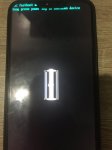
Symptoms: Power Cycling (?) when plugged in
Can't load into the OS (dies before the loading animation)
No recovery menu, only fastboot mode

IMG_4059.JPG
How did it happened

G'day folks, some days ago i was using my device Zenfone 5 (ZE620KL) to navigate around the city using google maps, when i arrived i noticed that the battery is at 6% and didn't think much of it as i turned the maps off and lock the screen. Throughout the next 45 minutes i basically held the phone standing around waiting on a queue, needing to text someone i pressed the power button and it's dead, well a classic ran out of battery case right? NO when i got home and plugged the charger and the battery image shows up aand it just dies (didnt even reach the animated charging screen)(power cycling) and then it kept on doing that, 3 different chargers, 3 different cables nope... tried removing the charger and turning it on, it only shows the powered by android and the asus picture and didnt reach the loading animation before it dies. can't access recovery mode, but the CSC fastboot mode do show up but since it has never been rooted or tinkered with probably the fastboot menu is useless right? Main objective is to atleast get my files back :(
Any help will be endlessly appreciated
EDIT: while it's on CSC fastboot menu i plugged it into a windows pc and the pc plays the *device has been plugged in* sound but no autoplay option.

AUE3 U.S.A. unlocked Snapdragon models JUNE Security patch

This latest release is the same build and change list, 21556280, as the previous AUDD release from April. No new update, bugfixes or features, just the June Android Security patch.

Build G998U1UES3AUE3, 13th May build, is now available for the following unlocked U.S. Snapdragon models...
  • S21 5G model SM-G991U1
  • S21+ 5G model SM-G996U1
  • S21 Ultra 5G model SM-G998U1
On the following CSC codes..
  • XAA
  • VZW
  • USC
  • LRA
  • FKR
  • CHA
  • CCT
  • AIO
  • ACG
  • ATT
  • TMB

Source

AUE3 U.S.A. unlocked Snapdragon models JUNE Security patch

This latest release is the same build and change list, 21556280, as the previous AUDD release from April. No new update, bugfixes or features, just the June Android Security patch.

Build G998U1UES3AUE3, 13th May build, is now available for the following unlocked U.S. Snapdragon models...
  • S21 5G model SM-G991U1
  • S21+ 5G model SM-G996U1
  • S21 Ultra 5G model SM-G998U1
On the following CSC codes..
  • XAA
  • VZW
  • USC
  • LRA
  • FKR
  • CHA
  • CCT
  • AIO
  • ACG
  • ATT
  • TMB

Source

AUE3 U.S.A. unlocked Snapdragon models JUNE Security patch

This latest release is the same build and change list, 21556280, as the previous AUDD release from April. No new update, bugfixes or features, just the June Android Security patch.

Build G998U1UES3AUE3, 13th May build, is now available for the following unlocked U.S. Snapdragon models...
  • S21 5G model SM-G991U1
  • S21+ 5G model SM-G996U1
  • S21 Ultra 5G model SM-G998U1
On the following CSC codes..
  • XAA
  • VZW
  • USC
  • LRA
  • FKR
  • CHA
  • CCT
  • AIO
  • ACG
  • ATT
  • TMB

Source

Filter

Back
Top Bottom