• After 15+ years, we've made a big change: Android Forums is now Early Bird Club. Learn more here.

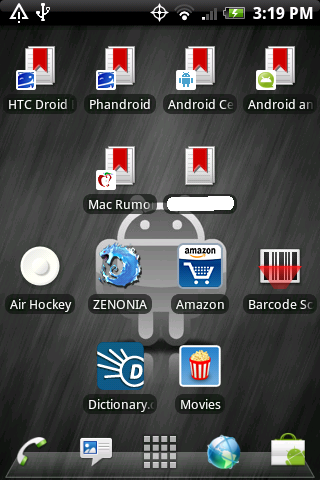
Lets see your UI layout!

Lockscreen
Lockscreen.png

Left to Right
Left2-1.png

Left1.png

Home-1.png

Right1.png

Right2.png
 
I think I got this right. I'm running CyanogenELB 2.7 with ADWLauncher.
 

Attachments

  • resizelock.png
    resizelock.png
    102.5 KB · Views: 160
  • resizehome.png
    resizehome.png
    94.8 KB · Views: 127
Do we use bettercut or Metamorph to change the icons on Launcherpro...I can't figure it out. I DL'ed Bettercuty but the icons on my dock doesn't seem to locate icons i've created with better cut. H

How did you do that?
 
Do we use bettercut or Metamorph to change the icons on Launcherpro...I can't figure it out. I DL'ed Bettercuty but the icons on my dock doesn't seem to locate icons i've created with better cut. H

How did you do that?

To change the icons in the dock, Long press the spot on the dock were you want your app, Select what app you want then a box will pop up asking what kind of icon to use, Select custom icon and then navigate to were the icons are stored on your SD card and select what icon you want to use.
 
Lock:
12793f69.png

Main:
e8a74c47.png

Right is Facebook and left is weather channel.

That sir is a beautiful UI. Clean and simple. I like it... I like it alot.
Could you please list what you are running? LP obviously. What clock widget is that?
 
Heres mine just got new icons for the dock, Tell me what you think.

Center Dock 1
CenterDock1.png


whats that middle wiget?


Left 2
left2.png


is that a tapatalk widget?! :eek:
 
I like that look too. Is there anyway of changing the color to the icons you have on the dock cause i got the same ones and love em but if you can change there color that would top the cake
mmmm... cake
 
Thank you.

I see no reason to have the screen full of icons and widgets anymore; the app drawer is right there, so the dock with messaging, people, internet and weather bug is enough for me.

Widgets are on another screen to the left for a quick swipe if I need to use Wifi on/off or whatever.
 
I like that look too. Is there anyway of changing the color to the icons you have on the dock cause i got the same ones and love em but if you can change there color that would top the cake
mmmm... cake

Funny you would mention that; I've been working on them in Gimp.

I'll post some alternative color sets of those in the next couple of days.

Incidentally, that pic of my screen there does not do the wallpaper justice at all; it is quite blended and no borders between grey changes at all.
 
Running Ivan's 1.1 deodexed.
Edited "Faded Rosie" theme I found off xda to be green touch.
And cyan blue battery.

Dude I can't wait for ivan's 1.1. I'm about to load up a De-Odex'd Ivan's just so I can modify my Rosie.apk exactly like this.

Did you just move the graphics from the 'res' folder from a themed Hero CDMA Rosie.apk to the Rosie.apk from Ivan's?
 
How in the world are you guys making these so cool? I'm not rooted. Pretty in-depth or fairly simple for an old man to try?

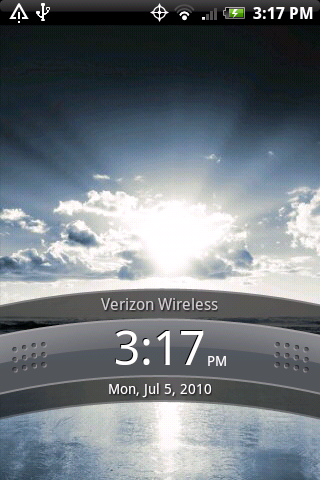
Sure, root is not required for many of these; although some of the forum members are rooted (and some requre root access). I see a few on this page that are using the home replacement called ADW Launcher (it's free in the market), some very nice wallpaper, and many very cool widgets. Even if you're not rooted, you have plenty of flexibility.
 
Back
Top Bottom