
• After 15+ years, we've made a big change: Android Forums is now Early Bird Club. Learn more here.

How To: Custom Icons For Your Droid X

I just changed all my homescreen icons, however, the google maps app has an update available that makes maps and latitude not work. When i make the shortcut on the homescreen and tap the icon it says "application not installed". Any ideas? If i delete the update the stock maps app works perfect.
 
This is all great information! I have a question though....I've have Launcher Pro and have changed my homescreen icons with custom dialer, internet, ect..but after a while they revert back to the Launcher Pro default icons. Seems to be almost when I connect the X via USB. Any Ideas?

Thanks.
Jeff
 
Anyone know where I can get the a windows start icon (anything from win 95 to win 7 start idk but I would prefer the win 7 icon). Ive looked through the win 7 icon pack but I've only found the windows icon (and a media center icon which similar to the start but with a green bubble) not the start menu icon.


Another issue Im having now is the center 3 icons change back to the original launcher pro icons when tilt my phone. Anyone else have this issue? I'm going to try shutting down with the icons in place, and repowering.

They don't stay when I power back up. Actually when I change them to different launcher pro icons, they change back when I tilt also.

I've fixed my issue, I had to change to a different shortcut and then change it back.
 
I'm having a problem when I load the .png files onto the phone, it won't recognize them. The problem is when I convert them to .jpg, it gives them a white square background which looks terrible. Anyone have a suggestion?


Edit: nvm I didn't see the programs needed in the beginning of the post
 
Anyone know where I can get the a windows start icon (anything from win 95 to win 7 start idk but I would prefer the win 7 icon). Ive looked through the win 7 icon pack but I've only found the windows icon (and a media center icon which similar to the start but with a green bubble) not the start menu icon.


Another issue Im having now is the center 3 icons change back to the original launcher pro icons when tilt my phone. Anyone else have this issue? I'm going to try shutting down with the icons in place, and repowering.

They don't stay when I power back up. Actually when I change them to different launcher pro icons, they change back when I tilt also.

I've fixed my issue, I had to change to a different shortcut and then change it back.

Can you tell me what you did exactly to get the custom icons to stay? I'm having the same issue
 
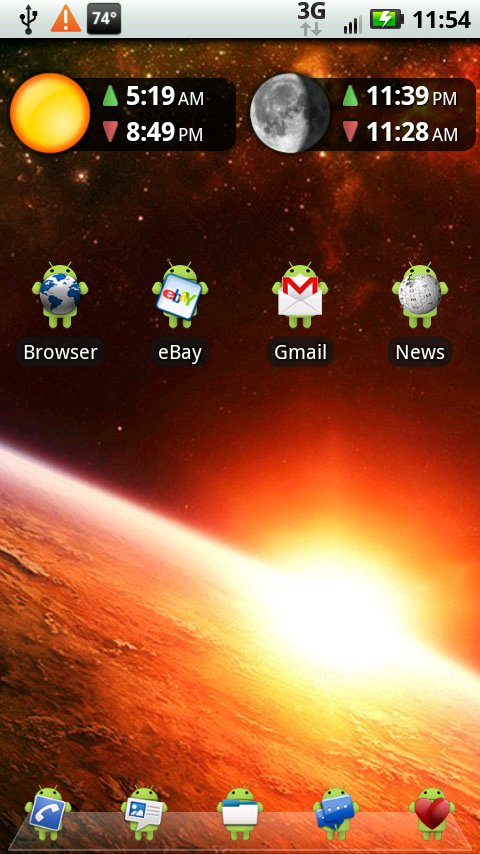
He's using the same ones I'm using on other parts of my Home screen (I keep switching my dock icons), they are not on the Market. If you go to the Launcher Pro w/ Custom Icons thread someone posted the link to them, here is a screen of my phone with them in use.
4-1.png

I cannot find the droid text message icon anywhere?!? Could you send it to me by chance? Thanks!
 
To Airmaxx23, I just wanted to say thank you, this has been the most helpful of threads out of the literally 100's I have read. You broke it down completely for us neewbs and I REALLY appreciate it.

My phone is cool and it is because of your help and guidance. Thanks again.
 
I cannot find the droid text message icon anywhere?!? Could you send it to me by chance? Thanks!

I don't have the icons anymore but the link to download them is in the very first post at the top.


To Airmaxx23, I just wanted to say thank you, this has been the most helpful of threads out of the literally 100's I have read. You broke it down completely for us neewbs and I REALLY appreciate it.

My phone is cool and it is because of your help and guidance. Thanks again.

Not a problem, I'm glad it was easy for you to use. I wrote it up as though the person using it had no idea what they were doing so that anyone could use it.


What's the name of the sun + moon widgets you have there? I like the look of them!! Thanks

It is the Sundroid app.
 
Hey Airmaxx, I have been trying all afternoon to get the Droid icons on to my homescreen with no luck. Followed your directions and I get as far as the change name I do that then the shortcut just goes onto the screen, it never asks me to change the icon. Doing everything do your instructions only using AnyCut as oppossed to Better, not being cheap just read some bad recent reviews in the market.

Is this the problem, do I need Better for your directions to work? Should I try a diff set of icons? I really like the green droids so wanted to use them exclusivally. Changed all the dock Icons with no problem. Thanks for any help.
 
Hey Airmaxx, I have been trying all afternoon to get the Droid icons on to my homescreen with no luck. Followed your directions and I get as far as the change name I do that then the shortcut just goes onto the screen, it never asks me to change the icon. Doing everything do your instructions only using AnyCut as oppossed to Better, not being cheap just read some bad recent reviews in the market.

Is this the problem, do I need Better for your directions to work? Should I try a diff set of icons? I really like the green droids so wanted to use them exclusivally. Changed all the dock Icons with no problem. Thanks for any help.

I just tried AnyCut and as far as I can see you do not have the option to change the icon. BetterCut has always worked fine for me, I think the bad reviews are more a result of "operator error" than anything.
 
I just tried AnyCut and as far as I can see you do not have the option to change the icon. BetterCut has always worked fine for me, I think the bad reviews are more a result of "operator error" than anything.

Thanks will try it. Google payserver has been down all day, tried to get BW earlier, but once it is up I will purchase and let you know how it went. Thanks for the timely reply.
 
Thanks will try it. Google payserver has been down all day, tried to get BW earlier, but once it is up I will purchase and let you know how it went. Thanks for the timely reply.

Don't forget, you have 24 hours to try the paid apps out, if you don't like it just uninstall it and get a refund.
 
Well I finally decided to give LPP another try and I'm glad I did. Unfortunately, I can't seem to get my phone to recognize a few custom launchers and icons I've made. Out of curiosity, does the phone only recognize .jpgs and not .pngs?

Also, does anyone know how I can extract icons from ADW themes, such as the sticker album one!?

ADW Sticker Album Theme – Pirate Media – Android Theme Development

Edit: So if I read the OP right, we have to cough up $5 just to change icons?
 
Airmaxx...out of everything I've read for customizing my phone, this has been by far the most helpful. I just switched from an Eris to the DX, love it! Thank you for sharing your tips and tricks for making my phone completely customizable! You rock x1000 for this :D !
 
Here's an interesting question:

Is there any way to resize the custom icons (specifically to make them larger)? I downloaded a whole set of "Smoked Glass" icons, all of which have icons contained within glass squares. Since Android seems to want to make every icon the same size, the pictures within the Smoked Glass icons end up being unbearably small (especially given the size of the X's screen).

This is also true for the small size of any Custom Dock Icons that I put on. They end up much smaller than the stock dock icons that come with the stock Motoblur dock.

I love the look of the custom icons, but it's not worth needing bifocals over.
 
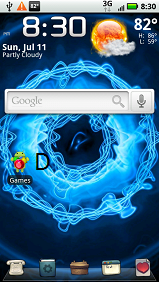
They're from the Flikie HD wallpaper app that you can get free from the Market. There are thousands of wallpapers you can choose from. I keep switching between a few different ones. Right now I'm really liking this one.
d.png

First of all I wana say I'm new to this forum, so plz bare in mind I'll ask STUPID questions.

I love this wallpaper, and the weather, time, day/date widget. I'd like to get a weather widget like this, but NOT where I have to type up cities. That's kind of crazy, cuz I travel and would like the instant weather picked up by GPS, from where ever my location is. What should I do? The stock weather widget asks to type up the city, which makes no sense!

Airmaxx23,
Outstanding job in taking pictures, and writing in detail. However, being that I'm new to Android & DX, and generally not very techie, I didn't understand the whole benefit of what you explained. I'm sure there's a benefit to all this. Can anyone tell me how it benefits, doing all the steps you've mentioned? Again, I say this with all due respect and admiration for your effort & work.

Also, can someone tell me installing apps and doing all these changes, wallpapers, etc... Does this Crash the phone? Or get hesitation, etc. I had a Droid X for 29 days, I had downloaded just simple apps, and 1 game. Total of about 18-20 apps at most. My phone would always hang up, crash, get no signal, etc. The dealer tells me it could also be due to so many apps I'm running. I can't believe that! I know people who have tons of games and apps on DX and iphone, and they use them heavily, and phone runs smooth. Afterall, this is the New 1GHz processor - Fast phone, not like the iphone 3GS (which a lot of my friends have, and they run without hick ups). I finally traded my DX for another DX. Now I'm afraid to download ANY apps...:eek: Need suggestions & advise.

Thanks in advance!
 
First of all I wana say I'm new to this forum, so plz bare in mind I'll ask STUPID questions.

I love this wallpaper, and the weather, time, day/date widget. I'd like to get a weather widget like this, but NOT where I have to type up cities. That's kind of crazy, cuz I travel and would like the instant weather picked up by GPS, from where ever my location is. What should I do? The stock weather widget asks to type up the city, which makes no sense!

Airmaxx23,
Outstanding job in taking pictures, and writing in detail. However, being that I'm new to Android & DX, and generally not very techie, I didn't understand the whole benefit of what you explained. I'm sure there's a benefit to all this. Can anyone tell me how it benefits, doing all the steps you've mentioned? Again, I say this with all due respect and admiration for your effort & work.

Also, can someone tell me installing apps and doing all these changes, wallpapers, etc... Does this Crash the phone? Or get hesitation, etc. I had a Droid X for 29 days, I had downloaded just simple apps, and 1 game. Total of about 18-20 apps at most. My phone would always hang up, crash, get no signal, etc. The dealer tells me it could also be due to so many apps I'm running. I can't believe that! I know people who have tons of games and apps on DX and iphone, and they use them heavily, and phone runs smooth. Afterall, this is the New 1GHz processor - Fast phone, not like the iphone 3GS (which a lot of my friends have, and they run without hick ups). I finally traded my DX for another DX. Now I'm afraid to download ANY apps...:eek: Need suggestions & advise.

Thanks in advance!

With the Beautiful Widgets weather you can have it follow your location through the GPS. The wallpaper can be found in the Flikie Wallpaper HD app. I wrote the instruction as though the person following them had no clue about any of it. I figured it would just be that much more helpful. There are no real "benefits" other than having your phone set up exactly how you want it.

As far as apps I have 80+ apps on my phone and it does not hinder the performance at all so don't be afraid to download and install any apps that you want to try.
 
Back
Top Bottom