• After 15+ years, we've made a big change: Android Forums is now Early Bird Club. Learn more here.

Your thoughts on dxTop! Droid owners!

not really sure i'm gonna get a whole lot of use of the 2nd tab at the bottom and it makes it harder to get at the apps tab.

i find that for that same reason i'm using long-press on the soft menu key to open the app dock now.

but, i've organized almost every app i own into "folders" with apps organizer, and have a screen that's nothing but apps organizer folders, so i rarely need to pull open the app bar. but, i also have 170+- apps installed so i admit i'm probably a rare case.
 
i find that for that same reason i'm using long-press on the soft menu key to open the app dock now.

but, i've organized almost every app i own into "folders" with apps organizer, and have a screen that's nothing but apps organizer folders, so i rarely need to pull open the app bar. but, i also have 170+- apps installed so i admit i'm probably a rare case.

Can you describe how the apps organizer feature works?
 
I was looking at dxTop along with some other Home alternative apps, and tried the demo version of this. I was actually quite impressed - the ease of getting to the four screens was great, along with the option to switch to landscape view. I eventually decided to plunk down the plastic for GDE. I liked the cube interface and the option to set up more home screens than dxTop. I'd still consider buying dxTop somewhere down the road though, and might do that, depending on how I feel about GDE after a while.
 
Can you describe how the apps organizer feature works?

absolutely. essentially you get two screens when you open the app (see the html link below, second screenshot). one is a huge list of all yours apps; the other is your labels, with all the apps for each label sorted by label (think an expandable javascript left nav on a basic website - click a label to expand and see the apps inline beneath it). the first screen is useful for finding out which apps aren't labeled yet.

you go in and assign any app any number of labels.

then, you add a "folder" to your home screen, which is an apps organizer folder. you pick a label, and it shows up on your desktop (with a custom icon you can specify) as a folder, with all those apps in it.

there's a few more advanced features (like long-pressing an app to uninstall direct from apps organizer), but that's the general idea. let me know if you want me to go into more details. i'll try to post a screenshot today.

edit: here's the developer's screenshots, the first is the folder view when you click a label folder off the home screen; second is the first screen inside the app as mentioned above. you can also see the star feature - you can star or unstar apps, then inside the folder show only starred apps. so my favorite games in my games folder are starred, but the "ok" ones aren't, in case i want to play something i haven't played in a while i just turn the star off in the folder to "see all".

Screenshot of Apps Organizer

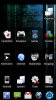
also attached is my home screen with all my folders and custom icons

 

Attachments

  • dxtop-ss-1259943953544.jpg
    dxtop-ss-1259943953544.jpg
    77.5 KB · Views: 189
Set the default lock screen as Droid and rebott twice it should solve the problem.

The right tab is a task manager long press an icon and you will see what it does.


So far I like this home replacement better than the others I have tried...

BUT I am having problems with the screen locking after I use the dxtop slide unlock. I tried the above and it did not solve the problem. I would say 90% of the time I unlock my phone the screen is frozen I cannot switch screens, click an desktop icon or use the heptic buttons at all. The only way I have found to get around it is to lock it again with the top button and retry unlocking. 50% of the time it works first try the other half I have to retry the steps above.

Other than that I have not had one force close which is my biggest gripe about the other home replacements. I love having the extra screen and I love how the screens work up down left right. SO if we can get the freezing fixed I will be a happy camper :)
 
So far I like this home replacement better than the others I have tried...

BUT I am having problems with the screen locking after I use the dxtop slide unlock. I tried the above and it did not solve the problem. I would say 90% of the time I unlock my phone the screen is frozen I cannot switch screens, click an desktop icon or use the heptic buttons at all. The only way I have found to get around it is to lock it again with the top button and retry unlocking. 50% of the time it works first try the other half I have to retry the steps above.

Other than that I have not had one force close which is my biggest gripe about the other home replacements. I love having the extra screen and I love how the screens work up down left right. SO if we can get the freezing fixed I will be a happy camper :)

You are using the default Droid unlock screen option and have rebooted a couple of times?
 
BUT I am having problems with the screen locking after I use the dxtop slide unlock.

i was having the same problem. i reverted back to the default droid unlock instead of the dx "iphone" slider and haven't had a problem since.

i did have to reboot after making the switch for it to take.
 
Anyone have a screenshot of the Applications Drawer Organizer ? Curious as to what it looks like. I see the home screen organizer above, but want to see the drawer.
 
absolutely. essentially you get two screens when you open the app (see the html link below, second screenshot). one is a huge list of all yours apps; the other is your labels, with all the apps for each label sorted by label (think an expandable javascript left nav on a basic website - click a label to expand and see the apps inline beneath it). the first screen is useful for finding out which apps aren't labeled yet.

you go in and assign any app any number of labels.

then, you add a "folder" to your home screen, which is an apps organizer folder. you pick a label, and it shows up on your desktop (with a custom icon you can specify) as a folder, with all those apps in it.

there's a few more advanced features (like long-pressing an app to uninstall direct from apps organizer), but that's the general idea. let me know if you want me to go into more details. i'll try to post a screenshot today.

edit: here's the developer's screenshots, the first is the folder view when you click a label folder off the home screen; second is the first screen inside the app as mentioned above. you can also see the star feature - you can star or unstar apps, then inside the folder show only starred apps. so my favorite games in my games folder are starred, but the "ok" ones aren't, in case i want to play something i haven't played in a while i just turn the star off in the folder to "see all".

Screenshot of Apps Organizer

also attached is my home screen with all my folders and custom icons

dxTop has an a category organization feature as well. Have you tried it?
 
dxTop has an a category organization feature as well. Have you tried it?

not yet, but only because i got apps organizer like 2 days into droid ownership, and i've only had dx a couple days.

but now that you bring it to my attention i'm gonna try it out today :)

have you tried it? is it intuitive/similar to how apps organizer works (from my description)?
 
not yet, but only because i got apps organizer like 2 days into droid ownership, and i've only had dx a couple days.

but now that you bring it to my attention i'm gonna try it out today :)

have you tried it? is it intuitive/similar to how apps organizer works (from my description)?

I believe it is similar, what I know so far is that you change your left tab menu to category view, you then long press and begin categorizing your shortcuts. When you long press on a screen you choose new folder then dxTop Application Category.

Maybe the same people wrote this part, sounds very similar. Another advantage to dxTop.
 
I tried Open Home, GDE, Panda and am most happy with dx. It is so efficient, it always buged me to scroll thru all the screens in other home apps. I just installed it last night, but today my Droid has froze twice, not responding to any input at all, not even able to shut it down and had to remove the battery. I don't know if this is just coincidence or what, maybe something else going on today? Anyone having this experience?
 
I tried Open Home, GDE, Panda and am most happy with dx. It is so efficient, it always buged me to scroll thru all the screens in other home apps. I just installed it last night, but today my Droid has froze twice, not responding to any input at all, not even able to shut it down and had to remove the battery. I don't know if this is just coincidence or what, maybe something else going on today? Anyone having this experience?

No.
 
I don't know if this is just coincidence or what, maybe something else going on today? Anyone having this experience?

i have heard of problems if you don't remove widgets off the default home screen before using dx (or any other home manager). i don't know how valid that is, as i haven't experienced the problems you are, but might be worth a try. are your other home managers still installed? maybe try removing them temporarily if they are so dx is the only one you have? even if you're not using them, perhaps they're running some services in the background? just throwing ideas out there - not really sure why you're having that problem, sorry.

i did have issues with the unlock screen freezing, but nothing since changing that back to the droid default instead of the dx iphone style.

outside of that small glitch, dx has been flawless for me. at times, it feels faster than the default home.
 
absolutely. essentially you get two screens when you open the app (see the html link below, second screenshot). one is a huge list of all yours apps; the other is your labels, with all the apps for each label sorted by label (think an expandable javascript left nav on a basic website - click a label to expand and see the apps inline beneath it). the first screen is useful for finding out which apps aren't labeled yet.

you go in and assign any app any number of labels.

then, you add a "folder" to your home screen, which is an apps organizer folder. you pick a label, and it shows up on your desktop (with a custom icon you can specify) as a folder, with all those apps in it.

there's a few more advanced features (like long-pressing an app to uninstall direct from apps organizer), but that's the general idea. let me know if you want me to go into more details. i'll try to post a screenshot today.

edit: here's the developer's screenshots, the first is the folder view when you click a label folder off the home screen; second is the first screen inside the app as mentioned above. you can also see the star feature - you can star or unstar apps, then inside the folder show only starred apps. so my favorite games in my games folder are starred, but the "ok" ones aren't, in case i want to play something i haven't played in a while i just turn the star off in the folder to "see all".

Screenshot of Apps Organizer

also attached is my home screen with all my folders and custom icons

I seem to be missing something with the Apps Organizer setup? I assigned a label to all my apps and created the folders on the home screen but the apps did not move into the folders? I think I did exactly what you described here. Most of my apps are in the pull our drawer so do they need to be moved to the main home screen? But, none of the apps on the home screen moved into folders either? What am I missing?
 
Well i am not sure how you got it to look like that but mine does not. I went to change view and chose categories and then refresh and mine dont put them under the drop down like your pic shows.

you have to long-press each app and choose a label for each one first :) try it with one, then scroll to the bottom of the drawer
 
I seem to be missing something with the Apps Organizer setup? I assigned a label to all my apps and created the folders on the home screen but the apps did not move into the folders? I think I did exactly what you described here. Most of my apps are in the pull our drawer so do they need to be moved to the main home screen? But, none of the apps on the home screen moved into folders either? What am I missing?

hard to say without seeing how you did it, but maybe check your Stars? like, if you didn't star any apps, but then your folders are opening and the star up top is selected, that wouldn't show anything?

outside of that, i'm not sure what's different. to outline the steps i use:

1) open apps organizer
2) tap an application and add a label to it
3) go to home screen, long-press, Shortcut (i may have inadvertently said folder before)
4) choose the label you want and it should show up on the home screen with all the apps in it

outside that, i'm at a loss - so i hope that helps!
 
you have to long-press each app and choose a label for each one first :) try it with one, then scroll to the bottom of the drawer[/QUOT
Maybe I'm confused the was with dxtop cause I don't see lable anywhere when long press a app. You're screen shoot looks like dx
 
Maybe I'm confused the was with dxtop cause I don't see lable anywhere when long press a app. You're screen shoot looks like dx

i think i'm confused :) are you talking about labels in apps organizer (which is my screenshot) or category view in the drawers in dxTop (which is gwlaw's screenshot)?

for apps organizer, use the instructions i posted above, for dxTop do this

1) pull up the left of the two drawers
2) press soft key for menu
3) press change view
4) choose categories
5) while still in the drawer, long-press an app
6) choose "Set Category"
7) give it a category, then scroll to bottom of drawer to see it

you have to do this for every app in the drawer - it doesn't automatically create categories for you, it's up to you to name and set them :)
 
you have to long-press each app and choose a label for each one first :) try it with one, then scroll to the bottom of the drawer[/QUOT
Maybe I'm confused the was with dxtop cause I don't see lable anywhere when long press a app. You're screen shoot looks like dx

In dxTop slide up the left tab menu change view to categories. Long press a shortcut then select category and define. You can add the dxTop category folder to the desktop with a long press and new folder.
 
you're right I am looking at your screen shot but talking about dx. It look like you have a drawers pulled out like with dx but your saying that is app manager. Does it have drawers like dx?
 
Back
Top Bottom