

SoCalSpecialist
Member
heres my new setup :


Follow along with the video below to see how to install our site as a web app on your home screen.
Note: This feature may not be available in some browsers.
thanks.
i ripped the icons from the "Elegance" theme found on xda, so there properly called the "Elegance" icons. lol
but yea..i did use better cut to rename/redesign the icons.
Glad to see you got root working. Nice layout btw
thanks .. im telling you if it wasnt for you and Grd, i wouldnt have even gotten close..
thank you!


One thing I've noticed while looking at screen shots is that a lot of people have a "D" under their 3G symbol. I can't switch between my seven screens and keep the "D" there. Mine always turns to arrows. I know that means data is being transferred, but mine seems to do it quite often. There's no way I could take 7 screen shots and keep the "D" there that long.
Just an observation.

Well it might have something to do with enabling Always-on Data?
If you don't already have it disabled, it will save you tons on battery life.
Disable it by going into setting> wireless controls> mobile network settings> and uncheck the "always on mobile" setting.
Enjoy, and hope this helps with the problem with your Eris always pulling data.
Well it might have something to do with enabling Always-on Data?
If you don't already have it disabled, it will save you tons on battery life.
Disable it by going into setting> wireless controls> mobile network settings> and uncheck the "always on mobile" setting.
Enjoy, and hope this helps with the problem with your Eris always pulling data.
Hey, what does that do? Does that mean it won't always, say, update facebook/aim/gmail in real time?
Eh... That's almost as bad as turning off your mobile network when you're not going to use that function of the phone. I'll honestly suffer slightly less battery for the ability to get important emails and stuff when they come

how do you get the bookmarks screen to look like that?
thanks

screens from left to right
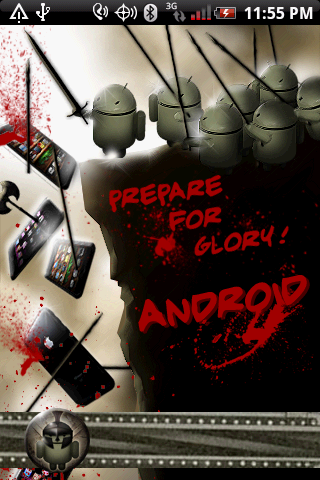
lock screen

calendar

bookmarks

contacts

home

messages


settings and what not

May I ask, what wallpaper is that?


thanks.
i ripped the icons from the "Elegance" theme found on xda, so there properly called the "Elegance" icons. lol
but yea..i did use better cut to rename/redesign the icons.


