
Install the app
How to install the app on iOS
Follow along with the video below to see how to install our site as a web app on your home screen.
Note: This feature may not be available in some browsers.
-
After 15+ years, we've made a big change: Android Forums is now Early Bird Club. Learn more here.
You are using an out of date browser. It may not display this or other websites correctly.
You should upgrade or use an alternative browser.
You should upgrade or use an alternative browser.
Root [GUIDE] Howto Root LG Motion 4G
- Thread starter aaronmy
- Start date
-
- Tags
- lg motion 4g
http://prntscr.com/pj6rb
here is the image for it
here is the image for it

twogbsd
Android Expert
can some one help me.. itried the root but its keeps failing to push the files. any ideas?
Did you install the systembackuptest.apk first? Do you have USB debugging on?

SwoRNLeaDejZ
Android Expert
You should read the whole thread, you would have seen i posted a solution to this. After it had all those errors, close the command prompt window, open the apk again, reboot your phone, open root.bat again and it will succeed
Rooted! Just gotta say tho, that these instructions are a little murky... I followed the ones on XDA, that were written a bit more clearly. Just an FYI for anyone trying this and having problems. The first time I tried it with these instructions, and it got me nowhere-- prolly cuz I don't know much about computers/ programs and whatnot. But I tried again using the XDA instructions, and it worked flawlessly.

Johnny Crapple
Android Expert
Finally rooted!!! Factory reset did the trick.
Didn't know you had this phone that's cool dudes

HoUdInI
Android Enthusiast
i did this root and got my account disabled...can't get it to root and can't get these direction to work like the c:\ o4xr all that don't work but i did the root.bat and said failure this failure that and not my google account is disabled...any ideas...thanks...just got the phone from metro and it did an update if this will help any..

MotoTriumphant
Android Enthusiast
Yeah. Got the e update and said f it im rooting
Whoa you have the motion now??
MotoTriumphant
Android Enthusiast
Ive had the motion for two months or so.
Rooted and bricked today.
I'm trying to install recovery, but somehow I bricked the phone... Maybe im missing something... that's far as I can tell you just install the application put buttons in your good. not true for me
Did you install the LTE2 2nd init app?

Tokenpoke
Android Expert
Did you install the LTE2 2nd init app?
Yeah. Just boots like normal. Tried hokding vol up. Just black screens and boots normal after a minute...
Tried the o4x recovery too...DO NOT RUN BOTH APPS YOU WILL GET FROZEN AT METROPCS SCREEN OR, IF YOU INSTALLED GOOGLE NOW. IN THST CASE YOU GET STUCK AT THE UPDATING POPUP
jbugsmommie
Newbie
why cant i root mine its says not rooted followed all the steps
twogbsd
Android Expert
why cant i root mine its says not rooted followed all the steps
Do you have the systembackuptest.apk installed?

Slim11208
Member
I've copy/pasted from my win7 pc the "IS11G..." file to my SD card already.
Issue: No file explorers can find the file.
I've tried: File Manager (Rhythm Software), ES File Explorer File Manager (ES APP Group), Root Explorer (Speed Software), ASTRO File Manager / Browser (Metago)
What app are you guys using to run the file mentioned in Step 6 ?
Could I be doing something wrong?
Issue: No file explorers can find the file.
I've tried: File Manager (Rhythm Software), ES File Explorer File Manager (ES APP Group), Root Explorer (Speed Software), ASTRO File Manager / Browser (Metago)
What app are you guys using to run the file mentioned in Step 6 ?
Could I be doing something wrong?
twogbsd
Android Expert
I've copy/pasted from my win7 pc the "IS11G..." file to my SD card already.
Issue: No file explorers can find the file.
I've tried: File Manager (Rhythm Software), ES File Explorer File Manager (ES APP Group), Root Explorer (Speed Software), ASTRO File Manager / Browser (Metago)
What app are you guys using to run the file mentioned in Step 6 ?
Could I be doing something wrong?
Go to /mnt/sdcard/external_sd. See if its there.
Slim11208
Member
Go to /mnt/sdcard/external_sd. See if its there.
yes sir, you are right. it was there.
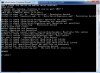
now I'm faced with another issue. See attatchment. It's not working.
*UPDATE*
I've checked
the phone IS in debugging mode
the phone IS in charge only mode.
still NOT WORKING.
Attachments
twogbsd
Android Expert
yes sir, you are right. it was there.
now I'm faced with another issue. See attatchment. It's not working.
*UPDATE*
I've checked
the phone IS in debugging mode
the phone IS in charge only mode.
still NOT WORKING.
Make sure you reboot after installing the apk. Step 7


Dragonlady
Member
When I tried rooting my brand new LG Motion, It gave me a whole bunch of lines that I wasn't supposed to. After trying 20 times or so, I discovered that you have to do things EXACTLY the way the directions are written out. Don't do something ahead of time while you are waiting. When I finally did it one step at a time, it worked great. Then I had to do my sons phone.
First time it didn't work. The command prompt takes you back to where all you have to do is type 'root' again. I did and it worked perfectly.
I have 10 thumbs. If can do this ANYBODY can!
First time it didn't work. The command prompt takes you back to where all you have to do is type 'root' again. I did and it worked perfectly.
I have 10 thumbs. If can do this ANYBODY can!