nickdalzell
Extreme Android User
So...I have returned. No flaming or trolling here however I have tried to like Android and had many devices, some cheap, some with multiple cores and some with single cores, some with lots of RAM and some without. No matter what I couldn't be happy with Android. Best comparison was buying a car to use as a daily driver (Apple) vs. buying a car that one spends more time under the hood than behind the wheel, constantly tuning engines, rebuilding carburetors, and tearing down and rebuilding when all else fails (Android). I don't hate Android, and can certainly understand where it is heading, however I must rely on my phone and tablet to work and not cause tons of frustration when on the job. My phone is a work communication tool as well as a source of relaxation during a stressful job as an MP3 player. I cannot afford to have the music player crash or the phone being incapable of receiving calls due to some radio glitch. I have therefore gotten an iPhone 4. while some may no doubt hate me for my choice (although I do hope these forums are open minded enough to understand) I will still hang around the off topic area and any other to offer helpful advice since I am at least versed enough in the OS to help those struggling with it, and I will still be here for random chats...but here are some things I had dealt with in Android that caused my departure:
1. Constant crashing for no apparent reason
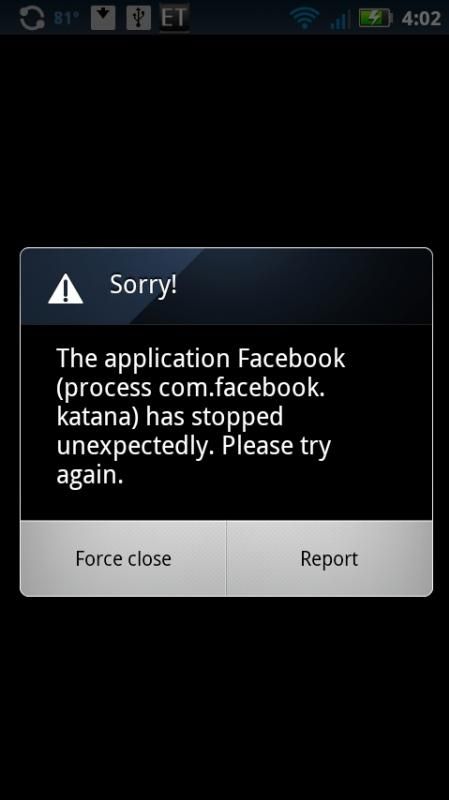
No matter the articles saying iOS crashes more than Android, I just can't see it, I have never had an iOS app crash. And if I did, I never knew it had done so. Android also ends up being a royal pain with alerting the user and, much like Microsoft Windows, offers no help for the user to diagnose the problem. It just says "this app crashed" and that is it. Sometimes one can reload the app and it works fine, leaving the user scratching his or her head wondering just what had happened the first time. Other times the app continues to crash as if it isn't compatible with the version of Android, although the version is included in the list of supported apps according to the app's page in Google Play. Either way the frequency I had with apps crashing in Android made it unusable and very unstable in my own experience. I don't like being annoyed with my phone when I need it to work
2. Battery life abysmal
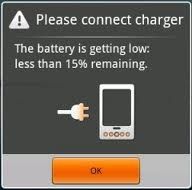
I am not sure what causes it. Is it the apps that seem to run in the background after I exit them? Them restarting themselves for no reason? Low signal? Defective battery? Or just Android? I may never know. Jelly Bean, Froyo, Eclair, Gingerbread, Ice Cream, all suck on battery life. 1500, 5000mAh or whatever same result. A phone or tablet that constantly needs daily life support. I can uninstall apps that seem to consume large amounts in the settings page where it shows the apps using this or that amount of battery but the results remain unchanged. I leave work with less than 10% battery--that is, if I make it through a 8-hour work day at all before the battery is completely depleted. I turn off wifi, GPS, set screen to unusably dim, turn silent mode on, disable background sync, none of which are needed to get days of standby out of my iPhone 4, and certainly unnecessary for a smartphone, only to get 35% at best after work. What makes the iPhone consume very little with constant use while a rarely used Android phone is a battery hog?
3. Clippy returns! (Sort of)
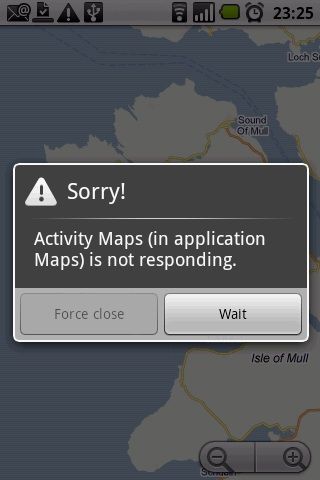
"It looks like you're writing a letter. Would you like some help?" Everyone remembers the god-awful office assistant that once graced Office 97 until Office XP removed him from the default install. Now he seems to have inspired a new 'feature' that exists in Android versions 4.0 and up in the form of an 'app not responding' notice, yet another feature that despite Android being Linux-based and customizable, cannot be disabled. If an app takes too long it will cause this prompt to constantly pop up, until the user gets frustrated and either breaks the phone or hits 'force close' which will simply crash the app. All of this because it is 'taking too long'. Well. Sorry, but I happen to be more patient than that, especially if the app happens to be a large game. Maybe some users can't wait a few seconds for one to load up, but I'm not that kind of impatient user. Apparently Android caters to folks who need apps to load perfectly instant, which makes me wonder about the next issue below
4. Lag!
Jitter, stutter, glitch! Anyone who regularly plays Call of Duty can attest to the annoying nature of lag! It may not be as pronounced as in the game, of course, but I always dealt with transition jitter, jerky scrolling, and apps whose animations, which often dazzled me in iOS on the iPad, were ruined by jitter and lag within Android. the scrolling in iOS is so smooth and responsive that I feel a true interaction between man and device, as the feel is realistic, and I actually seem to be manipulating what appears to be virtual paper. In Android, the screen takes a few extra milliseconds to respond to a scroll swipe, and oftentimes causes it to jump straight down to the bottom of the page by mistake. This ruins the interaction. Apps such as Facebook have their transitions ruined by jitter. Even in multiple core systems running jelly bean, while reduced, it still exists. Google even admits to it, which is why they created project butter in the first place. iOS has been lag-free since 2007. Inexcusable, Android, especially given how your high-end products happen to cost as much if not twice as much as Apple products...
5. Ctrl-alt-delete
When all else fails, reboot. This happens to be a daily or weekly issue that harks back to when BlackBerry users coined the term 'battery pull' to fix a non-responsive device. Now I hardly have had any Android device lock up per-se, but rebooting is often the fix for a non-responsive radio glitch causing permanent no service (have bars, but cannot make or receive calls, or have 3G but cannot get online) as often using airplane mode to 'cure' a problem that shouldn't exist in the first place doesn't always revive the dead radio. Also seems the only cure to fix a problematic proximity sensor driver that turns the screen off but won't wake it back up when you need to enter numbers on the virtual keypad. Android is based off Linux so rebooting should be something that is needed in WP7. But the only time I ever had to reboot iOS at all has been during OS updates.
6. OS [non]updates
Buy a nice high-end Android phone, and guess what? It runs gingerbread. Want ICS or up? Root! Root! Root! ROM! ROM! ROM! Voiding the warranty and risking a brick shouldn't be necessary if the hardware can support the upgrade. So why is a closed-source software as iOS is updated without needing a jailbreak while the open-source and 'free' Android not? This is inexcusable. Carriers cannot control an OS made by Google unless AT&T and Verizon own Google. Statistics seem to confirm that over 65% of current Android users are still on Gingerbread! An OS well over two years old!
7. App stores
Google Play is a worthy upgrade from the older crash-prone Android Market, but it still seems glitchy and takes more steps than needed to achieve the same thing that is done in virtually one click in the iOS App Store. Also, most of the games I love don't seem to exist. The popular and fun Sky Gamblers games only exist for iOS. The Star Trek PADD app, iOS only. But the Play Store does have Tricorder, right? Well, sure, but it is three updates behind the iOS version. Apparently the devs don't like Android....
keyboard lag
This is a problem. I type at 100wpm. My ipad can keep up with the superior touch response. Android forces me to type half this speed due to it being a bit laggy with the response. Tapping the keys too fast and android misses half of them, turning a word like 'laggy' into 'ly'. While iOS's autocorrect is not perfect, at least I can have words that are misspelled correct to the right spelling without going back. I just hit space bar and it replaces the word for me. In Android, the stock keyboard cannot do that. You need to actually click the replacement word in the suggestion box. Swype wouldn't install. Swiftkey worked and was close, but no tabootie. I still had to type at best 50wpm and the autocorrect was close, but not quite on par with the version in iOS. Plus, swift key is not free.
no equal to the retina display (yet)
I say "yet" as I know Android will catch up to Apple in this regard if it is to hope to compete, but it hasn't yet here in this town and the current available selection of Android tablets, smartphones, and media players. I have a migraine problem. This is even more pronounced when I spend more time behind a computer screen. Pixels cause it a lot. That is, if I can notice them. Android has high-end products that carry a higher ppi density (Nexus 7) than the iPad 3 I use, but is AMOLED, so I notice the pixels even more so, and the brightness is insanely high and my brain hurts! This also caused me to stop using the PlayStation Vita due to the problem being even more pronounced in OLED screens. The Apple products with retina have been a lifesaver. Or is it head saver? Soft, easy to read, comfortable after extended use.
1. Constant crashing for no apparent reason
No matter the articles saying iOS crashes more than Android, I just can't see it, I have never had an iOS app crash. And if I did, I never knew it had done so. Android also ends up being a royal pain with alerting the user and, much like Microsoft Windows, offers no help for the user to diagnose the problem. It just says "this app crashed" and that is it. Sometimes one can reload the app and it works fine, leaving the user scratching his or her head wondering just what had happened the first time. Other times the app continues to crash as if it isn't compatible with the version of Android, although the version is included in the list of supported apps according to the app's page in Google Play. Either way the frequency I had with apps crashing in Android made it unusable and very unstable in my own experience. I don't like being annoyed with my phone when I need it to work
2. Battery life abysmal
I am not sure what causes it. Is it the apps that seem to run in the background after I exit them? Them restarting themselves for no reason? Low signal? Defective battery? Or just Android? I may never know. Jelly Bean, Froyo, Eclair, Gingerbread, Ice Cream, all suck on battery life. 1500, 5000mAh or whatever same result. A phone or tablet that constantly needs daily life support. I can uninstall apps that seem to consume large amounts in the settings page where it shows the apps using this or that amount of battery but the results remain unchanged. I leave work with less than 10% battery--that is, if I make it through a 8-hour work day at all before the battery is completely depleted. I turn off wifi, GPS, set screen to unusably dim, turn silent mode on, disable background sync, none of which are needed to get days of standby out of my iPhone 4, and certainly unnecessary for a smartphone, only to get 35% at best after work. What makes the iPhone consume very little with constant use while a rarely used Android phone is a battery hog?
3. Clippy returns! (Sort of)
"It looks like you're writing a letter. Would you like some help?" Everyone remembers the god-awful office assistant that once graced Office 97 until Office XP removed him from the default install. Now he seems to have inspired a new 'feature' that exists in Android versions 4.0 and up in the form of an 'app not responding' notice, yet another feature that despite Android being Linux-based and customizable, cannot be disabled. If an app takes too long it will cause this prompt to constantly pop up, until the user gets frustrated and either breaks the phone or hits 'force close' which will simply crash the app. All of this because it is 'taking too long'. Well. Sorry, but I happen to be more patient than that, especially if the app happens to be a large game. Maybe some users can't wait a few seconds for one to load up, but I'm not that kind of impatient user. Apparently Android caters to folks who need apps to load perfectly instant, which makes me wonder about the next issue below
4. Lag!
Jitter, stutter, glitch! Anyone who regularly plays Call of Duty can attest to the annoying nature of lag! It may not be as pronounced as in the game, of course, but I always dealt with transition jitter, jerky scrolling, and apps whose animations, which often dazzled me in iOS on the iPad, were ruined by jitter and lag within Android. the scrolling in iOS is so smooth and responsive that I feel a true interaction between man and device, as the feel is realistic, and I actually seem to be manipulating what appears to be virtual paper. In Android, the screen takes a few extra milliseconds to respond to a scroll swipe, and oftentimes causes it to jump straight down to the bottom of the page by mistake. This ruins the interaction. Apps such as Facebook have their transitions ruined by jitter. Even in multiple core systems running jelly bean, while reduced, it still exists. Google even admits to it, which is why they created project butter in the first place. iOS has been lag-free since 2007. Inexcusable, Android, especially given how your high-end products happen to cost as much if not twice as much as Apple products...
5. Ctrl-alt-delete
When all else fails, reboot. This happens to be a daily or weekly issue that harks back to when BlackBerry users coined the term 'battery pull' to fix a non-responsive device. Now I hardly have had any Android device lock up per-se, but rebooting is often the fix for a non-responsive radio glitch causing permanent no service (have bars, but cannot make or receive calls, or have 3G but cannot get online) as often using airplane mode to 'cure' a problem that shouldn't exist in the first place doesn't always revive the dead radio. Also seems the only cure to fix a problematic proximity sensor driver that turns the screen off but won't wake it back up when you need to enter numbers on the virtual keypad. Android is based off Linux so rebooting should be something that is needed in WP7. But the only time I ever had to reboot iOS at all has been during OS updates.
6. OS [non]updates
Buy a nice high-end Android phone, and guess what? It runs gingerbread. Want ICS or up? Root! Root! Root! ROM! ROM! ROM! Voiding the warranty and risking a brick shouldn't be necessary if the hardware can support the upgrade. So why is a closed-source software as iOS is updated without needing a jailbreak while the open-source and 'free' Android not? This is inexcusable. Carriers cannot control an OS made by Google unless AT&T and Verizon own Google. Statistics seem to confirm that over 65% of current Android users are still on Gingerbread! An OS well over two years old!
7. App stores
Google Play is a worthy upgrade from the older crash-prone Android Market, but it still seems glitchy and takes more steps than needed to achieve the same thing that is done in virtually one click in the iOS App Store. Also, most of the games I love don't seem to exist. The popular and fun Sky Gamblers games only exist for iOS. The Star Trek PADD app, iOS only. But the Play Store does have Tricorder, right? Well, sure, but it is three updates behind the iOS version. Apparently the devs don't like Android....
keyboard lag
This is a problem. I type at 100wpm. My ipad can keep up with the superior touch response. Android forces me to type half this speed due to it being a bit laggy with the response. Tapping the keys too fast and android misses half of them, turning a word like 'laggy' into 'ly'. While iOS's autocorrect is not perfect, at least I can have words that are misspelled correct to the right spelling without going back. I just hit space bar and it replaces the word for me. In Android, the stock keyboard cannot do that. You need to actually click the replacement word in the suggestion box. Swype wouldn't install. Swiftkey worked and was close, but no tabootie. I still had to type at best 50wpm and the autocorrect was close, but not quite on par with the version in iOS. Plus, swift key is not free.
no equal to the retina display (yet)
I say "yet" as I know Android will catch up to Apple in this regard if it is to hope to compete, but it hasn't yet here in this town and the current available selection of Android tablets, smartphones, and media players. I have a migraine problem. This is even more pronounced when I spend more time behind a computer screen. Pixels cause it a lot. That is, if I can notice them. Android has high-end products that carry a higher ppi density (Nexus 7) than the iPad 3 I use, but is AMOLED, so I notice the pixels even more so, and the brightness is insanely high and my brain hurts! This also caused me to stop using the PlayStation Vita due to the problem being even more pronounced in OLED screens. The Apple products with retina have been a lifesaver. Or is it head saver? Soft, easy to read, comfortable after extended use.