• After 15+ years, we've made a big change: Android Forums is now Early Bird Club. Learn more here.

Verizon to release Major update for S3

Status
Not open for further replies.

Ricky Babalu

Well-Known Member
It is 128MB in size, build VRBMD3.
:
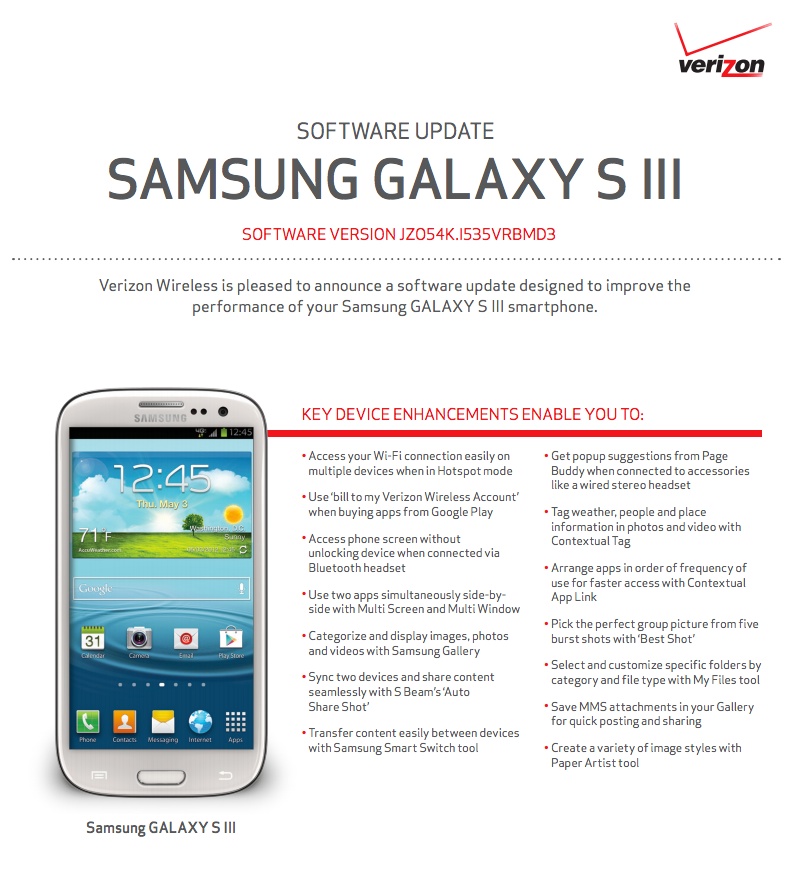
gs3-vzw-update1.jpeg
 
Sure does mate :)
Anyone know how build numbers work? Im on the international s3 and my rom is based on an MD2 build so is MD3 a newer build?
 
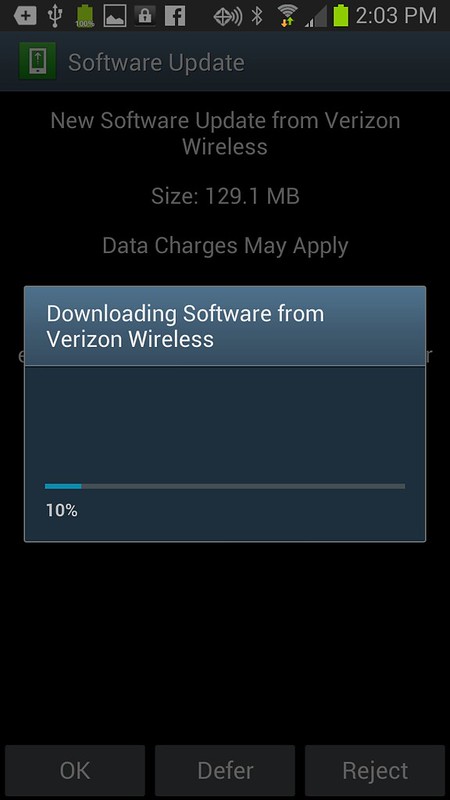
Mine is downloading something. Think this must be it.

Installed...

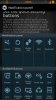
New multiwindow switch in notification tools. Noticed a caller ID bloatware appeared.
 

Attachments

  • Screenshot_2013-05-29-12-18-32.png
    Screenshot_2013-05-29-12-18-32.png
    19.8 KB · Views: 193
  • Screenshot_2013-05-29-12-50-18.png
    Screenshot_2013-05-29-12-50-18.png
    32.3 KB · Views: 205
Well...if this is the premium suite then how do I get the wifi toggle in the notification bar? That's all I ever wanted from "premium suite"
 
This one actually has the "Defer" option, but since you are rooted there are certain files that you can rename/delete/freeze that will make the update fail or make your phone not look for updates. I don't recall them as I haven't rooted the S3, but check the VZN root section above, and I'm sure you'll find the answer.
 
Didn't even know an update was going until I looked at my phone. Had no idea what the update was so I got on here first and had a feeling the info would be posted. Love this site!
 
Sorry mate. i think i got that option with 4.1.2 but im usin a custom rom so cant be sure if it was a stock thing :thumbup:
 
I just hit "defer" but you can only defer up to 5 days. sigh

I am rooted and don't want this update. Found this method to freeze the OTA so it won't run:

If you've rooted/unlocked the bootloader of your phone, you do NOT want to accept the latest OTA that's being pushed out the past few days. For rooted users with a locked bootloader.. if you haven't touched any system files, then chances are you will only break root. For rooted users with an unlocked bootloader.. it is advised that you do not accept an OTA. Be warned that you will possibly brick your phone if you are rooted and/or have an unlocked bootloader accepting the update from Verizon.

***** Wait for the developers to release a version of the OTA update that is safe to flash/install on a rooted device. [/INFO]

[TIP]How To Block the Verizon OTA:
Download the app Titanium Backup > Go to backup/restore > Scroll down to SDM 1.0 and freeze it.

[HOW TO] Block the latest Verizon OTA for rooted phones (IMM76D)
 
All up to date. Anyone notice the 4G stays on now while the Wifi is on? What's up with that. Wouldn't care if i was still on unlimited data
 
All up to date. Anyone notice the 4G stays on now while the Wifi is on? What's up with that. Wouldn't care if i was still on unlimited data

Wifi can be toggled on (kinda put on standby) at the same time as cellular data but as soon as the phone connects to wifi, the 3g/4g should disconnect
 
Wifi can be toggled on (kinda put on standby) at the same time as cellular data but as soon as the phone connects to wifi, the 3g/4g should disconnect

That is true, before my update. Pulled the battery and still the same thing. Gonna wait and see if more people are having the same problem or is it a problem? Gonna hold out for the reset.
 
All up to date. Anyone notice the 4G stays on now while the Wifi is on? What's up with that. Wouldn't care if i was still on unlimited data

If I'm not mistaken this is not a problem at all. From reading through the second page of the update info it said this would happen. I could be wrong but I'm almost positive I read that. Cant test it for myself yet I'm not near wifi
 
I didn't get a warning at all. Would have been nice but I guess Verizon likes taking control of everything even when updates get pushed to you phone. It's nice to see but I had no idea about this. It almost seems like Verizon is starting to push updates without notification. This happened with the last small update as well.

This update is taking forever though.

edit: I had to switch to my works wifi to even get the software update started, just sat there at 0% until I did so.
 
This is the only thing I care about in this update, but I'm expecting it to be missing from the AT&T update. If it ever gets here. :(

Yeah I don't understand why they refuse to allow us to toggle wifi easily. Sprint has it. I don't care too much for this update. The new gallery is cool except now it takes so long to get to the beginning of your gallery. And for me multi window is pointless. I hate that thing
 
Status
Not open for further replies.
Back
Top Bottom