
HEYyouGUYYYS
Lurker
But when I first started using it.. with the power save on. It didn't really last long. It seems to last longer with a battery app..
Follow along with the video below to see how to install our site as a web app on your home screen.
Note: This feature may not be available in some browsers.
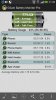
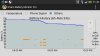
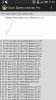
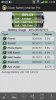
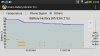
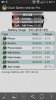
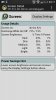
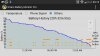

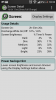
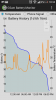
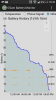
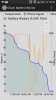
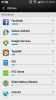
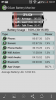
My battery life was pretty good at first, but seems to have gone down hill recently. No sign of any rogue app or process that I can see. I did change the screen brightness from Auto to somewhere in the middle - may have to revert back although I can't stand auto brightness setting.
Beside the screen and the data connection, which consumes together around 60% of battery, the Google Services keeps my phone awake (last night it dropped 10% in 6 hours).
Do you use the GSAM Monitor battery app to see what is using up most of your battery?


Hi all, this is my 2nd week with the HTC one 64g and i am quite happy with it. Taking a look at these specs should this be the battery life im expecting? i took the phone off the charger at around 6am and went to the gym and had spotify playing for about an hour. Im thinking thats what the wakelocks are coming from? im not sure. Also should my on screen time be better? the radio might be killing my battery im not sure because when i worked from 12-830pm my job pretty much has crap reception so maybe thats why the radio is so high as well? any suggestions?
When you have audio playing on your phone, your phone will be wake locked, and you can see that as the audio out wake lock.
Bad cell reception often does cause a decrease in battery life, as the phone will constantly search for a better/stronger signal.
ahh i see, is there anyway to stop the phone from searching for a signal in a area with crappy reception?
also isnt the on screen time pretty bad? i was expecting to get something like 3 to 4 hours.
I thought I read somewhere that the ONE will only search for some determined time (algorhythm) before giving it a rest & trying again,so to speak.
Mine actually does quite well,even in a weak signal area,unlike all my previous ANDROIDS.

If Power Saver on, the wifi/data connection will turn off after 15 minutes of inactivity and it will turn on every 15 minutes to check for notifications.I've read up on a few different websites (here, HTC, and a few random blogs), and nobody seems to be able to explain EXACTLY how the power save function on the HTC One works.
Specifically, if I enable the option to "put data to sleep when screen is off", how exactly does that impact my notifications?
I have mail set to fetch/push every 15 minutes anyway - does it increase that time?
My main concern is with texts, though. If my wife texts me, I don't want to get it 10-15 minutes later - I want to get it when it's sent. If I enable that option, will emails/texts just periodically be pushed to me at some undetermined interval, or will I receive them normally while games/news apps have notifications pushed to me a little less frequently?
Thanks!


Hey everyone, I just bought a GS4 on Verizon, but realized that the HTC One just came out (after my purchase of course). Verizon only allows one exchange in the 14-day return period and I would personally rather use the one, but my biggest concern is battery life. I do really well with the battery on my GS4 and it has a removable battery, but I would be willing to switch still if the HTC One did well on battery life. Could anybody clue me in as to how the battery holds up on this phone? Thanks!