
Install the app
How to install the app on iOS
Follow along with the video below to see how to install our site as a web app on your home screen.
Note: This feature may not be available in some browsers.
-
After 15+ years, we've made a big change: Android Forums is now Early Bird Club. Learn more here.
You are using an out of date browser. It may not display this or other websites correctly.
You should upgrade or use an alternative browser.
You should upgrade or use an alternative browser.
Root Autokiller POLL!!!!!!!
- Thread starter jreed2560
- Start date
-
- Tags
- motorola droid x


Btros
Android Enthusiast
I've used Autokiller on the optimum setting since I rooted and it does seem to help a little. Less lagging, a little snappier. It could just be a placebo effect though, I don't notice a drastic difference in performance. I also use Task Switcher to view and close any apps I don't need running.


Outlaw71
Android Expert
If you trust in Androids built in killer to do it's job completely efficiently then you may skip Autokiller and never look back. I use it, and I've seen results that seem to be favorable. I think as the phones get bigger, faster processors, the OS gets ironed out and gets rid of some of the bugs that cause lagging and what not, then Autokiller's use may dwindle. But as of right now I still think Android can use some tweaking, and this seems to be a good tweaking tool IMO.
Of course it could also be MotoBlur causing some of the lagging issues, it's hard to tell. Maybe if we were allowed to own Vanilla Android devices we wouldn't need Autokiller at all. Oh what a glorious day that will be, eh!!!
Of course it could also be MotoBlur causing some of the lagging issues, it's hard to tell. Maybe if we were allowed to own Vanilla Android devices we wouldn't need Autokiller at all. Oh what a glorious day that will be, eh!!!
My quadrant scores are roughly 60 points higher when I use it (strict setting). So I use it... It definitely doesn't seem to hurt anything.
Angrybirds will crash/freeze my phone every once in a while and Autokiller seems to have helped with that issue.
But I'm by no means an expert.
Angrybirds will crash/freeze my phone every once in a while and Autokiller seems to have helped with that issue.
But I'm by no means an expert.

Eloquence
Well-Known Member
Autokiller ROCKS! I tried SO many other Task Killers and things to stop unwanted programs from running, but nothing really worked without a lot of MANUAL intervention. Autokiller took the MANUAL and stuck in AUTO task killing. 
It has certainly helped me.
Try it peeps!
-Elo
It has certainly helped me.
Try it peeps!
-Elo

Would there be any benefit to increasing the pages (mb) for the foreground apps and decreasing some of the others? I see that the presets don't do this and I wonder if I am reading it wrong.
Good question! I'm wondering the same thing.
I've been a JuiceDefender Ultimate user for several months so went on its recommendation for AutoKiller. I've used ATK and Fast Reboot previously but they did not help for the long term and from what i've read can actually hurt performance.
I've noticed that when my memory gets below 40MB free, the phone will feel slugglish. Since installing AutoKiller, JuiceDefender reports that my battery life has increased from x1.7 to x1.9 and the phone is no longer slugglish.
I'm using the aggressive setting (82,90,98). Any other input on what works for you?
I've noticed that when my memory gets below 40MB free, the phone will feel slugglish. Since installing AutoKiller, JuiceDefender reports that my battery life has increased from x1.7 to x1.9 and the phone is no longer slugglish.
I'm using the aggressive setting (82,90,98). Any other input on what works for you?


eraursls1984
Android Expert
it's pointless using autokiller to constantly keep killing apps.
Just download autostarts and stop apps from opening by themselves in the first place.
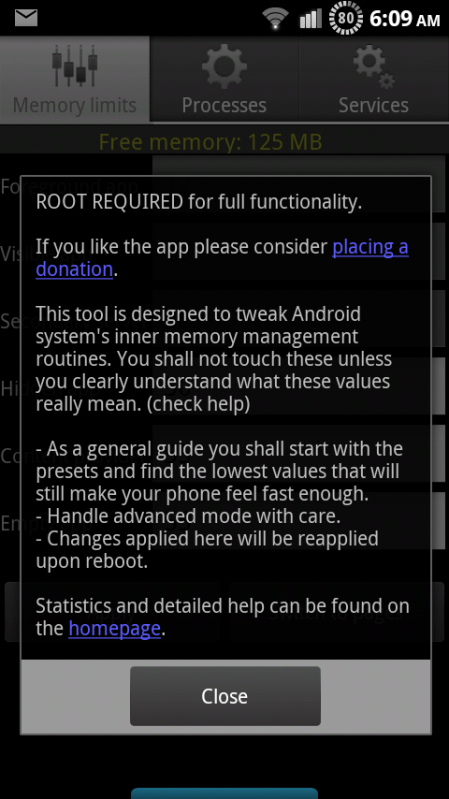
That's not what autokiller does, it allows you to adjust the stock memory parameters.

ylexot
Android Expert
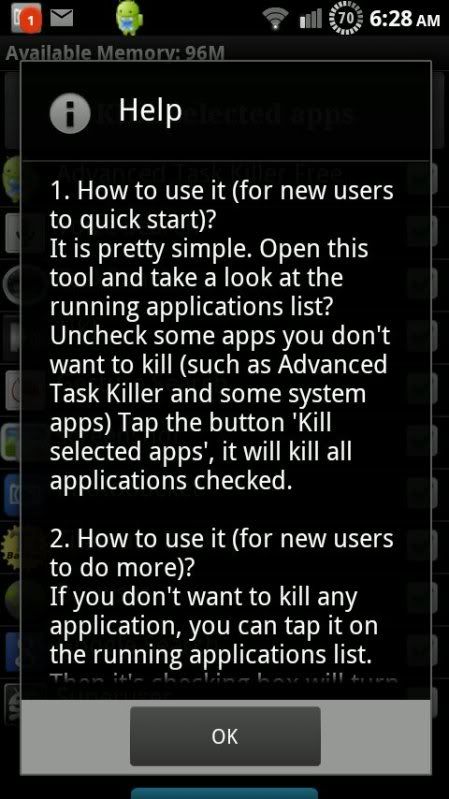
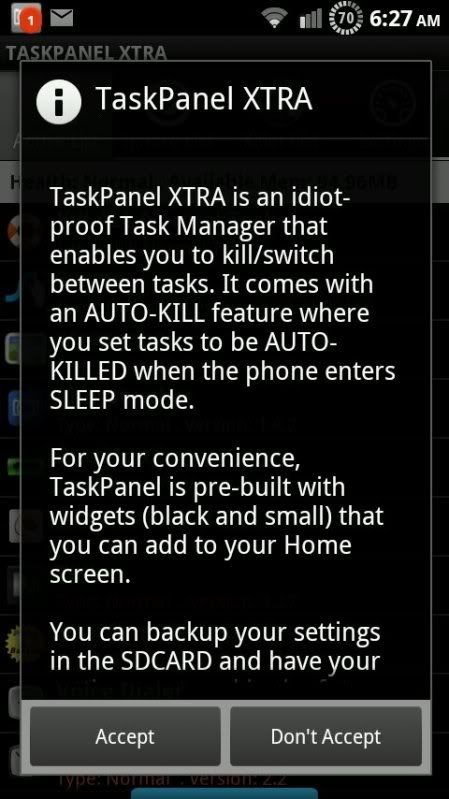
That's pretty crappy startup then. It mentions killing apps in a few places.People can not grasp the concept of it not killing apps because of its name, here is a screen shot of the start up window for autokiller. TWEAKS THE ANDROID SYSTEM


Airmaxx23
Android Expert
That's pretty crappy startup then. It mentions killing apps in a few places.
You're getting the pics mixed up. The first pic is the Auto Killer, the 2nd and 3rd pics are a task killer. Auto Killer is a memory optimizer rather than an actual task killer. There is a big difference.
ylexot
Android Expert
Ahhh...I missed the little line of text in between the huge pictures.You're getting the pics mixed up. The first pic is the Auto Killer, the 2nd and 3rd pics are a task killer. Auto Killer is a memory optimizer rather than an actual task killer. There is a big difference.

Ahhh...I missed the little line of text in between the huge pictures.
Sorry about that, I fixed my post