
Install the app
How to install the app on iOS
Follow along with the video below to see how to install our site as a web app on your home screen.
Note: This feature may not be available in some browsers.
-
After 15+ years, we've made a big change: Android Forums is now Early Bird Club. Learn more here.
You are using an out of date browser. It may not display this or other websites correctly.
You should upgrade or use an alternative browser.
You should upgrade or use an alternative browser.
Root [Boost Mobile] $hEvRoN Theme {Updated 4/09/12}
- Thread starter chevanlol360
- Start date
-
- Tags
- zte warp (n860)


chevanlol360
Android Expert
yeah if it wasn't for a micro sd card adapter my warp would have been bricked lol
Lol you didnt make a backup too?? maybe i need to put the "backup" warning a bit bigger lol

chevanlol360
Android Expert
can you change these icons and the grey bg to something smaller?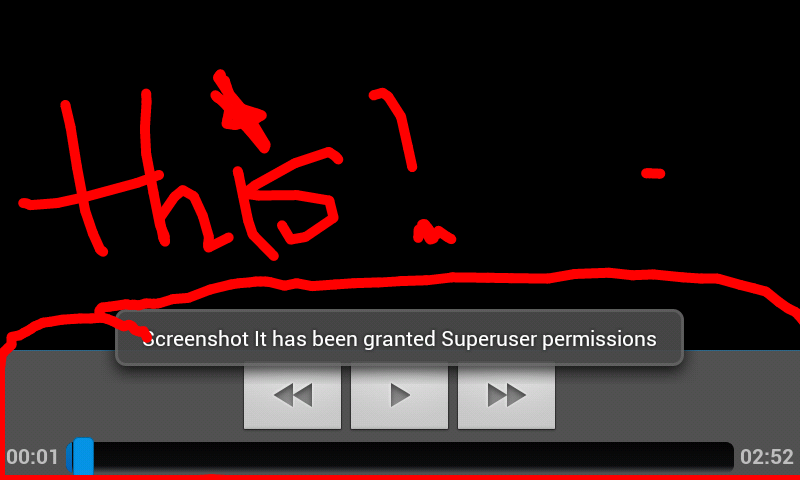
If i am correct and i know where they are i can easily change them.
chevanlol360
Android Expert
This is one sexy theme! Many thanks. One question, was it not possible to change the signal strength colors? Or would the color clash be too great
Yeah theres has allways a problem with the theme and the sign bar and thats because ZTE use's different a file name for them than the theme but if i can find the green ones that ZTE made i can manually rename the files to the blue one

Yeah theres has allways a problem with the theme and the sign bar and thats because ZTE use's different a file name for them than the theme but if i can find the green ones that ZTE made i can manually rename the files to the blue one
right on, appreciate the work buddy.

chevanlol360
Android Expert
Im currently working on the theme for the LG marquee my plan is to port the $hEvRoN theme to all the high end android devices that boost mobile has. Plus im working on version 0.5 of the $hEvRoN ROM for the ultra so idk I'll see if i have time to make an update today for the Warp, although i should be able to.
tjonline1991
Member
Ok so I guess my backup failed or something so because when i try to restore it, it says: Checking MD5 sums... > MD5 mismatch! . Is there a zip file that contains the stocked zte theme so I can download it and restore my phone?
chevanlol360
Android Expert
Download the stock nandroid the woodstock up up
Looks like the CRT effect isnt stable/compatible with the ZTE Warp my testers Snake X & Androidxd both came back with the same results. Over 20 attempts were done to try and fix the bug, but still no luck the settings application was still buggy and kept on force closing. Therefore you will not see the CRT effect on the Warp, at least not anytime soon. It will automatically be enabled on cm7 or cm9 when released but as of right now its not playing friendly with the stock ROM. I got you all excited for the CRT effect but then came back with disappointment My apologies.
Hello everyone i would like to introduce my first theme that i created for the Samsung Transform Ultra the "$hEvRoN theme". Lucky for you all i was wondering around the zte warp section of the forums and found that there was no ROM or theme yet released so i thought why not bring the $hEvRoN theme to the warp.
.
What it looks like on the ZTE Warp.
.
Notification bar View attachment 28305 Over scroll color View attachment 28307 lockscreen View attachment 28308 Boot animation View attachment 28362
List of more things changed
* Battery Icon
* Boot animation
* overscroll
* Status Bar Background Color
* Window Animation
* Popup Color
* Header
* Volume Bar Color
* Font changed to ICS Font
* Downloading Bar color
* Status Bar Icons
* Lockscreen
* & much more has been changed
.
Make a backup right now
Download: $hEvRoN Theme
DO NOT unzip the file please place it on your SD Card
How to install with CWM
1. Boot into CWM.
2. Wipe cache & dalvik-cache "to find wipe dalvik cache please go to advance in the main menu of CWM"
3. Turn off your phone
4. boot into CWM again
5. choose "install zip from sdcard"
6. choose "choose zip from sdcard"
7. locate to where you placed the "zte.warp.shevron.theme.ver.0.2" zip file on your SD card
8. confirm "YES - zte.warp.shevron.theme.ver.0.2"
9. wait for script to finish
8. reboot phone
There you go you are now running the first theme for the ZTE Warp the $hEvRoN theme enjoy.
The $hEvRoN Theme will be updated regularly
.

i Honestly don't know if its the link or my computer , but i cant download the File :[
fix it ?

MrBobo
Android Expert
Nvm it works now lol
must've been my computer
I had some issues with the link yesterday on my wifi but could do it over 3g, not sure what was up but other things were working fine on wifi, might be something going on with mediafire
chevanlol360
Android Expert
Made an attempt that took 2 and a half hours to manually theme the signal bars and now theres no signal bars lol. I think i might know whats wrong but im not gonna work on it right now. I wanna get started on the sense ROM. So other than the signal bars for right now request anything you would like to be changed or improved.
chevanlol360
Android Expert
Found one issue, I use the swift key keyboard, when I use speech to text now, the suggestion window changed with the theme so now the text is dark gray and the background is a slightly lighter gray, makes it hard to read.
thanks for reporting that i'll push out an update tomorrow
chevanlol360
Android Expert
Chev I must say your a godsend to the warp. And I take it u don't have one. Thanks for everything.
lol thanks and no i do not have one but i was just wondering around this section of the warp 4 or 5 days ago and saw there was no theme or ROM so i would feel kinda bad knowing that i can port my theme to it easily without having the phone so i did it.

chevanlol360
Android Expert
I attached a screenshot of the message screen with the text issue, sorry it's small that's the biggest I could get the forum to take as an attachment
Im working on it

chevanlol360
Android Expert
May I ask what you are using to make your Roms/themes? What app or program do you use to make them?
UOT kitchen