
Install the app
How to install the app on iOS
Follow along with the video below to see how to install our site as a web app on your home screen.
Note: This feature may not be available in some browsers.
-
After 15+ years, we've made a big change: Android Forums is now Early Bird Club. Learn more here.
You are using an out of date browser. It may not display this or other websites correctly.
You should upgrade or use an alternative browser.
You should upgrade or use an alternative browser.
Root Fission Alarm Clock
- Thread starter apavolka
- Start date
-
- Tags
- motorola droid x


bouchigo
Android Expert
Well so far I love fission and still have yet to find it in the manager. I look like every hour of the day to see because I always see new things in there.
If this is what you are talking about:
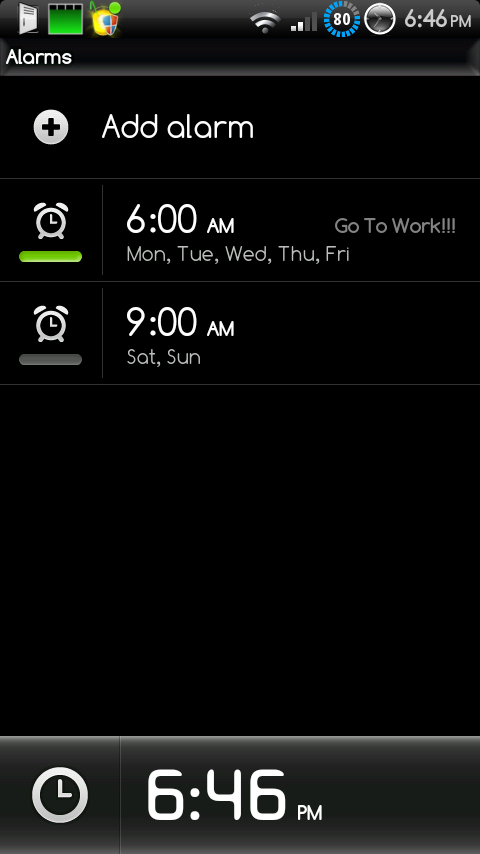
Here it is, I just pulled it from Fission and zipped it up so you can apply it through clockwork:
Fission_Desk_Clock.zip
bouchigo
Android Expert
Bouchigo,
I have been looking for that circle battery icon in your pic. Anyway you can pull it and make it available for Apex users?
I don't use ApeX myself, but I am assuming you haven't used a theme on ApeX 1.3.1 and are simply using the stock Gingerbread theme it has.
If so, this file should do it, or you could simply pull the battery pngs and .xml files from this same file and modify your own framework-res.apk.
Make sure you have a nandroid backup in case something goes wrong, but I did the same with my Fission install; I took the same files from ApeX and applied them in the same way to my setup and it's working just fine (Check the screenshot of my setup with ApeX Battery):
Blue_Circle_Batt_Mod_ApeX_1.3.1.zip
Screenshot:

bouchigo
Android Expert
Bouchigo thanks a million. What's the best way to install?
Never mind, loaded using Bootstrap. Worked great. Can I buy you a beer?
Do it through clockwork.
EDIT:
No need for the beer, we're all here to help one another

bouchigo
Android Expert
I know about that alarm, but I'm looking for the bluralarm.apk. It won't work with fission.
Oh yeah it won't, I tried it and it didn't work for me either. Maybe there is one that works, I don't know.
EDIT:
You need to add these files to make bluralarm.apk (this was for Fission 2.0.1, I am assuming it's the same for the newest Fission):
- system\app\BlurAlarmClock.apk
- framework\blur-res.apk
- framework\com.motorola.blur.library.utilities.jar
Found it here:
http://forum.xda-developers.com/showthread.php?t=825969
bouchigo
Android Expert
cool!!!!!!! that's what I was looking for .. you so rock it ain't funny!
No problem man.
For those who want the Blur Alarm on Fission, I made this zip update (rename DeskClock.apk to DeskClock.bak before applying this):
Add_BlurAlarm_Fission.zip
Screenshot on my Fission setup:
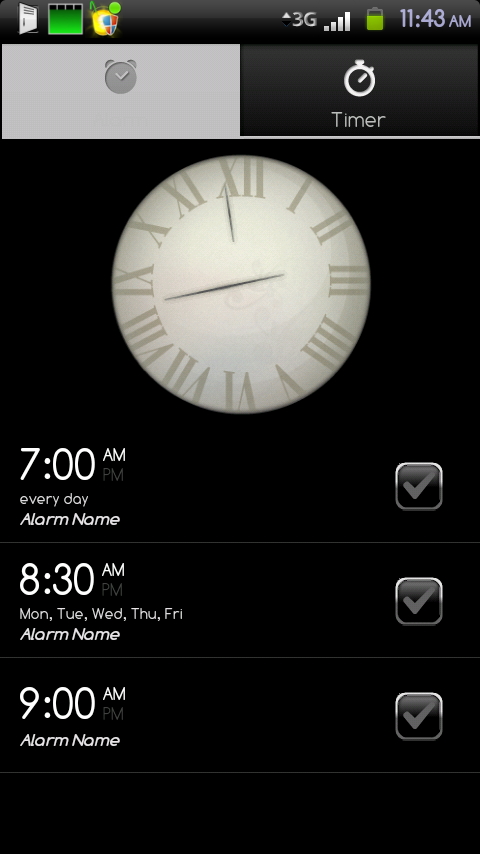

No problem man.
For those who want the Blur Alarm on Fission, I made this zip update (rename DeskClock.apk to DeskClock.bak before applying this):
Add_BlurAlarm_Fission.zip
Screenshot on my Fission setup:
works great, can i donate?
bouchigo
Android Expert
I've seen people ask for this, but personally like the Android Alarm clock much better. I'm just curious, what's so great about the blur alarm clock in your guys' opinion?
I like both, but I would lean more towards deskclock (Android alarm clock) if I had to choose.
bouchigo
Android Expert
DaytonaZ33
Well-Known Member
I've seen people ask for this, but personally like the Android Alarm clock much better. I'm just curious, what's so great about the blur alarm clock in your guys' opinion?
For me it's the way it handles snooze/dismiss. They are both buttons that look exactly alike in the wee hours of the morning with no contacts in, and on more than one occasion I dismissed my alarm instead of snoozing and woke up late.
Blur has a slider at the bottom that you have to move from one side of the screen to another, and if you touch anything else it snoozes.
For me it's the way it handles snooze/dismiss. They are both buttons that look exactly alike in the wee hours of the morning with no contacts in, and on more than one occasion I dismissed my alarm instead of snoozing and woke up late.
Blur has a slider at the bottom that you have to move from one side of the screen to another, and if you touch anything else it snoozes.
Valid point. I guess I had never thought about that because I don't wear contacts / glasses. I think someone else was also saying they liked the progressive wake up. The thing that keeps me with DeskClock (Android Alarm Clock) is that you can just tap the widget on your homescreen and it brings you to the screen for editing your alarms. Whereas, for some reason, the Blur Alarm clock widget doesn't do this at all.
bouchigo
Android Expert
cool!!!!!!! Can you do the blur dialer too? (steven hides)
You aren't going to like this news but here it is (Check post #8):
Blur Dialer on Focused? - Droid Forum - Verizon Droid & the Motorola Droid Forum
F
faber78
Guest
basically it says that the dialer relies heavily on blur framework and isnt going to work on a non-blur rom like some blur things will?You aren't going to like this news but here it is (Check post #8):
Blur Dialer on Focused? - Droid Forum - Verizon Droid & the Motorola Droid Forum
bouchigo
Android Expert
basically it says that the dialer relies heavily on blur framework and isnt going to work on a non-blur rom like some blur things will?
That's what I'm getting from that post.
bouchigo
Android Expert
cool!!!!!!! Can you do the blur dialer too? (steven hides)
I'm sure you've heard by now about the fused Fission ROM, check this out (Check posts #1347 through #1350) I'm sure you'll like the news:
[ROM]Fission 2.4.3 DroidX - Vanilla Generic Android - AOSP Like - Fission ROM Manager - Page 135 - xda-developers