
Install the app
How to install the app on iOS
Follow along with the video below to see how to install our site as a web app on your home screen.
Note: This feature may not be available in some browsers.
-
After 15+ years, we've made a big change: Android Forums is now Early Bird Club. Learn more here.
You are using an out of date browser. It may not display this or other websites correctly.
You should upgrade or use an alternative browser.
You should upgrade or use an alternative browser.
Home screenshots
- Thread starter mrpnut
- Start date
-
- Tags
- lg motion 4g


Nash Enders
Well-Known Member
TELL ME WAT YOU THINK!


That's pretty nice. I especially like the weather widget. Which app or widget is that? Also, how did you get the dock icons to look like that?
One thing that baffles me is why lose screen real estate by adding the on-screen buttons. The phone's touch buttons work fine.

darryim
Android Enthusiast
That's pretty nice. I especially like the weather widget. Which app or widget is that? Also, how did you get the dock icons to look like that?
One thing that baffles me is why lose screen real estate by adding the on-screen buttons. The phone's touch buttons work fine.
im using nova launcher paid version , with concept jelly bean theme
the weather is beautiful widgets 4x1 with the '' Simple solid dark " Skin and i only use the soft buttons cus it looks kinda cool to me .

rottenentrailz
Newbie


enigmadroid
Android Enthusiast


mrpnut
THE WORLD IS YOURS
LAST customization for LG Motion 4G b4 i get the new GS3 for Metro !


That looks pretty neat were you get those icons on or your main screen.


Runner1505
Newbie


XavierBaxter95
Lurker
volume down + power button , screen shots View attachment 38604
Can u plz tell me what clock/weather widgt tht is itz nice


Xaviera2010
Well-Known Member
Still a work in progress (just got the phone). Home screen and lock screen blending together.
I love this. Can you tell me what you installed to make it look like this?

johnnyolivares
Android Enthusiast
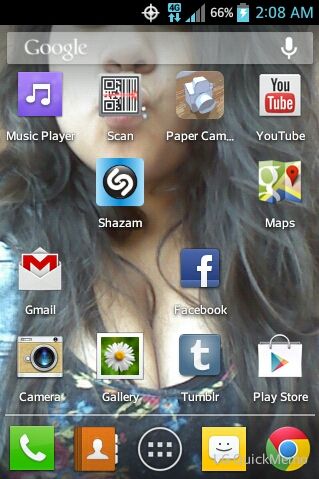
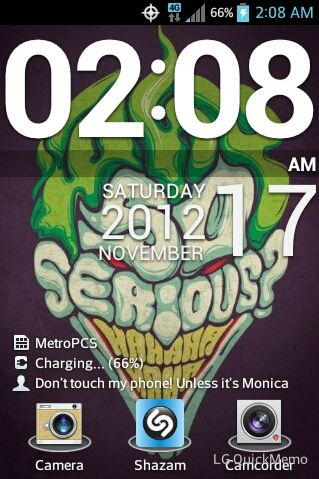

Johnny Crapple
Android Expert
I noticed that a lot of y'alls pics have lg quickmemo watermark on the bottom, I took this pic with quickmemo. When using it hit menu and turn signature off, no more watermark.

Edit: screenshot is not showing up.

Sent from my typewriter.

I noticed that a lot of y'alls pics have lg quickmemo watermark on the bottom, I took this pic with quickmemo. When using it hit menu and turn signature off, no more watermark.
Edit: screenshot is not showing up.
Sent from my typewriter.
Great find ! Android and its infamous hit menu key to find out more ha :thumbup:
WRONGonRED
Newbie


oscar112709
Well-Known Member


