
Install the app
How to install the app on iOS
Follow along with the video below to see how to install our site as a web app on your home screen.
Note: This feature may not be available in some browsers.
-
After 15+ years, we've made a big change: Android Forums is now Early Bird Club. Learn more here.
You are using an out of date browser. It may not display this or other websites correctly.
You should upgrade or use an alternative browser.
You should upgrade or use an alternative browser.
Root latest root method
- Thread starter outkast25
- Start date
-
- Tags
- htc evo 4g
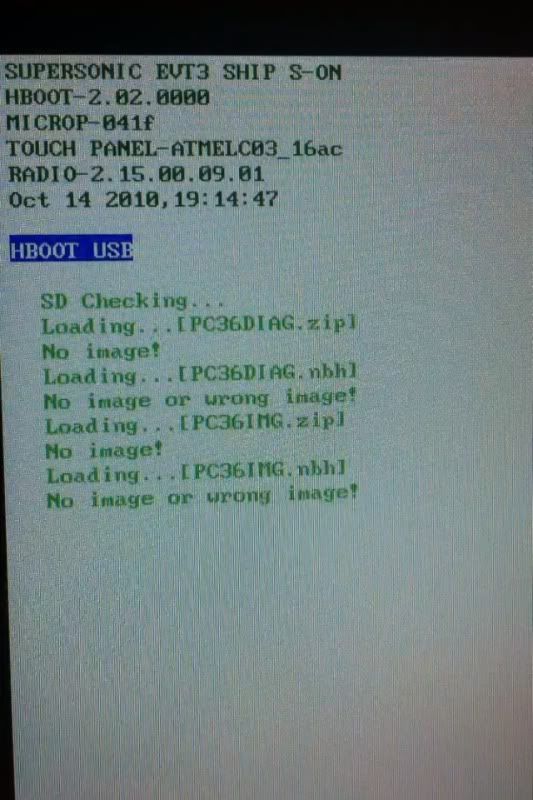
Unrevoked will work for all Evo hboot versions now. Follow the Rooting for Dummies guide (the sticky in this section) for how to do it. Just to be thorough, what is your hboot version? Turn the phone off, then turn it back on while pressing and holding the volume down button to get to hboot, and find out.
Try installing, then uninstalling HTC sync. Sometimes you need to have had it on your pc. You just don't want it installed when you run unrevoked. You can get it from here:
HTC Mobile Phone Support - HTC EVO? 4G (Sprint) - Downloads
HTC Mobile Phone Support - HTC EVO? 4G (Sprint) - Downloads


outkast25
Android Enthusiast
i dont need to unroot it. but i wanted to tell the guy who bought it on ebay how to do it, incase he ever needed to take it to sprint. i remember a evo i had a while back had unrevoked and it was a bitch to unroot. factory reset didnt work, i had to pay to take it to someone else and i dont even know how he did it. it took him a long time though. the first 3 times he tried didnt work. oh well