• After 15+ years, we've made a big change: Android Forums is now Early Bird Club. Learn more here.

Root LCD Density Changer works on DX

droidSPARX

Well-Known Member
I tried this app on my DX (rooted and 2.2) I changed it from 240 (default) to 200.

search the market for "LCD Densitiy Changer"
chartdensity.png


Dev Forum thread
[APP] LCD Density Changer 3.0 - create HighRes screen effect - xda-developers

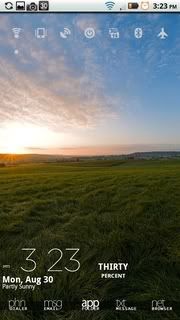
Before LCD Changer
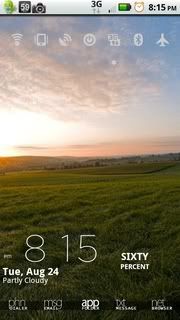
58544335_photobucket_6094_.jpg

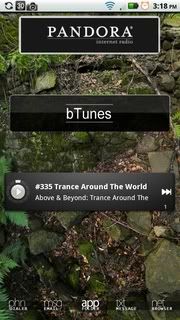
After

58544335_photobucket_7550_.jpg
58544335_photobucket_7549_.jpg
 
nope..didnt notice anything..
prolly is your build.prop file.

go into rootexplorer and change the 4 lines that say stagefright to false.

the free way is to use adb and push the file to the phone from your pc after you mod it
 
I changed my stagefright to true. Everything else is untouched. How do I push the build.prop using adb? After the moto icon when booting up, it just stays black.
 
the clock is just Beautiful Widget resize using LauncherPro's resize option to hide the weather icon. (I forgot what theme I used for the clock font)
 
So what exactly does this do?

Also what do the numbers mean? Lowering it means high density?? what?. Does it increase battery usage like someone else mentioned? Thanks!
 
So what exactly does this do?

Also what do the numbers mean? Lowering it means high density?? what?. Does it increase battery usage like someone else mentioned? Thanks!

Its like changing the resolution of a computer monitor. The lower the number the more image is shown on screen. Just like a pc having a higher the resolution
 
I'd love to try this out. I've always been a little envious over my friend's Captivate screen. :'/

Have you tried going under 200? Is that even possible?
 
I would not use this software. Just sayin' if you get it to work at all you will lower the life expectancy of the screen.
 
I would not use this software. Just sayin' if you get it to work at all you will lower the life expectancy of the screen.

Please back this up with some logical argument.

You can't modify the density of the screen's pixels. All this does is basically shrink all of the screen elements. The screen does not care if it's lighting up fifty pixels that display one letter, or fifty pixels that display two letters.
 
Works for me. Now that we're rooted, I might "re-do" some of the system icons in Framework-res.apk so that they render a bit better.

I love this little tweak...
 
I am also getting a black screen after reboot.
I am running rooted 2.1 no mods or themes.

Can someone help me out here?
My phone is stuck at a black screen after the motorola icon on boot.
 
Please back this up with some logical argument.

You can't modify the density of the screen's pixels. All this does is basically shrink all of the screen elements. The screen does not care if it's lighting up fifty pixels that display one letter, or fifty pixels that display two letters.

+1 - totally true....

Not only that, but it shouldn't effect your battery life much either. It doesn't magically change the actual number of pixels that are available on the screen - it's still 840x480. I guess it might require slightly more graphical processing power, but that difference is negligible I'm sure.
 
I'll see what I can do. I'm worthless with programming (I'm still trying to teach myself, but work takes up too much time), but I might be able to tweak the icons a bit and sharpen them up.

No promises, though. I'm decent with GIMP, but I can't work miracles. :p
 
Please back this up with some logical argument.

You can't modify the density of the screen's pixels. All this does is basically shrink all of the screen elements. The screen does not care if it's lighting up fifty pixels that display one letter, or fifty pixels that display two letters.

Does the resolution stay the same? if so then all it basically does is make tiny text and images tinier, and from what I'm reading it does a pretty poor job of it depending on the apps you are using.
 
Does the resolution stay the same? if so then all it basically does is make tiny text and images tinier, and from what I'm reading it does a pretty poor job of it depending on the apps you are using.

You can't change the resolution of an LCD screen. The pixels are a fixed size and there are a fixed number of them.
 
Back
Top Bottom