• After 15+ years, we've made a big change: Android Forums is now Early Bird Club. Learn more here.

Lets see your UI layout!

Hmm, I'll have to check that one out... I appreciate the reply! Thanx!

:)

You don't actually have to install the theme, if that's what you're getting at, just download it. Once it's downloaded, go search your sdcard and you should find the Pandora.apk file. Just click on it then hit install and you're good to go.
 
You don't actually have to install the theme, if that's what you're getting at, just download it. Once it's downloaded, go search your sdcard and you should find the Pandora.apk file. Just click on it then hit install and you're good to go.

Actually stumbled across the apk file itself, switched out the stock for the transparent via Root Explorer, easy peasy! *lol*

Thanks again! :)
 
tazz blackened 7.0 using launcher pro 2 home screens.
 

Attachments

  • ScreenShot.jpg
    ScreenShot.jpg
    36.7 KB · Views: 129
Love it!

What set up are you using for your beautiful widgets home weather and clock? Thanks.

Sorry for the late replies.

To get beautiful widgets looking like this use the blackcashmere clock skin. hide the clock background and also hide the weather icons. use shortened date/time and 24 hour format clock options. pick a sexy background and boom.

and if you really want to go all swiss looking, use typefresh to change droid sans and droid sans bold to helvetica neue roman and helvetica neue bold respectively. (helps to own the .ttf files already)
 
Ok, I broke down and did the AndroidPhone7 customizations (I used the ported version for smaller screens). It was a bit of a bear looking for all the right pics.. I was going for an Art Deco look, and I think I got the look I was going for. Still not settled on the wallpaper, but this one works so far. Dark definitely works better than light.

Home screen:
CAP201009201856.jpg


Left screen:
CAP2010092018532.jpg


Right screen:
CAP2010092018531.jpg
 
  • Like
Reactions: one
Ok, I broke down and did the AndroidPhone7 customizations (I used the ported version for smaller screens). It was a bit of a bear looking for all the right pics.. I was going for an Art Deco look, and I think I got the look I was going for. Still not settled on the wallpaper, but this one works so far. Dark definitely works better than light.

Home screen:
CAP201009201856.jpg


Left screen:
CAP2010092018532.jpg


Right screen:
CAP2010092018531.jpg

Really starting to like how these type of layouts look. I may have to try and do one like this myself one day (if I can ever find any decent pictures).
 
Does anyone know how I can get a clear lock screen? When I turn my phone on I would like to be able to see my home screen instead of the lock screen. This way I can look at my beautiful widget weather as well as notifications on the LP dock without having to unlock my screen every time. I am running Nonsense 7.0

Here is my setup:
 

Attachments

  • screenshot.jpg
    screenshot.jpg
    44.7 KB · Views: 119
  • screenshot_2.jpg
    screenshot_2.jpg
    35.2 KB · Views: 95
Kaessa that is a really sharp look. Aside from finding the pictures you wanted to use how long did that setup take?

Thanks! Once I found the right pictures, the Photoshop work and setup took about an hour or two (I'm slow and easily distracted, so YMMV). I used the template from the tutorial, and it made it pretty easy. It helps to have at least limited Photoshop skills (knowledge of layers at a minimum), but honestly the most complicated thing was the clipping mask on the 3x1 icons. I sketched out the layout on a pad of paper before I started, so I knew what side I wanted the labels on; then I made all the 1x2 icons, then all the 3x1 icons.

Making the icons was the hardest part, laying them out on the screen was easy, just time consuming. I'm really happy with the way it came out.

 
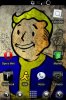
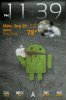
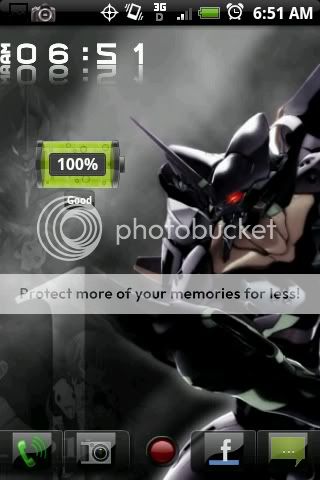
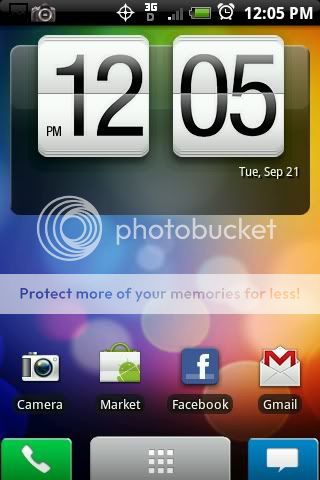
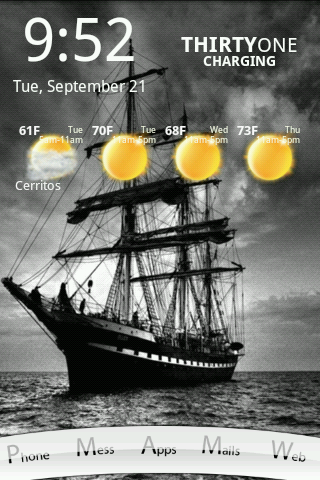
me playing around today , the fist one was yesterday, second one today, probably will be back to the first one LOL, Sorry i kinda have a new set up almost every day, gotta love launcher pro :D

@Kaessa, love ur set up, i'm looking foward to do something like that,, but I guess I'm gonna need a some time, Good Job !! :D

CAP2010092106511.jpg


CAP2010092112051.jpg
 
Thanks! Once I found the right pictures, the Photoshop work and setup took about an hour or two (I'm slow and easily distracted, so YMMV). I used the template from the tutorial, and it made it pretty easy. It helps to have at least limited Photoshop skills (knowledge of layers at a minimum), but honestly the most complicated thing was the clipping mask on the 3x1 icons. I sketched out the layout on a pad of paper before I started, so I knew what side I wanted the labels on; then I made all the 1x2 icons, then all the 3x1 icons.

Making the icons was the hardest part, laying them out on the screen was easy, just time consuming. I'm really happy with the way it came out.

Any chance you'd share your icons? Understandably with the effort you put in, you may not chose to. This really is quite good. Nice work.

*EDIT* ummm..... probably wouldn't need the "Will" and "Brian" icons. Not that there's anything wrong with Will, and Brian....:D
 
Ok, I broke down and did the AndroidPhone7 customizations (I used the ported version for smaller screens). It was a bit of a bear looking for all the right pics.. I was going for an Art Deco look, and I think I got the look I was going for. Still not settled on the wallpaper, but this one works so far. Dark definitely works better than light.

Home screen:
http://i129.photobucket.com/albums/p209/mommawookiee/Android Screenshots/CAP201009201856.jpg

Left screen:
http://i129.photobucket.com/albums/p209/mommawookiee/Android Screenshots/CAP2010092018532.jpg

Right screen:
http://i129.photobucket.com/albums/p209/mommawookiee/Android Screenshots/CAP2010092018531.jpg

That is really cool! I love the icons!

Very nice work.
 
also kaessa, what clock widget is that that you are using on your home screen??

and the widgets on the other two screens???
 
Back
Top Bottom