• After 15+ years, we've made a big change: Android Forums is now Early Bird Club. Learn more here.

Lets see your UI layout!

That I understand and I have most of mine set up for their phones or email. If you look at the contacts I have in the widget it has a little envelope or phone icon next to their picture. What I and a few others are trying to figure out is how you get the little card next to the picture like -=Jeff=- has, which would indicate that the default action is to go to the contact card. Since contact card is not one of the options, I can't figure out how people are doing this and for some reason nobody will answer. :rolleyes:;):D

It seems like its not meant to stay that way. When I added the People widget to test this out, all my contacts added as favorites were there by default on the contact card. But once I click on one, it takes me to the "Select Default Action" selection. Sorry :(

However, you can set up shortcuts to view contact card (Add to home > Shortcut > Person > View Contact) and it even uses their contact picture as the icon so you're not losing much of anything at all. So ditch the widget and fill your screen with as many contact card shortcuts as you'd like. :)

Also, just clicking on the person's name in the people widget takes you to the contact card regardless of the default action, so people might just be doing that which would keep the contact card as the default until they actually select that.
 
home.png
home_docks.png
2nd.png
3rd.png
lock.png
 
It seems like its not meant to stay that way. When I added the People widget to test this out, all my contacts added as favorites were there by default on the contact card. But once I click on one, it takes me to the "Select Default Action" selection. Sorry :(

However, you can set up shortcuts to view contact card (Add to home > Shortcut > Person > View Contact) and it even uses their contact picture as the icon so you're not losing much of anything at all. So ditch the widget and fill your screen with as many contact card shortcuts as you'd like. :)

Also, just clicking on the person's name in the people widget takes you to the contact card regardless of the default action, so people might just be doing that which would keep the contact card as the default until they actually select that.

yeah come to think of it, I had them as Direct dials then when I cleared my Contacts and re-sync'ed I must not have used that again.

I probably don't need it on one of my screens anymore :D
 
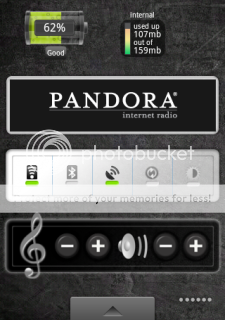
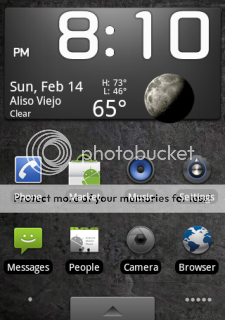
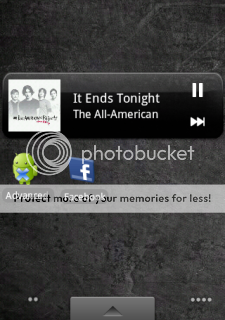
couple things i tried out....
 

Attachments

  • dxtop-ss-1265943180817.jpg
    dxtop-ss-1265943180817.jpg
    39 KB · Views: 208
  • dxtop-ss-1265943183964.jpg
    dxtop-ss-1265943183964.jpg
    39.3 KB · Views: 189
  • dxtop-ss-1265943187415.jpg
    dxtop-ss-1265943187415.jpg
    38.3 KB · Views: 155
  • dxtop-ss-1265943189876.jpg
    dxtop-ss-1265943189876.jpg
    37.6 KB · Views: 160
  • dxtop-ss-1265943195004.jpg
    dxtop-ss-1265943195004.jpg
    37.2 KB · Views: 161
  • dxtop-ss-1265988384408.jpg
    dxtop-ss-1265988384408.jpg
    38.2 KB · Views: 142
  • dxtop-ss-1265988387264.jpg
    dxtop-ss-1265988387264.jpg
    43.4 KB · Views: 120
  • dxtop-ss-1265988391293.jpg
    dxtop-ss-1265988391293.jpg
    40.6 KB · Views: 148
  • dxtop-ss-1265988394002.jpg
    dxtop-ss-1265988394002.jpg
    38.5 KB · Views: 129
  • dxtop-ss-1265988396545.jpg
    dxtop-ss-1265988396545.jpg
    42.7 KB · Views: 128
the208, how do you like Panda Home? (I presume that's what that is)

I've only been using pandahome for about a week. I haven't had any problems with it. I only use 3 screens, but think you can go up to 10 or 11. Really, the only reason I use pandahome is for the side drawers. If there was an app that allowed me to add drawers to the stock home, I'd be happy.
 
Well, I tried to run my phone for a bit without Sense and I just couldn't do it. I downloaded Ahome and dxtop along with lock 2.0 and beautiful widgets. I liked parts of everything, but it just didn't offer what I really wanted. In many ways I bought the Eris because of Sense and I just can't let it go. I did change some things up though.

Same here. I've tried basically all of the alternative home apps and I keep coming back to sense. I will readily admit that Sense DOES slow down the phone, you can totally tell if you use the stock android interface, it's quicker. But Sense just feels more refined and complete than anything else out there. Plus you lose access to all the nice Sense widgets if you don't use Sense. If I could use the Sense widgets with stock android home, I would just use that.
 
Don't have that many special widgets or anything

RoMote - Roku remote
Internal Memory Widget/SD Card Memory Widget
Battery Life
Spare Parts
Tunewiki - music/music video player w/ lyrics
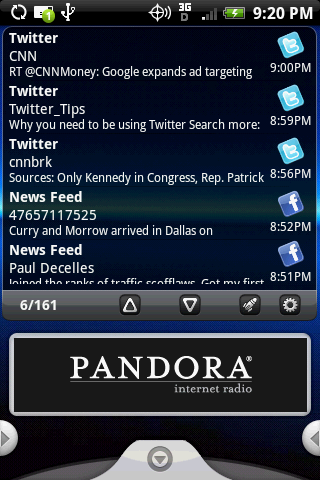
Pandora
Android Agenda Widget

Image

**MOD EDIT** Please don't post images wider than the site. Either resize them before uploading or post a link.
 
The208 what is that message widget and news/Twitter widget u are using?

I'm using Pure Messenger widget for both. Not fantastic for twitter, but I haven't found a better widget option. Clicking on a tweet will open Seesmic.
 
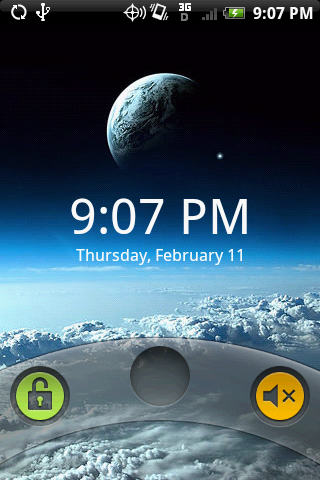
Maybe a couple of dumb questions but...How do you get the wording on the lock screen changed (i.e. where it says Verizon Wireless)? And is it the OpenHome app or the GDE app that changes the icons and screens to look like 2.0?
 
Back
Top Bottom