• After 15+ years, we've made a big change: Android Forums is now Early Bird Club. Learn more here.

Root [MOD] CM7 data to ext

Status
Not open for further replies.
I
CM7 data to ext

ive tryed the zip following the directions step by step.... i now have a phone that is so slow 10 to 12 sec to open apps. also go launcher fc's leaving me a black screen i set the ext partion to 1gb. hope there maybe an easy expaination for this problem

Not sure what class the original 2 GB SD card was. But I know that mine is a 2 on the radio shack scale of 1-4 and it runs great.

Did you select 0 as your swap size on your sd-ext? Did you make sure all your apps were internal and uninstall any similar programs before you ran the zip? Of course I mean Link 2SD, A2SD, S2E or even just moving apps to SD from Settings / applications. Also, make sure and rebuild Dalvik cache.

What ROM and theme are you running?

Did you do a factory reset before running the zip? Do one again see if Go still acts squirrelly. If not reinstall apps from TB or market.

This is good info for testing purposes, but of course, bad luck for you at the moment. But, don't give up, it is worth it.

If all the answers to the questions above pan out to be ok , we need to see if this is somehow related to Go Launcher.

I used it in the past with SHABBYMOD and loved it. Have tried pretty much all the launchers and all are ok by me for different reasons . Do you still have the stock launcher or another one installed? I would back up your settings and layout in go. Download ADW free version. Uninstall Go. See how it runs.

Reinstall Go from Market. Restore settings and layout from SD. And see how it runs.

Please post your answers and results.

Thanks.

Always make sure that you move your launcher to system memory. If you do not and do a factory reset...oh boy.
 
great work on this one..

tested it out past 1gb...

works fine here..

pushing 2.55gb on ext4
fat32 5.36gb
on a 8gb class 8 & 10..

no probs here & runs similar 2 me then when i had it on the recommended cap size 1GB...

no force closes or laggyness when running apps or launcher....


thanks again H...
 
Kouma could make this in a matter of minutes and post it

I dont want to put out a version of his kernel with this, I would rather him do it, I dont want to steal his thunder

I'll try to put some time into this today.
I've been spending a lot of time playing catch up at work because of a long winter break I took to help my wife recover from surgery. (Though, admittedly, I haven't been much help to her :( )
 
Oh, NM, LOL
Instead I'll see if I can make it smart enough to be universal :)


I know that my CM7 kernel will boot CM7 and CTMOD

I dont think Kouma Kernel will boot CM7

The only problem I can think of, using CM7 kernel to boot CTMOD would be the WiFi would not work

CM7 uses iprenew and CTMod/Stock uses ifconfig

It would be nice to have a universal Kouma Kernel for CM7 and CT
 
I know that my CM7 kernel will boot CM7 and CTMOD

I dont think Kouma Kernel will boot CM7

The only problem I can think of, using CM7 kernel to boot CTMOD would be the WiFi would not work

CM7 uses iprenew and CTMod/Stock uses ifconfig

It would be nice to have a universal Kouma Kernel for CM7 and CT

Oh, I can try that too, I mean universal in the scope of smart enough to mount the sd card's extended partition as /data if it's available and stl13 if it's not

It already has a try loop for compatibility with RFS and EXT4 stl13 blocks

You wouldn't happen to have any documentation on iprenew? Google gives me a bunch of results for "ipconfig /renew".... stupid windows market penetration :(
 
Oh, I can try that too, I mean universal in the scope of smart enough to mount the sd card's extended partition as /data if it's available and stl13 if it's not

It already has a try loop for compatibility with RFS and EXT4 stl13 blocks

You wouldn't happen to have any documentation on iprenew? Google gives me a bunch of results for "ipconfig /renew".... stupid windows market penetration :(

i dont think I am right about the whole ifconfig/iprenew thing

I just know that the services for wifi are different
 
With the Koumakernel version, should I uninstall dta2sd and mounting script before trying it?

I would lean toward the side of, Yeah you totally should.
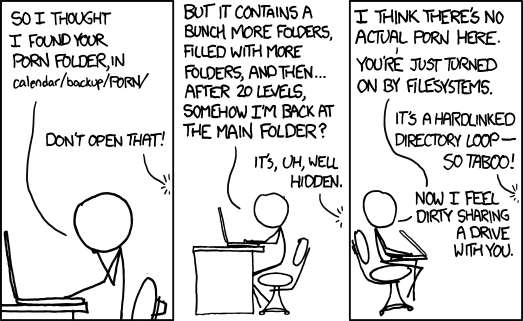
Not doing it could lead to circular symbolic links

porn_folder.png
 
This is why I have been trying to "sell" this thing like a televangelist. It is awesome people! Move towards the light!

Now to take a slight swerve on this thread.

I really want to know the rating of my SD card. I found the receipt from Radio Shack.

Sku 4400211 SanDisk 16GB regular price $49.99 on sale for $24.99

I called the Shack. The girl said that it was class 2. Their scale goes from 1-4. Middle of the road

Anyone familiar with this scale? How does it equate to the one that goes up to 10? 5 or 6?

Swerving back, WOW. I would love to see how this would perform on a sho nuff class 10!


So long as install goes smooth, I can let you know. Rockin a 16gb class 10, 1gb ext4, 15gb fat32.
 
I can leave all of my apps that are on my ext partition though right?

If it were me, I would copy all the apks to a folder on teh fat partition of the sdcard, then format the ext partition, Install the new kernel, then install each of the backed up apks from the sdcard with unknown sources enabled.

this way there are no gotchas, and your data file structure comes out how it wants to be happy
 
If it were me, I would copy all the apks to a folder on teh fat partition of the sdcard, then format the ext partition, Install the new kernel, then install each of the backed up apks from the sdcard with unknown sources enabled.

this way there are no gotchas, and your data file structure comes out how it wants to be happy


What if I used Titanium to back everything up?
 
Backed up everything, erased all a2sd scripts as well as the app, did a factory reset, wiped the dalvik, flashed the kernel, everything seems fine, but Titanium Backup keeps force closing. Tried to re-install, installed fine, but still FC'ed. Rebooted into CWM, did a factory reset and it's still force closing. Titanium Backup is in my /system/app/ directory. Any ideas?
 
OK, I just made my own version of the mod. Seems to work good. I have a crappy class 2 SDcard though so Dalvik is PAINFULLY slow for me, looong ass boot time too (maybe I shouldn't have made my sd-ext partition 4 gigs?) :D
I need to update the install script and change the splash image, then it should be good to go.
 
I just want to make sure that if I back everything up with Titanium, that when I go to restore that it won't screw stuff up.

The short answer is yes, your Titanium backups of user apps should restore to the sd-ext partition just fine.

I pretty much set everything up from scratch, after flashing the zip.

Before the flash I moved all apps to internal and uninstalled S2E. Cleared Dalvik and rebooted. So, then running completely from internal memory.

Backed that up with Kouma pack and CWM. Backed up SD to my a PC. Okay, I was paranoid. But that is not always bad.

Formatted 1GB sd-ext. Then did Factory reset that did it again, I think. Wanted everything clean and pristine.

Flashed the zip and rebooted.

Then to screw everything up, I tried to restore my data partition backup, thinking it would go to sd-ext. But it won't, it goes to the place it came from, which is now never never land since it is ignored now because of the remapping done by the new kernel.

So, I reinstalled apps using Titanium Backup and Market. The first app I installed using Market was Titanium Backup as a user app.

Everything runs great.

CWM backups made now will restore properly. Old CWM backups with the normal kernel should restore fine too.

I think that the newest CWM version, now backs up boot and recovery images too. I assume it restores them also.

Titanium sometimes gets squirrelly when restoring system apps backed up from a different ROM, etc., but you should not have to mess with these, just user apps.

I would install TB and key, if necessary, from Market and leave it as a User App. Then do your restores. should work fine.

If you moved TB to system to save time after the factory reset, use it to uninstall itself. Lol. No, really use Root Explorer to delete it from system. Then use Market to reinstall it as a user app.

Unless you can get that TB CWM zip option to work. It won't work for me.
 
Yeah I just restored back to before I did flashed and I'm going to do a new back up and try it again. I tried Titanium backup from System/app/ & as a user app and I kept getting force closes. I'll figure it out I'm sure.

Edit: BTW thanks. If it works good for you I'm going to try your method.
 
Yeah I just restored back to before I did flashed and I'm going to do a new back up and try it again. I tried Titanium backup from System/app/ & as a user app and I kept getting force closes. I'll figure it out I'm sure.

Edit: BTW thanks. If it works good for you I'm going to try your method.

Yeah, to paraphrase Kouma, Start Fresh.

It just makes sense to me to remove any debris (links, pointers, gremlins) still lurking around from S2E, A2SD, or Link2SD and start over.

Hroark's method attacks the problem from a completely different angle (the kernel) and does not need any of that spit and bubblegum stuff.
 
Got a New back-up, Just did a factory/dalvik wipe. Going to try it again. If all goes well, how do I access my sd partition with a file explorer after? Do you know the directory path?
 
I looked using Root Explorer and I believe that it is /sd-ext

You can wipe the Dalvik cache manually in there.
 
Hroark, The version I will put out in the morning has the following minor change from what you did:

mount ext4 /dev/block/stl13 /data <insert your MOD's mount options>
mount ext4 /dev/block/mmcblk0p2 /data <insert your MOD's mount options>

I left in both mount commands. With it like this, stl13 mounts like normal.
If someone doesn't have a partitioned SD card, the mmcblk0p2 mount fails and things continue like normal.
If the mmc mount succeeds, the mount point supersedes stl13 and though both remain mounted, everything points to the sdcard so all is good :)
 
Status
Not open for further replies.
Back
Top Bottom