• After 15+ years, we've made a big change: Android Forums is now Early Bird Club. Learn more here.

Post Your Home Screen Captures

Syav, you are quite welcome, my friend. :)

Yeah... wanted it myself but found out that it supports ARMv7 and higher procs but the lowly Optimus is ARMv6... Maybe one day... maybe one day...

I hear ya... I found this a while back and posted it in a thread here where Firefox was being discussed:

https://wiki.mozilla.org/Mobile/Platforms/Android#System_Requirements

Quote:
ARMv6 (experimental) Sorry, the experimental ARMv6 builds are no longer available. They contained bugs that caused them to crash immediately, so they were no longer useful for testing.
While we'd like Firefox to run on as many phones as possible, we are focusing first on devices that can run current versions of Firefox with acceptable performance. As we improve Firefox's speed and memory use, it might become possible for us to support ARMv6 phones in the future, but we are not actively working on it now.
 
I hear ya... I found this a while back and posted it in a thread here where Firefox was being discussed:

I don't blame 'em. The amount of phones with slower processors coming out is few and far between. If I was in their shoes, I would definitely focus on a larger consumer base as well... It does blow, though.
 
Here's my first post of my screen here.

I'm kind of a minimalist when it comes to my phone so here goes...

mtumvm.jpg
1zwjjgz.png


1 home screen. LauncherPro with three other docks with the most used icons on them.

Any thoughts?


...also, Melim, I am a fan of the day-of-the-week bars but I only have the option for the shortened text and not just the one letter like in your orangy one... what are you running for that?
 
Here's my first post of my screen here.

I'm kind of a minimalist when it comes to my phone so here goes...
snap20110604_161721.png
2011-06-05_01.16.24.png


1 home screen. LauncherPro with three other docks with the most used icons on them.

Any thoughts?


...also, Melim, I am a fan of the day-of-the-week bars but I only have the option for the shortened text and not just the one letter like in your orangy one... what are you running for that?

Ack, is it just me or is your screenshot not showing up? I wanna see!

The weekday bar is part of the awesome mClock: https://market.android.com/details?id=com.marooned.mclock
Best part about it- you can use your own fonts. Love it.

Agreed on both counts about Firefox, BTW, tho I agree more with the 2nd count, lol.
 
Ok. Updated images. I was linking them from Dropbox but I guess that doesn't work how I thought it did (showed up on my screen just fine so I thought it worked). Let me know if they work alright.
 
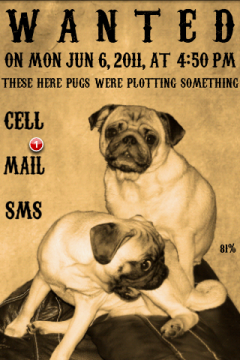
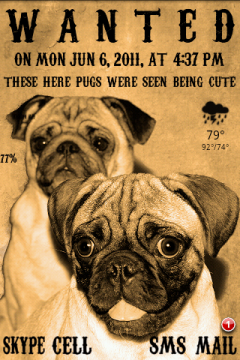
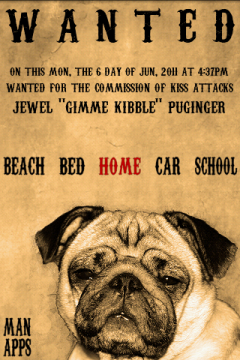
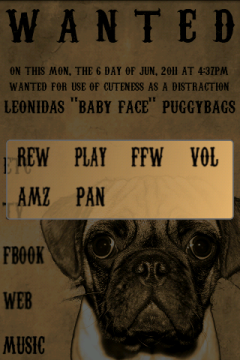
A Tribute to my naughty, naughty pugs.
lockpugsw.png
swpughome.png
swpugscreen3.png

1. Lock: widgetlocker, minimalistic text, sms unreadcount. 2. same plus simi weather. 3. Same plus tasker widgets for profiles.
swscreen2.png
swscreen2folders.png
swwidgets.png

4. Same, then 5. with Folder Organizer. 6. Pure calendar and messenger widgets.
I made the sw icons from the Freakshow Carnivale font.
 
https://picasaweb.google.com/lh/photo/JDivwxFYm2TY1hgAIUjQNQ?feat=directlink left left screen


....and my 5th screen is blank so far. I recently discovered the joy of desktop visualizer and gettyicons website. The sun and cloud on my homescreen are actually widgets that link to the facebook and twitter mobile sites,since I find those more useful for my needs than any twitter or facebook app. I love it so far, but i'm open to suggestions esp. for the dock icons :D
Awesome stuff. What task widget are you using?
 
That's part of the Fancy Widget app

I just installed the Pro version of the Fancy Widget, but I cannot get it to open on my screen. I've adjusted everything the way I want it, but there is no place to click done or anything like that and when I hit my back button or the home screen, it looks the same as it did before I tried to install the widget.

Anyone know what I'm doing wrong?
Thanks
An LG-Optimus-V newbie
 
I just installed the Pro version of the Fancy Widget, but I cannot get it to open on my screen. I've adjusted everything the way I want it, but there is no place to click done or anything like that and when I hit my back button or the home screen, it looks the same as it did before I tried to install the widget.

Anyone know what I'm doing wrong?
Thanks
An LG-Optimus-V newbie
Did you uninstall the unpaid version first?
Try uninstall paid, reboot, reinstall paid; then try reboot again.
I had similar issues with FWidget if I remember correctly.
Also: once you make the settings in Fancy Widget pro menu, you must then long press on the screen to actually apply the widget of choice.
 
I just installed the Pro version of the Fancy Widget, but I cannot get it to open on my screen. I've adjusted everything the way I want it, but there is no place to click done or anything like that and when I hit my back button or the home screen, it looks the same as it did before I tried to install the widget.

Anyone know what I'm doing wrong?
Thanks
An LG-Optimus-V newbie

Is it installed to your sdcard? If so move it to your fone
 
Thanks for the reply, melissapugs!
I didn't have the free version installed so no need to uninstall.
I hate to be such a dope, but what screen do I need to press on? There isn't much room on the screen that opens when you open the widget. I've pressed on a few screens for quite a while and it doesn't do anything.

Do you know if there is an online manual for Android? I guess I should Google to see if there is one.
Thanks
 
Thanks for the reply, melissapugs!
I didn't have the free version installed so no need to uninstall.
I hate to be such a dope, but what screen do I need to press on? There isn't much room on the screen that opens when you open the widget. I've pressed on a few screens for quite a while and it doesn't do anything.

Do you know if there is an online manual for Android? I guess I should Google to see if there is one.
Thanks
Let me clarify, since my directions weren't so thorough - don't worry about asking lots of questions: that's how I learned how to do all this stuff.
1. As another poster said, don't put apps with widgets on your sd card.
2. Open app for fancy widget. Set your options - what you want to show, etc. Got your skins on all your components installed? Apply everything you want. Make sure you set your weather service in the settings. The UI for this app is very long winded, but worth it for the results IMO.
3. Exit the app. Press and hold down on an EMPTY space on any screen. Your menu will pop up. Select widget. Up pops a list of available widgets: select fancy widget, and then one of the widgets that you set options for. If you didn't put all the options as in step 1, then the widget won't know how to populate itself.
4. If you are using something like desktop visualizer (which I do) something will pop up and ask you to confirm ow many rows, columns, etc. Otherwise ignore.
5. There it is.
Now, if that doesn't do it:
a. Check your wallpaper color by applying the opposite (black instead of white) to make sure that you just can't see your widget.
b. Uninstall, reboot, reinstall.
c. Try other skins, font colors, etc.
Hope this helps.
 
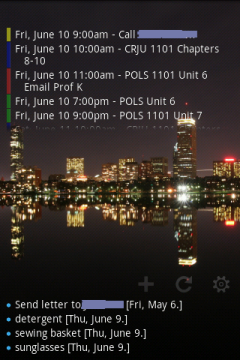
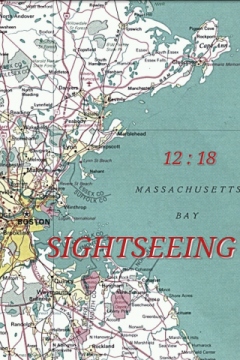
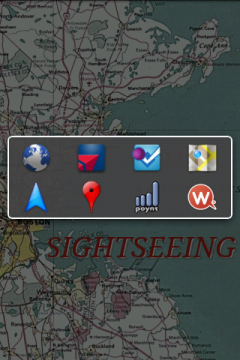
Getting ready for trip to Boston & Cape.
snap20110610_001937.png
snap20110610_001855.png
snap20110610_001852.png

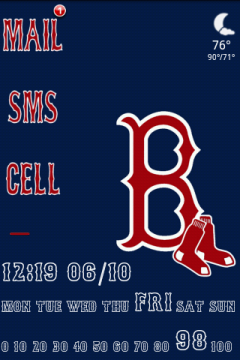
1. Lockscreen: SMS unreadcount with cust icons, Minimalistic Text, simi weather, red line mod slider for widgetlocker. 2. Mini text, cust icons. 3. Mini text, cust icons, clickable widget tasker profiles.
snap20110610_001848.png
snap20110610_001859.png
snap20110610_001915.png

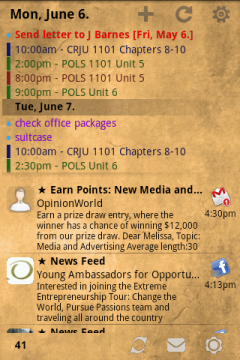
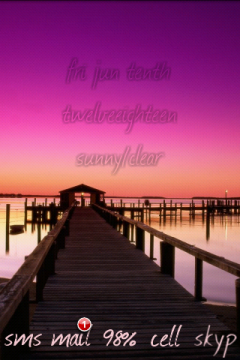
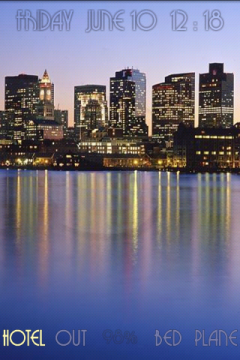
4. Pure agenda widget x2. 5&6. Mini text with links to Folder Organizer shortcuts.
 
Home screen is my 2 daughters (25 years ago, how they grow!). Minimalistic Text (twice), Folder Organizer (ribbon, link to favorite apps), Widgetzooid2.0 (row and batt life).
Home.jpg


And I use this screen while driving. Desktop VisualizeR links (most called contacts top row), Minimalistic Text (Clock, Batt life), GasBuddy, GPS Essentials, Soundhound, G-Music, Nav., World Weather Widget, Maps, CarMode, Phone/contacts, Voice Search.
Car%20mode.jpg


Love my Optimus, and not even rooted!
 
I just got my Optimus today! Am quite pleased. :p

LauncherPro Plus
TypoClock
Beautiful Widgets
Dock by me (font is Arista 2.0 Light)
Wallpaper by Vlad Studios

lg1.png
 
I just got my Optimus today! Am quite pleased. :p

LauncherPro Plus
TypoClock
Beautiful Widgets
Dock by me (font is Arista 2.0 Light)
Wallpaper by Vlad Studios

lg1.png


Very nice, but steal my font why dontcha? :mad: :p mClock uses any font you wish if you want to match your clock with your dock. (I swear I have no affiliation with the mClock dev; just love it.)
 
Teehee :D I love those contemporary fonts, and they're very nice for gaming UI's, too.

I've been meaning to check out mClock as I've been seeing it mentioned everywhere lately. If I come up with anything fancy, I'll post!
 
Back
Top Bottom