
• After 15+ years, we've made a big change: Android Forums is now Early Bird Club. Learn more here.

Post your Screenshots and Wallpaper!

saps, i did start on a red theme....i dont know how much it works with a "holiday" red, but digi pointed it out in irc and i decided to run with it before someone else did (i only use themes i work on, on my phone because of time constraints and i liked it so i figured if i didnt take it some one would)
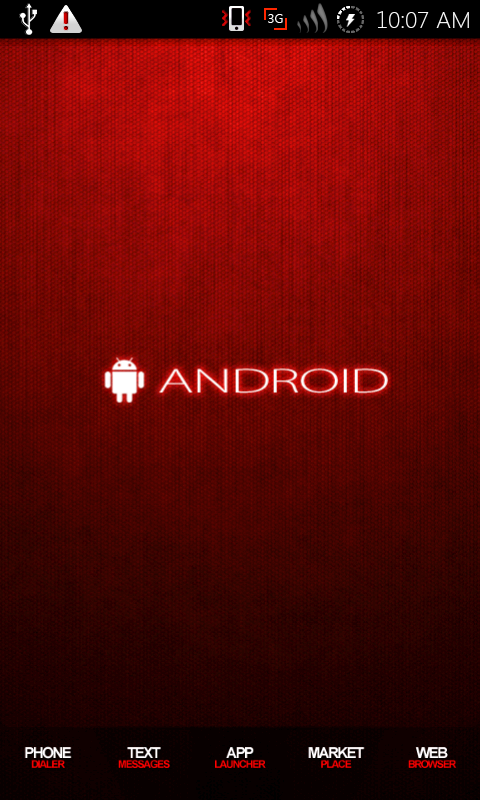
redsoulport1.png
 
saps, i did start on a red theme....i dont know how much it works with a "holiday" red, but digi pointed it out in irc and i decided to run with it before someone else did (i only use themes i work on, on my phone because of time constraints and i liked it so i figured if i didnt take it some one would)

redsoulport1.png
That certainly has promise. Red is a nice color anyway even off holiday season. I got a number of red icons and wallpaper not to mentioned red cwm. Half of making a theme work for me is just changing the skin on my BW. So looks good so far. Only thing I'd like to see which I have no doubt you are thinking already is making the battery and everything possible red like you did with purple for purple. :)
 
That certainly has promise. Red is a nice color anyway even off holiday season. I got a number of red icons and wallpaper not to mentioned red cwm. Half of making a theme work for me is just changing the skin on my BW. So looks good so far. Only thing I'd like to see which I have no doubt you are thinking already is making the battery and everything possible red like you did with purple for purple. :)

Yeah I'd offer a red battery option as well. :)
 
So I am using LP and a Dreamlyfe dock and icons but nothing else really. Is my phone supposed to be slower running these? I mean i can understand that it is having to use pictures out of my gallery for the apps but does that REALLY use that many sys resources? Its like I have my D1 back.
 
So I am using LP and a Dreamlyfe dock and icons but nothing else really. Is my phone supposed to be slower running these? I mean i can understand that it is having to use pictures out of my gallery for the apps but does that REALLY use that many sys resources? Its like I have my D1 back.

lpp can really add to the lag of a stock fascinate....try changing the setting under advanced....but really if i didnt root id use adw or zeam most likely
 
I am root but I am just running stock. I havnt gotten around to installing any roms or anything. I LOVE LP just wasnt sure why is lagging so bad.
 
Just started messing with my Fascinate today after stumbling across this thread. I've got to say, a lot of yours are really awesome.:D

Mine's still pretty simple. Only using Beautiful Widgets and WidgetLocker with BattStatt on the lock screen. I like the stock UI so I'm probably not going use LP or root it. I got the wallpaper from the first page.


snap20101213_183605.png
snap20101213_183613.png
snap20101213_183619.png
snap20101213_183623.png
snap20101213_183631.png

And the lock screen.
snap20101213_183640.png
 
I assume that you can only get rid of touchwiz if you are rooted....I looked and couldn't see this....

Yes you would have to be rooted. I cleared off all the screens on touchwiz. And keep wifi and GPS off if I'm not using them and go thru the running services and turn off most of them. With LP and widgetlocker running I have about 14 widgets including 2 clocks and 3 weather apps and don't have much problem with lag.
 
I'm a Little bit of a Cardinals fan, win or lose!
 

Attachments

  • snap20101203_122931.jpg
    snap20101203_122931.jpg
    30.4 KB · Views: 90
  • snap20101215_095845.jpg
    snap20101215_095845.jpg
    22.7 KB · Views: 89
  • snap20101215_100216.jpg
    snap20101215_100216.jpg
    33.2 KB · Views: 74
  • snap20101215_100301.jpg
    snap20101215_100301.jpg
    28.7 KB · Views: 95
  • snap20101215_100307.jpg
    snap20101215_100307.jpg
    26.7 KB · Views: 77
For those experiencing lag with launcherpro, what settings are you using?

This is a coincidence to me, because I just went back to TW after experiencing some lag with LPP.

I came to realize this after putting the weatherbug small 1x1 widget on my homescreen. Its the one that manually updates. So I click the gear to launch the refresh screen and sometimes it took 3-4 seconds with LPP; with TW its much snappier.

Also, just the general launching off core apps like contacts and the phone app seem snappier.

I think I may try disabling TW to see if having 2 launchers on top of each other is the culprit.
 
This is a coincidence to me, because I just went back to TW after experiencing some lag with LPP.

I came to realize this after putting the weatherbug small 1x1 widget on my homescreen. Its the one that manually updates. So I click the gear to launch the refresh screen and sometimes it took 3-4 seconds with LPP; with TW its much snappier.

Also, just the general launching off core apps like contacts and the phone app seem snappier.

I think I may try disabling TW to see if having 2 launchers on top of each other is the culprit.

Yeah generally less launchers, less lag. :)
 
This is a coincidence to me, because I just went back to TW after experiencing some lag with LPP.

I came to realize this after putting the weatherbug small 1x1 widget on my homescreen. Its the one that manually updates. So I click the gear to launch the refresh screen and sometimes it took 3-4 seconds with LPP; with TW its much snappier.

Also, just the general launching off core apps like contacts and the phone app seem snappier.

I think I may try disabling TW to see if having 2 launchers on top of each other is the culprit.

Yeah generally less launchers, less lag. :)

Very much agreed having or using 1 launcher only is the way to go. If you prefer TW get rid of LP, if you preferred LP try this to get rid of TW http://androidforums.com/fascinate-all-things-root/205635-goodbye-touchwiz.html
IMO there is a tangible reduction in the so called lag by ditching TW altogether when using LP
 
Back
Top Bottom