• After 15+ years, we've made a big change: Android Forums is now Early Bird Club. Learn more here.

Post your Screenshots and Wallpaper!

i just downloaded widget locker and love the app but i cant seem to remove my camera and brightness from the lock screen now. any body know how to. i have been trying to for the last 45 min.

nm finally figured it out.
Lol I feel ya. It took me FOREVER to realize how to get rid of those.
 
Changed again.
PBaOI.png


ok question i know the little msg icon on the left of your screen is sms unread countbut how did you get it to the white bubble??? i am unrooted and am running the stock launcher.
 
ok question i know the little msg icon on the left of your screen is sms unread countbut how did you get it to the white bubble??? i am unrooted and am running the stock launcher.

In the last update, it allows you to change the icon to a custom one. Just put the icon on your SD card under data/com.kanokgems.smswidget and then choose that one when you put the widget on your screen
 
In the last update, it allows you to change the icon to a custom one. Just put the icon on your SD card under data/com.kanokgems.smswidget and then choose that one when you put the widget on your screen

where do i find that icon to download to my sd card at? thank you for the reply
 
I am finally where I wanna be and how I want my Fascinate to look......well almost. I don't think us Android addicts will ever be completely done rooting, themeing, etc. It's just in our blood to take it to the next level. But here's my contribution. Tell me what you think :D

Rooted
- Adrynalyns DL09 Superclean 0.4 Rom
- 1230_non_voodoo kernel
- Haptic feedback modem fix
- Theme Fix
- Sonofskywalkers 3.0 Blackhole Theme w/ accurate battery and shutdown options.

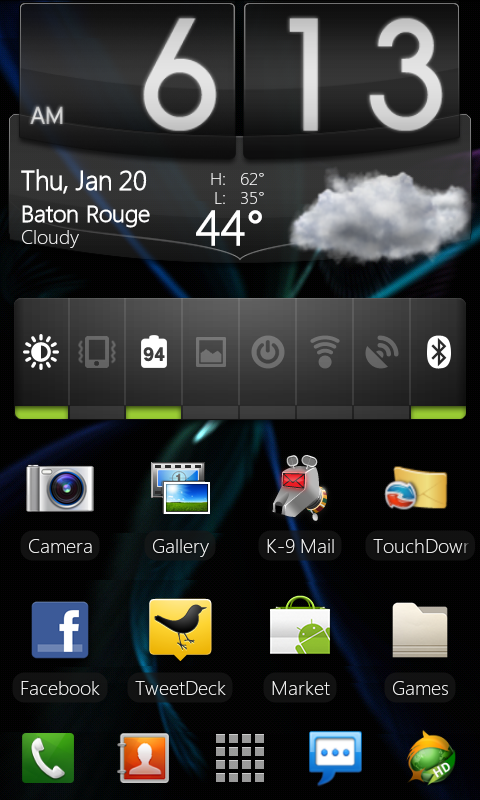
-Homescreen -

CAP201101200041.jpg


Ugh. I just noticed the colors arent very accurate in this image for some reason. I uploaded through photobucket. The date and weather info is actually orange. Anyways you get the point at least

Shutdown options screen:

CAP201101200054.jpg


Pull down shade:

CAP201101200056.jpg
 
This is the standard dock on the ADW white theme, the icons are from the various adw color themes.

So you can mix and match the theme elements within ADW? I'm currently using the white theme from ADW how do you change the icons?
 
So you can mix and match the theme elements within ADW? I'm currently using the white theme from ADW how do you change the icons?
Yes you can mix different theme colors for your icons as long as you have the theme color installed. To change the icon long press it and select edit, press the picture of the icon and select adw theme packs.

Mine is a mix of white for the dock, blue for browser, red for app drawer, and orange for the phone.
 
So you can mix and match the theme elements within ADW? I'm currently using the white theme from ADW how do you change the icons?


With Basic ADW you need to make a custom shortcut by long pressing a blank area of the screen, picking the application you want to link too, then pick the icon by either using one of the theme's icon packs (Only certain ones have icon packs) or your own picture. Then you can drag it anywhere in the homescreens or drop it into your dock bar.

With ADW EX it makes it even easier. All you have to do is put the application on the home screen, push and hold it until the pop up menu comes up then press, edit and you can change the icon there without having to go through finding the application.
 
Yes you can mix different theme colors for your icons as long as you have the theme color installed. To change the icon long press it and select edit, press the picture of the icon and select adw theme packs.

Mine is a mix of white for the dock, blue for browser, red for app drawer, and orange for the phone.

That's awesome, had no idea I could do that... Thanks!!
 
With Basic ADW you need to make a custom shortcut by long pressing a blank area of the screen, picking the application you want to link too, then pick the icon by either using one of the theme's icon packs (Only certain ones have icon packs) or your own picture. Then you can drag it anywhere in the homescreens or drop it into your dock bar.

With ADW EX it makes it even easier. All you have to do is put the application on the home screen, push and hold it until the pop up menu comes up then press, edit and you can change the icon there without having to go through finding the application.

I have the EX version, so this is gonna be easy and fun :D So glad I checked in here today! Thanks!
 
I've had this set up for awhile....can't seem to let it go.

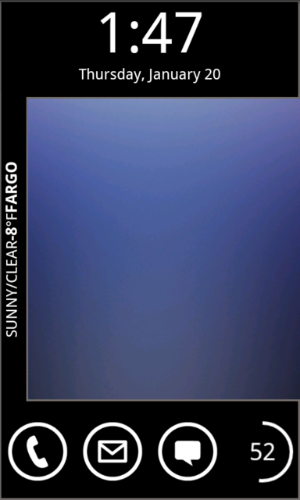
Lock:


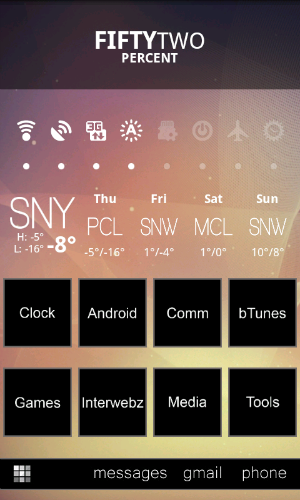
Home:


Left 1:


Left 2:


Right 1:


Right 2:


Right 3:


I ♡ widgets.
 
Finally Changed mine up a little bit

LauncherPro Plus with Gingerbread Theme
SuperClean DL09 ROM with BlackMod theme that I combined with FlatBlack theme

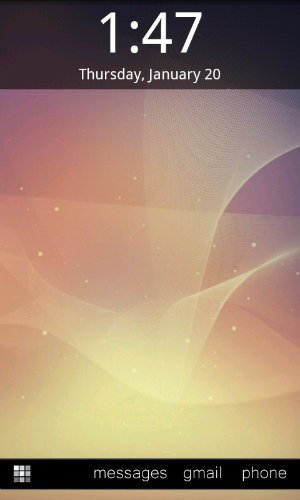
Lock Screen (Widget Locker, Digital Clock Widget by Maize, Minimalistic Text, SMS Unread Count Widgets, Circle Battery)

snap20110120_134724-1.png


Main Screen (Digital Clock Widget by Maize)

snap20110120_134728.png


Left Screen (Battstatt, SwitchPro Widget, Beautiful Widgets, Folder Organizer Lite with icons I made appplied with Desktop Visualizer)

snap20110120_134731.png


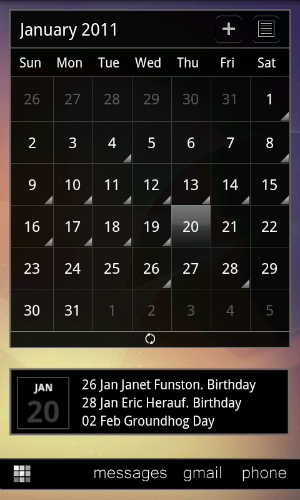
Right Screen (LP Calendar, Smooth Calendar that I themed)

snap20110120_134734.png


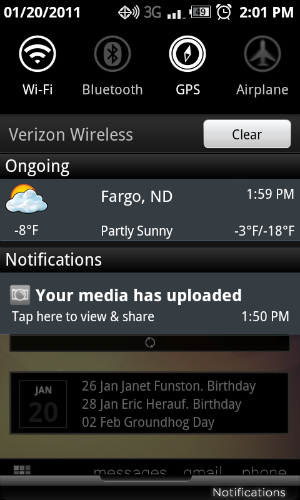
Notification Menu (which also shows the notification bar I themed. And yes, it's cold here :))

snap20110120_140124.png


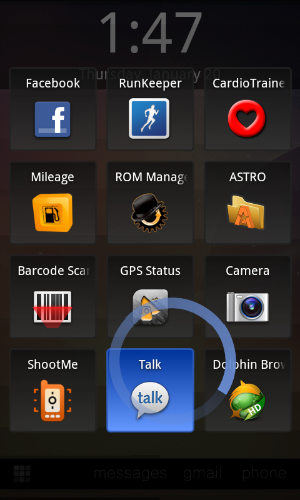
My new favorite app, SwipePad (You swipe from the bottom corner up and get a list of whatever 12 apps you put in there, allowing you to de-clutter your screen that much more)

snap20110120_134757-1.png
 
It's circle launcher. You can find a paid and lite version in the market. I have it but havent been able to figure out how to integrate into my current layout.

I noticed there is a lag when opening with the launcher with about 8 icons/apps. The one with only 4 apps seemed to open faster.

I like the "saps apps" :p What widget is that?
 
I like the "saps apps" :p What widget is that?

It's circle launcher. You can find a paid and lite version in the market. I have it but havent been able to figure out how to integrate into my current layout.

I noticed there is a lag when opening with the launcher with about 8 icons/apps. The one with only 4 apps seemed to open faster.
Yes circle launcher and its in market both free and paid version which letter you have some other options, like vertical and horizontal lines instead of circle. fwiw I can put like 9 apps in there and there no slow down. But then again Im also on the 2.2 with voodoo so it flies but I'd think even a stock SF should be ok
 
Back
Top Bottom