
Install the app
How to install the app on iOS
Follow along with the video below to see how to install our site as a web app on your home screen.
Note: This feature may not be available in some browsers.
-
After 15+ years, we've made a big change: Android Forums is now Early Bird Club. Learn more here.
You are using an out of date browser. It may not display this or other websites correctly.
You should upgrade or use an alternative browser.
You should upgrade or use an alternative browser.
Root [ROM]Themed ICS 2.3.7 Gingerbread [PORTED]
- Thread starter sammyz
- Start date
-
- Tags
- lg optimus m
- Status
- Not open for further replies.

sammyz
LG Whiz Kid
hey sammy what is the outcome of this rom is it worth installing. i'm so getting use to backside would this one have better performance/feel.??
You actually could make backside look just like this with some research.

sammyz
LG Whiz Kid
i just downloaded this file but while downloading my antivirus pop up with this message
C:\Downloads\signed_ICSandwich2.3.7_ThaUnknownArtist_01092012v3.zip
eset nod32Which antivirus software do you have?
sammyz
LG Whiz Kid
Woah, I googled the file, turns out I have to shut this down! http://www.csc.ncsu.edu/faculty/jiang/Plankton/
so is a trojan 1\2 minute into the download it pick it up i check all the others one posted only this one came up dirty i'm glad i was able to helpHmmm, this ROM is clean of trojans though. I don't know why it's picking it up as a trojan.
Woah, I googled the file, turns out I have to shut this down! Plankton
kingkoopa85
Newbie
i have a question, i went into titanium backup and uninstalled ics launcher months ago because i use go launcher ex (i did this because someone said it would help my phones screen rotation speed, turns out its the rom itself) so would my phone be ok? or should i still flash something else? ics is still running, but ics launcher is uninstalled and deleted.
sammyz
LG Whiz Kid
i have a question, i went into titanium backup and uninstalled ics launcher months ago because i use go launcher ex (i did this because someone said it would help my phones screen rotation speed, turns out its the rom itself) so would my phone be ok? or should i still flash something else? ics is still running, but ics launcher is uninstalled and deleted.
Erase the entire thing anyways, flash something else, once you open ICSLauncher (when you boot into this ROM the first time) you are infected.
Erase everything ASAP, not SDCARD, your SD card is safe.
sammyz
LG Whiz Kid
so is a trojan 1\2 minute into the download it pick it up i check all the others one posted only this one came up dirty i'm glad i was able to help
Thanks for the heads up on this one
kingkoopa85
Newbie
wipe all data/factory reset? or just the usual data, cache, dalvik, battery and rotate?
sammyz
LG Whiz Kid
wipe all data/factory reset? or just the usual data, cache, dalvik, battery and rotate?
wipe /boot /data /cache dalvik cache /system /sd-ext
Also look at OP, I have v4 and v5, they are trojan free.
sammyz
LG Whiz Kid
sammyz is this the rom you are running now.??if so anything special that needs to be done
does mms work out of the box also which version to run v4 or v5.do you have to install gapps?? thanks
Yes you need gapps, sorry I deleted most of the info in my op....mms works out of the box, I use backside as my daily on my M and I'm using actual ICS to reply to you with V. BobZhome is working on an actual CM9 rom for our phone, the main problem is still touch screen. I have been testing for him
 ...he doesn't own an M just a V. When Bob finishes touch screen and fixes up any other bugs, this thread will be dead. But I'll edit my op with the gapps soon.
ok thanks i've been going back and fourth between miui and kelsoYes you need gapps, sorry I deleted most of the info in my op....mms works out of the box, I use backside as my daily on my M and I'm using actual ICS to reply to you with V. BobZhome is working on an actual CM9 rom for our phone, the main problem is still touch screen. I have been testing for him
jruizdesign
Newbie
Yes you need gapps, sorry I deleted most of the info in my op....mms works out of the box, I use backside as my daily on my M and I'm using actual ICS to reply to you with V. BobZhome is working on an actual CM9 rom for our phone, the main problem is still touch screen. I have been testing for him
I saw that Bobz was running cm9 on the OV. And I also know how similar the OM is to the V. I figured it wouldnt be long before we got cm9.
By the way wrong thread maybe but good work with backside. I switch from that and bobz rom.
Thanks
wipe /boot /data /cache dalvik cache /system /sd-ext
Also look at OP, I have v4 and v5, they are trojan free.
can't seem to get the updated versions to work; keeps throwing up boot loops. I've had version 3 running for awhile now, but in efforts to update, the boot loops commence.
I've formatted all the right stuff; tried version 4 and 5 with same result. Any suggestions? I want the sensation of trojan-freeness!
sammyz
LG Whiz Kid
can't seem to get the updated versions to work; keeps throwing up boot loops. I've had version 3 running for awhile now, but in efforts to update, the boot loops commence.
I've formatted all the right stuff; tried version 4 and 5 with same result. Any suggestions? I want the sensation of trojan-freeness!
Try redownloading, probably a bad download....
Try redownloading, probably a bad download....
redownloaded (v5), same result. thanks for the help. i'll have to stick with v3 or another ROM for now. maybe i'll try the miui port again; couldn't get the data to work the first time around.
sammyz
LG Whiz Kid
redownloaded (v5), same result. thanks for the help. i'll have to stick with v3 or another ROM for now. maybe i'll try the miui port again; couldn't get the data to work the first time around.
Don't go to v3! the trojan can steal gmail passwords and God knows what else.
Don't go to v3! the trojan can steal gmail passwords and God knows what else.
yeah, that was in my sleep stupor; I'm staying away from it, thanks.
Hi, I am new here so please forgive me If I make any mistakes posting. I tried Version 3 when it was released and worked without a problem, actually it worked beautifully on my Optimus M. I tried to update from 3 due to reading that there was a virus to v4 and got stuck in the boot animation loop. I then tried to flash v5 and same story. I had to go back to stock 2.2.2 and reflash but still run into the boot animation freeze. I also made sure I cleared all cache, system etc.. before flashing. Is this a rom issue or am i missing a crucial step?
It also seemed to have wiped out my MEID info in the process of trying to recover. My question about that is, I have tried the tricks but is my phone now useless as a cellphone (currently have it in use as a android device with no phone service). I just want to know if one day I decide to get phone service am I going to have issues even though I entered some of the MEID info back.
It also seemed to have wiped out my MEID info in the process of trying to recover. My question about that is, I have tried the tricks but is my phone now useless as a cellphone (currently have it in use as a android device with no phone service). I just want to know if one day I decide to get phone service am I going to have issues even though I entered some of the MEID info back.
sammyz
LG Whiz Kid
The reason your MEID was wiped is because you used this:
http://androidforums.com/optimus-m-all-things-root/364080-unbrick-phone-lg-screen.html -----will always wipe your MEID
instead of this:
http://androidforums.com/optimus-m-all-things-root/558063-guide-using-lgnpst-stock-2-2-2-a.html ----will not wipe your MEID, just go into custom recovery (from powered off, HOME KEY+POWER KEY+ VOLUME DOWN) and then follow this next time.....
Ask questions before making a noobish mistake
I don't know why this ROM is not working, try redownloading, if it still does not work, then it's because of me replacing the home launcher that had a virus. I think I will ask a mod to remove this ROM altogether if I cannot get it to work.
http://androidforums.com/optimus-m-all-things-root/364080-unbrick-phone-lg-screen.html -----will always wipe your MEID
instead of this:
http://androidforums.com/optimus-m-all-things-root/558063-guide-using-lgnpst-stock-2-2-2-a.html ----will not wipe your MEID, just go into custom recovery (from powered off, HOME KEY+POWER KEY+ VOLUME DOWN) and then follow this next time.....
Ask questions before making a noobish mistake
I don't know why this ROM is not working, try redownloading, if it still does not work, then it's because of me replacing the home launcher that had a virus. I think I will ask a mod to remove this ROM altogether if I cannot get it to work.

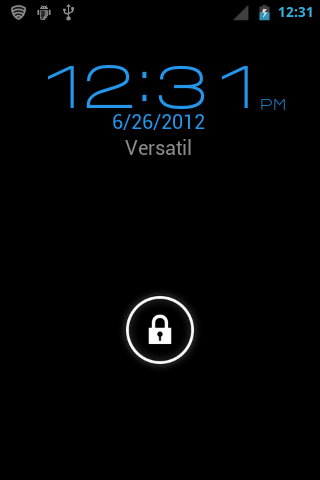
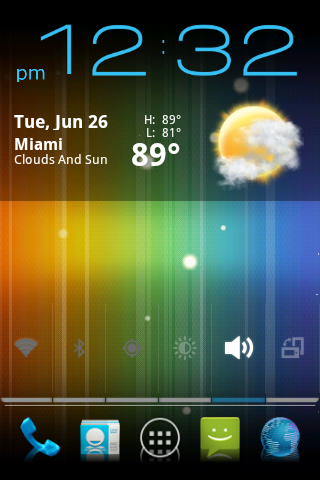
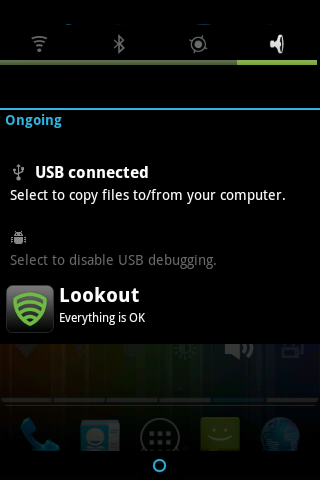
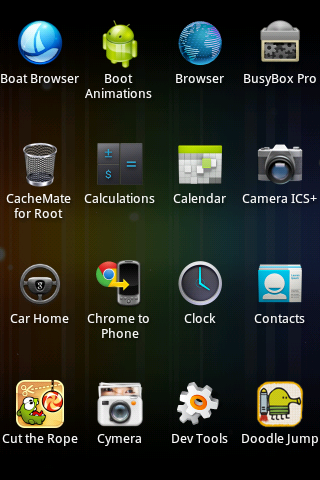
The reason your MEID was wiped is because you used this:
http://androidforums.com/optimus-m-all-things-root/364080-unbrick-phone-lg-screen.html -----will always wipe your MEID
instead of this:
http://androidforums.com/optimus-m-all-things-root/558063-guide-using-lgnpst-stock-2-2-2-a.html ----will not wipe your MEID, just go into custom recovery (from powered off, HOME KEY+POWER KEY+ VOLUME DOWN) and then follow this next time.....
Ask questions before making a noobish mistake
I don't know why this ROM is not working, try redownloading, if it still does not work, then it's because of me replacing the home launcher that had a virus. I think I will ask a mod to remove this ROM altogether if I cannot get it to work.
Hey and thank you for the quick response. Yeah before I came back to see if anyone replied I ran across the very same forum you linked above. I did use that first forum because I ran into the boot freeze. I should have just saved myself the trouble and fully reverted back to 2.2.2. I however did follow the instructions and reverted back to 2.2.2 with network communication working with MetroPCS again.
Yeah it was a little bit of a noob mistake, I have worked on rooting phones before. This is my first time with LG though As I can tell it is nowhere near as easy as it is to do Samsung phones haha. But I guess the best way to learn is to learn form your mistakes. I see where I made my error though.
Thanks again for the quick response If I hadn't figured it out, seeing this reply would have fixed my issue! As far as the rom I will give it another go, either this or BACKside which both should run fine now that this issue is fixed.
:Edit: I tried to give v5 another go, re downloaded again and tried. For some reason I am having the same issue as puyow18. V3 installed flawlessly, this is my 4th or so time trying to get v4 or 5 working and it just stays at the bootanimation. I tried before to wipe all the necessary areas, even tried doing a factory reset at one point. Don't worry I will not go back to 3, as soon as i saw virus I grabbed the newer roms. Maybe some phones just wont load it? Anyway just letting you know I am also having the same problem as Puyow18 with installing the new versions.
- Status
- Not open for further replies.