

• After 15+ years, we've made a big change: Android Forums is now Early Bird Club. Learn more here.

[ROM] [Unofficial] AOKP/4.2.2 Magical Unicorn - 4/1/2013

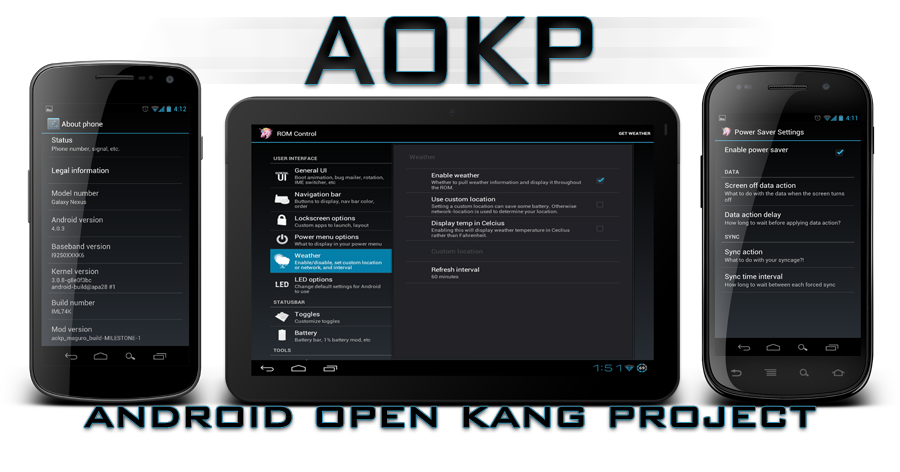
aokptitleblue-1.png
[/center]

changelog-2.png

Newest change logs are available at the AOKP site
installation-1.png
  1. MAKE A NANDROID
  2. wipe data/factory reset in recovery
  3. flash ROM
  4. flash Gapps
  5. reboot


contribute-1.png

We spend countless of hours doing this for next to nothing. Posts, views, and donations encourage me, and everyone else who helps out.

Donate to Stevespear426
Donate to Romann
Donate to Whitehawkx
Donate to Jonathan Grigg
Donate to Zaphod-Beeble
Donate to ProTekk

Donate to CyanogenMod

Every donation is cherished and loved.

If you'd like to help contribute by writing code, feel free to stop by IRC and talk to us!

source-2.png

Check out the ROM source on github. Open source, in the spirit of community kangage.

Recent changes to AOKP - Gerrit Code Review
____________________________

I'm sure you're asking.. Why?
To answer your question.. Why not? Kidding.
MMS does not work out of the box for us Boost GS II users. We have to manually edit the APN info, or flash / restore / push the APN info every time we flash a ROM. This prevents us from doing that extra step.
This is the EXACTLY the same ROM found here. Except this ROM has the correct APN for Boost Mobile.
_____________________________

DISCLAIMER: I AM NOT RESPONSIBLE IF YOU BRICK, THROW YOUR PHONE OUT THE WINDOW, OR CAUSE A NUCLEAR EXPLOSION. YOU MADE THE CHOICE OF VOIDING YOUR WARRANTY & RISKING YOUR DEVICE TO BECOME PAPERWEIGHT.
_____________________________

This NOT my work. I did NOT develop, nor built this ROM. Big thanks to ktempleton for building this ROM and giving me permission to use his ROM. I only provide the full ROM with an MMS fix for Boost Moble GS II owners. Now I'm going to give credit where it's due

CREDITS:
  • Cyanogen
  • AOKP
  • Chris41g
  • Epic CM Team
  • Dastin1015

Without these guys, None of this would not exist.
______________________________

What works?
  • 3G / 4G
  • Video recording (Both cameras)
  • Camera (Both cameras)
  • Auto-Focus
  • Bluetooth
  • Calls
  • SMS / MMS
  • Rotation
  • Root
  • GPS
  • Audio
  • Google Now

_____________________________

Known Bug(s)
  • Mic becomes non-fuctional when attempting to use speakerphone
  • Headset mic becomes non-funtional when screen is turned off
 
|ktempleton's Kernel Source|
https://github.com/Epic42/android_kernel_samsung_smdk4210.git

|Changelog|
April 4th, 2013
Added DSP Manager
Added Apollo Music
AOKP Upstream: Here

March 21, 2013
TWRP works on this build.
AOKP Upstream: Here

March 20th, 2013
Special Tweaks added (ktempleton)
AOKP Upstream: Here

|Downloads|
(If you're coming from another ROM, do a clean flash. Wipe data, cache, system (optional), and dalvik)
ROM
April 4th, 2013
March 21th, 2013
March 20th, 2013

|Extras|
GApps: gapps-jb-20130301
TWRP: TWRP 2.4.4.0
 
How did this go unnoticed for seven hours? I'll check it out tomorrow morning. Glad to see something made with our phone in mind
 
I want to say it went unnoticed cause I believe the same rom been on xda for a while.

Basically this.
Even if I were to build this ROM myself it would still be the exact same thing just with the boost mobile label. I am going to replace the carrier name and maybe add one or 2 things to differentiate it a little bit.
 
Thank you for the share!
I have flashed this with the apps and recovery provided and can confirm sending MMS on Wifi does NOT work.
Also need to find a better radio in my area. :)
 
Thank you for the share!
I have flashed this with the apps and recovery provided and can confirm sending MMS on Wifi does NOT work.
Also need to find a better radio in my area. :)

Did you have the cellular on? Strangely enough even though MMS goes through the data connection, you have to have at least cellular on. Every ROM I have worked with I am on WiFi but can't be on Wifi only to send MMS.
 
Cellular button is non-responsive. It does not turn on or off the radio so don't think that is the reason.
Also just noticeD auto-rotation does not work too.
Overall it is not a bad rom just needs some tweaking.
 
I mean you can't be in airplane mode with wifi turned back on and send an MMS. I often run my phone that way when at home (my house is a poor signal area).
 
Its unfortunate your're having problems. :l
I cannot replicate your issues as auto-rotation and MMS work perfectly for me. Did you do a clean wipe? Are you coming from a leaked Samsung jb build?

Also, another note. Not all phones are the same and will handle custom ROMS differently.
 
Its unfortunate your're having problems. :l
I cannot replicate your issues as auto-rotation and MMS work perfectly for me. Did you do a clean wipe? Are you coming from a leaked Samsung jb build?

Also, another note. Not all phones are the same and will handle custom ROMS differently.

Usually if there is a problem that not everyone is having with a ROM, it is due to data left over from the ROM they came from.
 
Usually if there is a problem that not everyone is having with a ROM, it is due to data left over from the ROM they came from.

This is true in most cases. When I wanted to try out the PACman ROM, It will bootloop on me everytime. Yet other ROMS boot up fine when I clean flash.
 
I was on the JB Lightweight by Sniper before and I did wiped everything dalvik factory and cache twice before I installed this one.
Auto rotate was an issue on the Lightweight too
Do you think I should go back to stock and install this again might do the trick?
Thank you and sorry for being such a pain :)
 
I was on the JB Lightweight by Sniper before and I did wiped everything dalvik factory and cache twice before I installed this one.
Auto rotate was an issue on the Lightweight too
Do you think I should go back to stock and install this again might do the trick?
Thank you and sorry for being such a pain :)

Well, There's one of two problems solved. You're probably on a JB modem. JB modems don't play nice with AOSP / AOSP-Based ROMs. If you haven't. Flash an ICS Modem (FL24 Being the latest) to get data working. As for auto rotate. Yes, you should start from square 1 & ODIN back to stock, see if you can get auto-rotation working.
 
Anyone else have issues calling your Voicemail? I call and get a busy signal every time. No matter what rom I'm on. Only the GS3 rom had working Voicemail for me.
 
Anyone else have issues calling your Voicemail? I call and get a busy signal every time. No matter what rom I'm on. Only the GS3 rom had working Voicemail for me.

I use the VVM but never have had issues calling my voicemail when I need to. I never tried it from an AOSP/AOKP ROM though.
 
Anyone else have issues calling your Voicemail? I call and get a busy signal every time. No matter what rom I'm on. Only the GS3 rom had working Voicemail for me.

I'm having the same issue Shin. Noticed also that callers never get to voicemail. They only get a message saying the person you have called is unavailable at this time.
 
Anyone else have issues calling your Voicemail? I call and get a busy signal every time. No matter what rom I'm on. Only the GS3 rom had working Voicemail for me.

Im running baked bean and have no issues calling my voicemail, but i dont get voicemail alerts:(
 
I need testers before I release the next build. I edited some things in the framework. I'm unable to test as I don't have the device with me right now. PM me if you're willing to be a crash test dummy. :P
 
Back
Top Bottom