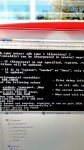
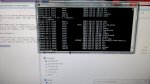
Fast boot, & bootloader have been locked until Root Access since the Sync came into play
Last edited:
Follow along with the video below to see how to install our site as a web app on your home screen.
Note: This feature may not be available in some browsers.


Good job! 2 of 3 down, are you able to also upload a stock Nandroid (TWRP version)? Use Online Nandroid.apk while in temp Root. That'll make all 3 files needed to help a Dev achieve making a TWRP recovery for ya.. Plus if the recovery is successful, I can make stock unmodified &/or Deodexed ROMs
Woooooww! [emoji15] Almost 50MB each.. For real?! FYI: Next time rename those alphanumeric files to boot.img for the kernel & recovery.IMG for the stock recovery to help manage/identify them
Woooooww! [emoji15] Almost 50MB each.. For real?! FYI: Next time rename those alphanumeric files to boot.img for the kernel & recovery.IMG for the stock recovery to help manage/identify them
[emoji23] I meant BEFORE ya upload them next time. Ur good tho! [emoji41]
 I cant get twrp backups of either of these though. I'm going to keep trying .

Just gonna see if you guys know anything about this but I plugged my Warp Elite in (at 30% battery) and it instantly shut off. Then when it turned back on it said that it had 1% battery and was turning off. It then proceeded to get extremely hot and when plugged in it would say "Battery empty, please charge for a few minutes and turn back on". Seeing as it wouldn't stop heating up, I unplugged it and when it ran out of battery it will no longer turn on, nothing on it will light up, and it will not vibrate or make noise. If you don't have any advice for this I understand.
Maybe "runaway discharge".. Happens sometimes. I just usually wait a few hrs after the battery dies & cools to plug back in. A rare thing tho. If it keeps happening, maybe some bad USB or battery as mentioned aboveJust gonna see if you guys know anything about this but I plugged my Warp Elite in (at 30% battery) and it instantly shut off. Then when it turned back on it said that it had 1% battery and was turning off. It then proceeded to get extremely hot and when plugged in it would say "Battery empty, please charge for a few minutes and turn back on". Seeing as it wouldn't stop heating up, I unplugged it and when it ran out of battery it will no longer turn on, nothing on it will light up, and it will not vibrate or make noise. If you don't have any advice for this I understand.
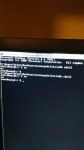
No.. Root would be a "#" symbol instead of "$"
Use SuperR's Kitchen to unpack itI am not sure but I don't think this is a flashable image. I think it needs to be repacked. So Do NOT try flashing this, unless you know how to repack it to a raw image file. The program I have wouldn't mount it so I am not sure, but another program can open it as a file system. I am not at home but I will post the links to those program when I am.
Anyways, here's the link to the file.
/system