• After 15+ years, we've made a big change: Android Forums is now Early Bird Club. Learn more here.

Share how you use your screens

Nope, no Apps2SD. It usually hovers around 45-50MB. The memory widgets and apps such as task killers never report internal memory correctly, something about the way Android manages it. This is a fresh flash(of Gumbo) I did this morning and I don't even have 1/5 of my apps installed. After I install all of those it will still be the same. What I use it for is once everything is up an running it is useful to see if an app is leaking memory when it jumps lower than usual all the sudden. My favorite about Gumbo other than the speed of the kernal is the aggressive memory management, it kills apps a lot quicker than the stock kernal. Since I have been using the Gumbo kernal(I used it with Freshrom for a few weeks before going with the Gumbo ROM) I have never had a need to use a task manager. I am not even going to bother installing one anymore.

What does a Kernel do? I have seen people that have installed a Kernal and said it speeds up the phone a lot. Do you just flash a kernal like you do a ROM?

I've flashed ROMs on WM and Android and flashed Radios on WM, but never a Kernal on an Android phone.

If I get the Gumbo Kernal, will it affect the ability to get 2.1 whenever Sprint finally decides to releases it.
 
To use the kernel you have to be rooted, so yeah it will. But you can just use the RUU to be able to get 2.1 if you want, or just wait for a ROM version of 2.1 which will be right around when 2.1 drops anyways.
 
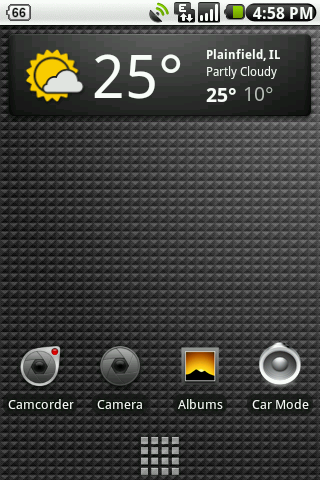
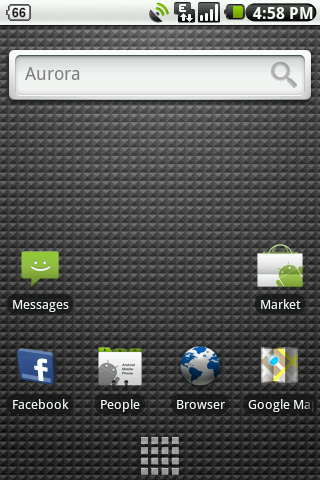
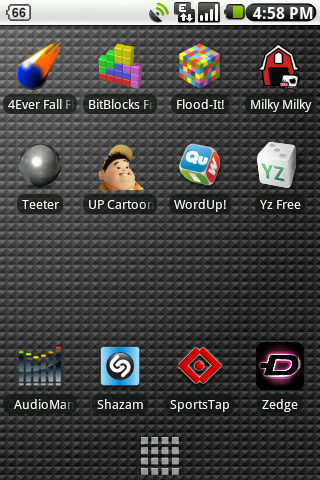
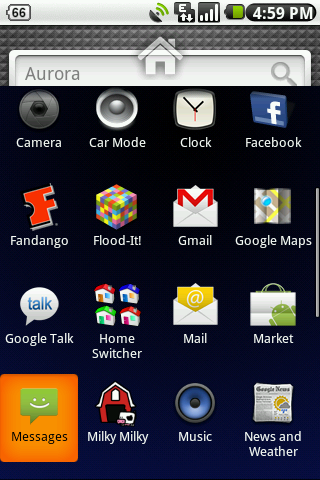
Finally content with my setup. Running Fresh 1.1 with Gumbo Custom kernel. Flashed a white taskbar, 2.1 icons, the Nexus One weather and news widget and the Nexus One menu launcher. Running the original home with 3 screens. I love it, no hassles and very responsive. 7 screens is too much for me! Enjoy.

Left Screen:
LeftScreen.png


Home Screen:
HomeScreen.png


Right Screen:
RightScreen.png


Menu:
Menu.png
 
Here are mine. I only use 4 of my screens right now. They're plain, but seeing others screens have motivated me to change mine up. I'll post my screens again later on after I've modified them.

snap20100107_165548.png


snap20100107_165658.png


snap20100107_165701.png


snap20100107_165705.png

What app do you use to have the last screen, the one with the pics of people and you can call them??
 
just changed mine up a bit and like how it looks now

good ol' jerry garcia for my lock screen :)
lockd.png


then just a nice scene for the wallpaper
homeny.png


right1.png


left1x.png
 
I still can't get the screenshot apps from the market to work. My phone is rooted and when I start it up, it goes to the screen where it says SU request but nothing pops up. Any other way to take a screen shot??
 
I still can't get the screenshot apps from the market to work. My phone is rooted and when I start it up, it goes to the screen where it says SU request but nothing pops up. Any other way to take a screen shot??

This seems to be the problem with everyone with Superuser Permissions......

Try going to Settings, then Applications, then to Development...then turn "ON" USB debugging....and that should do the trick for all things in the future of SU :) Hope it works. Keep us posted!!!!!

ShootMe is the best screen app there is IMO.....just shake your phone & there you have your picture :D
 
This seems to be the problem with everyone with Superuser Permissions......

Try going to Settings, then Applications, then to Development...then turn "ON" USB debugging....and that should do the trick for all things in the future of SU :) Hope it works. Keep us posted!!!!!

ShootMe is the best screen app there is IMO.....just shake your phone & there you have your picture :D

Nice, thanks man. That worked.
 
No problem!!! I enjoy helping other people out. I know others here in this forum, have helped me out quite a few times :D

Look forward to seeing your screens!!!!
 
That's the Godzson dialer. It's on XDA in the first thread for the Hero. I got it as well and it looks great.
 
Just ditched HTC Sense and went to Home w/ 3 screens. So I don't have all of my stuff on yet. I didn't even use the other 4 screens, and the performance improvement is well worth it in my opinion.

Rooted: Fresh 1.1 w/ Gumbo Kernel w/ 2.0 icons w/ Nexus news and weather

note: tried getting the nexus launcher on here...with no success, still trying to figure that one out. For now just the default launcher.


How did you make your dialer look like that?

Go here and scroll down on the page until you see the dialer. I selected the "dialer only" then flashed it to my Fresh 1.1 Rom.

Just a word of advice.....it will take a long, long time after the first reboot to the "flash" of the dialer. If I hadn't been doing the dishes (and watching my phone on the table "boot" for a good 5+ minutes), I would have gotten scared & pulled the battery, then flashed Fresh 1.1 all over again. So wait it out, and then you will have a sweet looking dialer :D:D:D
 
Just ditched HTC Sense and went to Home w/ 3 screens. So I don't have all of my stuff on yet. I didn't even use the other 4 screens, and the performance improvement is well worth it in my opinion.

Rooted: Fresh 1.1 w/ Gumbo Kernel w/ 2.0 icons w/ Nexus news and weather

note: tried getting the nexus launcher on here...with no success, still trying to figure that one out. For now just the default launcher.


If you want the nexus launcher and you are rooted.....go here and you will be able to just "flash" it from your root access :) Hope it works for you, keep us posted......your screens look great!!
 
If you want the nexus launcher and you are rooted.....go here and you will be able to just "flash" it from your root access :) Hope it works for you, keep us posted......your screens look great!!

Yeh, tried using that. Booted into recovery and flashed, when rebooting, it just sits on my boot screen forever and never gets to home screen.

I tried reflashing Fresh 1.1, then the fresh 1.1 patch, then nexus launcher, then 2.1 icons, then gumbo kernel...now just hangs at the *Initialize Fresh ROM part, now been sitting there for 20 min. lol, not sure why I can't get the nexus launcher, but it doesn't like me :-(
 
How long is forever....? Because I flashed my "new dialer" onto my phone, and watched it reboot (with that lovely nexus one bootscreen) for a GOOD 5+ minutes (maybe a good 7 mins or so) which is waaaaay too long for a boot.

However, it finally got to the home screen!!!! I don't know WHY it took that long....but I'm super glad I was busy with my hands all wet doing dishes, while I watched it on the table next to me. Otherwise (had I not had wet hands) I would have pulled the battery, and reflashed Fresh 1.1 all over again.

Not sure why it won't work for you. Others I have given this link to, have had success both with 1.6 and 1.5 OS.....I currently have this on my phone and I am running 1.5 with Fresh 1.1/Gumbo Kernal

The order I did all my flashing was...fresh, gumbo, set CPU, nexus one boot, then nexus one launcher.....and you can only see the nexus one launcher in the HOME setting, and not Sense.

MAYBE you should try doing one at a time.....reboot after each flash???

Keep us posted if you are still keeping at it!!!
 
Back
Top Bottom