
Install the app
How to install the app on iOS
Follow along with the video below to see how to install our site as a web app on your home screen.
Note: This feature may not be available in some browsers.
-
After 15+ years, we've made a big change: Android Forums is now Early Bird Club. Learn more here.
You are using an out of date browser. It may not display this or other websites correctly.
You should upgrade or use an alternative browser.
You should upgrade or use an alternative browser.
Sudden battery drain
- Thread starter Girevik
- Start date
-
- Tags
- samsung galaxy s3

Dieben
Android Enthusiast
Yes. I have made no modifications to this phone. Totally stock and Verizon approved.
Yikes. It would have helped a lot to know up front that this was not a standard Verizon CDMA phone.
Who programmed the network APN's onto the phone?
Where did you get the phone?
From Verizon? From a 3rd party?
Was it originally GSM or does it have a "Verizon approved" flash?

diirk
Member
Yikes. It would have helped a lot to know up front that this was not a standard Verizon CDMA phone.
Who programmed the network APN's onto the phone?
Where did you get the phone?
From Verizon? From a 3rd party?
Was it originally GSM or does it have a "Verizon approved" flash?
It is a standard Verizon phone. Did I misspeak? The phone was purchased at a Verizon kiosk in the local mall. I have made no changes to the phone. As far as I know, it is the default LTE, CDMA/PCS/1xEVDO phone everyone buys from Verizon.
Not sure who programmed the phone. I assumed it came preprogrammed from the factory. Otherwise the guys at the kiosk did it.
Are you saying that this phone isn't stock or standard?
Dieben
Android Enthusiast
I see the problem. I did misspeak. I am running a stock Verizon phone, but NOTon GSM.
Sorry for the confusion.
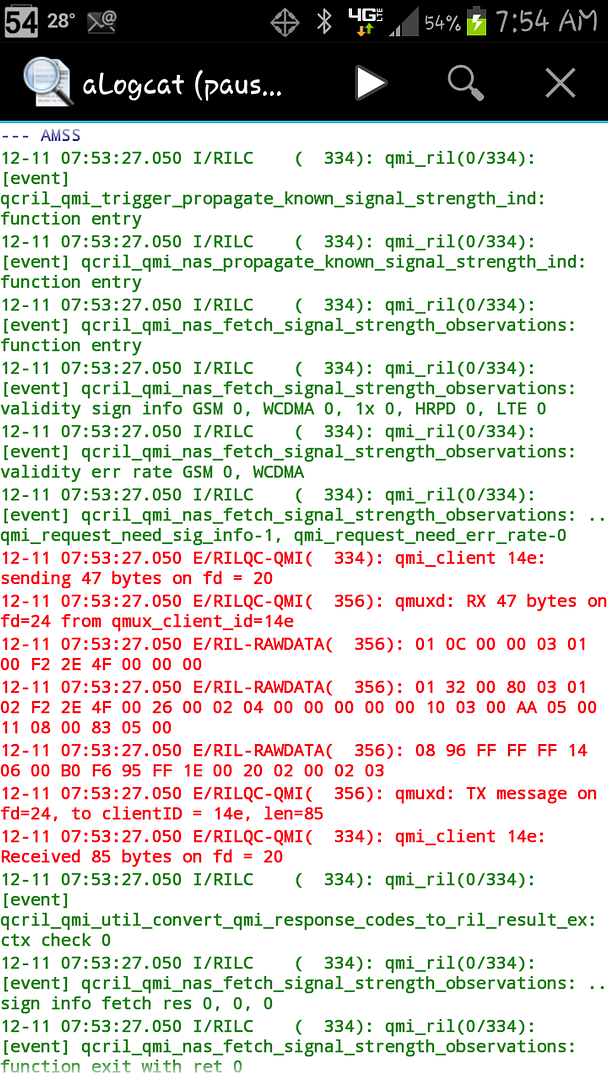
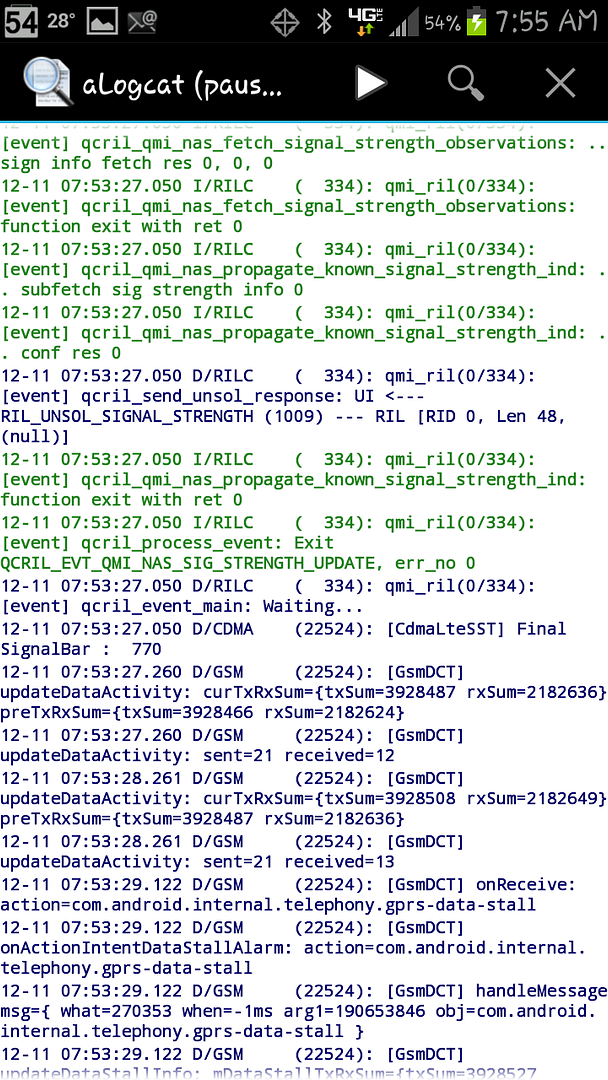
Here's a couple more aLogcat logs that show some different info:
And the phone is getting warm....
This phone is not set up like any standard Verizon CDMA/LTE phone that I have ever worked on. It is trying to do GSM. We'll probably need some deeper analysis to figure out what's going on here.
Those logs show *ERRORS* on the RIL (Radio Interface Layer).
Radio Interface Layer - Wikipedia, the free encyclopedia
Try bringing up the "hidden menu" by going to the phone dialer and dialing
*#*#4636#*#*
** Don't change *anything* **
in the menu that pops up.
(This command may not work on your phone, but there are other ways to bring up the hidden menu)
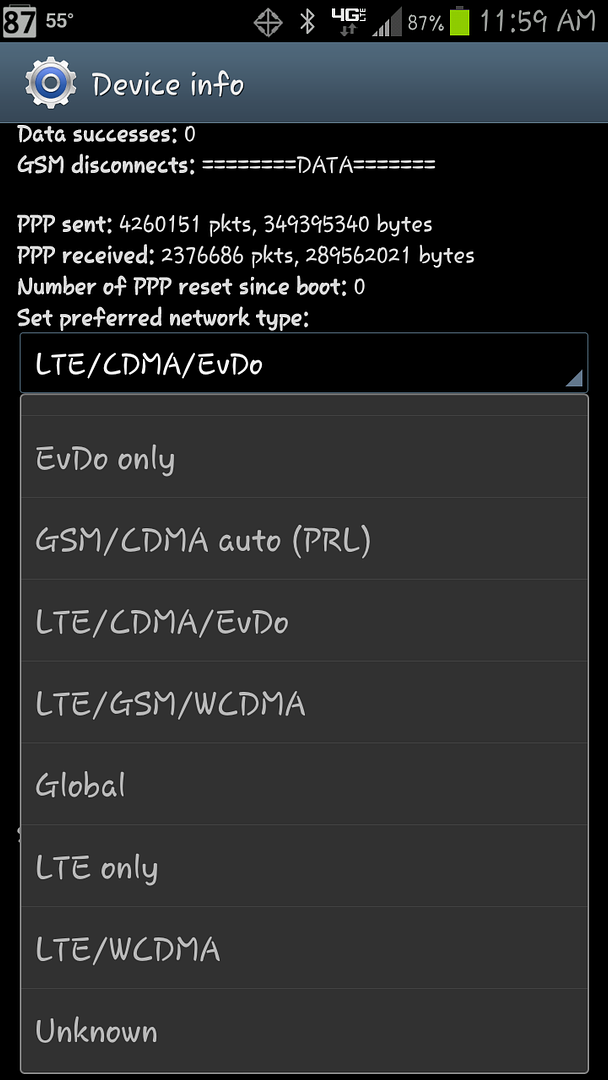
Please take a screen shot of the items in the dropdown menu just above "turn off radio". It should look something like this:
Attachments

diirk
Member
This phone is not set up like any standard Verizon CDMA/LTE phone that I have ever worked on. It is trying to do GSM. We'll probably need some deeper analysis to figure out what's going on here.
Those logs show *ERRORS* on the RIL (Radio Interface Layer).
Radio Interface Layer - Wikipedia, the free encyclopedia
Try bringing up the "hidden menu" by going to the phone dialer and dialing
*#*#4636#*#*
** Don't change *anything* **
in the menu that pops up.
(This command may not work on your phone, but there are other ways to bring up the hidden menu)
Please take a screen shot of the items in the dropdown menu just above "turn off radio". It should look something like this:
Here ya go: FYI, the motorola code above does not work. I installed an app called Phone Info that does basically the same thing.
Dieben
Android Enthusiast
So, I've been experimenting a little. If I Force Stop K-9 Mail, GSAM looks like above, with a high Deep Sleep cycle. If I start K-9 mail and rerun, Deep Sleep is unused. So it seems that something in K-9 mail is keeping the radio alive.
Yes, K-9 may be repeatedly failing to send a message. Is there anything stuck in the K-9 Outbox?
Dieben
Android Enthusiast
Do you still have GSM errors in the aLogcat radio log?
I'm not sure how to proceed from here. Changing some settings in the hidden menu might help, but you don't have the Network Mode settings in your Settings that you would need to change the settings back. I don't want to change settings and screw up your phone and then not be able to change the settings back.
Hmm, let me think about this.
-or-
*** HELP !!! - ANYBODY !!! ***
I'm not sure how to proceed from here. Changing some settings in the hidden menu might help, but you don't have the Network Mode settings in your Settings that you would need to change the settings back. I don't want to change settings and screw up your phone and then not be able to change the settings back.
Hmm, let me think about this.
-or-
*** HELP !!! - ANYBODY !!! ***
diirk
Member
Yes, K-9 may be repeatedly failing to send a message. Is there anything stuck in the K-9 Outbox?
Nothing in the outbox. Just installed a newer version to see what would happen
diirk
Member
Do you still have GSM errors in the aLogcat radio log?
I'm not sure how to proceed from here. Changing some settings in the hidden menu might help, but you don't have the Network Mode settings in your Settings that you would need to change the settings back. I don't want to change settings and screw up your phone and then not be able to change the settings back.
Hmm, let me think about this.
-or-
*** HELP !!! - ANYBODY !!! ***
There is still GSM activity, but if I filter by Error, they aren't there.
Dieben
Android Enthusiast
There is still GSM activity, but if I filter by Error, they aren't there.
There shouldn't be any GSM activity.
diirk
Member
There shouldn't be any GSM activity.
I agree. Would really like to know what that is.
Dieben
Android Enthusiast
There is still GSM activity, but if I filter by Error, they aren't there.
You don't have to filter. The aLogcat entries are color coded by severity. Also there is a letter following the date and preceding the / slash:
Blue & "I" for "Info"
Green & "D" for "Debug"
Orange & "W" for "Warning"
Red & "E" for "Error"
??? & "F" for "Fatal"
diirk
Member
You don't have to filter. The aLogcat entries are color coded by severity. Also there is a letter following the date and preceding the / slash:
Blue & "I" for "Info"
Green & "D" for "Debug"
Orange & "W" for "Warning"
Red & "E" for "Error"
??? & "F" for "Fatal"
I understand. But just wanted to be sure I wasn't missing something. As it stands now, all the GSM messages are Info (blue). And they're still happily chugging along.
Dieben
Android Enthusiast
I understand. But just wanted to be sure I wasn't missing something. As it stands now, all the GSM messages are Info (blue). And they're still happily chugging along.
Isn't it amazing how many dozens/hundreds of entries are written to the main log every minute?

What shows in the details if you click on Maps in GSam? Maps is notorious for sucking large amounts of battery even when you aren't using it. Try disabling Maps temporarily.
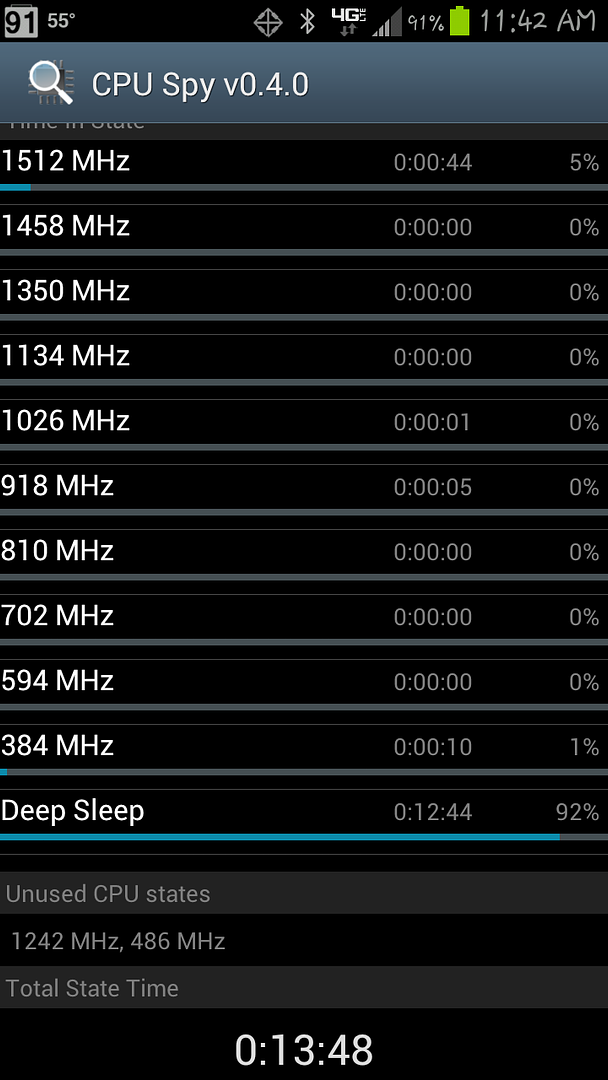
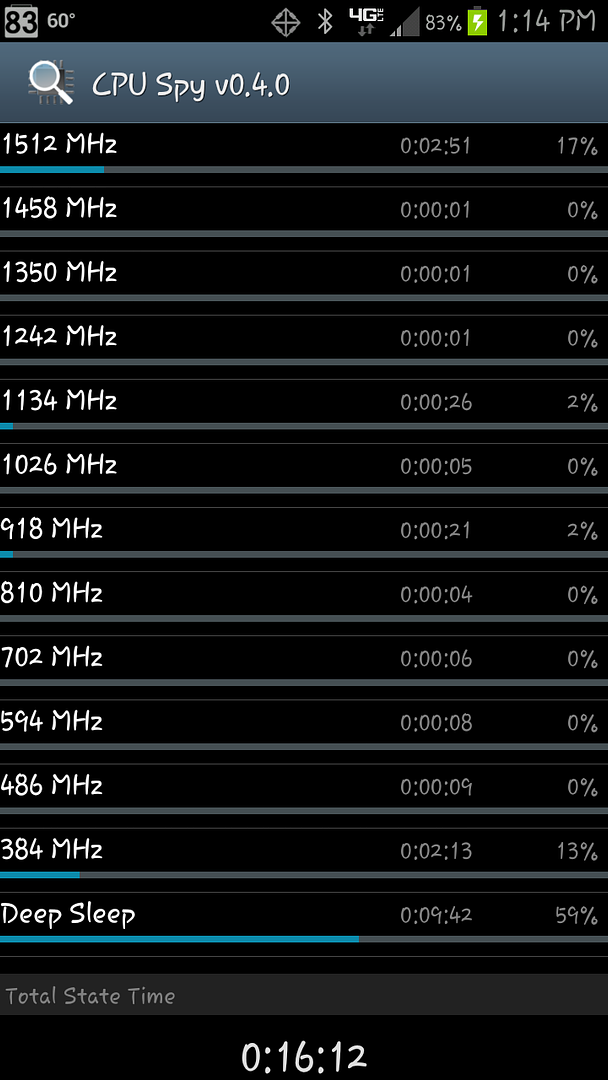
What was the Total State Time on your CPU Spy stats? That stat is cut off at the bottom of your screenshot. The other CPU Spy stats show the phone in Deep Sleep most of the time, which is good.
But the GSam stats show the phone being held awake 4 hours out of the 8 hours, which is bad. Apparently the GSam stats were taken before the CPU Spy app was even started.
The GSam stats show high usage by the Kernel, which is bad. We need more info on the Kernel stats. If you click on the Kernel item in GSam stats what system processes are at the top of the detail list?
I've been using it since I unplugged it today, so the stats are probably pretty different from what they would have been this morning.
When I click on Kernal I list of "Included processes", the top three of which are "vold", "migration/1", and "file-storage".
I'll reset my CPU Spy stats and let it sit for a while and get back with that Total State time. And yes, I didn't install the CPU Spy until this morning and let it run while I drove to work.
diirk
Member
Still pondering why your S3 is doing GSM.
In GSam if you go into App Usage and click on
Dieben
Android Enthusiast
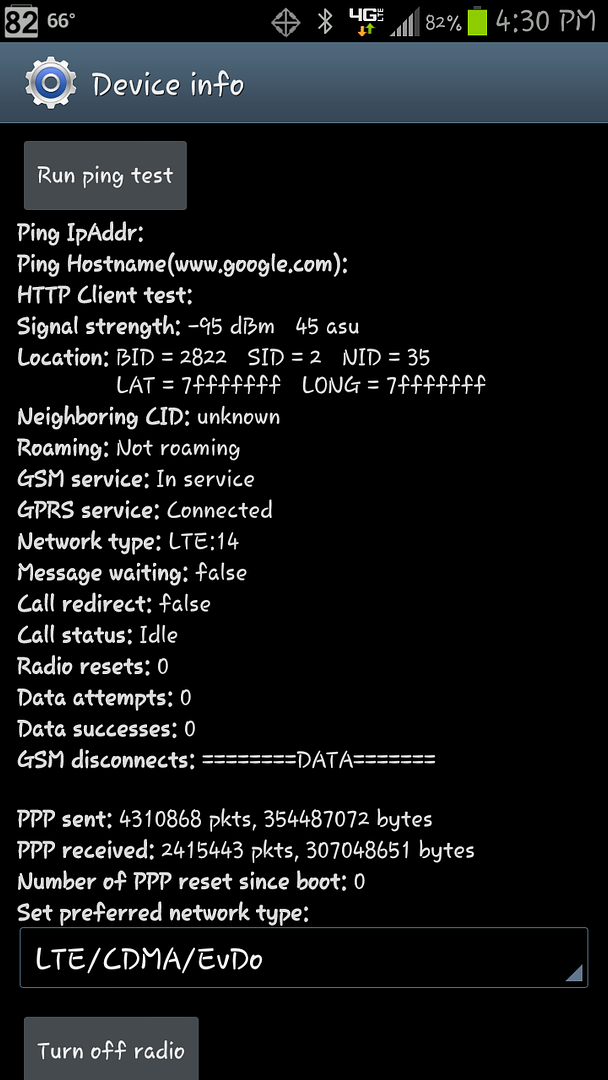
I thought this was interesting. GSM Service: In Service.
Interesting.
Like you my GSM and GPRS are on, and my APNs are the same as yours.
But my logs show *zero* GSM activity on my Note II.
Attachments


Dieben
Android Enthusiast
Here you go.
There's nothing out of the ordinary in your wakelocks.