• After 15+ years, we've made a big change: Android Forums is now Early Bird Club. Learn more here.

Root [Theme] Black, White, and Chrome for Liberty 1.5

Ok, so the second download link you added: Download Link (market v2.2.11; only needed if you flashed first version of theme) is if you we already installed the original 1.5 version of this theme and we want to add the Black Market?

We do this by booting into recovery and just installing the .zip file from sd?

Thanks for the work!

Yes and Yes. You might have to clear data and cache for the market if you have issues.
 
When installing this through bootstrap, is it required to Mount the System first? I am assuming it is since it is in the steps listed for Liberty, but just wanted to make sure. TIA

Edit: Yes, mount. I am good.
 
Love this theme!

One question, how did you get the missed text message to show up in your notification bar like that? Thanks

Sorry I missed your message, but it's not a missed text, it's a received email notification from Touchdown.
 
Another request for you to put just the file to load the themed version of Dialer One here. I installed early and it does not show up in my folder. Thanks again - looks awesom on my X!
 
Another request for you to put just the file to load the themed version of Dialer One here. I installed early and it does not show up in my folder. Thanks again - looks awesom on my X!

Are you sure it's not in the "Addon" folder inside the "BWC" folder on your SD Card? It should have been there even on the the first version I had up. I will put it up in the first post later though.
 
This theme is nothing short of BITCHIN! I just installed the black market and phone dialer and those two additions really bring the package together. Lovin your work and really appreciate you taking the time to do this for us!
 
This theme is nothing short of BITCHIN! I just installed the black market and phone dialer and those two additions really bring the package together. Lovin your work and really appreciate you taking the time to do this for us!

It's no problem.......I like this theme a lot too, and glad you guys like it too......faber and I have put a lot of work and time into this theme, big thanks to faber for the initial concept.

Sharing is caring ;)
 
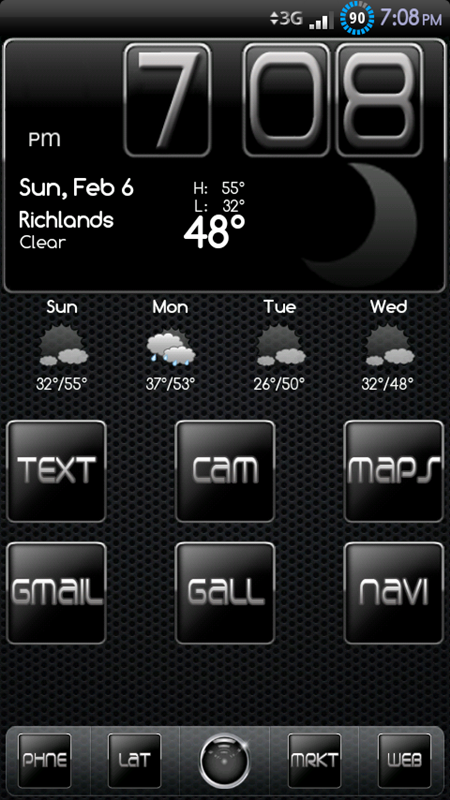
snap20110206_190854.png

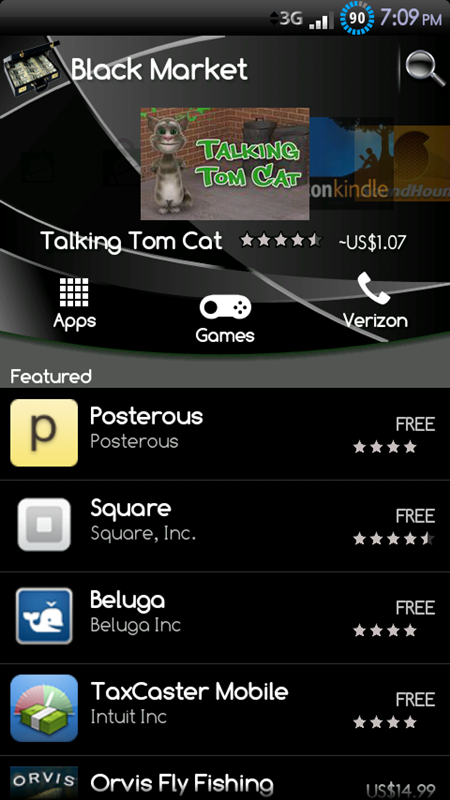
snap20110206_190919.png
 
I made a gray battery icon if you guys want it, it goes more with the theme than the blue one, but if you like the blue one that is fine too ;)

Check original post for download link:

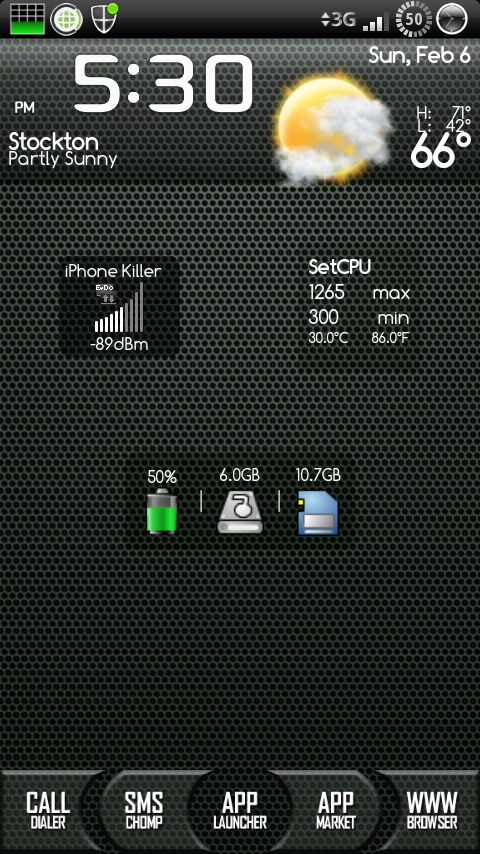
snap20110206_173025.png
 
I added sound to the boot animation, faber and I agree that it's pretty sweet. If you guys want to check it out here it is (apply like a regular zip file in bootstrap; mount system and install zip through sd card):

BWC_DPro_Animation.zip

Hopefully faber will add a video for it if he can, if can't it's ok. I will see if I can borrow a camcorder from someone or something; or maybe when my girl gets here, she has a camera/camcorder, but she won't be here for a while, and she might have let one of her family members borrow the camera so...

Here's what it looks/sounds like (the good part starts at about 16 seconds ;)):

http://www.youtube.com/watch?v=MVjFiGw8MV4
 
How did you add sound? I've been searching but it seems that not many people know how. That's the boot animation I use but I'd like to add an intro from all that remains that I've been listening to a lot lately.
 
How did you add sound? I've been searching but it seems that not many people know how. That's the boot animation I use but I'd like to add an intro from all that remains that I've been listening to a lot lately.

You have to modify the desc.txt file in the bootanimation.zip. Let's say you want to add an Eminem song called "No Love". I would abbreviate the song name to "nl" just to make it shorter/easier to deal with, especially if the song name is long, but you can use "nolove" if you want.

What you have to do is take the .mp3 song name (not sure if a different file type would work, I haven't tried it, but .mp3 works just fine) and add a line to whatever part of the boot animation you want the song to play in. The line to add would look like this:

s nl.mp3

or

s nolove.mp3


So, the complete "part" code would look something like this ("s" stands for sound):

p 0 0 spin
s nl.mp3


or

p 0 0 spin
s nolove.mp3


You also have to make sure the .mp3 file you choose gets installed to /system/media, otherwise no sound will be played.

Hope this helps.
 
Thanks for you hard efforts on this theme, I really like it and have been running it since 1.5 came out, but I'm sorry, I don't care for the boot animation sound :(

Now, to another question. The newest link you have at the top, BWC_Liberty_1.5_BM.zip if we install this file then it will install Black Market as well...correct?

Next, when we install the Black, White, Chrome theme does it also install the 'add on's" like the dialer, Launcher Pro, Wallpapers..etc.? If so, where do we access those through, the Liberty Toolbox? And if we have LLP and switch to your version, will it register with our purchase code of LLP?

Man, I am long winded with the questions...lol!
 
Thanks for you hard efforts on this theme, I really like it and have been running it since 1.5 came out, but I'm sorry, I don't care for the boot animation sound :(

Now, to another question. The newest link you have at the top, BWC_Liberty_1.5_BM.zip if we install this file then it will install Black Market as well...correct?

Next, when we install the Black, White, Chrome theme does it also install the 'add on's" like the dialer, Launcher Pro, Wallpapers..etc.? If so, where do we access those through, the Liberty Toolbox? And if we have LLP and switch to your version, will it register with our purchase code of LLP?

Man, I am long winded with the questions...lol!

It's cool, don't worry about it, I figured some people would either like the sound, not like it, or just not care for it.....what other choices are there, well I guess people wanting their own song of preference is another choice :p

---------------------------------------------------------------------------------------------------

There will be a folder called "BWC" on your SD Card; within that folder there will be a few wallpapers and some dock backgrounds for LP, and another folder called "Addons".

Inside the the "Addons" folder there will be 4 files: 1) Black_Market_2.2.11.zip, 2) BWC_Dialer_One.apk, 3) com.fede.launcher-1-Modded_0.8.3.apk, and 4) Pandora.apk.

Black_Market_2.2.11.zip should be installed through bootstrap; mount system Install file from zip.

The other 3 files can be installed with a file manager like Root Explorer or ASTRO File Manager; the LP apk in the folder is the free version with two modified pngs and no registration information, so you would have to register it with your purchase code.


P.S. Breathe man....lol

 
It's cool, don't worry about it, I figured some people would either like the sound, not like it, or just not care for it.....what other choices are there, well I guess people wanting their own song of preference is another choice :p

---------------------------------------------------------------------------------------------------

There will be a folder called "BWC" on your SD Card; within that folder there will be a few wallpapers and some dock backgrounds for LP, and another folder called "Addons".

Inside the the "Addons" folder there will be 4 files: 1) Black_Market_2.2.11.zip, 2) BWC_Dialer_One.apk, 3) com.fede.launcher-1-Modded_0.8.3.apk, and 4) Pandora.apk.

Black_Market_2.2.11.zip should be installed through bootstrap; mount system Install file from zip.

The other 3 files can be installed with a file manager like Root Explorer or ASTRO File Manager; the LP apk in the folder is the free version with two modified pngs and no registration information, so you would have to register it with your purchase code.


P.S. Breathe man....lol

Lol. Good one! Thanks for the help. Again, love the theme, I just like ballroom dancing music :)

(The above is a joke, I hate ballroom dancing music, just so you don't create a special boot animation sound for me...lol)
 
Love your theme would like too put it on my phone but have never done this how is this done in boot strap help please.
 
Love your theme would like too put it on my phone but have never done this how is this done in boot strap help please.

First off, have you installed Liberty 1.5 yet? If not, do that first, then simply go back into bootstrap, mount the system, and install from zip card. Find the file and hit install, that's it.
 
I did as you sead it all is ok but home did not change still old wall paper not shure how to fix

In your SD Card there will be a folder called "BWC" and inside that folder you can find the wall paper and dock backgrounds. Also inside the "BWC" folder is another folder called "Addons" and in there you can find the black market (to be installed through bootstrap), launcher pro, pandora and dialer one apks can be installed with a file manager like root explorer or astro.
 
Back
Top Bottom