
Install the app
How to install the app on iOS
Follow along with the video below to see how to install our site as a web app on your home screen.
Note: This feature may not be available in some browsers.
-
After 15+ years, we've made a big change: Android Forums is now Early Bird Club. Learn more here.
You are using an out of date browser. It may not display this or other websites correctly.
You should upgrade or use an alternative browser.
You should upgrade or use an alternative browser.
[Verizon] Clockwork mod
- Thread starter Hardstyle
- Start date
-
- Tags
- galaxy nexus

iowabowtech
root@android:/ #
Power off and go back into recovery. If its still cwr, it stuck.
You can see if it stuck by powering off and trying to boot into recovery (hold vol up and down then hold power until your phone vibrates, then use the volume buttons to select recovery and press the power button) If you get to CWM then it stuck otherwise it didn't.
If you get to this screen
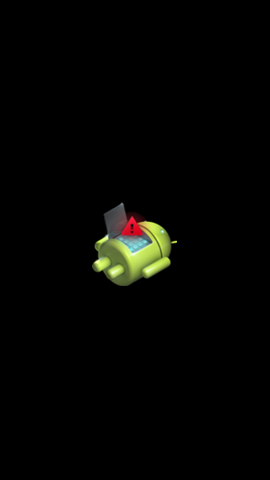 then hold power and press volume up then you should be able to choose reboot, this is the stock recovery.
If you get to this screen
aww man mine didn't stick 
so i tried to follow it b4 to make it stick. i downloaded the ES file manager app and gave it root access and then checked the box under it so it wouldn't be read only anymore and i didn't see the System file b4. Is it located in another file?
so i tried to follow it b4 to make it stick. i downloaded the ES file manager app and gave it root access and then checked the box under it so it wouldn't be read only anymore and i didn't see the System file b4. Is it located in another file?

aww man mine didn't stick
so i tried to follow it b4 to make it stick. i downloaded the ES file manager app and gave it root access and then checked the box under it so it wouldn't be read only anymore and i didn't see the System file b4. Is it located in another file?
Here's a thread with tips for setting-up and navigating in ES File Explorer:
http://androidforums.com/verizon-galaxy-nexus-all-things-root/472557-cwm-recovery-problem.html
Post #13 (http://androidforums.com/verizon-galaxy-nexus-all-things-root/472557-cwm-recovery-problem.html#post3725898) sums it up nicely:
Yes, ES File Explorer by default starts you at the /sdcard folder, and therefore you won't see the system file.
option 1) Hit the favorites button (upper left) and select the icon of the phone with the slash. Then you will see all the root folders. This is useful if you use SDCARD mostly and not the root folders.
Option 2) if you go to 'system' folder alot, you will want to go in and change the default home folder to the "/" folder. Select settings(three dots)>settings>Home Directory then delete contents and add /. While you are in there, scroll all the way down and make sure the last two selections are checked...mount and root explorer. Now you are all set.
To test, back out all the way, and restart ES file explorer. Should see all your root files.
Cheers!
well i did the step that it said rename the /system/recovery-from-boot.p to /system/recovery-from-boot.p-bak and then i went into recovery and it still didn't stick
Did you flash CWM again? After renaming the file
well i did the step that it said rename the /system/recovery-from-boot.p to /system/recovery-from-boot.p-bak and then i went into recovery and it still didn't stick
Just flash CWM once more and it'll stick now...(promise

 )
)(LOL, ninja'd by Yeahha!
)