
Install the app
How to install the app on iOS
Follow along with the video below to see how to install our site as a web app on your home screen.
Note: This feature may not be available in some browsers.
-
After 15+ years, we've made a big change: Android Forums is now Early Bird Club. Learn more here.
You are using an out of date browser. It may not display this or other websites correctly.
You should upgrade or use an alternative browser.
You should upgrade or use an alternative browser.
[Verizon] [KERNEL][4.0.4] LeanKernel 3.10.0 (7/2)
- Thread starter jbdan
- Start date
-
- Tags
- galaxy nexus

jkc120
Android Expert
2.3.0 stable has been stellar. I may have finally found a replacement for franco 13.1 as it is finally feeling a bit long in the tooth. What a run though I'll keep it on hand indefinitely!
gapi was right, I didn't give 2.3.0 enough of a chance. I think it WAS due to the charge cycle. I plugged it in last night and unplugged it this morning @ 99%. After 6.5 hours I'm still at 90% (but only like 5 mins of screen on time, it's been a busy day at work).
R
ridobe
Guest
So you guys are leaning towards 2.3.0 being the top lean kernel right now? What settings are you guys using? I tend to like conservative.
I am diggin 2.3.0 notrim. At 1.65 I can't believe how fast and stable my phone is. Battery life is exceptional. Since you asked you need to try either hotplugX or interactiveX. Both are imos creation.
While you're at it, flash jakebites' leantweaks mod made specifically for this kernel.

jester6x
Well-Known Member
I am diggin 2.3.0 notrim. At 1.65 I can't believe how fast and stable my phone is. Battery life is exceptional. Since you asked you need to try either hotplugX or interactiveX. Both are imos creation.
While you're at it, flash jakebites' leantweaks mod made specifically for this kernel.
Thanks for the info. What exactly is in the leantweaks?
Also I don't play a ton of games on my phone so its really been flying even with just the conservative governor because i mainly text, email, web etc but nothing too strenuous. How are the hotplugX and interactiveX on battery compared to conservative?

gapi
Android Expert
Well..... er...... ahem, as I stated last night, I am running AOKP B27 with the ROM's included kernel so I can compare it to the various other ones out there.
I keep a note pad on the counter and write down the time and battery level % and go to bed.
It was getting low so I decided to let it sleep on a low % just to see. At the default interactive gov.
At 1:45 AM it was @ 23%. @ 8:30 AM it was @ 25%! Heh!
Heh!
Funny! I'll do it tonight at a more reasonable charge level.
It runs great. No lag, jitters, SOD's. Sure there are no major tweaks but all I use is interactivex on the lean kernels. So I'm gonna run a standard battery through it today and do another sleep tonight.
I keep a note pad on the counter and write down the time and battery level % and go to bed.
It was getting low so I decided to let it sleep on a low % just to see. At the default interactive gov.
At 1:45 AM it was @ 23%. @ 8:30 AM it was @ 25%!
Heh!Funny! I'll do it tonight at a more reasonable charge level.
It runs great. No lag, jitters, SOD's. Sure there are no major tweaks but all I use is interactivex on the lean kernels. So I'm gonna run a standard battery through it today and do another sleep tonight.
R
ridobe
Guest
Thanks for the info. What exactly is in the leantweaks?
Also I don't play a ton of games on my phone so its really been flying even with just the conservative governor because i mainly text, email, web etc but nothing too strenuous. How are the hotplugX and interactiveX on battery compared to conservative?
Here is the link to leantweaks. It's on rootzwiki.
[KernelTweaks] LeanKernelTweaks v9.0 Remastered - RootzWiki
As far as the X's. Straight from Imo:
cpufreq: introduce hotplug governor
The "hotplug" governor scales CPU frequency based on load, similar to
"ondemand". It scales up to the highest frequency when "up_threshold"
is crossed and scales down one frequency at a time when "down_threshold"
is crossed. Unlike those governors, target frequencies are determined
by directly accessing the CPUfreq frequency table, instead of taking
some percentage of maximum available frequency.
The key difference in the "hotplug" governor is that it will disable
auxillary CPUs when the system is very idle, and enable them again once
the system becomes busy. This is achieved by averaging load over
multiple sampling periods; if CPUs were online or offlined based on a
single sampling period then thrashing will occur.
Sysfs entries exist for "hotplug_in_sampling_periods" and for
"hotplug_out_sampling_periods" which determine how many consecutive
periods get averaged to determine if auxillery CPUs should be onlined or
offlined. Defaults are 5 periods and 20 periods respectively.
Otherwise the standard sysfs entries you might find for "ondemand" and
"conservative" governors are there.
------
When I cooked up interactiveX V1 (for other phones), I took Mike Chan's interactive code, optimized it for the phones, and then added early_suspend support (screen-off/on trigger). I then added logic to the code so the governor does not scale higher than a certain frequency when screen is off.
With interactiveX V2 (for gnexus), things are a bit different, since gnexus has built-in support for screen-off-max-freq for all its governors. I took the new interactive code in gnexus, added early_suspend support (screen off/on trigger), and then added logic to the code so the governor uses the phone's built-in hotplugging capability to turn off cpu1 when screen is off (and then turn it back on when screen comes back on). Cpu1 goes offline entirely - no idle, no sleep.
-------
So, in other words, they each force one of the cpus off when the phone is idle based on sampling. The X versions from imo FORCE the cpu to turn off. HotplugX does it for both screen on and screen off. InteractiveX only for screen off.
If you have problems with either one, make sure you revert back to stock (for the kernel) voltages.
Edit: Forgot to mention that 2.3.0exp2 is out and I am running the notrim version. Holy crap. I think my phone just shuts off when idle. I don't lose battery at all.
R
ridobe
Guest
So on the GNex you can only have the interactive version? What about the notrim? That last little paragraph made me want it lol
I think you are asking about version types. hX, iX and all of the standard governors are present in all of his kernels including notrim.
R
ridobe
Guest
So you choose which one to use once you flash it?
Yes, by either leantweaks if you flash it, a cpu app or (in some roms) cpu control.
gapi
Android Expert
Maybe its just my device........
On my Octo lock screen,
I like Navigation to be at 3 (Top) and a Navigation & Directions short cut to Home at 6 (bottom).
I like to have a direct message in there too.
Going to AOKP 26 & 27 it would not happen. Navigation was not even in the lists and in B27 the Navigation & Directions was not there anymore either.
I have been experimenting with Kernels lately and found myself going back to Lean 1.0.8 and lo-and behold all my lock screen options are there and work in B27.
On my Octo lock screen,
I like Navigation to be at 3 (Top) and a Navigation & Directions short cut to Home at 6 (bottom).
I like to have a direct message in there too.
Going to AOKP 26 & 27 it would not happen. Navigation was not even in the lists and in B27 the Navigation & Directions was not there anymore either.
I have been experimenting with Kernels lately and found myself going back to Lean 1.0.8 and lo-and behold all my lock screen options are there and work in B27.

ryancmatchett
Android Expert
Updated to 2.3 notrim last night. I am really impressed with the speed at 1.65ghz...!!!! Will let this one run through its paces today.
ryancmatchett
Android Expert
2.3 notrim with AOKP b27....


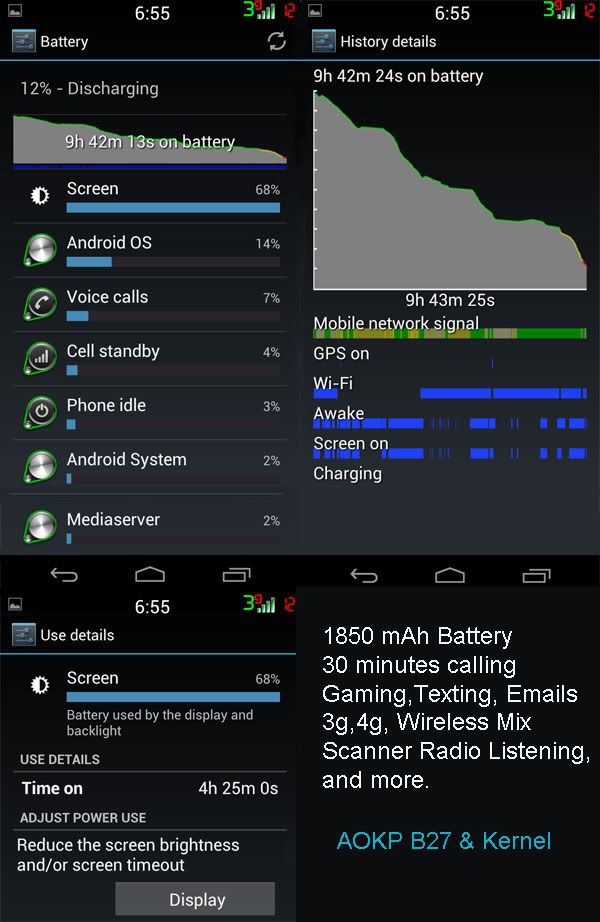
I like that Android OS is not the first item on the list....And loving the fast speeds!!!!
I like that Android OS is not the first item on the list....And loving the fast speeds!!!!
gapi
Android Expert
2.3 notrim with AOKP b27....
I like that Android OS is not the first item on the list....And loving the fast speeds!!!!
Mercy, Ya reckon those screen shots are large enough? Heh!
ryancmatchett
Android Expert
Mercy, Ya reckon those screen shots are large enough? Heh!
Haha...yeah probably. But I don't know how to reduce the size of the image on my nexus...I just take a screenshot, upload to drop box for later use...then share the link as an image on the phandroid app....but I saw your 4-pack of images earlier and want to know how to do that...from my Nexus.
gapi
Android Expert
Now I get why some do the full size thing. They are kinda of a head ache but I see now.
I have went to bat for you on the re-size thing on the phone. I just tried several apps and only one works well. Believe me there is some crap out there.
When you go to save, edit the location to sdcard/pictures.
Also put in a custom size of 300 x 533.
When you look at it in your gallery it may look soft but when I opened it on my pc it was sharp. Very nice.
Its called "Reduce Photo Size". the developer is by shoozhoo.
I was getting discouraged until I found this gem.
As for the 4 pack, I do it on my pc in PhotoShop CS5. You may note that 4 pak is a little long. I added the bottom row showing the media server %. You have to scroll it to see it on the phone. And stretched the screen time box.
I have went to bat for you on the re-size thing on the phone. I just tried several apps and only one works well. Believe me there is some crap out there.
When you go to save, edit the location to sdcard/pictures.
Also put in a custom size of 300 x 533.
When you look at it in your gallery it may look soft but when I opened it on my pc it was sharp. Very nice.
Its called "Reduce Photo Size". the developer is by shoozhoo.
I was getting discouraged until I found this gem.
As for the 4 pack, I do it on my pc in PhotoShop CS5. You may note that 4 pak is a little long. I added the bottom row showing the media server %. You have to scroll it to see it on the phone.
And stretched the screen time box.
gapi
Android Expert
Now I get why some do the full size thing. They are kinda of a head ache but I see now.
I have went to bat for you on the re-size thing on the phone. I just tried several apps and only one works well. Believe me there is some crap out there.
When you go to save, edit the location to sdcard/pictures.
Also put in a custom size of 300 x 533.
When you look at it in your gallery it may look soft but when I opened it on my pc it was sharp. Very nice.
Its called "Reduce Photo Size". the developer is by shoozhoo.
I was getting discouraged until I found this gem.
As for the 4 pack, I do it on my pc in PhotoShop CS5. You may note that 4 pak is a little long. I added the bottom row showing the media server %. You have to scroll it to see it on the phone.
I have been working with it a little more. It has its quirks but still better than others. Most of the others if they worked at all only had choices for landscape or height X width vs. width vs. height, and no way to rotate. So ....
When you return to the app the last pic you worked with is still there and there is no obvious way to kill it and choose another. I found if I used the phones back button to close the app and re-open it will be at the select screen. ?? Always something.
Also after you re-size hit the 3-dot menu and do the save as thing.
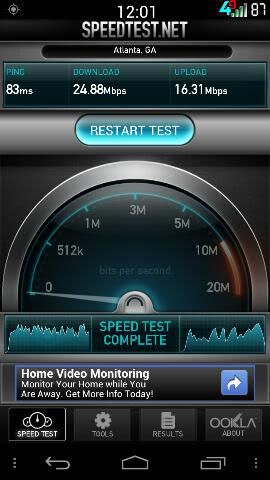
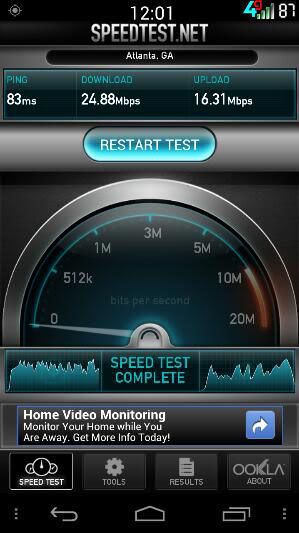
And if you want to use one of the listed screen sizes instead of entering a custom 300 x 533 here is a sample of the closest choice in the list of 270 x 480 next to the 300x533. It will keep your custom setting until you change it so thats good.
And last, it may be better to make the save location mnt/sdcard/pictures. The one I mentioned before may have slowed it down because when I would go to the gallery to view it it was refreshing for a bit. The mnt/sdcard/pictures seems to suit it better.
ryancmatchett
Android Expert
I have been working with it a little more. It has its quirks but still better than others. Most of the others if they worked at all only had choices for landscape or height X width vs. width vs. height, and no way to rotate. So ....
When you return to the app the last pic you worked with is still there and there is no obvious way to kill it and choose another. I found if I used the phones back button to close the app and re-open it will be at the select screen. ?? Always something.
Also after you re-size hit the 3-dot menu and do the save as thing.
And if you want to use one of the listed screen sizes instead of entering a custom 300 x 533 here is a sample of the closest choice in the list of 270 x 480 next to the 300x533. It will keep your custom setting until you change it so thats good.
And last, it may be better to make the save location mnt/sdcard/pictures. The one I mentioned before may have slowed it down because when I would go to the gallery to view it it was refreshing for a bit. The mnt/sdcard/pictures seems to suit it better.
270X480
Thanks for the suggestion....is this one better? On my phone in the phandroid app it does not look any different than my original pic above.....
Its not hard to do this, just adds another step or 2 but easy with these directions. I wonder if this info is something that we should have a mod copy over to a new thread for you/us so that other people can take advantage of this info? Thanks Gapi!!!
gapi
Android Expert

270X480
Thanks for the suggestion....is this one better? On my phone in the phandroid app it does not look any different than my original pic above.....
Its not hard to do this, just adds another step or 2 but easy with these directions. I wonder if this info is something that we should have a mod copy over to a new thread for you/us so that other people can take advantage of this info? Thanks Gapi!!!
Nice! One can absorb the stats with out scrolling up and down a few lines at a time.

CaptainRon
Android Expert
A little bit of thread creep, but great info on how to upload smaller screen shots. Thanks for sharing and I agree this would make a good separate thread.Thanks for the suggestion....is this one better? On my phone in the phandroid app it does not look any different than my original pic above.....
Its not hard to do this, just adds another step or 2 but easy with these directions. I wonder if this info is something that we should have a mod copy over to a new thread for you/us so that other people can take advantage of this info? Thanks Gapi!!!