
Install the app
How to install the app on iOS
Follow along with the video below to see how to install our site as a web app on your home screen.
Note: This feature may not be available in some browsers.
-
After 15+ years, we've made a big change: Android Forums is now Early Bird Club. Learn more here.
You are using an out of date browser. It may not display this or other websites correctly.
You should upgrade or use an alternative browser.
You should upgrade or use an alternative browser.
Filters
Show only:
Heart Trauma Recovery

- By olbriar
- Fitness & Health
- 215 Replies
I'm pounding the water. It's not going to be my fault that my veins are clever at ducking and running from the needle. Thanks for the well wishes. I'm with Hadron, I want to know where I'm at. And... telling my my ejection rate was about a third of what it should be will have a number the next time I ask of I'll be miffed.
What are you listening to?
One more week for the record:

 www.breitbart.com
Country Star Ella Langley's 'Choosin' Texas' Ties Mariah Carey's Christmas Classic for Most Weeks at #1 on Billboard Chart
Country singer Ella Langley's hit song, "Choosin' Texas," has been at number one on the Billboard Hot 100 for 22 weeks, officially tying with Mariah Carey's "All I Want for Christmas Is You" for the most weeks at No. 1 on the Billboard chart.
www.breitbart.com
Favorite Coffee

- By ozonetrooper
- Food and Beverage
- 131 Replies
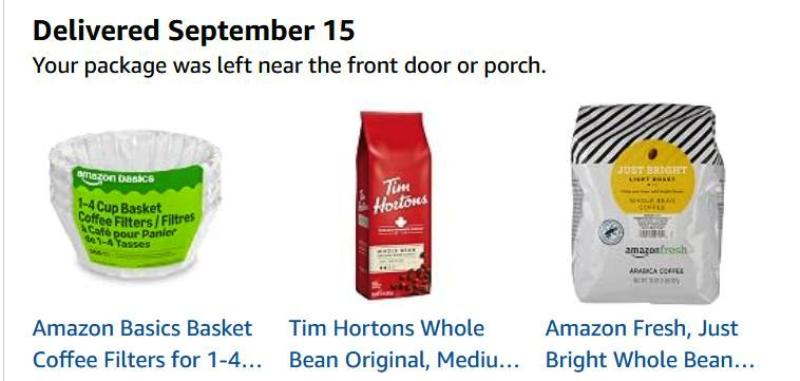
I let the beans run out and had to grab a pkg of grind to hold me over.
Enjoying the bean once again :
Enjoying the bean once again :
That disposal again
- By Rgarner
- Ask a question
- 6 Replies
It is apparently done. I had a guy who knows about these things check it. I guess ir's good to have a new one but Badger is probably out of the budget. What do you suggest?
Flat Earth Believers... I DONT GET IT!!!!

- Off Topic
- 268 Replies
aresetorides?You mean asteroids, right?
Say what is that hahaaa.but yeah they are called Asteroids.
NFL 2026
I have been a Chiefs fan from the very beginning of the franchise. As a dedicated fan, I'm not blind to the no calls and timely calls that seem to favor the team. It didn't seem that way at all before the Mahomes era. I am a big Steelers fan and the calls seem to go against them more often than not. I don't think the calls are skewed to favor any team.
If you watch any game on the outside edge of the ball movement you will see holding. It can be called on every play. It is that penalty that is or isn't called that often changes the outcome of the game. If they could figure out how to police that correctly, it would go a long ways towards trashing the favoritism theories. With all that said... that skit above is flat out funny!!
If you watch any game on the outside edge of the ball movement you will see holding. It can be called on every play. It is that penalty that is or isn't called that often changes the outcome of the game. If they could figure out how to police that correctly, it would go a long ways towards trashing the favoritism theories. With all that said... that skit above is flat out funny!!
Ban the person above you

- By Steven58
- Forum Games
- 35605 Replies
Banned because my son is a great bassist.


I bought an iPhone.

- By Hadron
- Smartphones
- 4 Replies
I've been playing with Google's latest face recognition on my Pixel. For unlocking the device it works well when combined with the "raise to wake" gesture, meaning I don't have to press or swipe anything to unlock (unlike Apple's version it doesn't work well in the dark, so I use fingerprint then). But for authenticating apps (banking, NHS etc) it often tells me it's failed before I have had a chance to point the camera at my face, meaning I have to use the fingerprint anyway, and even when it works I still have to tap to confirm I meant to do it (which is reasonable as you don't want to unlock such an app accidentally, though I can't really think when that might happen anyway). So I'm using it just for unlocking the device, and using fingerprint for app security.
Help Best app for a MacBookPro to backup an Android (Samsung) ?
- By Hadron
- Smartphones
- 4 Replies
Smart Switch is fine for backing up the device's storage. I've never relied on it for Calendar backups so can't say: my calendars are synced, so I don't really need a local backup like that (but would probably just do an ics export if I did - just like I occasionally do vcf backups of my contacts).
Google used to have a utility called Android File Transfer for USB copy between Android and Mac, but they abandoned it years ago and seem only to support USB transfer to Windows these days. It might still work for you if you can find a copy to download (their official site no longer has it, so be careful where you download from and be aware that there's at least one third party app that's adopted the same name). However it can be a bit fussy about connecting (I've recently had best results with "start app, unlock phone, connect via USB") and it never backed-up Calendar events anyway, it's just a "copy files over usb" app. .
Basically Google want you to pay them for Cloud storage and back up everything that way, and have never been that interested in USB backups (unlike Apple, who started out from the iPod model where the iPhone synced with iTunes over USB, though they also prefer you to pay for iCloud storage these days).
Google used to have a utility called Android File Transfer for USB copy between Android and Mac, but they abandoned it years ago and seem only to support USB transfer to Windows these days. It might still work for you if you can find a copy to download (their official site no longer has it, so be careful where you download from and be aware that there's at least one third party app that's adopted the same name). However it can be a bit fussy about connecting (I've recently had best results with "start app, unlock phone, connect via USB") and it never backed-up Calendar events anyway, it's just a "copy files over usb" app. .
Basically Google want you to pay them for Cloud storage and back up everything that way, and have never been that interested in USB backups (unlike Apple, who started out from the iPod model where the iPhone synced with iTunes over USB, though they also prefer you to pay for iCloud storage these days).
What are you currently playing?
- Gaming
- 1370 Replies
Finished Katamari damacy the original game like a few weeks ago,
yeah Gubbins in the way to go, as of last night,
way better having it on a small mental timer,
same way as drops, five minutes all I can take starting on my cellphone's screen.
yeah Gubbins in the way to go, as of last night,
way better having it on a small mental timer,
same way as drops, five minutes all I can take starting on my cellphone's screen.
Any Time is Grillin Time
- By olbriar
- Food and Beverage
- 4618 Replies
As a wise man once told me, "You can't make chicken salad out of chicken $hit!"
And, I think that was the case with the chuck. I cut out the dominant gristle and then sliced the remaining beef wafer thin. I added bbq sauce and some water and zapped it in the microwave. It wasn't great but eatable. I tossed more than we ate.
And, I think that was the case with the chuck. I cut out the dominant gristle and then sliced the remaining beef wafer thin. I added bbq sauce and some water and zapped it in the microwave. It wasn't great but eatable. I tossed more than we ate.
Tell me a joke...

- By The_Chief
- Funny / Meme
- 706 Replies
It was autumn, and the natives on the reservation asked their new chief if it was going to be a cold winter.
Raised in the ways of the modern world, the chief had never been taught the old secrets and had no way of knowing whether the winter would be cold or mild. To be on the safe side, he advised the tribe to collect wood and be prepared for a cold winter.A few days later, as a practical afterthought, he called the National Weather Service and asked whether they were forecasting a cold winter. The meteorologist replied that, indeed, he thought the winter would be quite cold. The chief advised the tribe to stock even more wood.
A couple of weeks later, the chief checked in again with the Weather Service. “Does it still look like a cold winter?” asked the chief.
“It sure does,” replied the meteorologist. “It looks like a very cold winter.” The chief advised the tribe to gather up every scrap of wood they could find.
A couple of weeks later, the chief called the Weather Service again and asked how the winter was looking at that point. The meteorologist said, “We’re now forecasting that it will be one of the coldest winters on record!”
“Really?” said the chief. “How can you be so sure?”
The meteorologist replied, “The natives are collecting wood like crazy!”
Samsung Galaxy
- By The_Chief
- Smartphones
- 15 Replies
Two cool features many people don't know about:

 www.howtogeek.com
 www.howtogeek.com
I found the app Samsung doesn't want you to know is already on your Galaxy phone
My Galaxy is now infinitely smarter.
www.howtogeek.com
I changed one Samsung Galaxy setting, and notifications make sense again
It's that easy, friends.
www.howtogeek.com
Data pods
- Ask a question
- 1 Replies
Solid: Your data, your choice - Solid Project I was skeptical, but......it is legit.
For what it is worth and those who need a wipe out clean.
- Off Topic
- 24 Replies
But why do I feel like it is always such a huge project turning off all bg data?
hmmm...
hmmm...
9/11/2001

I have a friend who is a captain for United and surprise, surprise, he is married to a flight attendant (not a first marriage for either of them).
His wife, Susan White, was a flight attendant aboard an infamous flight, United 232.
She wrote about 9/11 yesterday, for the first time ever.
His wife, Susan White, was a flight attendant aboard an infamous flight, United 232.
She wrote about 9/11 yesterday, for the first time ever.
September 11, 2001
I have never written about this before. Even after all these years, September 11 remains difficult for me to talk about, and I still can’t bring myself to watch many of the memorial ceremonies. The memories are simply too painful.
About a month before September 11, we went to dinner with Jason and Sandy. During dinner, our conversation turned to dying. Jason said, “I want a band and a party.” We all agreed that none of us would want a sad event. We would want a happy celebration of life.
Little did we know that, in less than a month, that conversation would become a reality.
That morning, my ex-husband and I were packed and ready to leave for Greece on vacation. Then my mother-in-law called to tell us that a plane had hit the World Trade Center. We turned on the television, and as we watched, the second plane hit.
My sister was a United flight attendant and was on duty that day. As the news continued to worsen, we struggled to comprehend what was happening. I remember saying, “We need to unpack our bags. We aren’t going anywhere.”
Because my sister was on reserve, I immediately pulled up her schedule. I was relieved to see that she was safe, on a plane about to take off in Sacramento. Then we began calling all our friends.
When we called our good friend Jason Dahl’s house, a mutual friend and neighbor answered. He told us that Jason was on Flight 93.
Jason was a United 757/767 instructor in Denver. Every so often, he had to pick up a trip to remain current, and this was the trip he was flying. His wife, Sandy, was also a flight attendant and had traded him into the trip, leaving the paper trail that confirmed his flight number.
The day before, September 10, I had left Jason a message on his cell phone while he was commuting to Newark. He was planning a surprise anniversary party for Sandy that Friday. I told him we wouldn’t be able to attend because we would be in Greece, but that we would get together when we returned.
We never got that chance.
Our phone rang constantly that day. Friends and family were checking on us because we both had careers with United, and two United airplanes had been used in the attacks.
Once we learned what had happened, we went to Jason and Sandy’s house. For the next two weeks of our vacation, we spent every day helping Sandy navigate the unimaginable—canceling credit cards, getting affairs in order, gathering information, and helping in any way we could.
Sandy had given me Jason’s little black address book, and I began calling the people listed in it to gently deliver the devastating news that Jason was the captain of Flight 93.
A few other close friends joined us as we planned Jason’s memorial service and a gathering afterward at their house. I called the people in his address book to make sure they knew the details and could attend.
I remember calling a retired pilot friend of Jason’s. We both cried as I gave him the grim news.
There was so much to process.
I drove Jason’s truck home from the Denver employee parking lot. He had a little lunch left over—half of the grapes were still in the baggie. He also had the newspaper’s advertising section, with a piano circled. He had been planning to buy one for Sandy for their anniversary.
I cried the entire 50-minute drive, knowing that Jason would never drive that truck again.
At the same time, we faced the painful process of collecting Jason’s DNA and completing extensive paperwork to assist the FBI investigation alongside Sandy. My heart hurt so badly for her and for his son, Matt.
For those two weeks, we did not turn on the television news at Jason and Sandy’s house. We wanted to protect Sandy from the constant images and coverage of the devastation. Our focus was on her, on Jason, and on helping the family get through everything that had to be done.
But when we went home at night, I turned on the television and watched the news. Finally, I let myself cry.
Something else was happening to me during those days. The grief and trauma from the airplane crash I survived in 1989 came rushing back. It was as though the events of September 11 had opened a door I had kept closed for many years. The sadness and anxiety came over me in waves.
I was trying to be strong for Sandy while carrying my own memories and emotions from another devastating airplane crash.
It was one of the most painful periods of my life.
And yet, when I think back on that time, I also remember the way people came together—friends, family, coworkers, strangers, first responders, and an entire nation trying to help one another through something none of us could have imagined.
There were so many stories like Jason’s. So many lives lost. So many families forever changed. Behind every name was a person who was loved, a family waiting for them, plans that would never happen, and futures that suddenly disappeared.
September 11 was an incredibly painful time for our country. But it was also a time when we saw extraordinary courage, compassion, and unity.
I will never forget Jason.
I will never forget Sandy.
And I will never forget those who were lost and the families who have carried that loss for 25 years.
We remember. We honor. We will never forget.
Air Fryer Cooking
- Food and Beverage
- 137 Replies
oh our new toaster oven we got back in June has a build in air fryer, and we air fried my chicken and coin potato wedges, and they tasted pretty delicious over all.
What are you drinking right now?
- By ozonetrooper
- Food and Beverage
- 1088 Replies
Want a couple of Reposado's ?
That will put you to sleep !

That will put you to sleep !
Interesting Articles.. post some interesting articles that other might enjoy.
- Off Topic
- 818 Replies
60 of the Most Obscure Words in English (+ Definitions) yeah I am starting to write more obscure words such as sursuss - a tiny quiet sound.
Help URGENT HELP: Samsung A54 calendar events all disappeared
- By Hadron
- Smartphones
- 13 Replies
If your calendars are associated with different online accounts (e.g. different email addresses) then as long as you log in to those same accounts and sync calendars they'll all download on a new device. I've no recent experience with local (i.e. unsynced) calendars, but transfer apps are pretty reliable these days and I'd expect a Samsung-to-Samsung transfer to be one of the simpler cases.
If you use end-to-end encrypted messaging (e.g. Signal or WhatsApp) do check their transfer processes before you do anything, as a transfer app won't get their data across. And make sure everything important is working on the new phone before resetting the old one.
If you use end-to-end encrypted messaging (e.g. Signal or WhatsApp) do check their transfer processes before you do anything, as a transfer app won't get their data across. And make sure everything important is working on the new phone before resetting the old one.
Load more