• After 15+ years, we've made a big change: Android Forums is now Early Bird Club. Learn more here.

Can someone assist me in developing a free chinese writing app

Hey guys!

I need someone to develop a free chinese writing app. At the moment, most of the chinese apps will only allow you to write one character at a time but what I would like is for us to write any character or characters that we like. This will allow us to practice writing in a sentence and thus make learning more beneficial. There is also a chinese template used with a finger touching feature. Thanks!

Speaker Fixer - Clean Dust & Remove Water & Boost

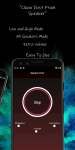
Speaker Fixer app uses sine wave sounds of frequencies to remove water and clean dust from the speaker. Sound waves cause the speaker to vibrate and shake off water stuck inside and dust.

Easy to use.

-Selectable Extra Volume mod for dirty speakers
-Selectable Low/High Frequency
-Choose all speaker
You can choose between cleaning loud speaker or ear speaker

https://play.google.com/store/apps/details?id=com.ozan.speakerfixer

Attachments

  • custom – 3.png
    custom – 3.png
    1,001.4 KB · Views: 484
  • custom – 4.png
    custom – 4.png
    1.7 MB · Views: 417

Print from Samsung A50 Galaxy

Hi.

I have Smart Switch on this A50 Galaxy. On Page 168 of the manual it advise that in order to print from the phone a Print Plugin must be downloaded from Play Store. I downloaded HP Print Service Plugin.

On Page 168: Printing Content: 'While viewing content such as images or documents, access the Options List, tap PRINT> ALL PRINTERS, and then select Print'.

I have proceeded as stated but I cannot find Options List.

Any advice will be much appreciated.

Thank you

Mic Manager - Hear Boost & Record & ( mic to pc )

Mic Manager turns your phone to be a microphone for your computer or any devices.
You can use it for voice chatting, recording, and recognition. Just like REAL microphone devices!

Mic Manager significatnly boost all incoming audio and transfer to headset for people with hearing loss.

If you have Bluetooth headset, you can also voice transfer to your computer or any devices with aux cable.

Features
-Support Bluetooth Devices
-Support Phone Microphone
-Support Camera Microphone
-Support Dual Microphone(Camera & Phone Mic)
-Support Recording
-Can also control volume of playing sound.
-Improve what you hearing by amplifying sound surrounding
Allows you to use your device as a microphone for any type of computer, console or speaker.
-3 Differents Modes
Normal Mode - Improve all frequency(Bass&Mid&Treble)
Voice Mode - Noise Cancellation and Echo Cancellation are support.
Accessbility Mode - Advanced Audio Sample Rate
-Material Design
-No Any Limits
-Simple and easy usable

To use this application a headset is required.

Improve your hearing today, with this super cool and simple app!.

https://play.google.com/store/apps/details?id=com.ozan.netbooster

Attachments

  • giris.png
    giris.png
    512.9 KB · Views: 331
  • Mic list.png
    Mic list.png
    480.2 KB · Views: 314
  • modes.png
    modes.png
    585.5 KB · Views: 349
  • record.png
    record.png
    478.1 KB · Views: 358
  • speaker list.png
    speaker list.png
    481.3 KB · Views: 304
  • stop.png
    stop.png
    517.5 KB · Views: 327

Help I need to find this app from notification icon

If you mean that hexagonal icon in the top left it's Castbox, a podcast player.

Seriously though, I understand when we have people worried about something heart-shaped, though there are so many things other than dating apps that use hearts that it's not sensible to jump to conclusions anyway. But what on Earth about that notification worried you? If it was just that you didn't recognise it, well there are more than a million apps in the Play Store, so if you are going to assume the worst whenever she uses an app you don't know you are going to make your life a permanent misery.

Help Lenovo vibe x3

stock roms are very device specific. if it is the wrong one for your device, something like you are experiencing can happen.

just curious why were you installing a stock rom? where did get the file? can you post a link? and QFIL is not usually how you update or flash a firmware update (stock rom).

LINK:- https://firmwarefile.com/lenovo-vibe-x3-x3a40
i was downgrading the android version there was many bugs in current one which i was using.

Recover

Hello,
If your photos are saved as a backup somewhere then you can restore them easily. Such as Google Photos or Google Drive or somewhere else. But when you don't have backup then nothing goes on how to retrieve disappeared photos. But don't worry, in this situation you have to use a powerful recovery tool. There are several of them you can get online and it will help you to recover deleted photos from Android/Samsung gallery.

How the heck do I put the lid back on this thing?

According to that girl on the helpline, the vac is just protecting itself. If it gets too hot, it shuts itself off FOR AS LONG AS 24 HOURS. I think that's too long, especially if it's going to be daily, but that's what I get for this dusty environment. Would a wet dry vac be better? How much would that cost? Is there a special one for fireplace ashes that might be best (not actually ashes)?

Creating Driver

I know this is out of the Android topic but I thought there might be someone here that could help me. Someone who knows how to code working with drivers.
Problem: I purchased a computer motherboard [Gigabyte Z390 Aorus Ultra] and installed the operating system of my choice, Win 8.1. Post install I found that ONLY Win 10 drivers are supplied/supported. I have been fighting with Gigabyte/Intel but it is futile. I am an IT guy so I used the supplied Win 10 drivers and made them work under Win 8.1... I got everything to work except the onboard "Intel Wireless AC9560 WiFi/Bluetooth module. My main concern is for the WiFi aspect.
Q: Does anybody here know how to decompile the Win 10 driver and make it work under Win 8.1???
It would not surprise me if Intel is in on a conspiracy with Micro$oft monopolize and not supply the 8.1 drivers. I checked and all the other manufacturers are doing the same thing in not providing support for the current/active Win 8.1 OS
I would be willing to pay a token amount in order to "Stick It To The Man"

But Report

Help, I'm trying to figure out how to read a bug report. Where does it show the phone numbers that were sent text messages, or what who was sent a message on Facebook. If I'm ready the report right, does the Android app control the data that is showed on a phone? Can it keep notifications hidden if it's not your phone? How can you tell what information is, that the user did?

Pass bundle in Android (with drawer layout) destination(HashSet) via 'NavController' and 'AppBarConf

I am an amateur in Android Development. I have started working with a Drawer layout and want to populate the drawer navigational links dynamically (from a JSON variable say vtxJSON). All the links will direct to the same Fragment (say R.id.nav_fragment) with separate Bundles to be passed for each link to the same fragment.

Till now I have created the Menu and directed the links successfully to the Fragment R.id.nav_fragment (with much appreciated help from this StackOverflow answer). Now I want to pass a set of values (preferably in Bundles) on each click and process them in the Fragment class and its View Model class.

RE: I am using androidx libraries.

My code is like this (MainActivity.java):

Set<Integer> topLevelDestinations = new HashSet<>();
NavigationView navigationView = (NavigationView) findViewById(R.id.nav_view);
final Menu menu = navigationView.getMenu();
menu.add(R.id.act_drawer_group, R.id.nav_home, 0, "HOME");
topLevelDestinations.add(R.id.nav_home);
int menulen= vtxJSON.length();
for(int i=0; i< menulen; i++)
{
try {
JSONObject ttxobj= (JSONObject) vtxJSON.get(i);
Bundle args = new Bundle();
args.putString("vtx_name", (String) ttxobj.get("name"));
args.putString("vtx_mail", (String) ttxobj.get("mail"));
menu.add(R.id.act_drawer_group, R.id.nav_fragment, i+1, (String) ttaxobj.get("name"));
topLevelDestinations.add(R.id.nav_fragment);
} catch (JSONException e) {
e.printStackTrace();
}

}

NavController navController = Navigation.findNavController(this, R.id.nav_host_fragment);
AppBarConfiguration pxAppBar = new AppBarConfiguration.Builder(topLevelDestinations).setDrawerLayout(drawer).build();
NavigationUI.setupActionBarWithNavController((AppCompatActivity) this, navController, pxAppBar);
NavigationUI.setupWithNavController(navigationView, navController);


Please at least let me know if I am on the right path. A hint or an answer would be wonderful. Thanks.

Filter

Back
Top Bottom