I wonder if anyone can guide me to solve the following issue occured in ANDROID STUDIO in ubuntu.
**Build file '/home/androiddeveloper/Documents/shikshakmasik_sunil/app/build.gradle' line: 6**
**
A problem occurred evaluating project ':app'.
**Value is null**
**And then following list of error message is displayed under android studio**
```
* Exception is:
org.gradle.api.GradleScriptException: A problem occurred evaluating project ':app'.
at org.gradle.groovy.scripts.internal.DefaultScriptRunnerFactory$ScriptRunnerImpl.run(DefaultScriptRunnerFactory.java:93)
at org.gradle.configuration.DefaultScriptPluginFactory$ScriptPluginImpl.lambda$apply$0(DefaultScriptPluginFactory.java:135)
at org.gradle.configuration.ProjectScriptTarget.addConfiguration(ProjectScriptTarget.java:79)
at org.gradle.configuration.DefaultScriptPluginFactory$ScriptPluginImpl.apply(DefaultScriptPluginFactory.java:138)
at org.gradle.configuration.BuildOperationScriptPlugin$1.run(BuildOperationScriptPlugin.java:65)
at org.gradle.internal.operations.DefaultBuildOperationRunner$1.execute(DefaultBuildOperationRunner.java:29)
at org.gradle.internal.operations.DefaultBuildOperationRunner$1.execute(DefaultBuildOperationRunner.java:26)
at org.gradle.internal.operations.DefaultBuildOperationRunner$2.execute(DefaultBuildOperationRunner.java:66)
at org.gradle.internal.operations.DefaultBuildOperationRunner$2.execute(DefaultBuildOperationRunner.java:59)
at org.gradle.internal.operations.DefaultBuildOperationRunner.execute(DefaultBuildOperationRunner.java:157)
at org.gradle.internal.operations.DefaultBuildOperationRunner.execute(DefaultBuildOperationRunner.java:59)
at org.gradle.internal.operations.DefaultBuildOperationRunner.run(DefaultBuildOperationRunner.java:47)
at org.gradle.internal.operations.DefaultBuildOperationExecutor.run(DefaultBuildOperationExecutor.java:68)
at org.gradle.configuration.BuildOperationScriptPlugin.lambda$apply$0(BuildOperationScriptPlugin.java:62)
at org.gradle.configuration.internal.DefaultUserCodeApplicationContext.apply(DefaultUserCodeApplicationContext.java:44)
at org.gradle.configuration.BuildOperationScriptPlugin.apply(BuildOperationScriptPlugin.java:62)
at org.gradle.api.internal.project.DefaultProjectStateRegistry$ProjectStateImpl.lambda$applyToMutableState$1(DefaultProjectStateRegistry.java:395)
at org.gradle.api.internal.project.DefaultProjectStateRegistry$ProjectStateImpl.fromMutableState(DefaultProjectStateRegistry.java:413)
at org.gradle.api.internal.project.DefaultProjectStateRegistry$ProjectStateImpl.applyToMutableState(DefaultProjectStateRegistry.java:394)
at org.gradle.configuration.project.BuildScriptProcessor.execute(BuildScriptProcessor.java:46)
at org.gradle.configuration.project.BuildScriptProcessor.execute(BuildScriptProcessor.java:27)
at org.gradle.configuration.project.ConfigureActionsProjectEvaluator.evaluate(ConfigureActionsProjectEvaluator.java:35)
at org.gradle.configuration.project.LifecycleProjectEvaluator$EvaluateProject.lambda$run$0(LifecycleProjectEvaluator.java:109)
at org.gradle.api.internal.project.DefaultProjectStateRegistry$ProjectStateImpl.lambda$applyToMutableState$1(DefaultProjectStateRegistry.java:395)
at org.gradle.api.internal.project.DefaultProjectStateRegistry$ProjectStateImpl.lambda$fromMutableState$2(DefaultProjectStateRegistry.java:418)
at org.gradle.internal.work.DefaultWorkerLeaseService.withReplacedLocks(DefaultWorkerLeaseService.java:345)
at org.gradle.api.internal.project.DefaultProjectStateRegistry$ProjectStateImpl.fromMutableState(DefaultProjectStateRegistry.java:418)
at org.gradle.api.internal.project.DefaultProjectStateRegistry$ProjectStateImpl.applyToMutableState(DefaultProjectStateRegistry.java:394)
at org.gradle.configuration.project.LifecycleProjectEvaluator$EvaluateProject.run(LifecycleProjectEvaluator.java:100)
at org.gradle.internal.operations.DefaultBuildOperationRunner$1.execute(DefaultBuildOperationRunner.java:29)
at org.gradle.internal.operations.DefaultBuildOperationRunner$1.execute(DefaultBuildOperationRunner.java:26)
at org.gradle.internal.operations.DefaultBuildOperationRunner$2.execute(DefaultBuildOperationRunner.java:66)
at org.gradle.internal.operations.DefaultBuildOperationRunner$2.execute(DefaultBuildOperationRunner.java:59)
at org.gradle.internal.operations.DefaultBuildOperationRunner.execute(DefaultBuildOperationRunner.java:157)
at org.gradle.internal.operations.DefaultBuildOperationRunner.execute(DefaultBuildOperationRunner.java:59)
at org.gradle.internal.operations.DefaultBuildOperationRunner.run(DefaultBuildOperationRunner.java:47)
at org.gradle.internal.operations.DefaultBuildOperationExecutor.run(DefaultBuildOperationExecutor.java:68)
at org.gradle.configuration.project.LifecycleProjectEvaluator.evaluate(LifecycleProjectEvaluator.java:72)
at org.gradle.api.internal.project.DefaultProject.evaluate(DefaultProject.java:779)
at org.gradle.api.internal.project.DefaultProject.evaluate(DefaultProject.java:156)
at org.gradle.api.internal.project.ProjectLifecycleController.lambda$ensureSelfConfigured$2(ProjectLifecycleController.java:84)
at org.gradle.internal.model.StateTransitionController.lambda$doTransition$14(StateTransitionController.java:255)
at org.gradle.internal.model.StateTransitionController.doTransition(StateTransitionController.java:266)
at org.gradle.internal.model.StateTransitionController.doTransition(StateTransitionController.java:254)
at org.gradle.internal.model.StateTransitionController.lambda$maybeTransitionIfNotCurrentlyTransitioning$10(StateTransitionController.java:199)
at org.gradle.internal.work.DefaultSynchronizer.withLock(DefaultSynchronizer.java:34)
at org.gradle.internal.model.StateTransitionController.maybeTransitionIfNotCurrentlyTransitioning(StateTransitionController.java:195)
at org.gradle.api.internal.project.ProjectLifecycleController.ensureSelfConfigured(ProjectLifecycleController.java:84)
at org.gradle.api.internal.project.DefaultProjectStateRegistry$ProjectStateImpl.ensureConfigured(DefaultProjectStateRegistry.java:369)
at org.gradle.execution.TaskPathProjectEvaluator.configure(TaskPathProjectEvaluator.java:33)
at org.gradle.execution.TaskPathProjectEvaluator.configureHierarchy(TaskPathProjectEvaluator.java:49)
at org.gradle.configuration.DefaultProjectsPreparer.prepareProjects(DefaultProjectsPreparer.java:42)
at org.gradle.configuration.BuildTreePreparingProjectsPreparer.prepareProjects(BuildTreePreparingProjectsPreparer.java:65)
at org.gradle.configuration.BuildOperationFiringProjectsPreparer$ConfigureBuild.run(BuildOperationFiringProjectsPreparer.java:52)
at org.gradle.internal.operations.DefaultBuildOperationRunner$1.execute(DefaultBuildOperationRunner.java:29)
at org.gradle.internal.operations.DefaultBuildOperationRunner$1.execute(DefaultBuildOperationRunner.java:26)
at org.gradle.internal.operations.DefaultBuildOperationRunner$2.execute(DefaultBuildOperationRunner.java:66)
at org.gradle.internal.operations.DefaultBuildOperationRunner$2.execute(DefaultBuildOperationRunner.java:59)
at org.gradle.internal.operations.DefaultBuildOperationRunner.execute(DefaultBuildOperationRunner.java:157)
at org.gradle.internal.operations.DefaultBuildOperationRunner.execute(DefaultBuildOperationRunner.java:59)
at org.gradle.internal.operations.DefaultBuildOperationRunner.run(DefaultBuildOperationRunner.java:47)
at org.gradle.internal.operations.DefaultBuildOperationExecutor.run(DefaultBuildOperationExecutor.java:68)
at org.gradle.configuration.BuildOperationFiringProjectsPreparer.prepareProjects(BuildOperationFiringProjectsPreparer.java:40)
at org.gradle.initialization.VintageBuildModelController.lambda$prepareProjects$2(VintageBuildModelController.java:84)
at org.gradle.internal.model.StateTransitionController.lambda$doTransition$14(StateTransitionController.java:255)
at org.gradle.internal.model.StateTransitionController.doTransition(StateTransitionController.java:266)
at org.gradle.internal.model.StateTransitionController.doTransition(StateTransitionController.java:254)
at org.gradle.internal.model.StateTransitionController.lambda$transitionIfNotPreviously$11(StateTransitionController.java:213)
at org.gradle.internal.work.DefaultSynchronizer.withLock(DefaultSynchronizer.java:34)
at org.gradle.internal.model.StateTransitionController.transitionIfNotPreviously(StateTransitionController.java:209)
at org.gradle.initialization.VintageBuildModelController.prepareProjects(VintageBuildModelController.java:84)
at org.gradle.initialization.VintageBuildModelController.getConfiguredModel(VintageBuildModelController.java:64)
at org.gradle.internal.build.DefaultBuildLifecycleController.lambda$withProjectsConfigured$1(DefaultBuildLifecycleController.java:122)
at org.gradle.internal.model.StateTransitionController.lambda$notInState$3(StateTransitionController.java:132)
at org.gradle.internal.work.DefaultSynchronizer.withLock(DefaultSynchronizer.java:44)
at org.gradle.internal.model.StateTransitionController.notInState(StateTransitionController.java:128)
at org.gradle.internal.build.DefaultBuildLifecycleController.withProjectsConfigured(DefaultBuildLifecycleController.java:122)
at org.gradle.internal.build.DefaultBuildToolingModelController.locateBuilderForTarget(DefaultBuildToolingModelController.java:57)
at org.gradle.internal.buildtree.DefaultBuildTreeModelCreator$DefaultBuildTreeModelController.lambda$locateBuilderForTarget$0(DefaultBuildTreeModelCreator.java:73)
at org.gradle.internal.build.DefaultBuildLifecycleController.withToolingModels(DefaultBuildLifecycleController.java:215)
at org.gradle.internal.build.AbstractBuildState.withToolingModels(AbstractBuildState.java:140)
at org.gradle.internal.buildtree.DefaultBuildTreeModelCreator$DefaultBuildTreeModelController.locateBuilderForTarget(DefaultBuildTreeModelCreator.java:73)
at org.gradle.internal.buildtree.DefaultBuildTreeModelCreator$DefaultBuildTreeModelController.locateBuilderForDefaultTarget(DefaultBuildTreeModelCreator.java:68)
at org.gradle.tooling.internal.provider.runner.DefaultBuildController.getTarget(DefaultBuildController.java:157)
at org.gradle.tooling.internal.provider.runner.DefaultBuildController.getModel(DefaultBuildController.java:101)
at org.gradle.tooling.internal.consumer.connection.ParameterAwareBuildControllerAdapter.getModel(ParameterAwareBuildControllerAdapter.java:39)
at org.gradle.tooling.internal.consumer.connection.UnparameterizedBuildController.getModel(UnparameterizedBuildController.java:113)
at org.gradle.tooling.internal.consumer.connection.NestedActionAwareBuildControllerAdapter.getModel(NestedActionAwareBuildControllerAdapter.java:31)
at org.gradle.tooling.internal.consumer.connection.UnparameterizedBuildController.findModel(UnparameterizedBuildController.java:97)
at org.gradle.tooling.internal.consumer.connection.NestedActionAwareBuildControllerAdapter.findModel(NestedActionAwareBuildControllerAdapter.java:31)
at org.gradle.tooling.internal.consumer.connection.UnparameterizedBuildController.findModel(UnparameterizedBuildController.java:81)
at org.gradle.tooling.internal.consumer.connection.NestedActionAwareBuildControllerAdapter.findModel(NestedActionAwareBuildControllerAdapter.java:31)
at org.gradle.tooling.internal.consumer.connection.UnparameterizedBuildController.findModel(UnparameterizedBuildController.java:66)
at org.gradle.tooling.internal.consumer.connection.NestedActionAwareBuildControllerAdapter.findModel(NestedActionAwareBuildControllerAdapter.java:31)
at org.jetbrains.plugins.gradle.model.ProjectImportAction.execute(ProjectImportAction.java:125)
at org.jetbrains.plugins.gradle.model.ProjectImportAction.execute(ProjectImportAction.java:42)
at org.gradle.tooling.internal.consumer.connection.InternalBuildActionAdapter.execute(InternalBuildActionAdapter.java:64)
at org.gradle.tooling.internal.provider.runner.AbstractClientProvidedBuildActionRunner$ActionAdapter.runAction(AbstractClientProvidedBuildActionRunner.java:131)
at org.gradle.tooling.internal.provider.runner.AbstractClientProvidedBuildActionRunner$ActionAdapter.beforeTasks(AbstractClientProvidedBuildActionRunner.java:99)
at org.gradle.internal.buildtree.DefaultBuildTreeModelCreator.beforeTasks(DefaultBuildTreeModelCreator.java:52)
at org.gradle.internal.buildtree.DefaultBuildTreeLifecycleController.lambda$fromBuildModel$2(DefaultBuildTreeLifecycleController.java:74)
at org.gradle.internal.buildtree.DefaultBuildTreeLifecycleController.lambda$runBuild$4(DefaultBuildTreeLifecycleController.java:98)
at org.gradle.internal.model.StateTransitionController.lambda$transition$6(StateTransitionController.java:169)
at org.gradle.internal.model.StateTransitionController.doTransition(StateTransitionController.java:266)
at org.gradle.internal.model.StateTransitionController.lambda$transition$7(StateTransitionController.java:169)
at org.gradle.internal.work.DefaultSynchronizer.withLock(DefaultSynchronizer.java:44)
at org.gradle.internal.model.StateTransitionController.transition(StateTransitionController.java:169)
at org.gradle.internal.buildtree.DefaultBuildTreeLifecycleController.runBuild(DefaultBuildTreeLifecycleController.java:95)
at org.gradle.internal.buildtree.DefaultBuildTreeLifecycleController.fromBuildModel(DefaultBuildTreeLifecycleController.java:73)
at org.gradle.tooling.internal.provider.runner.AbstractClientProvidedBuildActionRunner.runClientAction(AbstractClientProvidedBuildActionRunner.java:43)
at org.gradle.tooling.internal.provider.runner.ClientProvidedPhasedActionRunner.run(ClientProvidedPhasedActionRunner.java:53)
at org.gradle.launcher.exec.ChainingBuildActionRunner.run(ChainingBuildActionRunner.java:35)
at org.gradle.internal.buildtree.ProblemReportingBuildActionRunner.run(ProblemReportingBuildActionRunner.java:49)
at org.gradle.launcher.exec.BuildOutcomeReportingBuildActionRunner.run(BuildOutcomeReportingBuildActionRunner.java:65)
at org.gradle.tooling.internal.provider.FileSystemWatchingBuildActionRunner.run(FileSystemWatchingBuildActionRunner.java:140)
at org.gradle.launcher.exec.BuildCompletionNotifyingBuildActionRunner.run(BuildCompletionNotifyingBuildActionRunner.java:41)
at org.gradle.launcher.exec.RootBuildLifecycleBuildActionExecutor.lambda$execute$0(RootBuildLifecycleBuildActionExecutor.java:40)
at org.gradle.composite.internal.DefaultRootBuildState.run(DefaultRootBuildState.java:122)
at org.gradle.launcher.exec.RootBuildLifecycleBuildActionExecutor.execute(RootBuildLifecycleBuildActionExecutor.java:40)
at org.gradle.internal.buildtree.InitDeprecationLoggingActionExecutor.execute(InitDeprecationLoggingActionExecutor.java:58)
at org.gradle.internal.buildtree.DefaultBuildTreeContext.execute(DefaultBuildTreeContext.java:40)
at org.gradle.launcher.exec.BuildTreeLifecycleBuildActionExecutor.lambda$execute$0(BuildTreeLifecycleBuildActionExecutor.java:65)
at org.gradle.internal.buildtree.BuildTreeState.run(BuildTreeState.java:53)
at org.gradle.launcher.exec.BuildTreeLifecycleBuildActionExecutor.execute(BuildTreeLifecycleBuildActionExecutor.java:65)
at org.gradle.launcher.exec.RunAsBuildOperationBuildActionExecutor$3.call(RunAsBuildOperationBuildActionExecutor.java:61)
at org.gradle.launcher.exec.RunAsBuildOperationBuildActionExecutor$3.call(RunAsBuildOperationBuildActionExecutor.java:57)
at org.gradle.internal.operations.DefaultBuildOperationRunner$CallableBuildOperationWorker.execute(DefaultBuildOperationRunner.java:204)
at org.gradle.internal.operations.DefaultBuildOperationRunner$CallableBuildOperationWorker.execute(DefaultBuildOperationRunner.java:199)
at org.gradle.internal.operations.DefaultBuildOperationRunner$2.execute(DefaultBuildOperationRunner.java:66)
at org.gradle.internal.operations.DefaultBuildOperationRunner$2.execute(DefaultBuildOperationRunner.java:59)
at org.gradle.internal.operations.DefaultBuildOperationRunner.execute(DefaultBuildOperationRunner.java:157)
at org.gradle.internal.operations.DefaultBuildOperationRunner.execute(DefaultBuildOperationRunner.java:59)
at org.gradle.internal.operations.DefaultBuildOperationRunner.call(DefaultBuildOperationRunner.java:53)
at org.gradle.internal.operations.DefaultBuildOperationExecutor.call(DefaultBuildOperationExecutor.java:73)
at org.gradle.launcher.exec.RunAsBuildOperationBuildActionExecutor.execute(RunAsBuildOperationBuildActionExecutor.java:57)
at org.gradle.launcher.exec.RunAsWorkerThreadBuildActionExecutor.lambda$execute$0(RunAsWorkerThreadBuildActionExecutor.java:36)
at org.gradle.internal.work.DefaultWorkerLeaseService.withLocks(DefaultWorkerLeaseService.java:249)
at org.gradle.internal.work.DefaultWorkerLeaseService.runAsWorkerThread(DefaultWorkerLeaseService.java:109)
at org.gradle.launcher.exec.RunAsWorkerThreadBuildActionExecutor.execute(RunAsWorkerThreadBuildActionExecutor.java:36)
at org.gradle.tooling.internal.provider.continuous.ContinuousBuildActionExecutor.execute(ContinuousBuildActionExecutor.java:110)
at org.gradle.tooling.internal.provider.SubscribableBuildActionExecutor.execute(SubscribableBuildActionExecutor.java:64)
at org.gradle.internal.session.DefaultBuildSessionContext.execute(DefaultBuildSessionContext.java:46)
at org.gradle.tooling.internal.provider.BuildSessionLifecycleBuildActionExecuter$ActionImpl.apply(BuildSessionLifecycleBuildActionExecuter.java:100)
at org.gradle.tooling.internal.provider.BuildSessionLifecycleBuildActionExecuter$ActionImpl.apply(BuildSessionLifecycleBuildActionExecuter.java:88)
at org.gradle.internal.session.BuildSessionState.run(BuildSessionState.java:69)
at org.gradle.tooling.internal.provider.BuildSessionLifecycleBuildActionExecuter.execute(BuildSessionLifecycleBuildActionExecuter.java:62)
at org.gradle.tooling.internal.provider.BuildSessionLifecycleBuildActionExecuter.execute(BuildSessionLifecycleBuildActionExecuter.java:41)
at org.gradle.tooling.internal.provider.StartParamsValidatingActionExecuter.execute(StartParamsValidatingActionExecuter.java:64)
at org.gradle.tooling.internal.provider.StartParamsValidatingActionExecuter.execute(StartParamsValidatingActionExecuter.java:32)
at org.gradle.tooling.internal.provider.SessionFailureReportingActionExecuter.execute(SessionFailureReportingActionExecuter.java:50)
at org.gradle.tooling.internal.provider.SessionFailureReportingActionExecuter.execute(SessionFailureReportingActionExecuter.java:38)
at org.gradle.tooling.internal.provider.SetupLoggingActionExecuter.execute(SetupLoggingActionExecuter.java:47)
at org.gradle.tooling.internal.provider.SetupLoggingActionExecuter.execute(SetupLoggingActionExecuter.java:31)
at org.gradle.launcher.daemon.server.exec.ExecuteBuild.doBuild(ExecuteBuild.java:65)
at org.gradle.launcher.daemon.server.exec.BuildCommandOnly.execute(BuildCommandOnly.java:37)
at org.gradle.launcher.daemon.server.api.DaemonCommandExecution.proceed(DaemonCommandExecution.java:104)
at org.gradle.launcher.daemon.server.exec.WatchForDisconnection.execute(WatchForDisconnection.java:39)
at org.gradle.launcher.daemon.server.api.DaemonCommandExecution.proceed(DaemonCommandExecution.java:104)
at org.gradle.launcher.daemon.server.exec.ResetDeprecationLogger.execute(ResetDeprecationLogger.java:29)
at org.gradle.launcher.daemon.server.api.DaemonCommandExecution.proceed(DaemonCommandExecution.java:104)
at org.gradle.launcher.daemon.server.exec.RequestStopIfSingleUsedDaemon.execute(RequestStopIfSingleUsedDaemon.java:35)
at org.gradle.launcher.daemon.server.api.DaemonCommandExecution.proceed(DaemonCommandExecution.java:104)
at org.gradle.launcher.daemon.server.exec.ForwardClientInput$2.create(ForwardClientInput.java:78)
at org.gradle.launcher.daemon.server.exec.ForwardClientInput$2.create(ForwardClientInput.java:75)
at org.gradle.util.internal.Swapper.swap(Swapper.java:38)
at org.gradle.launcher.daemon.server.exec.ForwardClientInput.execute(ForwardClientInput.java:75)
at org.gradle.launcher.daemon.server.api.DaemonCommandExecution.proceed(DaemonCommandExecution.java:104)
at org.gradle.launcher.daemon.server.exec.LogAndCheckHealth.execute(LogAndCheckHealth.java:64)
at org.gradle.launcher.daemon.server.api.DaemonCommandExecution.proceed(DaemonCommandExecution.java:104)
at org.gradle.launcher.daemon.server.exec.LogToClient.doBuild(LogToClient.java:63)
at org.gradle.launcher.daemon.server.exec.BuildCommandOnly.execute(BuildCommandOnly.java:37)
at org.gradle.launcher.daemon.server.api.DaemonCommandExecution.proceed(DaemonCommandExecution.java:104)
at org.gradle.launcher.daemon.server.exec.EstablishBuildEnvironment.doBuild(EstablishBuildEnvironment.java:84)
at org.gradle.launcher.daemon.server.exec.BuildCommandOnly.execute(BuildCommandOnly.java:37)
at org.gradle.launcher.daemon.server.api.DaemonCommandExecution.proceed(DaemonCommandExecution.java:104)
at org.gradle.launcher.daemon.server.exec.StartBuildOrRespondWithBusy$1.run(StartBuildOrRespondWithBusy.java:52)
at org.gradle.launcher.daemon.server.DaemonStateCoordinator$1.run(DaemonStateCoordinator.java:297)
at org.gradle.internal.concurrent.ExecutorPolicy$CatchAndRecordFailures.onExecute(ExecutorPolicy.java:64)
at org.gradle.internal.concurrent.ManagedExecutorImpl$1.run(ManagedExecutorImpl.java:49)
Caused by: java.lang.IllegalArgumentException: Value is null
at org.gradle.internal.metaobject.BeanDynamicObject.<init>(BeanDynamicObject.java:100)
at org.gradle.internal.metaobject.BeanDynamicObject.<init>(BeanDynamicObject.java:91)
at org.gradle.internal.metaobject.DynamicObjectUtil.asDynamicObject(DynamicObjectUtil.java:28)
at org.gradle.internal.extensibility.MixInClosurePropertiesAsMethodsDynamicObject.tryInvokeMethod(MixInClosurePropertiesAsMethodsDynamicObject.java:58)
at org.gradle.internal.metaobject.ConfigureDelegate.invokeMethod(ConfigureDelegate.java:61)
at build_csj87oum4hb295audyveavt6v$_run_closure1.doCall(/home/androiddeveloper/Documents/shikshakmasik_sunil/app/build.gradle:6)
at java.base/jdk.internal.reflect.NativeMethodAccessorImpl.invoke0(Native Method)
at java.base/jdk.internal.reflect.NativeMethodAccessorImpl.invoke(NativeMethodAccessorImpl.java:77)
at java.base/jdk.internal.reflect.DelegatingMethodAccessorImpl.invoke(DelegatingMethodAccessorImpl.java:43)
at org.gradle.util.internal.ClosureBackedAction.execute(ClosureBackedAction.java:73)
at org.gradle.util.internal.ConfigureUtil.configureTarget(ConfigureUtil.java:155)
at org.gradle.util.internal.ConfigureUtil.configure(ConfigureUtil.java:106)
at org.gradle.util.internal.ConfigureUtil$WrappedConfigureAction.execute(ConfigureUtil.java:167)
at org.gradle.internal.extensibility.ExtensionsStorage$ExtensionHolder.configure(ExtensionsStorage.java:173)
at org.gradle.internal.extensibility.ExtensionsStorage.configureExtension(ExtensionsStorage.java:64)
at org.gradle.internal.extensibility.DefaultConvention.configureExtension(DefaultConvention.java:371)
at org.gradle.internal.extensibility.DefaultConvention.access$500(DefaultConvention.java:46)
at org.gradle.internal.extensibility.DefaultConvention$ExtensionsDynamicObject.tryInvokeMethod(DefaultConvention.java:302)
at org.gradle.internal.metaobject.CompositeDynamicObject.tryInvokeMethod(CompositeDynamicObject.java:98)
at org.gradle.internal.extensibility.MixInClosurePropertiesAsMethodsDynamicObject.tryInvokeMethod(MixInClosurePropertiesAsMethodsDynamicObject.java:36)
at org.gradle.groovy.scripts.BasicScript$ScriptDynamicObject.tryInvokeMethod(BasicScript.java:138)
at org.gradle.internal.metaobject.AbstractDynamicObject.invokeMethod(AbstractDynamicObject.java:163)
at org.gradle.api.internal.project.DefaultDynamicLookupRoutine.invokeMethod(DefaultDynamicLookupRoutine.java:58)
at org.gradle.groovy.scripts.BasicScript.invokeMethod(BasicScript.java:87)
at build_csj87oum4hb295audyveavt6v.run(/home/androiddeveloper/Documents/shikshakmasik_sunil/app/build.gradle:5)
at org.gradle.groovy.scripts.internal.DefaultScriptRunnerFactory$ScriptRunnerImpl.run(DefaultScriptRunnerFactory.java:91)
... 178 more
```
**Below is my build.gradle file output**
```
android {
compileSdk 33.0.0
defaultConfig {
applicationId "com.shikshakmasik"
minSdkVersion 19
targetSdkVersion 33.0.0
versionCode 4
versionName "1.3"
multiDexEnabled true
testInstrumentationRunner "android.support.test.runner.AndroidJUnitRunner"
}
buildTypes {
release {
minifyEnabled false
pro3uardFiles getDefaultProguardFile('proguard-android.txt'), 'proguard-rules.pro'
}
}
repositories {
flatDir {
dirs "libs"
}
}
namespace 'com.shikshakmasik'
buildToolsVersion "34.0.0"
compileSdk 34
}
dependencies {
implementation fileTree(include: ['*.jar'], dir: 'libs')
//noinspection GradleCompatible
implementation 'com.android.support:appcompat-v7:33.0.0'
implementation 'com.android.support.constraint:constraint-layout:2.0.4'
implementation 'com.android.support:support-v4:33.0.0'
testImplementation 'junit:junit:4.12'
implementationentation 'com.android.support:design:2Warning: Mapping new ns
http://schemas.android.com/repository/android/common/02 to old ns
http://schemas.android.com/repository/android/common/018.0.0'
androidTestImplementation 'com.android.support.test:runner:1.0.2'
androidTestImplementation 'com.android.support.test.espresso:espresso-core:3.0.2'
implementation 'com.github.bumptech.glide:glide:4.9.0'
annotationProcessor 'com.github.bumptech.glide:compiler:4.9.0'
implementation 'com.android.support:recyclerview-v7:33.0.0'
//noinspection GradleDependency
//implementation 'com.google.android.gms

lay-services-ads:16.0.0'
//aDmob
implementation 'com.github.barteksc:android-pdf-viewer:2.8.2'
implementation 'com.google.firebase:firebase-core:21.1.1'
// this line must be included to integrate with Firebase
implementation 'com.google.firebase:firebase-messaging:23.2.1'
implementation 'com.google.android.gms
lay-services-auth:20.7.0'
implementation 'com.android.volley:volley:1.2.1'
implementation 'com.android.support:multidex:1.0.3'
implementation files('libs/YouTubeAndroidPlayerApi.jar')
//circle image view
implementation 'de.hdodenhof:circleimageview:2.2.0'
implementation files('libs/activation.jar')
//etgksdk
implementation(name: "etgkSdk", ext: "aar")
// zoomable image view
implementation 'com.github.chrisbanes
hotoView:2.0.0'
implementation 'com.intuit.sdp:sdp-android:1.0.6'
}
apply plugin: 'com.google.gms.google-services'
```
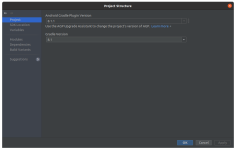
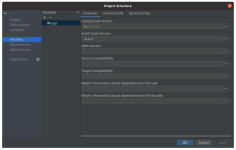
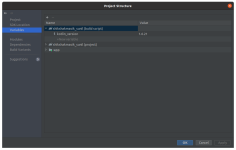
Also please find attached image screenshot for project, module and variables