• After 15+ years, we've made a big change: Android Forums is now Early Bird Club. Learn more here.

Help identify this notification symbol

The second photo shows nothing at all.

In the first shot, well the "shield" in the left-hand icon might suggest a security app, but it also reminds me of a US highway sign (which might make sense of the background detail behind it), so I can't rule out some driving/navigation app.

There's something vaguely book-like about the right-hand icon.

The problem with this is that there are literally millions of apps, so asking anyone other than the person whose device they are on what they are is generally a long shot.

Identify notification symbol, which App?

no idea looks like a peeping cat.....lol

the problem is that there millions of apps with notification icons. so unless it is something popular like facebook or youtube most of these questions never get an answer.

the easiest way is to ask the person that the phone belongs to because 9 times out of 10 the phone does not belong to the person asking this very question. if the phone is yours, you can just go into settings and go to notifications to find out what it is.

Thank you, I would not ask the internet if I could ask the person who is using this app. It really looks like a cat, but a strange one :D

Shocking from bottom slit

I have the same issue. A shock from the speaker when there is a sharp burst of sound. I put a piece of electrical tape over the speaker inside the protective case. But it's a work phone so I'm going to return it.

Are you positive that you are not just feeling sonic vibrations from the sound?
My guess is that you have the volume turned all the way up.
In such a case, the sound can be strong enough that you can actually feel it.

Unable to turn off automatic switch to data

You keep insisting you only have a very limited number of connectivity options in your Settings menu but Motorola uses a relatively clean version of Android for its default ROMs. There's a minimum of added Moto branding but the base Android install is clearly stock. Try opening up your Settings menu and in the top search bar type in
wi-fi
In the resulting listing, there should be several items. A typical issue with options and settings for different services in our Settings menu will be they're often buried deep in menus within menus or only shown in a contextual menu or in an icon in the upper or lower menubar. If you enable Developer Options, that adds more WiFi and cellular management options.

Urgent-ish advice/recommendations please

Just browsing here on Argos and Amazon in the UK...
The Oppo A96 4g (A ninety - six) on Amazon is amazing value at the moment at £129.
I would keep an eye on it when you're ready to buy.
https://amzn.eu/d/dLzltAL
The specs are great and it was only released this March. Very good brand and software (part of the company that also make OnePlus and Vivo phones).

https://www.gsmarena.com/oppo_a96-11434.php

https://www.oppo.com/uk/smartphones/series-a/a96/

I notice it's a deal of the day direct from Oppo, so I don't know what price it will become.

It's going to be difficult to match or know all your preferences, but you listed many.

Also, personally and I would vouch most people here, I wouldn't waste money on a 1tb sd card even later on, though your thoughts may have changed on that.
It will give you nothing but heartache; however a higher speed usb flash drive may fit the bill better. I have a good 128gb SanDisk one with a usb - C plug which slides out one end, and a Usb - A plug for a laptop on the other end. There are other options out there.

https://www.amazon.co.uk/SanDisk-Ul...ocphy=1006886&hvtargid=pla-381707152997&psc=1

red "target" icon in my URL field?

I'm starting to think that you're right, b/c I'm unable to click it at all. Can't click it, it doesn't push me automagically to other sites (like, maybe, Target?) nor does it seem to be screwing up my interactions w/ the phone. It's just there.

How do I determine whether it's adware? If it is adware, how do I get rid of it?
adware is exactly what it sounds like. if you have adware on the device, then you will get popups ads constantly.

How to maybe emulate HTC10 so i can open a backup...

Late last year Google started implementing 2FA to higher level, forcing us to actually take securing our Google accounts more seriously.
https://www.cnet.com/tech/services-...actor-authentication-what-it-is-how-it-works/
But really, instead of trying to use oddball 'hacks' to somehow 'game the system', just go through the arduous process of verifying yourself to the Google gods to re-gain full access to your account again.
https://support.google.com/accounts/answer/7299973

Full "system" partition LineageOS for microG

Hello everybody. I installed LineageOS 19.1 for microG on my Xiaomi Mi 10T Lite and so far everything is ok. The problems began to appear when I attempted to install Android Auto using the NikGapps package (which I compiled by entering only Android Auto as mentioned in this thread https://forum.xda-developers.com/t/microg-android-auto-fully-working.4319159): the package installation fails as it detects the "system" partition is full and after some checks I found that there are only a few MBs free (while for the installation of Android Auto I would need something like 40 MBs). In the aforementioned post this problem is mentioned but the only solution proposed is to manually compile the ROM from source in order to reserve less space for the installation of microG, but I haven't found any guide to do such a thing. The last thing I tried to do was to replicate the instructions in this other article (https://androidhiro.com/source/ques...-system-partition-and-decrease-data-partition) where they discuss about resizing the "system" partition, but as I have seen the partitioning scheme is definetely different from the Nexus 5's (the device mentioned in this other thread). Any tips or workarounds at this point would be really appreciated :)

The Accessories Thread

Because the charger changed, none of the 3rd party 3-in-1 charging stations are compatible with the Watch 5 Pro. One manufacturer is working on a compatible model, but it won't be available until probably October or November. In the meantime, charging my watch is proving quite awkward (especially with that "oh so generous" 30-inch cable). I ordered this to at least give the watch a place to rest while charging:

elago GWT2 Stand Compatible with Samsung Galaxy Watch 5 Charger Stand (40, 44mm) / Galaxy Watch 5 Pro Charger Stand (45mm) 2022 - [Black] [Charging Cable Not Included] https://a.co/d/54OlRdV

Help Bluetooth keyboard doesn't always connect

Can you advise me how to do that? Say it like you were talking to a computer idiot. I've been on customer support with Samsung for two hours now and I really don't think they have a clue. Thanks!
go into settings>
Y'know, I should have remembered you can find anything you want on YouTube. I once repaired a die cutting machine with a Russian (silent, thank goodness) video, so I just looked up Galaxy Tab2 keyboard, turned off bluetooth, turned it back on and linked with the keyboard. Like magic, it works again. All this for 2.5 hours on Samsung Support chat and wasting your time, ocnbrze (love your pittie picture -- well, I just love pitties).
Me too. He was 7 weeks old in that picture. He is now 7 years old.

In fact he might get a little brother tomorrow. Going to check out an 8 week old multipoo for my mom.

Glad you figured it out with the keyboard. This works for any Bluetooth device as well.

LG Phoenix(call services memos)

Since ATT shut down 4G and reneged on sending out the new MicroCells, have to use wireless calling..

(I have a letter stating they will provide the new ones for free after signing up on a web site. The link did not work, even after calling ATT and their agent couldn't get it to work. They then claim they ran out, but I could still buy one for 200+)

During the day, the phones keeps beeping with notifications for "call services".

How do I stop these annoying notifications?

S21 camera level very inaccurate, how to calibrate?

UPDATE:

I took the phone to the Samsung store in Glendale CA 4 days before the warranty expired. They were very busy and made an appointment for me which was about a week after the warranty expired. However, since I made the appointment before it expired, they honored it. The problem was with the motherboard and here's the great news. They did not repair my phone. They gave me a new phone which is outstanding because there were some scratches on the screen and now it's perfect and the camera level is working right. I couldn't be more pleased. Getting everything restored was a pain, but all is good now.

--Jim

Help Several Android issues

This is a six year old phone, with a disappointing aspect to Android phones being planned obsolescence. Smartphones age quicker so while a six year old refrigerator is still quite dependable, it's sadly not surprising your LG Stylo 2 is starting to fail. Your model does come with a user-replaceable battery and I was going to suggest you try replacing the battery to hopefully gain a little more usage-life but given all the additional problems you're experiencing I don't know if this phone is worth even a new battery (it's not definitive that will actually make any difference). Putting more money into this phone might be better diverted to buying a new phone that just works as is.

Help Why does the touchscreen mess up when charging?

Like I want to use it while it's charging but it's unresponsive and not accurate at all.
I have this same issue with my google pixel 3. I checked it and it was the charger that was malfunctioning while the cable was fine. I used a different charger and it charged normally.

I tried the charger with my A7 Lite and got a slow charging notification but that was all. It functioned normally with a slight hiccup here and there. I realise now that my phone also notified me of a slow charger but only briefly as it then identified it as a normal charger.

My charger was the stock google charger but I got the phone used so it may have been damaged or something alike.

Also I know im 9 years late.

Lost gmail account

I see your newest post has been merged with your previous thread. That's good because by itself it was very hard to understand: with the context of the earlier posts it's clearer what's going on.

Is your old SIM still active? If it was on a contract that was ended then it's useless, and the old number is lost (unless you are with the same service provider and can persuade them to change your phone number to the old one, assuming they've not allocated it to someone else in the meanwhile). However if it was a pay as you go number (or you are still paying a contact on it!) then swapping SIMs should allow messages sent to your old number to be received. To be clear, it will be the phone number associated with the SIM that matters here, not the SIM itself.

New to google maps calibration

Yes it's somehow knowing when I'm driving and switching it on, I can't see anything that's still turned on, totally scratching my head on this one.

Edit: I think i have found out why it still works and how to disable it:

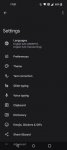
Go into Settings:
Google
Settings for Google Apps
Search, Assistant and voice
Google Assistant
Hey Google and voice Match
Turn on Hey Google then turn it off, you will then get a message pop up saying it will still work in some driving apps, you can turn this off by pressing driving setting then you have the option to turn it off while driving.

Android Auto stopped working on Galaxy Fold 3

If Android Auto stopped working on your Galaxy Fold 3, there are a few things you can do to get it working again. One way is to force reboot your device. This will help you resolve minor conflicts and glitches. Another way is to install the latest security update for Android. This will fix any issues that may have been causing Android Auto to not work.

If the problem still persists after rebooting your phone, you can try to find the reason for the problem. First, check the charging port for debris. You can use a flashlight to check this. If it is dirty, you can use a cotton swab or toothpick to clean it. If the problem persists, you should contact the manufacturer of your device.

Several Samsung users have also reported that the app stopped working after updating to Android 7.8.6. The problem appears to affect users of dozens of different models. Google support team members have received over 100 reports of Android Auto issues. Currently, the issue is still being investigated, but the good news is that it appears to be a software update issue.

If you are still experiencing this problem, you should update to Android 12. This is the most recent update, and it is recommended to upgrade your phone as soon as possible. You can also try wiping the cache partitions to clear your phone's memory and stop recurring reboots.

Filter

Back
Top Bottom