• After 15+ years, we've made a big change: Android Forums is now Early Bird Club. Learn more here.

Z Fold3 5G Cameras

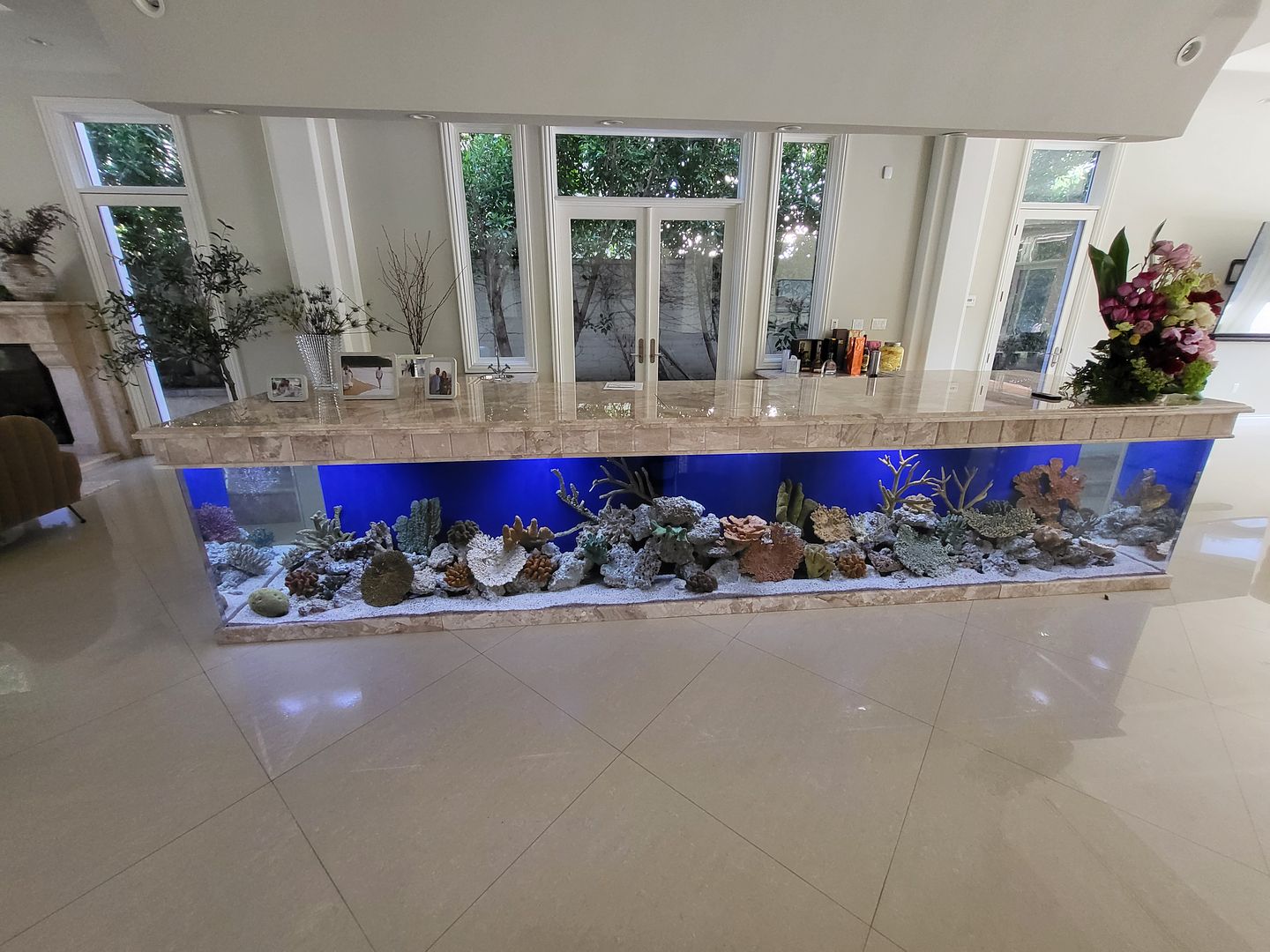
this is one of my clients tank that i take care of for work. i had to take a picture of it to show my boss. there is fish in there, i just turned on the lights and the fish were still hiding when the lights came on.
1400tank.jpg


so you see the camera is not bad. this is just me pointing and shooting. i have not messed around with the camera options yet. but you see that the camera is quite good. it is not on the level as the s21 ultra. maybe in the next generation they will add a more robust camera..........but i have no complaints as of yet on picture quality.

S20 ultra Abnormally High benchmark scores?

I have a 528 GB s20 Ultra(snapdragon) but it seems like my benchmark scores far exceed the ordinary s20 Ultra by a good margin. At least in a multi-core. Why is the S21 Ultra scored so low compared to my phone? Do I just have a faster phone than usual? Does the ram affect this at all? (I have 16gb). I just ordered the S21 Ultra for only $400 so sing the low scores is kind of making me have second thoughts when it comes to Performance...

AFAIK some Qualcomm Snapdragon SoCs can actually have a higher benchmark performance than their Samsung Exynos SoC counterparts. How that translates into real world performance may not be so noticeable(if any).

FYI Samsung only made phones with Snapdragon for compatibility with CDMA networks in certain countries, namely America, China, and Japan. For most regions and markets Samsung puts their own Exynos in their phones and tablets.

Help Personal Do Not Disturb for Work Profile Events

Is there a way to have your phone's DND trigger on events from your work profile?

I've been copying my calendar events manually from my work to my personal (without all the data) so that DND will trigger on that calendar. Often times, those work events get moved and if I don't update my google calendar, my DND is not activated accurately. Is there a way to overcome this?

Any idea what this app is?

Assuming that these are notifications that you're seeing in the notification panel dropdown, sliding down the panel and reading the full notification should tell you (or at least give you a very good idea) exactly which app it's from. If you really still can't figure it out after reading the notification, press and hold on the notification, and it will tell you

Samsung Galaxy A10e APN Setting Question

Bascially which one of these do I select to give me what my service provider has as the needed setting of default,supl,mms, as this is not listed this way on my phone. My service provider is Petro Mobility but does not give support for data setup and told me to contact the phone manufacter. Any help would be much appreciated.
If your provider is refusing to assist you with setting up the data connection, that is horrible customer service and you should probably choose a new provider. The phone manufacturer cannot assist in any way, as each provider's APN settings are unique

question about lg v40 thinq picture message error

?

I don't understand.

Creating what file?

The link is to an app you put onto the phone.

You would find and delete the photos from there.

Or, you could search through the settings on your messages app and try to find something about cleaning up old messages.

But if they are no longer on your device, the remnants that you see are thumbnails.

Another idea- some file recovery apps can allow you to see such things and delete them as well.
I would post a link, but I can't remember what app I used for that.

Ohh okay I was doing it through the "file manager" app that comes pre installed on the phone in the management folder. Can it not be done there? And the file I would have created would have been the .thumbnails one you mentioned.

How long does it take before AccuBattery's stats are in the right ballpark?

Is the replacement battery the same capacity as the original battery or is it a higher? Since it's a third-party, off brand battery that might affect how the AccuBattery app detects and monitors it.
When I was reading through the feature list of a different app, the AIDA64 hardware/software assessment utility, there was a reference that might be pertinent to this situation:
- Battery capacity can only be reported for factory default batteries. If the battery was replaced with an extended capacity battery, neither Android or AIDA64 will be able to detect the new capacity.
https://play.google.com/store/apps/details?id=com.finalwire.aida64&hl=en_US&gl=US
I'm assuming that there's an issue involving a phone's existing power management circuitry and a battery's circuitry that will probably apply to how AccuBattery functions too.
If you start up the AccuBattery app, tap on the 'Charging' tab at the bottom, scroll to the bottom and tap on the Set Design Capacity link, that should show the battery's capacity rating. If not, manually enter it. Then wait a few days, it typically takes several charge cycles for any reliable numbers to get collected and assessed. But again, is this new battery the same capacity as the original?

Apps Using processing-core library with alarmmanager

Hi,
I am trying to get some some processing code via the processing-core library to to be implemented from the broadcast receiver in some alarm manager code in Android Studio.

I started by creating a simple alarm manger App that fires an alarm every minute (user settable) and this works fine. I then created an App that makes use of the processing-core library (imported the library as a jar dependency into android studio) and this also works.

The next step was to amalgamate the above and create an App that fires a sketch class from the broadcast receiver that includes some simple processing code but i am unsure as to how i do this.

My attempt at doing this is shown below. The only class that creates errors is the broadcast receiver class which creates errors related to frameLayout, setContentView and Fragment.setView.

Any help with this is much appreciated.

Cheers.

All classes and XML file are shown below:

MainActivity.java
Code:
public class MainActivity extends AppCompatActivity {
    private PApplet sketch;
    Button start;

    @Override
    protected void onCreate(Bundle savedInstanceState) {
        super.onCreate(savedInstanceState);
        setContentView(R.layout.activity_main);
        start= findViewById(R.id.button);

        start.setOnClickListener(new View.OnClickListener() {
            @Override
            public void onClick(View view) {
                startAlert();
            }
        });
    }

    public void startAlert(){
        EditText text = findViewById(R.id.time);
        int i = Integer.parseInt(text.getText().toString());
        Intent intent = new Intent(this, MyBroadcastReceiver.class);
        PendingIntent pendingIntent = PendingIntent.getBroadcast(
                this.getApplicationContext(), 234324243, intent, 0);
        AlarmManager alarmManager = (AlarmManager) getSystemService(ALARM_SERVICE);
        alarmManager.set(AlarmManager.RTC_WAKEUP, System.currentTimeMillis()
                + (i * 1000), pendingIntent);
        Toast.makeText(this, "Alarm set in " + i + " seconds",Toast.LENGTH_LONG).show();
    }
}

Activity_main.xml
Code:
<?xml version="1.0" encoding="utf-8"?>
<RelativeLayout xmlns:android="http://schemas.android.com/apk/res/android"
    xmlns:app="http://schemas.android.com/apk/res-auto"
    xmlns:tools="http://schemas.android.com/tools"
    android:layout_width="match_parent"
    android:layout_height="match_parent"
    tools:context="com.example.alrmmngrplusprocsktch.MainActivity">

    <Button
        android:id="@+id/button"
        android:layout_width="wrap_content"
        android:layout_height="wrap_content"
        android:text="Start"
        android:layout_alignParentBottom="true"
        android:layout_centerHorizontal="true"
        android:layout_marginBottom="103dp" />

    <EditText
        android:id="@+id/time"
        android:layout_width="wrap_content"
        android:layout_height="wrap_content"
        android:layout_alignParentTop="true"
        android:layout_centerHorizontal="true"
        android:layout_marginTop="22dp"
        android:ems="10" />
</RelativeLayout>

MyBroadcastReceiver.java
Code:
public class MyBroadcastReceiver extends BroadcastReceiver {
    private PApplet sketch;
    
    @Override
    public void onReceive(Context context, Intent intent) {
        FrameLayout frame = new FrameLayout(this);
        frame.setId(CompatUtils.getUniqueViewId());
        setContentView(frame, new ViewGroup.LayoutParams(ViewGroup.LayoutParams.MATCH_PARENT,
                ViewGroup.LayoutParams.MATCH_PARENT));

        sketch = new Sketch();
        PFragment fragment = new PFragment(sketch);
        fragment.setView(frame, this);
    }
}

Sketch.java
Code:
import processing.core.PApplet;

public class Sketch extends PApplet
{
    int x = 0;
    double h, h2;

    public void settings()
    {
        fullScreen();
    }

    public void setup()
    {
        background(0);
        noStroke();
        fill(102);
    }

    public void draw()
    {
        //background(0);

        h = height*0.2;
        h2 = height*0.6;
        rect(x, (float)h, 1, (float)h2);
        x = x + 2;
    }
}

Filter

Back
Top Bottom