
Install the app
How to install the app on iOS
Follow along with the video below to see how to install our site as a web app on your home screen.
Note: This feature may not be available in some browsers.
-
After 15+ years, we've made a big change: Android Forums is now Early Bird Club. Learn more here.
You are using an out of date browser. It may not display this or other websites correctly.
You should upgrade or use an alternative browser.
You should upgrade or use an alternative browser.
Filters
Show only:

New Game: Beat Jump (Version 2.0.0.7)
- By App Update
- Apps & Games
- 0 Replies
EXTRA INFO
- Rating: 4.9
- Installs: 100+
- Download Size: 25M
- Version: 2.0.0.7
The TCL LX

- By ocnbrze
- Smartphones
- 1 Replies
best cleaner? like screen cleaner? never used anything other then a soft cloth.
Need to upgrade, looking for recommendation.
- By RVDowning
- VIP Lounge
- 7 Replies
Okay, I'm looking at the Samsung Galaxy M51. Do you see any negatives there?
To update, I did order the M51.
To update, I did order the M51.
Help How to manually force open the keyboard
- By fennee
- Smartphones
- 8 Replies
If you have a Pixel 4a then your built-in keyboard app is called "GBoard" - Google's keyboard app.
Everything in the OS that you interact with is an app: your home screens and app drawer are provided by an app called a "launcher" (in your case "Pixel Launcher"), your system settings are viewed and changed by an app called "Settings", etc. Many of these are the manufacturer's own apps rather than a core part of the OS (including the launcher, keyboard, message app, etc), and many of these can be replaced by an alternative of your choice.
Sometimes a particular app doesn't play well with a particular keyboard, though given that GBoard is one of the most widely-used keyboard apps it would be spectacularly sloppy of the developer not to have tested that. So you could try installing a different app and see whether it makes a difference. But I just tried installing the app on my phone and tried with 3 different keyboard apps and it made no difference, so I believe that the problem is with the app rather than any particular keyboard.
I don't know of a way of just bringing the keyboard up regardless, but it might not help even if you could. If the problem is that the app is failing to request input, and hence the keyboard is not appearing because no request for one has been made, then just opening the keyboard won't necessarily help.
Perfect, thank you so much for your insightful response to my enquiry. Really really helpful.

Have a great day.
Crazy Hockey - Air Hockey Challenge.
- By ai_masti
- Apps & Games
- 0 Replies
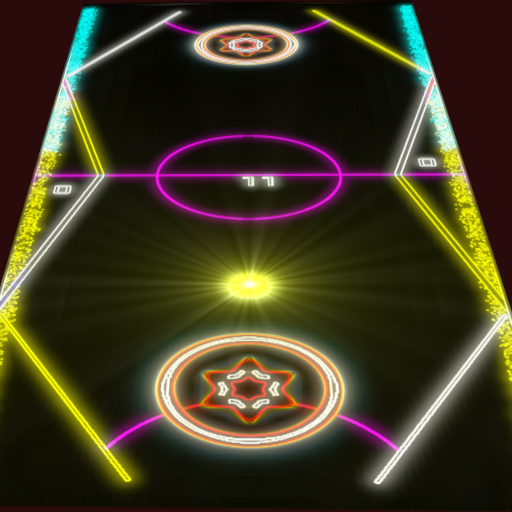
Hello guys, Crazy Hockey is now available on playstore. Crazy Hockey has 4 exciting Air Hockey tables and there are 4 levels in the game. It is a very relaxing and easy game to play but hard to master. There is a global leaderboard which will give you your rankings compared to other players. Here is the link to it: https://play.google.com/store/apps/details?id=com.myComp.hockey
Thank You.
Thank You.
Help Do I need Google Go installed?

- By Hadron
- Ask a question
- 4 Replies
If it lets you uninstall without rooting then uninstalling shouldn't cause any problems. If you need to root to uninstall then doing so will probably interfere with your ability to receive updates. But for practical purposes disabling does just fine anyway.
Help Recovery Boot loops
- By mattydubs
- Smartphones
- 4 Replies
Hi there,
Thank you all for your advice. I am a bit new to this, as you can tell.
On the download screen of the Tablet it had SM-T813 as the model number.
The friends bought the Tab from Noel Leeming in New Zealand, so when looking for the right PDA file the one that looked like it might be the correct one, was the one I downloaded. The other one it might be is the Australian version. Have approached Noel Leeming to see if they know of the country of origin if that helps.
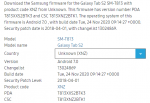
I installed T813XXS2BTK3_T813XNZ2BTK1_HOME.tar.md5 from SamMobile (see attached screenshot for details).
When using Odin, I thought I was only installing the PDA file as this was the only box that was ticked.
Could it be possible the CSC file was accidentally downloaded too?
Regards
Matt
Thank you all for your advice. I am a bit new to this, as you can tell.
On the download screen of the Tablet it had SM-T813 as the model number.
The friends bought the Tab from Noel Leeming in New Zealand, so when looking for the right PDA file the one that looked like it might be the correct one, was the one I downloaded. The other one it might be is the Australian version. Have approached Noel Leeming to see if they know of the country of origin if that helps.
I installed T813XXS2BTK3_T813XNZ2BTK1_HOME.tar.md5 from SamMobile (see attached screenshot for details).
When using Odin, I thought I was only installing the PDA file as this was the only box that was ticked.
Could it be possible the CSC file was accidentally downloaded too?
Regards
Matt
Attachments
Help Possible to do a partial restore from Google? Launcher Issues

- By MrJavi
- VIP Lounge
- 1 Replies
I'm not familiar with either of those device but try booting into safe mode.
https://www.google.com/amp/s/www.androidguys.com/tips-tools/safe-mode-android/amp/
or It may be as simple as force stoping the Launcher app from phone settings, app info and clear app data.
https://www.google.com/amp/s/www.androidguys.com/tips-tools/safe-mode-android/amp/
or It may be as simple as force stoping the Launcher app from phone settings, app info and clear app data.
Bluetooth keypad with touchpad?
- VIP Lounge
- 5 Replies
See my above postI am also looking for something same
It is on a very tiny USB plug, after that just download the instructions and be sure you have plenty of batteries Dark Born, Big update v0.2.4 is out!
- By SaudAlomari
- Apps & Games
- 0 Replies
Hi everybody,
Im an indie developer, Ive been developing this game for a while now, and i wish to share it with you and get feedback.


To Download the game:
https://play.google.com/store/apps/details?id=com.SaudAlomari.DarkBorn
For feedback:
you can reply here.
or contact me on https://discord.gg/xpjMveUH
or email me to dark.born.feedback@gmail.com
Quality:
i believe the game runs on medium to high end mobile devices, i wish you guys try it and tell how it performs on your device.
the game has 3 quality presets that might improve performance.
the game runs at 60fps, if you want to decrease battery consumption you can change it to 30fps in games settings.
Im an indie developer, Ive been developing this game for a while now, and i wish to share it with you and get feedback.
To Download the game:
https://play.google.com/store/apps/details?id=com.SaudAlomari.DarkBorn
For feedback:
you can reply here.
or contact me on https://discord.gg/xpjMveUH
or email me to dark.born.feedback@gmail.com
Quality:
i believe the game runs on medium to high end mobile devices, i wish you guys try it and tell how it performs on your device.
the game has 3 quality presets that might improve performance.
the game runs at 60fps, if you want to decrease battery consumption you can change it to 30fps in games settings.
"Japes Ink" and "Japes Lux" black&white icon packs

- By samaspotion
- Apps & Games
- 0 Replies
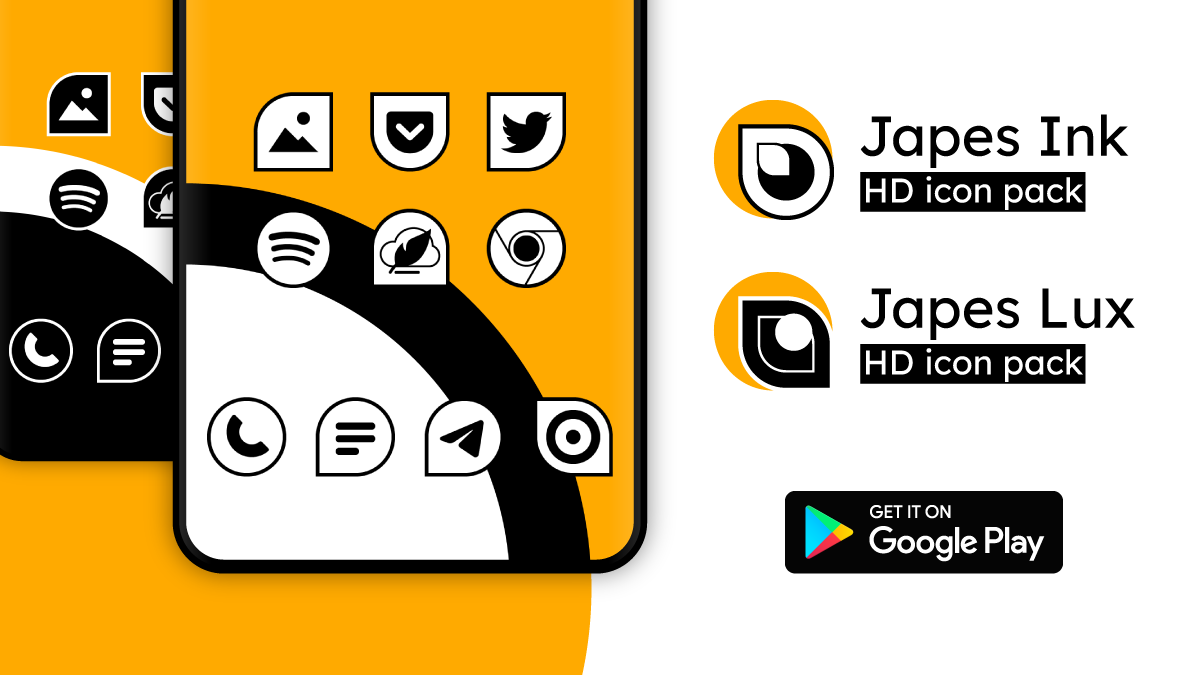
Hi! My new black&white icon packs "Japes Ink" and "Japes Lux" are available on Google Play Store.
 Japes Ink: bit.ly/japesink_icons
 Japes Lux: bit.ly/japeslux_icons
This is a duplicate, but I cannot find a way to delete it.
- By RVDowning
- Smartphones
- 7 Replies
For my LG G4 I have to take the back off to access the SD card. I have critter cams outside that take pictures of all kinds of animals that come by during the night, and it would be nice just to be able to pop the SD card out of the cam and put it in my phone just by popping out the SD card that contains my music. I don't want to have to take the back off of the phone to do so.
I also tried restoring using the LG restore function. That was a bit of a waste of time. It took about an hour and when it was finished it actually said that it was incomplete and wanted to know if I wanted to do it again. I said no. But I still had to reboot my phone afterwards and it still managed to delete those normal apps so that the backup hadn't really accomplished anything. I still had to restore the four apps that were deleted the way I have been doing.
I also tried restoring using the LG restore function. That was a bit of a waste of time. It took about an hour and when it was finished it actually said that it was incomplete and wanted to know if I wanted to do it again. I said no. But I still had to reboot my phone afterwards and it still managed to delete those normal apps so that the backup hadn't really accomplished anything. I still had to restore the four apps that were deleted the way I have been doing.

ML Audioserver and Audioclient in devices directory
- By jamesc123
- Ask a question
- 0 Replies
Hi Guys
Quick question, running rooted SM-G925 (Samsung Galaxy 6) with Version 7.0
IS anyone familar with audioserver and audioclient in /dev/socket/mlaudio ?
This appears to be comms for hardware bus via IPC unix socket streaming to audioserver in /system/bin
__
netstat -aWep
SEQPACKET LISTENING 15518 3182/audioserver /dev/socket/mlaudio/audio_server
SEQPACKET LISTENING 9022 3182/audioserver /dev/socket/mlaudio/audio_client
STREAM CONNECTED 43024 3182/audioserver
DGRAM 13491 3182/audioserver
Unsure best way to analyze pipes on android [43025], not unix socket like others on netstat
lsof
3182/system/bin/audioserversocket:[15518]
3182/system/bin/audioserversocket:[9022]
3182/system/bin/audioserversocket:[43024]
3182/system/bin/audioserversocket:[13491]
3182/system/bin/audioserverpipe:[43025]
3182/system/bin/audioserverpipe:[43025]
3182/system/bin/audioserver/dev/null
3182/system/bin/audioserver/dev/null
3182/system/bin/audioserver/dev/null
3182/system/bin/audioserver/dev/pmsg0
3182/system/bin/audioserver/dev/binder
3182/system/bin/audioserver/dev/snd/controlC0
3182/system/bin/audioserver/dev/cpuctl/tasks
3182/system/bin/audioserver/sys/kernel/debug/tracing/trace_marker
3182/system/bin/audioserver/dev/ashmem
Quick question, running rooted SM-G925 (Samsung Galaxy 6) with Version 7.0
IS anyone familar with audioserver and audioclient in /dev/socket/mlaudio ?
This appears to be comms for hardware bus via IPC unix socket streaming to audioserver in /system/bin
__
netstat -aWep
SEQPACKET LISTENING 15518 3182/audioserver /dev/socket/mlaudio/audio_server
SEQPACKET LISTENING 9022 3182/audioserver /dev/socket/mlaudio/audio_client
STREAM CONNECTED 43024 3182/audioserver
DGRAM 13491 3182/audioserver
Unsure best way to analyze pipes on android [43025], not unix socket like others on netstat
lsof
3182/system/bin/audioserversocket:[15518]
3182/system/bin/audioserversocket:[9022]
3182/system/bin/audioserversocket:[43024]
3182/system/bin/audioserversocket:[13491]
3182/system/bin/audioserverpipe:[43025]
3182/system/bin/audioserverpipe:[43025]
3182/system/bin/audioserver/dev/null
3182/system/bin/audioserver/dev/null
3182/system/bin/audioserver/dev/null
3182/system/bin/audioserver/dev/pmsg0
3182/system/bin/audioserver/dev/binder
3182/system/bin/audioserver/dev/snd/controlC0
3182/system/bin/audioserver/dev/cpuctl/tasks
3182/system/bin/audioserver/sys/kernel/debug/tracing/trace_marker
3182/system/bin/audioserver/dev/ashmem
MediaTek - Bypass SPFT Auth FIle
- VIP Lounge
- 0 Replies
A contact of mine just sent me the following link to XDA News about someone that found a way to bypass SPFT authentication on a lot of MTK chipsets
https://www.xda-developers.com/bypass-mediatek-sp-flash-tool-authentication-requirement/
I had to repost this here because this is pretty important. Anyone that has a compatible phone/chipset can now read and write partitions with SPFT like the good old days. No authentication file? No problem. Just run this python script before connecting and in a few short minutes you'll have full read/write access to the phone's partitions just like you wanted to have. Full instructions for how to use the exploit are on the XDA post linked above
Here's a list of compatible chipsets copied from the XDA post. I assume there MIGHT be others that will work, perhaps they just didn't try all of them yet. But if you have one in this list it should DEFINITELY work according to the XDA post
https://www.xda-developers.com/bypass-mediatek-sp-flash-tool-authentication-requirement/
I had to repost this here because this is pretty important. Anyone that has a compatible phone/chipset can now read and write partitions with SPFT like the good old days. No authentication file? No problem. Just run this python script before connecting and in a few short minutes you'll have full read/write access to the phone's partitions just like you wanted to have. Full instructions for how to use the exploit are on the XDA post linked above
Here's a list of compatible chipsets copied from the XDA post. I assume there MIGHT be others that will work, perhaps they just didn't try all of them yet. But if you have one in this list it should DEFINITELY work according to the XDA post
- mt6261
- mt6572
- mt6580
- mt6582
- mt6735
- mt6737
- mt6739
- mt6755
- mt6757
- mt6761
- mt6763
- mt6765
- mt6768
- mt6771
- mt6785
- mt6799
- mt6873
- mt8127
- mt8163
- mt8173
- mt8695
Load more