
Install the app
How to install the app on iOS
Follow along with the video below to see how to install our site as a web app on your home screen.
Note: This feature may not be available in some browsers.
-
After 15+ years, we've made a big change: Android Forums is now Early Bird Club. Learn more here.
You are using an out of date browser. It may not display this or other websites correctly.
You should upgrade or use an alternative browser.
You should upgrade or use an alternative browser.
Filters
Show only:

Factory reset seems to have killed it

- By Hadron
- Smartphones
- 4 Replies
I suspect that putting the SIM in was pure coincidence - there's really no reason a phone won't boot without a SIM, even less reason it wouldn't even start to turn on. Perhaps leaving it on charge for a bit is what did the trick: when a battery is really flat it may only trickle charge for a bit until it gets into its normal operating range (i.e. the level at which it is safe to charge normally), and it may well not respond to the power button if it's in that state.
New Game: Bubble Shooter Max (Version 1.2)

- By ozonetrooper
- Apps & Games
- 1 Replies
I am hooked worse than a crackhed !

Bug or Google arrogance?
- By Hadron
- VIP Lounge
- 18 Replies
Well I've now gone 2 days without Chrome re-enabling itself, and think I understand the pathology.
It seems that Google have decided that I should accept the update even if the app is disabled. As long as I don't uninstall the update it will let me keep the app disabled, but if I uninstall it it will re-enable Chrome 24 hours later and pester me to update it. Of course it used to be that disabling apps automatically uninstalled all updates, so this is two changes Google have made: disabling doesn't remove updates and the system will re-enable an app to force you to install new updates.
As I have a 128GB device (about 29GB free) the extra 40-45 MB this update uses isn't a huge problem for me. But it's still an act of absolute stupidity on Google's part: what does it matter whether a disabled app is up-to-date, since it is disabled? And re-enabling the app to push the update is supremely arrogant, especially since it doesn't disable again once it is updated, which means that if you allow auto updates (the option Google promote) the disabled app would be enabled and updated in the background with no interaction with the user, and remain that way. Plus the Play Store no longer posts notifications to let you know an app has been updated, and if that's also true with auto updates enabled then the user would not even be given an indirect, obscure clue that their choice had been overridden by Google.
So the question of the thread title is answered: it is simple arrogance by Google.
It seems that Google have decided that I should accept the update even if the app is disabled. As long as I don't uninstall the update it will let me keep the app disabled, but if I uninstall it it will re-enable Chrome 24 hours later and pester me to update it. Of course it used to be that disabling apps automatically uninstalled all updates, so this is two changes Google have made: disabling doesn't remove updates and the system will re-enable an app to force you to install new updates.
As I have a 128GB device (about 29GB free) the extra 40-45 MB this update uses isn't a huge problem for me. But it's still an act of absolute stupidity on Google's part: what does it matter whether a disabled app is up-to-date, since it is disabled? And re-enabling the app to push the update is supremely arrogant, especially since it doesn't disable again once it is updated, which means that if you allow auto updates (the option Google promote) the disabled app would be enabled and updated in the background with no interaction with the user, and remain that way. Plus the Play Store no longer posts notifications to let you know an app has been updated, and if that's also true with auto updates enabled then the user would not even be given an indirect, obscure clue that their choice had been overridden by Google.
So the question of the thread title is answered: it is simple arrogance by Google.
Need help with this icon
- By Hadron
- Ask a question
- 1 Replies
Could be anything. I assume you are worried it's a dating app and afraid to ask the person who sent the screenshot, because that is the usual story (I'm afraid we get these queries most days, and 49 times out of 50 that's the reason). But hearts are used to denote "likes" in many apps, by fitness apps (unlikely to post that many notifications, but who knows?), and many others you wouldn't expect, so it could be many things.
There are unfortunately also a vast number of apps that use such notifications, so you will be lucky if someone recognises this particular one. It may be simpler to ask the person.
As an aside, if it is incriminating they would have to be extremely stupid to send a screenshot with that many of them in the picture...
There are unfortunately also a vast number of apps that use such notifications, so you will be lucky if someone recognises this particular one. It may be simpler to ask the person.
As an aside, if it is incriminating they would have to be extremely stupid to send a screenshot with that many of them in the picture...
Facebook app - Notification sound
- Apps & Games
- 1 Replies
Welcome to the Facebook app, where you cannot change any of the Facebook app sounds.
There are Facebook alternative apps that you can customize the sounds, such as Metal, Friendly, and others I can't remember...
There are Facebook alternative apps that you can customize the sounds, such as Metal, Friendly, and others I can't remember...
Regarding possible interventions prohibiting the uploading of one’s photos on an Android?
- By Hadron
- Smartphones
- 7 Replies
That's possible. In fact I was sort of thinking along these lines when I speculated about whether it might be running in the background or not. But I didn't fully join the dots because I couldn't see why my phone would be different from anyone else's.
However with Google's "adaptive battery" features battery optimisation is on by default and you have to actively exclude apps from it. I haven't done that for Photos (it's not prevented from running in the background, but neither is it excluded from battery optimisation) so that might explain our different experiences.
However with Google's "adaptive battery" features battery optimisation is on by default and you have to actively exclude apps from it. I haven't done that for Photos (it's not prevented from running in the background, but neither is it excluded from battery optimisation) so that might explain our different experiences.
Help Phone charge drop from 15 percent to 1 percent when chatger is plugged
- Smartphones
- 2 Replies
Or, your battery could be dying...
Galaxy 10 loses internet during phone call
- By hybucket
- VIP Lounge
- 0 Replies
On a Galaxy S10, current Android version. Whenever I am on a call and try to use the internet, there is no connection. I will also lose internet on all devices, like my laptop. If I disengage WiFi, it will return (it took weeks to figure that out). I happens in all locations. I have Comcast internet, and the tech told me he'd never heard of this (they're not always a lot of help). Anyone else experience this? Is it a setting on my phone? On the modem (altho, as I said, it does it in other locations)?
Remove magnetic leftovers from fridge

Is the fridge painted or stainless steel? If traditional cleaning products like Windex or Fantastik don't work you may have to be more aggressive.
Help zh960 problem

- By TIM l MADDOX
- VIP Lounge
- 12 Replies
i will wait for battery to run out wont let me do anything else
screen started like that
screen started like that
Thik Thak – Short Video Sharing Community[Free][App]
- By freekgamer
- Apps & Games
- 0 Replies
Thik Thak – Short Video Sharing Community
ThikThak is a free short video app and social platform for video creators and influencers. Watch unlimited short videos, funny videos and entertainment videos by popular video creators that will make your day! Designed for people to showcase their innovative videos online, ThikThak Short video app provides an easy and seamless interface for users to create, edit and share their videos across the globe.
Features of ThikThak short video community app
- Full screen video experience with high quality short video content
- Meet new people online, make friends, chat online and watch amazing short video clips
- Create & Upload interesting short videos and get famous on ThikThak with thousands of likes and followers! Be a social media star for Free!
- Discover amazing music and short video to keep you entertained
- Light short video sharing app for you and your friends!
- Enjoy short funny videos with light humour and entertainment
- 100% Free short video sharing app
Download to Google Play: Thik Thak
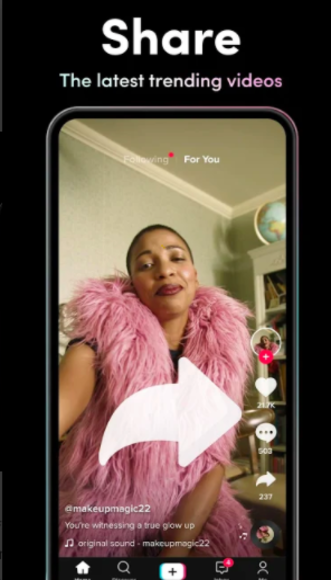
ThikThak is a free short video app and social platform for video creators and influencers. Watch unlimited short videos, funny videos and entertainment videos by popular video creators that will make your day! Designed for people to showcase their innovative videos online, ThikThak Short video app provides an easy and seamless interface for users to create, edit and share their videos across the globe.
Features of ThikThak short video community app
- Full screen video experience with high quality short video content
- Meet new people online, make friends, chat online and watch amazing short video clips
- Create & Upload interesting short videos and get famous on ThikThak with thousands of likes and followers! Be a social media star for Free!
- Discover amazing music and short video to keep you entertained
- Light short video sharing app for you and your friends!
- Enjoy short funny videos with light humour and entertainment
- 100% Free short video sharing app
Download to Google Play: Thik Thak
Insta Downloader
- By Waraujo
- Apps & Games
- 0 Replies
Intro: Insta Downloader lets you browse instagram and includes a download button to let you download the Instagram video to MP4 (video) or MP3 (audio) format.
It's one of the easiest Instagram to video/audio downloaders available.
For more https://insta-downloader.online/
Contributor: https://apkpure.com/insta-downloade...sde.instagramdownloader/download?from=details
It's one of the easiest Instagram to video/audio downloaders available.
For more https://insta-downloader.online/
Contributor: https://apkpure.com/insta-downloade...sde.instagramdownloader/download?from=details
Attachments
Forgot Password
- By Hadron
- Ask a question
- 1 Replies
Did you set up any account recovery information when you created it?
Google's help page on account recovery is here: https://support.google.com/accounts/answer/7682439?hl=en
Google's help page on account recovery is here: https://support.google.com/accounts/answer/7682439?hl=en

Help my anroid system crashed i need my data before formatting it
- By Hadron
- VIP Lounge
- 12 Replies
Unfortunately I have to agree with the others: unlikely."stated, your very critical System or boot partition (kernel) is unfixably corrupt" no didn't state this .. is there still hope ..isn't there any way to get the internal memory out and deal with it as an extrenal disk
The problem is that unless you have a custom recovery (and if you had you would know it) there's no way of transferring data from the phone unless you can get it to boot into the android operating system. You can't copy data from the bootloader or the standard recovery module.
So how can you recover from the bootloop? That depends on the cause. It's just about possible that the problem is some piece of corrupt data that is preventing the boot. If that's the case then removing those bit of data would fix it. However you cannot know what bit of data that is, and there is no way of selectively removing it: all you can do is wipe an entire partition from recovery. This is why @MrJavi suggests wiping the cache partition from recovery: it's a long shot, but it's the only data wipe you can do without erasing the stuff you are trying to save, so it's worth a try (will cost you nothing if it doesn't work).
It's even less likely it's a bad app, but that's what booting into Safe Mode will test (it disables user-installed apps, so if one of them is somehow interrupting the boot this will prevent it).
If it's corruption to system data that's behind it (i.e. the settings or data of a system app, or maybe a corrupted update to a system app) then a factory reset will fix it, but will erase what you are trying to save. But if that's the situation there is nothing else you can do anyway.
The remaining possibility is that the system software itself has been corrupted. If that's the case then the only fix is to reflash the device's firmware. The tools for reflashing the firmware, and the availability of firmware files to flash, vary with manufacturer and device. As said above, some devices allow you to reflash without wiping the data, but most devices will erase the data as part of the reflashing. You'll need to do some research to find out whether there is a way of doing it without a wipe on your device. Of course the worst case is that a significant part of the internal storage has failed, and this is the reason for the corruption.
The storage itself is bonded to the motherboard and would take specialist tools to remove it, and is in any case encrypted, so there's no way of removing it and reading it from a computer.
I'm sorry that's not terribly optimistic, but those are all of the possibilities I can think of. As you can see, there are very few of these scenarios where it will be possible to recover the data.
How to take a picture of your screen?
- By Hadron
- VIP Lounge
- 27 Replies
It is 7 years since that question was asked, so chances are the person in question has solved it by now 
You do seem very keen on promoting this app though: 3 posts in 3 different threads recommending it this morning. Do you have any connection with the app? It's OK if you have, but you should make it clear if so.
You do seem very keen on promoting this app though: 3 posts in 3 different threads recommending it this morning. Do you have any connection with the app? It's OK if you have, but you should make it clear if so.
Load more