• After 15+ years, we've made a big change: Android Forums is now Early Bird Club. Learn more here.

Troubleshoot Sony SRS XB12

My friend got that and now has a Moto G Play from walmart. We were trying to connect them via Bluetooth. The speaker didn't even show in the list of available devices. I tried that with my own phone and couldn't find it either. Yes, it was on, and I switched it off and back multiple times to get it to appear, but no dice. Would resetting it with a pin help? There is a small hole for that purpose. He wants to take it somewhere, probably a cricket store, which I think would be a waste of time.

Listview with custom Adaptor not populating and app returns to previous screen

Hi all

am using a custom adapter for Listview to display the records fetched from database. However when listview activity loads after a couple of seconds it returns to the prior activity without loading listview.

Part of my main activity code is :

for (int i = 0; i < userArray.length(); i++) {

JSONObject jsonObject = userArray.getJSONObject(i);

oid = jsonObject.getInt("oid");

mobile = jsonObject.getString("mobile");

name = jsonObject.getString("name");

arr_oid = oid;
arr_mobile = mobile;
arr_name = name;


}


} else {

Toast.makeText(getApplicationContext(), "Some error occurred", Toast.LENGTH_SHORT).show();
}
} catch (JSONException e) {
e.printStackTrace();
}

myorderadapter adapter = new myorderadapter(MyordersActivity.this, arr_name, arr_mobile,
arr_oid);


listview.setAdapter(adapter);

listview.setOnItemClickListener(new AdapterView.OnItemClickListener() {
@override
public void onItemClick(AdapterView<?> parent, View view, int position, long id) {
Toast.makeText(getApplicationContext(),"this is click",Toast.LENGTH_SHORT).show();

}
});


}


}

//executing the async task
Myorderdetails ru = new Myorderdetails();
ru.execute();


}

custom adapter code is :

public class myorderadapter extends ArrayAdapter<String> {

Activity context;
String rname[];
String rmobile[];
int roid[];
Context c;


public myorderadapter(Activity context, String[] arr_name, String[] arr_mobile, int[] arr_oid) {

super(context, custom_myorder_table, arr_name);
this.context = context;
this.rname = arr_name;
this.rmobile = arr_mobile;
this.roid = arr_oid;

}


@NonNull
@override
public View getView(int position,View view, ViewGroup parent) {


View row = Inflater.inflate(custom_myorder_table, null, true);


TextView orderid = row.findViewById(R.id.lv_item_oid);
TextView custname = row.findViewById(R.id.lv_item_name);
TextView custmobile = row.findViewById(R.id.lv_item_mobile);

// now set our resources on views
orderid.setText(roid[position]);
custname.setText(rname[position]);
custmobile.setText(rmobile[position]);


return row;
};
}


App runs correctly and the listview screen displays the progress bar however before it could show listview populated with data, it simply returns to the previous screen.

compass for a Nokia 2.4

Hello all, This is my first post on here. I have just got my first mobile phone at at at well over 80 it will most likely be my last. I would like to put a compass on it but do not seem able to do so . The phone is a Nokia 2.4. I can get a picture of a compass on the screen but it will not work. I am looking for a free one. Of course this phone might not be able to have a compass. Thank you for any help but please make it easy as I am not up on modern technology.

Unexpected lockups

I have installed Android 11 and UI 3.1. I am getting seemingly random lockups (or extended pauses) with various apps, notably the iNews app and the Kindle reader. If left for several minutes I get a msg that the app is not responding, do I want to wait, leave the app, or some other msg. Is this an update problem or something else?

Help How do i delete items from a sqlite databse?

I am creating a basic app where i can add customers to a database and display them on another screen, i have set up everything using recyclerview and card views to display the customers and that works fine, but im not sure how i set it up so that i can delete the customers. i have added a button to each of the customers that will be used to delete them.

customerDB
Java:
public class CustomerDB extends SQLiteOpenHelper
{
    // defines the database structure
    public static final String DATABASE_NAME = "customerDB.db";
    public static final String TABLE_NAME = "tbl_Customers";

    // creates the database
    public CustomerDB(Context context){ super(context, DATABASE_NAME, null, 1);}

    @Override
    public void onCreate(SQLiteDatabase sqLiteDatabase)
    {
        sqLiteDatabase.execSQL("CREATE TABLE tbl_Customers  " +
                "(Customer_ID INTEGER PRIMARY KEY AUTOINCREMENT," +
                "Customer_First_Name TEXT,"  +
                "Customer_Surname TEXT, " +
                "Customer_Address_Line_1 TEXT,"  +
                "Customer_Address_Line_2 TEXT, " +
                "Customer_Address_Line_3 TEXT,"  +
                "Customer_Postcode TEXT, " +
                "Customer_Phone_Number TEXT,"  +
                "Customer_Email TEXT)");
    }

    @Override
    public void onUpgrade(SQLiteDatabase sqLiteDatabase, int i, int i1)
    {
        sqLiteDatabase.execSQL("DROP TABLE IF EXISTS " + TABLE_NAME);
        onCreate(sqLiteDatabase);

    }


    public long addCustomer (String name, String surname, String address1, String address2, String address3, String postcode, String phoneNo, String email)
    {
        SQLiteDatabase Cdb = this.getWritableDatabase();
        ContentValues contentValues = new ContentValues();
        contentValues.put("Customer_First_Name", name);
        contentValues.put("Customer_Surname", surname);
        contentValues.put("Customer_Address_Line_1", address1);
        contentValues.put("Customer_Address_Line_2", address2);
        contentValues.put("Customer_Address_Line_3", address3);
        contentValues.put("Customer_Postcode", postcode);
        contentValues.put("Customer_Phone_Number", phoneNo);
        contentValues.put("Customer_Email", email);

        long result = Cdb.insert("tbl_Customers", null, contentValues);
        Cdb.close();
        return result;
    }

    public Cursor ViewData()
    {
        SQLiteDatabase sqLiteDatabase = this.getReadableDatabase();
        Cursor cust = sqLiteDatabase.rawQuery("select * from " + TABLE_NAME, null);

        return cust;
    }
   
}

customerAdapter

Java:
public class CustomerAdapter extends RecyclerView.Adapter<CustomerAdapter.MyHolder> {

    private Context context;
    private ArrayList id, name, surname, add1, add2, add3, postCode, phoneNumber, email;

    CustomerDB db = new CustomerDB(context);

    CustomerAdapter(Context context,ArrayList id, ArrayList name, ArrayList surname, ArrayList add1, ArrayList add2, ArrayList add3, ArrayList postCode, ArrayList phoneNumber, ArrayList email){
        this.context = context;
        this.id = id;
        this.name = name;
        this.surname = surname;
        this.add1 = add1;
        this.add2 = add2;
        this.add3 = add3;
        this.postCode = postCode;
        this.phoneNumber = phoneNumber;
        this.email = email;
    }

    @NonNull
    @Override
    public MyHolder onCreateViewHolder(@NonNull ViewGroup parent, int viewType) {
        LayoutInflater inflater = LayoutInflater.from(context);
        View view = inflater.inflate(R.layout.my_row, parent, false);
        return new MyHolder(view);
    }

    @Override
    public void onBindViewHolder(@NonNull MyHolder holder, final int position) {
        holder.idText.setText(String.valueOf(id.get(position)));
        holder.nameText.setText(String.valueOf(name.get(position)));
        holder.surnameText.setText(String.valueOf(surname.get(position)));
        holder.add1Text.setText(String.valueOf(add1.get(position)));
        holder.add2Text.setText(String.valueOf(add2.get(position)));
        holder.add3Text.setText(String.valueOf(add3.get(position)));
        holder.postCodeText.setText(String.valueOf(postCode.get(position)));
        holder.phoneNumberText.setText(String.valueOf(phoneNumber.get(position)));
        holder.emailText.setText(String.valueOf(email.get(position)));

        holder.delete.setOnClickListener(new View.OnClickListener() {
            @Override
            public void onClick(View view) {

            }
        });
    }


    @Override
    public int getItemCount() {
        return name.size();
    }

    public class MyHolder extends RecyclerView.ViewHolder{

        TextView idText, nameText, surnameText, add1Text, add2Text, add3Text, postCodeText, phoneNumberText, emailText, delete;

        public MyHolder(@NonNull View itemView) {
            super(itemView);
            idText = itemView.findViewById(R.id.idText);
            nameText = itemView.findViewById(R.id.nameText);
            surnameText = itemView.findViewById(R.id.surnameText);
            add1Text = itemView.findViewById(R.id.add1Text);
            add2Text = itemView.findViewById(R.id.add2Text);
            add3Text = itemView.findViewById(R.id.add3Text);
            postCodeText = itemView.findViewById(R.id.postCodeText);
            phoneNumberText = itemView.findViewById(R.id.phoneNoText);
            emailText = itemView.findViewById(R.id.emailText);
            delete = itemView.findViewById(R.id.btnDel);
        }

    }
}

Customer Class

Java:
public class Customers extends AppCompatActivity {

    RecyclerView mRecyclerView;
    CustomerDB myDB;

    ArrayList<Integer> id;
    ArrayList<String> name, surname, add1, add2, add3, postCode, phoneNumber, email;

    CustomerAdapter customerAdapter;


    @Override
    protected void onCreate(Bundle savedInstanceState) {
        super.onCreate(savedInstanceState);
        getSupportActionBar().hide();
        setContentView(R.layout.recyclerviewmain);

        mRecyclerView = findViewById(R.id.recyclerView);
        mRecyclerView.setLayoutManager(new LinearLayoutManager(this));


        myDB = new CustomerDB(Customers.this);
        id = new ArrayList<Integer>();
        name = new ArrayList<>();
        surname = new ArrayList<>();
        add1 = new ArrayList<>();
        add2 = new ArrayList<>();
        add3 = new ArrayList<>();
        postCode = new ArrayList<>();
        phoneNumber = new ArrayList<>();
        email = new ArrayList<>();

        storeDataInArrays();
        customerAdapter = new CustomerAdapter(this, id, name, surname, add1, add2, add3, postCode, phoneNumber, email);

        mRecyclerView.setAdapter(customerAdapter);
        mRecyclerView.setLayoutManager(new LinearLayoutManager(this));


    }

    void storeDataInArrays() {
        Cursor cursor = myDB.ViewData();
        if (cursor.getCount() == 0) {
            Toast.makeText(this, "No Customers", Toast.LENGTH_SHORT).show();
        } else {
            while ((cursor.moveToNext())) {
                id.add(cursor.getInt(0));
                name.add(cursor.getString(1));
                surname.add(cursor.getString(2));
                add1.add(cursor.getString(3));
                add2.add(cursor.getString(4));
                add3.add(cursor.getString(5));
                postCode.add(cursor.getString(6));
                phoneNumber.add(cursor.getString(7));
                email.add(cursor.getString(8));
            }
        }
    }

}

any help would be appreciated

Apps Android studio cannot use AVD simulation

I have just downloaded Android studio IDE and am learning how to develop my first app. I want to be able to simulate my app on Android virtual device (AVD) , however, I am having little to no luck getting AVD to work. I have seen many simmilar threads and forums , tried some things but with no luck again.

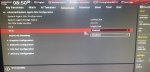
Whatever I do regarding to AVD, it says that I must enable the VT-x setting in my bios which I have done! ( See the image that I have uploaded of my bios settings).

However, the issue about enabling the VT-X still persists.. Am I missing something else?
upload_2021-4-30_9-14-12.png


I am also adding SDK tools image:
upload_2021-4-30_9-15-17.png


Hoping to get any advice. Thanks in advance.

Attachments

  • 179491632_227327509190489_6026338327789691244_n.jpg
    179491632_227327509190489_6026338327789691244_n.jpg
    47.2 KB · Views: 191

[Free][New Game] Black Border (Demo): Border Simulator Game

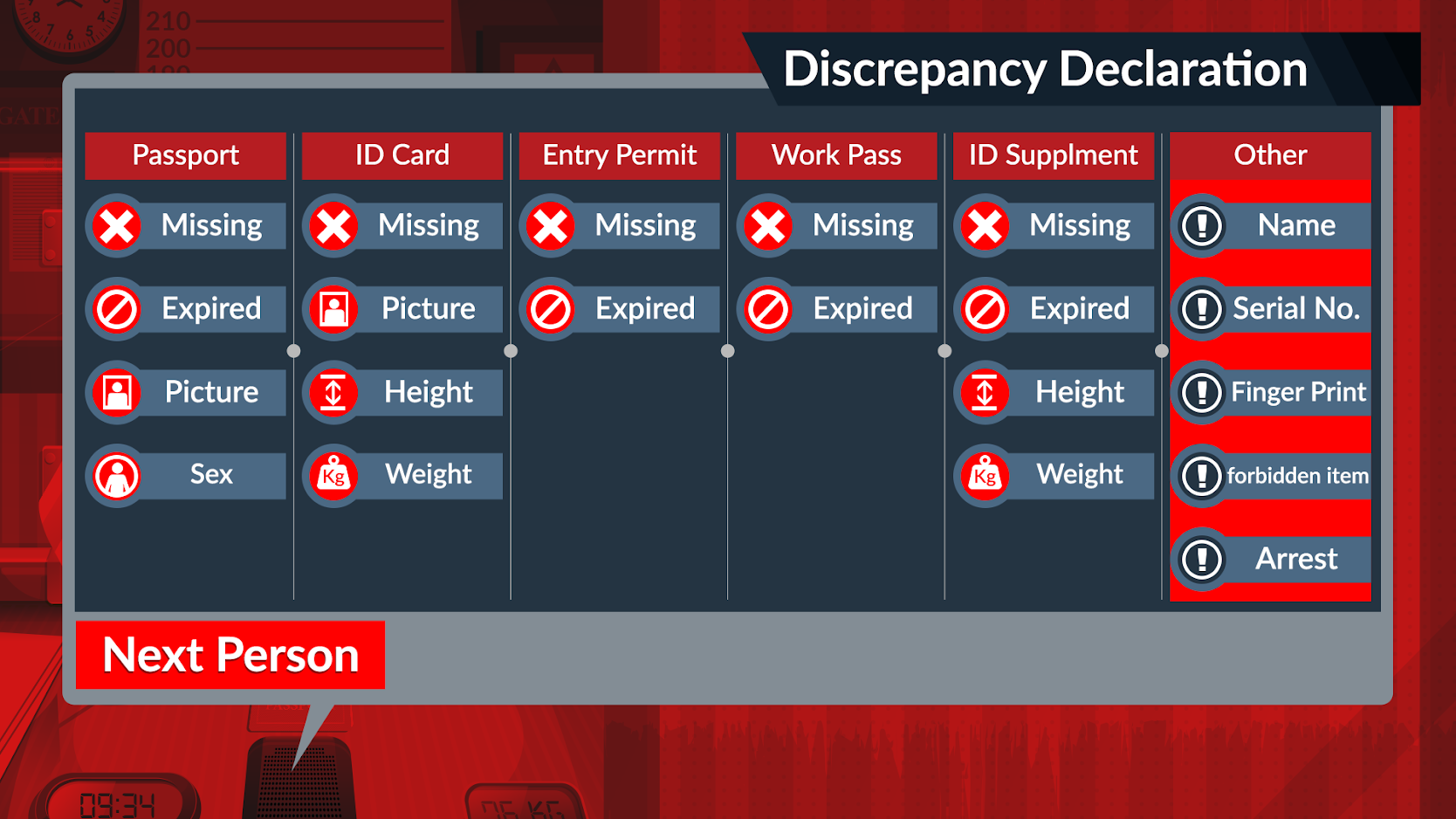
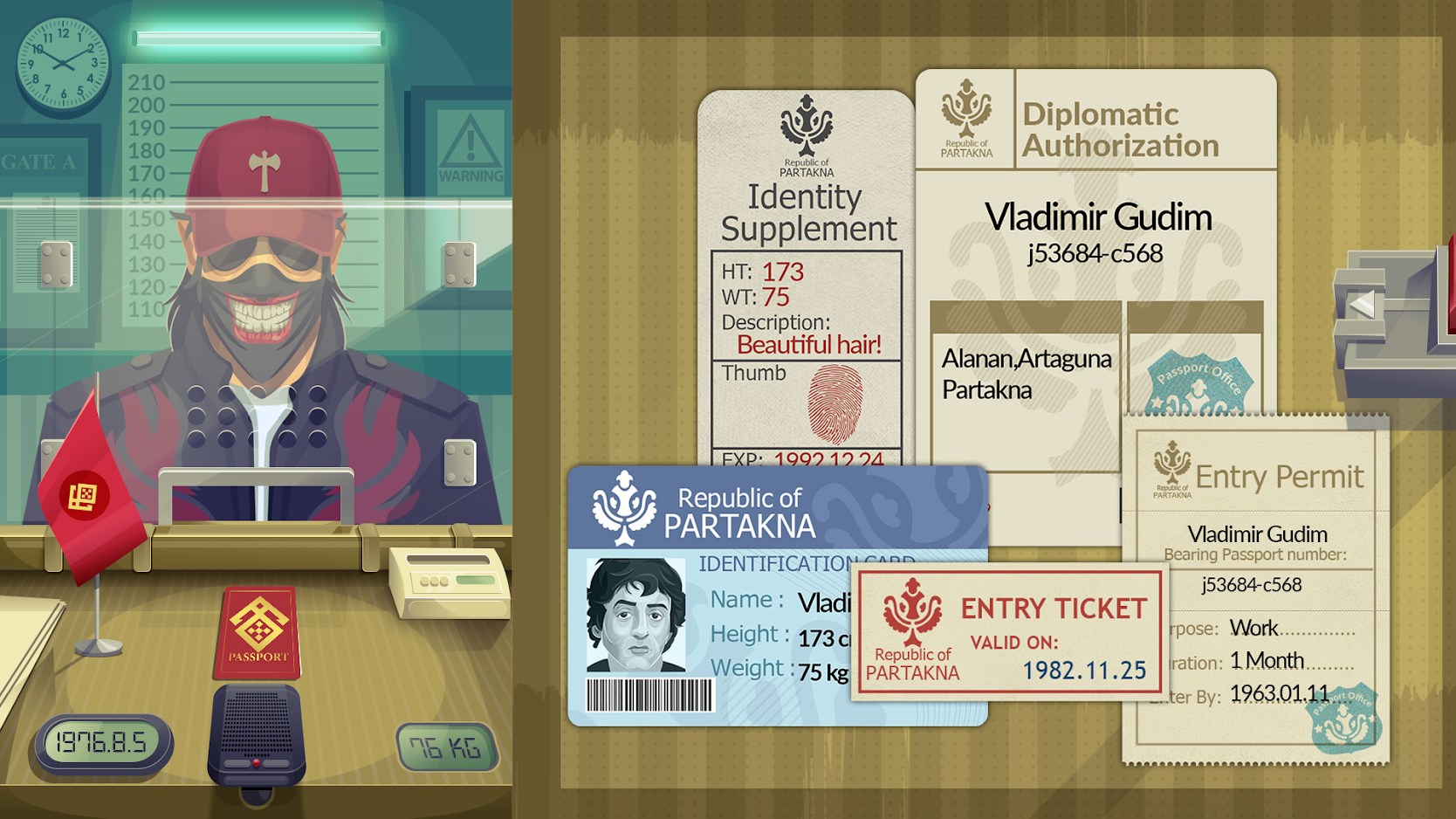
Black Border is a border simulator game that simulated the life of a real border patrol officer . In this game, you play as a border officer of the border cross entry and exit gates, who supposed to check the passengers' papers and stop the smuggling of illegal items and bribery.

The followings are some items that the border officer (you) is supposed to check carefully and prevent illegal border crossing of passengers and other forbidden objects:

✅ The Full name of each person is mentioned in all the papers.
✅ Check The weight and height of the passengers to not be against the ones mentioned in the papers.
✅ Check the expiry date of their passport or entry permit and other papers.
✅ Frisk passengers for weapons and illegal items and preventing their entrance to the country.
✅ Check passengers' faces to be the same as photos in their documents.

Play on Google Play Store (FREE): https://bit.ly/3aPK3Yw
Play on Google Play Store (Full): http://bit.ly/3ta3fXD
Play on App Store: https://apple.co/3fPoevo
Download Demo on Steam: https://store.steampowered.com/app/1377000/Black_Border/
Official Website: https://blackbordergame.com/


rUZOXPJ0W8fQ62JZWVtm4FMBDvGGZiVA2JJGpY1tclPMYoyrYnNEpgsiHgAc29CekMU=w1920-h938

01bZtZQuPb9xkbJR8hw7WpTfHbqJ3k76VfNHEdsl6HhV9VNm8pXJSG8jzeKhiOTT-Iub=w1920-h938

F1tsSX0zKYkCHIJvNXy-zfRbISVkLrvqFc-e8MJvWCSTHZUb0tPPakJWZtrTZICEINhm=w1920-h938

Cannot play Pandora

Samsung model SM-T110, Android 4.2.2

After using this tablet to play Pandora through some speakers for several months, it stopped doing same. Go to Settings -> Wi-Fi and move the slider to enable it. The large panel on the right side displays the text: “Turning on…”, and after a minute or so changes to display: To see available networks, turn on Wi-Fi.

While displaying “Turning on…” it will not do anything else. Sometimes it will not change Wi-Fi to the on state.

Any idea of what can be done to get this working again?

Can't install apps

I don't know why I seem to have this problem on every phone during certain times. I've tried clearing the storage for google play and google play services and rebooting the phone. I was trying to download something a few days ago after I did all of that. The app finally downloaded after about 30 minutes pending. I've checked my phone isn't installing a whole bunch of updates right now... So, what do I do?

Help Galaxy S9 not connecting to 4G

Hi, hope someone can help because I am baffled.

Background info, I am in France on the network SFR, and we have excellent 4G signal in our area.

My wife bought a reconditioned Galxay S9 which is like new. And it functions pretty much as it should except for the fact it doesn't connect to 4G when out and about. I first discovered this because she wasn't receiving MMS messages and then it became apparent that she only had "E" internet via mobile data.

I searched google which came up with a few solutions, but they all involve going into a menu which this phone doesn't have. For example;

Open Settings app.
Tap Connections.
Tap Mobile networks.
Tap Network Mode.
Select the fastest available mode (LTE or 4G).
Restart the phone and check for the problem.

Great! Except when I tap on "Mobile networks", the only two options are "Roaming settings" and "Access Point Names".

So I tried a factory reset but that made no different.

I feel that the fact that a lot of options are missing in the "Connections/Mobile networks" menu might be a clue as to why I can't connect to 4G. But I haven't got any further.

Is there anything obvious I am missing? I have searched for hidden menu items etc but not come up with anything. Hope someone can help as this is driving me mad!

Thanks in advance...

Top speaker distortion....

I've had this phone for over a year now. I've always noticed this audio issue but never actually looked into it.

When we I'm listening music, podcast, movie, anything, the top speaker, above the camera, crackles when at the highest volume. My wife and son have the same phone and it does it on theirs as well. From what I can find online, almost everyone has experienced the same thing. Is there a fix? What is causing this issue?

Bad quality Google Maps JS imagery on Android

I'm developing an app which displays a google map (satellite layer) into a web view. Thus, I'm using the Google Maps JavaScript API. I've noticed the JS API imagery is low quality and quite blurry on Android, but not in desktop chrome. Not only in my app, but on any site that embeds a JS Google map.

Take as example the maps JS API hello world example (satellite layer):
  1. In desktop chrome, using device simulator, the imagery is sharp
  2. In the google maps android app, the imagery is as sharp
  3. In android chrome, the imagery is blurry and ugly.
Below are two examples. Left pic in each image is the JS hello world map linked above, in chrome on android. Right pic is the same exact are in the native android google map app. In a desktop browser, the JS imagery would look as sharp as in the android app. Click on the pic twice to view it at 100%.


left: JS gmap in chrome android, right: android google maps app


left: JS gmap in chrome android, right: android google maps app

Now I don't know if that's how mobile JS maps should look like or if there is a problem with my phone. Two things I've tried that solved the problem but induced other issues: Add `zoom:0.5;` to the div of the map, or change Smallest width from 392dpi to say 800dpi in Developer options on the phone.

It somehow feels like on mobile the browser zooms in on the map. In desktop chrome, if I set the browser zoom to 150% I get the same sort of ugly pixelated map.

Help Can't recharge phone

I have a Samsung Galaxy A5 (2017) bought new in 2017. A few weeks ago, I suddenly found myself unable to put the end of the charging cable into the charging port; the USB-C connector would not quite go onto the bit of circuit board in the charging port (sorry, I'm not sure of the vocabulary for that part of the phone.) I don't remember doing anything to physically damage the phone but the USB-C simply wouldn't seat properly after that no matter how firmly I pushed. (I did NOT want to break it entirely so I didn't force it.) I have two chargers and had the same issues with both chargers. I can't see any sign of anything wrong with the chargers: I'm nearly certain the problem is with the phone itself. I *think* the problem is that the bit of circuit board I need to attach to has moved slightly so that it is too far inside the phone to make proper contact.

Eventually, I determined that I could get a slow charge out of the phone by holding the connector in the connector port at a specific angle and pressure and this tided me over since then; I was even able to get the cable to stay connected while it charged overnight for the last few weeks.

Tonight though, I cannot get the cable to sit in the right place, even if I hold it myself and I simply can't sit up for the next several hours even if I want to. There is noisy construction that is happening very close by starting at the crack of dawn each morning and I'm already up too late now.

I don't know much about electronics but I'm wondering if this is even fixable. Perhaps if I could get the phone open, I could push the bit of circuit board I need to engage with back into its proper position and charge it normally. Or is that wishful thinking?

COVID has really messed with my finances and I have no money to spend for repairs, let alone another phone. I've been really happy with this phone and would love to figure out a solution to this problem. Any suggestions would be very gratefully received!!

Help LG Phoenix 5 LM-K300 need to revert to correct USER: , End Remote Usage, and Confirm Baseband

Many things are happening the first issue is ROM
Screenshot_20210428-230548.png
It says 7.58
Screenshot_20210428-231438.png
Only 1.09 is actually available

Screenshot_20210428-220338.png
USER:jenkins was not the original this user is denied many access to 0's files like photos, music, and pictures.

Screenshot_20210428-233506.png
Like this but is able to access a folder branching off of one of those.

The host in hardware information has no information available online it is MCSBS9R22

Last thing I'll put without a request is that my baseband version seems to be for a lineageOS ROM that isn't installed on the phone currently that I know of
MOLY.LR12A.R3.TC01.DH.SP.V1.P43, 2021/01/28 17:29

Bluetooth not working in my car?

Bluetooth audio through my U11 works fine on a headset, speaker, and in a newer Lincoln and Ford SUV
BUT I just picked up a 2016 BMW 328i w/tech package and I can't get the U11 to pass audio???
Shows paired/connected on both ends and everything is up to date Also, I tried my brothers Samsung phone and it connected & played on the BMW with no problems at all

Is there a setting within the U11 that maybe I don't have checked correctly???
when I pull up the developer options on the U11 it looks like the Bluetooth settings were mostly set to "Default"

Any thoughts / suggestions ???

Thanks...

Widget idea..

What if someone would make a Widget for like remembering your fingerprints, and have them show only on your cellphone? With that in mind, customization for colors and different family members? That and facial recongizion too, with that in mind, having a great idea of where your voice print too, to unlock your family's history?

Nest eggs..

Anyone else just putting money away without giving it to the bank?

I have maybe around oh 5K, invisible money or "trust" fund. But with the coins I have now, I probably have estamation like 1,300 USD.. Still trying to think of a huge wad I can easily head through cash though.

My phone and tablet won't stop telling me to delete stuff, regardless of how much I delete

For example, my file managing app will say I have about 300mb free, so I'll use a phone cleaner app to get rid of junk files and duplicates and that app will say I deleted over 3 gigs of stuff.

After that I'll uninstall 4-6 apps and then the file manager tells me I have 1gb free, and my system alert will still keep telling me to delete things to free up space. None of those numbers are typos.

I'll also manually move files over 100mb from my internal storage to my cloud storage and the internal storage numbers don't change at all.

This has happened enough times that I know it's not gonna stop unless I do something I haven't tried yet

REALLY, really dumb question - i hope !

O.K,


I am trying to switch from a windows car pc to an android version.


To be honest, car pc's are a real dinosaur, so I was hoping for a lot more innovation in the android field.


So '........... I am trying several android car launchers to try to get a feel for things.


I have an allergy ( :-) ) to Google services, so do not want any google voice search, or android auto.


Happy with offline maps as well.


I am now finding a problem with what I think should be one of the most basic things - that is , making and receiving calls.


First off, I have a 10 inch android tablet on which I am trialling these apps.


I am connecting my nokia smartphone ( android 11 ) to the tablet via bluetooth.


NOW....... I foolishly thought that android could take care of the rest without much tweaking.


By that i mean, if my phone is connected and sharing contacts, why can't I click on the ''phone ' icons on the apps, and get either 1) a dialler, or 2) a list of contacts??


Am I wrong? - is that not one of the most basic things - to connect your phone to a tablet and use the tablet app to make calls using your connected phone?


I have had no luck doing this , and have found little info on the web.


I am sure I am going mad, but could anyone give me an idiots guide to how to achieve this?


Many Thanks


pootler

Filter

Back
Top Bottom