• After 15+ years, we've made a big change: Android Forums is now Early Bird Club. Learn more here.

Root 2nd Droid Want to get it right this time

GandalfTehGray

Android Expert
After bricking my last one, i want to make sure i root, backup , and such properly this time. So gonna go slowly step by step one post at a time,

P.S Yes i've read the stickies, several times, i just like to be completely sure of things before i do them. I wasn't last time and bricked the phone.

Last phone i used z4root, i don't see it in market, so download and move to SD card right? Do i need App Installer, if so which one? There are 3 in market, two made by same person.
 
Yes, copy it to the sd card.

I use Root Explorer as a file manager and you can install z4root with that. Just scroll to /sdcard, then tap that and find z4root. You get different options by using a long tap, vs a short tap. You don't want to extract it, just install it. If it take a long time to root, briefly removing, then reinserting your battery during the process seems to help.

Then install recovery and rom manager. Open recovery and tap the top button. When it says "success", it's ready to go. Tap the second button to enter recovery. Volume up/down buttons select options, the camera button does the selected task and the back button does just that.

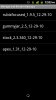
If you create a backup from recovery, it just uses the date/time, which won't mean a thing to you if you have several backups 2 months from now, so I use Rom Manager to backup and give it a meaningful name. Here is what my backups look like:

apex_rom_manager.jpg


You can't use spaces in your backup names since you'll end up with a backup you can't restore until you rename it. If you use a colon or semicolon, it'll try to backup, but fail. Don't rely on just one backup for something like stock (that you'll use for the next OTA). I've had a couple backups that don't work for whatever reason.

You'll also want Titanium backup for restoring/freezing apps. The free version only allows one backup so you'll want to buy that. (You can never have enough backups.)
 
Not sure if this is a silly question or not, but how did you take a stock "unrooted" backup using Rom Manager since it needs root access?
 
If you're referring to my backup names, when you make a backup you can't see what names were used before. Since you're always "winging it", my naming isn't 100% consistent.

I suspect both stock backups are rooted, but just one of them has "root" in the name.

If you were rooted, installed recovery, unrooted, then did a battery pull (or some other means of entering recovery), you might be able to backup an unrooted phone. (But that's not what you asked.)
 
After bricking my last one, i want to make sure i root, backup , and such properly this time. So gonna go slowly step by step one post at a time,

P.S Yes i've read the stickies, several times, i just like to be completely sure of things before i do them. I wasn't last time and bricked the phone.

Last phone i used z4root, i don't see it in market, so download and move to SD card right? Do i need App Installer, if so which one? There are 3 in market, two made by same person.

Before you do anything else, be sure that you get RSD Lite, the 2.3.340 sbf's and the 2.3.32(I think it was) full system sbf. That way, if you goof up it's easy enough to flash the phone back to the released sbf and do the .340 upgrades from there and you have (normally) a perfectly normal X again.
DROID X 2.3.340 System SBF Released for 2.3.320 Leak Users - Droid Life: A Droid Community Blog (2.3.340 system sbf's)

Droid X: 2.3.32 Full SBF (full system sbf)
 
I have only been messing around with ROMs for a couple of days, man does this get addicting.

I currently have the following ROMS installed and backups (see attachment).

Now I have to pick one, good luck to me!
 

Attachments

  • ROM Manager.jpg
    ROM Manager.jpg
    84.6 KB · Views: 76
If you're on ApeX 1.3.1 you'll be using the new revolution theme and it's called NEXOLUTION. Revolution loses the 1.3.1 upgrades like black settings menus, etc. Nexolution is the same thing only an upgrade. Flash that one.
 
I may eventually, i think I'll stick with this for a few days and not lose any sleep or worry bout messing up my phone for a while :P
 
Back
Top Bottom