• After 15+ years, we've made a big change: Android Forums is now Early Bird Club. Learn more here.

Root One click Root!

Status
Not open for further replies.
I have the nexus s and I can not access in my pc.
I connect the phone into to pc and I have only one option usb storage then I open as storage copy some programs then I unconnected it,
Now I look every where on phone but I can not see the application.
Do I need another program?
How do I do?
 
After rooting and removing the preloaded junk is busybox still required to be installed because I would like to get rid of any unneeded programs.
 
i got this installed on my phone, and root check says that i have root access, the superuser icon is there too. i downloaded wireless tether; my computer picked up the signal, but it couldn't connect to it...so i uninstalled that one and tried barnacle wifi tether, same thing happened. what do i need to do?
get the new wireless tether 3.1 beta4 check for it on the forum here.
 
Hey, folks. I can tell from reading this thread that it gets annoying answering the same questions over and over, which is why I tried everything suggested in the thread to no avail. I've installed drivers, I've extracted all files in the KMS.zip to the desktop, I've tried to root with the SD card unmounted and taken out, made sure debugging is enabled, tried it in airplane mode, made sure no unnecessary processes were running each time I tried it, I downloaded Android SDK (though I wouldn't know what to do with it), even tried running the .bat file at the Samsung logo, as well as the Samsung URL screen and the Prevail screen.

When I try adb reboot or adb shell in my command prompt (I have tried it in the directory the drivers are installed to and in the KMS directory), I get 'adb is not recognized as an internal or external command, operable program, or batch file. When I run the .bat, it's unable to write any files or access any directories. I get mount: Operation not permitted and reboot: operation not permitted. Tried the suggestion in the readme to no avail.

Am I just screwed here, or have I missed something?

Thanks so much in advance.

 
Hey, folks. I can tell from reading this thread that it gets annoying answering the same questions over and over, which is why I tried everything suggested in the thread to no avail. I've installed drivers, I've extracted all files in the KMS.zip to the desktop, I've tried to root with the SD card unmounted and taken out, made sure debugging is enabled, tried it in airplane mode, made sure no unnecessary processes were running each time I tried it, I downloaded Android SDK (though I wouldn't know what to do with it), even tried running the .bat file at the Samsung logo, as well as the Samsung URL screen and the Prevail screen.

When I try adb reboot or adb shell in my command prompt (I have tried it in the directory the drivers are installed to and in the KMS directory), I get 'adb is not recognized as an internal or external command, operable program, or batch file. When I run the .bat, it's unable to write any files or access any directories. I get mount: Operation not permitted and reboot: operation not permitted. Tried the suggestion in the readme to no avail.

Am I just screwed here, or have I missed something?

Thanks so much in advance.

Did you enable usb debugging?
 
when you say you tried it in the directory the kms is in, did you open the directory and use the shift button and right click get the open command prompt here?

That is the easiest way to do it at that point type adb help if you get anything other then not recognized command you can try shell and reboot commands
 
when you say you tried it in the directory the kms is in, did you open the directory and use the shift button and right click get the open command prompt here?

That is the easiest way to do it at that point type adb help if you get anything other then not recognized command you can try shell and reboot commands

Ok, cool. So that brought up a command list. I did adb reboot and it worked. Then tried my .bat file again and no root.
 
when you say you tried it in the directory the kms is in, did you open the directory and use the shift button and right click get the open command prompt here?

That is the easiest way to do it at that point type adb help if you get anything other then not recognized command you can try shell and reboot commands

Oh, tried shell command and got a $. Tried the su command and got no permission. I was expecting a # prompt. Haha
 
Damn, it was making sense up until Here:

6. Select SPHM820.ops file and the PHONE.tar, and PDA.tar in the appropriate Boxes

Didn't see anything close to SPHM820.ops. I saw the phone and pda checkboxes. This is making my head spin.
 
Damn, it was making sense up until Here:

6. Select SPHM820.ops file and the PHONE.tar, and PDA.tar in the appropriate Boxes

Didn't see anything close to SPHM820.ops. I saw the phone and pda checkboxes. This is making my head spin.
if you look in the downloaded zip file you will find all the files you need, including the .ops
 
My phone won't root...


EDIT

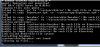
Please view attachment.

EDIT

SD card is out, debugging on, it's plugged in, and I tried when BOTH Samsung logos were up. (Flashing blue one and the one with the www.samsung.com)
 

Attachments

  • Rooting.png
    Rooting.png
    17.6 KB · Views: 79
Status
Not open for further replies.
Back
Top Bottom