

Has anyone experienced any kind of distortion in the photos with the camera on the HTC One?
Look 3 posts back (198) and you will see the distortion...I posted a picture of Zoe warping everything
Follow along with the video below to see how to install our site as a web app on your home screen.
Note: This feature may not be available in some browsers.
Has anyone experienced any kind of distortion in the photos with the camera on the HTC One?
Has anyone experienced any kind of distortion in the photos with the camera on the HTC One?
I used to have an iPhone and was using the app Everyday to take a photo every day, and did this for about 15 months. I'm now trying to do the same with my HTC One, but every time I take a photo with it, the image looks good in the post-shot preview, but when I go to the Gallery, there is a weird distortion going on, as if there's been a horizontal displacement somewhere in the middle of the photo.
Someone's going to say it's because I'm ugly, but apart from that, has anyone experienced anything like this?
Edit: I just wanted to say I tried downloading a different app - I just picked a random Top one off the App Store, Cymera - and the distortion is no longer present.
In another app I tried called 365 Photo App! the distortion was present just like it is in the regular camera/Gallery app. I don't know if this has to do with whether or not the apps use the built-in software, or their own for taking photos.

Has anyone experienced any kind of distortion in the photos with the camera on the HTC One?
Look 3 posts back (198) and you will see the distortion...I posted a picture of Zoe warping everything
I noticed some distortion in this photo:
AndroidForums.com | HTC One - Post Your Photos - Post #59
I've seen one or two others with other distortion across the net.
Just bought my HTC One tonight and anything that uses the camera causes a crash. I can't get it to pop up and show the camera for even a second. Tried the default camera app and Facebook. I can't find anything on this issue with this phone. Anyone have anything? Tried a restart.
A hard restart might help. Press and hold down the power key for 10 seconds. You may see the capacitive buttons under the screen start to blink or a message come up with a countdown to reboot. This method forces the hardware and software to more fully restart.
You could also try restarting in Safe Mode. This will run your phone with all 3rd party applications disabled on a more clean configuration.
Boot into Safe Mode:
Ensure that Fast Boot is turned off in your Power Settings
Power the phone down and wait for it to be fully turned off for a minute or two
Power the phone back on
When you see the white HTC Boot screen immediately press and hold down the 'volume down' hardware key on the right side of the phone. Hold it until the phone completes start up, and you see the words "Safe Boot" displayed in the lower left corner of your lock/home screen.
To get out of Safe Mode simply power off and power on your phone as normal
If the camera doesn't work in Safe Mode then a back up and Factory Restore may be in order.
If a Factory Restore does not resolve, then there might be an underlying hardware failure.

Have you checked the standard settings, white balance, scene mode etc? Also made sure HDR isn't on?
Try clearing the cache and data on the camera (Settings -> Apps -> All -> Camera -> Clear Cache/Data).
Does it take similar pictures with any 3rd Party apps?
No 3rd Party Camera apps make a difference? Camera 360 etc? The pics are still too dark?

I like using the app "Perfectly clear" It does a great job of correcting for dark shots, etc.



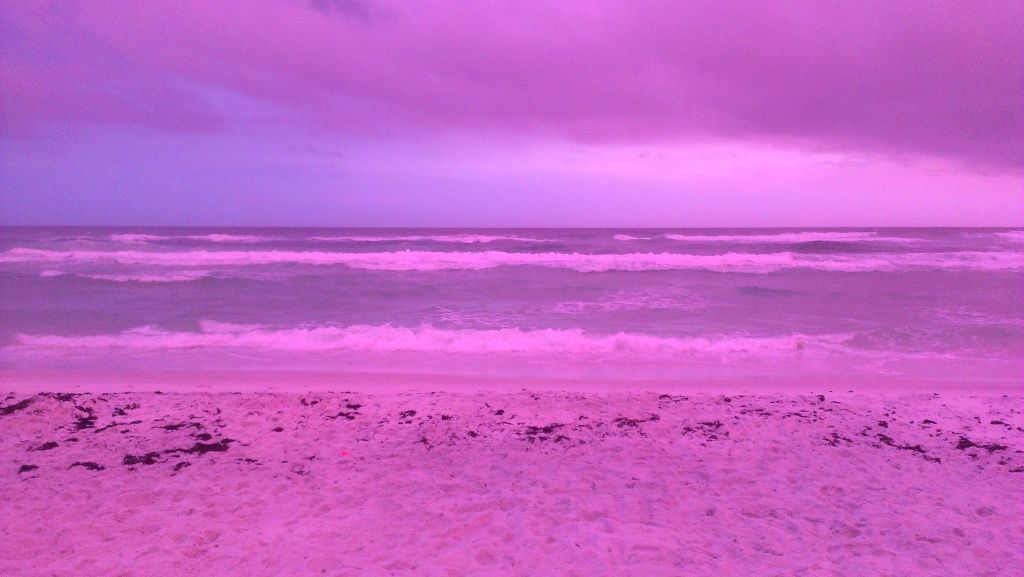
this is an example of the pink photos.


