
Install the app
How to install the app on iOS
Follow along with the video below to see how to install our site as a web app on your home screen.
Note: This feature may not be available in some browsers.
-
After 15+ years, we've made a big change: Android Forums is now Early Bird Club. Learn more here.
You are using an out of date browser. It may not display this or other websites correctly.
You should upgrade or use an alternative browser.
You should upgrade or use an alternative browser.
Root Root Zte warp elite N5918
- Thread starter HDguy181
- Start date
-
- Tags
- zte warp elite


RoyalTryHardd
Newbie
Maybe should I try something from the ZTE Blade? or another ZTE that's similar to the n9518 warp elite?
If any of you know which ZTE phone is closest to the N9518 Warp Elite and has been rooted then tell me and ill try to sideload that instead.
If any of you know which ZTE phone is closest to the N9518 Warp Elite and has been rooted then tell me and ill try to sideload that instead.

Sgtbongripp420
Newbie
I know the max has been king rooted, maybe we can use some files from the max and sideload them, I tried a recovery app that adds the recovery option to the max, if we can get the same idea for the elite we can have this done the old fashioned way instead of waiting on kingroot
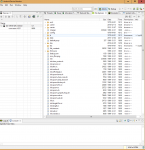
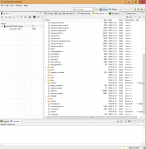

SU binary & busybox is usually installed in xbin folder while SuperSu.apk is in system/app
Well A little info just so you guys don't fry yours lol.
Went into FTM and then started the old ultimate zte warpdrive way then told it to do all then the phone went as far as flashing clockwork recovery then crashed phone and now it is stuck in boot loop dont try that way guys lol.
Went into FTM and then started the old ultimate zte warpdrive way then told it to do all then the phone went as far as flashing clockwork recovery then crashed phone and now it is stuck in boot loop dont try that way guys lol.
RoyalTryHardd
Newbie
Just some system info, not sure if it will help but you should definitely check it out.
http://www.androiddevice.info/submission/32529/show
http://www.androiddevice.info/submission/32529/show
Just some system info, not sure if it will help but you should definitely check it out.
http://www.androiddevice.info/submission/32529/show
Ya that shows up in Android Studio Monitor

Odin89
Android Enthusiast
Strange looking Mode hold all 3 keys down then release all of them after the blue circle blinks 4 times. Make sure it isnt hooked up to your pc then after you do that hook it up a new driver loads.
Dfu mode? Like for other zte devices?

Odin89
Android Enthusiast
https://www.dropbox.com/s/lozmzzmaip07mao/lm80-p0436-1_little_kernel_boot_loader_overview.pdf?dl=0
A link to a PDF I uploaded about the lk bootloader found on the Qualcomm snapdragon 410 msm 8916. Is this what's locking down the bootloaders so hardcore?
A link to a PDF I uploaded about the lk bootloader found on the Qualcomm snapdragon 410 msm 8916. Is this what's locking down the bootloaders so hardcore?
Odin89
Android Enthusiast
https://www.dropbox.com/s/lozmzzmaip07mao/lm80-p0436-1_little_kernel_boot_loader_overview.pdf?dl=0
A link to a PDF I uploaded about the lk bootloader found on the Qualcomm snapdragon 410 msm 8916. Is this what's locking down the bootloaders so hardcore?
I ask because I see this system chip is all boosts nice phones that are having trouble with bootloaders. Mine being one of them.
Odin89
Android Enthusiast
I am thinking DFU stands for done F'ed up lol because now it is locked in offline mode after doing above sequence and I have tried it all to get it back online errrrr.
If its an internal battery Hold power button for 10-15, should reboot it
did thatIf its an internal battery Hold power button for 10-15, should reboot it
 I have tried it all I'm thinking the 3 keys was a bad Idea restarted adb and everything still offline.
Daniel Phelps
Lurker
Did any of these roots work for you guys. I cannot seem to get it to work..
Sgtbongripp420
Newbie
Nope there is still nothing, the best thing we can do is have everyone download King root and let it run so we can push it closer, uninstall and reinstall a few times to give it the extra bumps, not sure if it works that way, but worth a shot lol were a long way from the top of the list
Daniel Phelps
Lurker
Yeah I have been doing everything I can. This phone doesn't have any upgrades that I could find, do you know where I should be looking to make my phone performance better?
RoyalTryHardd
Newbie
Here's something that worked for me, I uninstalled the kingroot app, REDOWLOADED it, not reinstalling it from the same apk, and tried it again like 5 times so 6 of the people asking for a root for this phone are me.