• After 15+ years, we've made a big change: Android Forums is now Early Bird Club. Learn more here.

Root [Boost Mobile] Security Features

Hmm... interesting things going on here. Is there anything I can do to help you with solving this? I'd be glad to do almost anything really at this point

Well I hope we get this solved soon but something tells me that this may take a while.. :s
 
I havent had an issue with my screen, with my rom or cm7 i can use the power button to turn the screen on and off.

I got my warp the same month it came out
 
So is the boot loader locked?

I do not know


what I know now is that new phones have a different bootloader or something

and if your kernel does not have the zImage I provided in that zip

you will have video issues

it may be that they changed some hardware

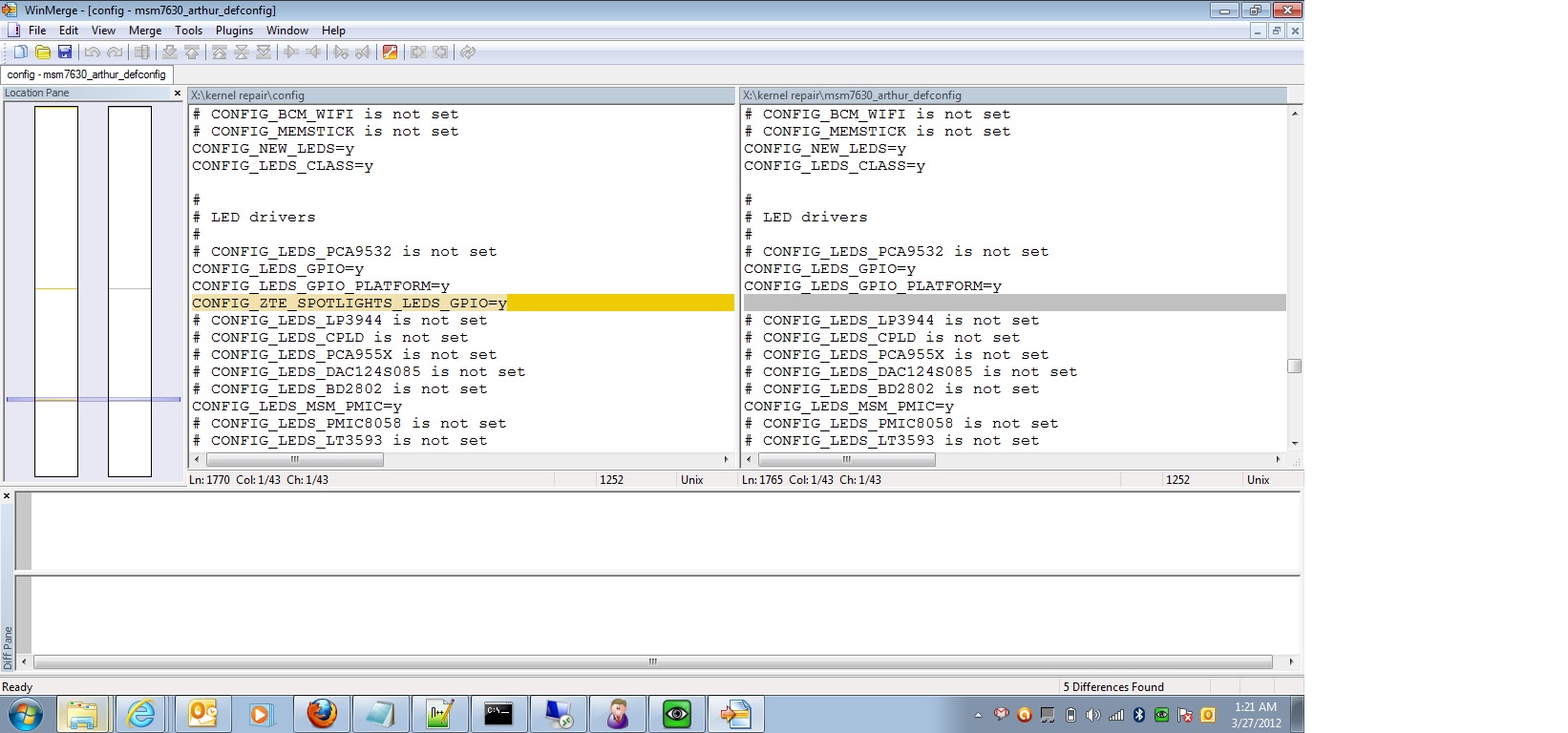
comparing the kernel config that is on my phone to the one that is in the kernel source code I do see this


7892057.jpg
 
Now is the source config the one on the right? I I'll pull it up with winmerge and my config from the phone
 
kernel source config is


arch/arm/configs/msm7630_arthur_defconfig


I have built the source kernel, but it doe not boot

an the there is a slight size difference between the compiled zImage and and the stock zImage
 
There is quite a few lines then, I wonder why it's listed as msm7630 when the processor is supposed to be msm8655
 
I'm reading some emails on freelists.org about other zte kernel sources and apparently zte has a history of not releasing all their source. Goes on to talk about the bootloader having a lack of usb support. I'll post a link if it's relevant
 
Moving on..

Thank's for providing the kernel defconfig name, that provided a big missing link when I was trying to compile the source code. I'll give it another go when I boot back into linux mint
 
Moving on..

Thank's for providing the kernel defconfig name, that provided a big missing link when I was trying to compile the source code. I'll give it another go when I boot back into linux mint


if you want to compile the kernel with out all those errors, do it like this

download that config.txt I posted, and copy it to the root of you kernel folder


cp config.txt .config

export CCOMPILE=/AndroidSDK/prebuilt/linux-x86/toolchain/arm-eabi-4.4.3/bin/arm-eabi-

(this is dependent installation.)

make ARCH=arm CROSS_COMPILE=$CCOMPILE


this will generate a zImage, but it still does not boot
 
OK, so do we need more than the zImage? We don't need to build wifi modules do we?
 
Just did some looking around and may have found at least part of the issue with /data getting wiped on stock roms. The stock init.rc file runs ext4check.sh against several partitions, including /data.

exec /system/bin/sh -c "/system/bin/ext4check.sh USERDATA /dev/block/mmcblk0p18"

The ext4check.sh script forces e2fsck to run against the partition and takes action based on the return code. If the return code is "8", then the partition is formatted. According to the exit code list for e2fsck in ext4check.sh, error code 8 is "Operational error". (whatever that means)

8) echo "need to format the partition..."
/system/bin/mke2fs -T ext4 -j -m 0 -b 4096 -L $1 $2
# /system/bin/tune2fs -j $1
/system/bin/tune2fs -C 1 $2

So although I don't know what would cause e2fsk to return exit code 8, something in this process could be why /data is getting formatted. Maybe Zte made some changes to e2fsk, ext4check.sh, or init.rc at some point? It would be pretty easy to comment out the appropriate lines in the case statement, just to confirm that something in this process is responsible for the formatting. (or set ext4check.sh to write the return code to a file)
 
Could we just edit that out, do a backup and see if it restores?
 
Yep. Just add the 2 hash signs in red below to ext4check.sh so that those lines are skipped when the script runs. Do a nandroid backup and try restoring it. Should be safe to try so long as you have a previous (working) nandroid backup with an unmodified ext4check.sh.

8) echo "need to format the partition..."
#/system/bin/mke2fs -T ext4 -j -m 0 -b 4096 -L $1 $2
# /system/bin/tune2fs -j $1
#/system/bin/tune2fs -C 1 $2

If /data is still present after booting, then it's pretty likely that e2fsk is sending return code 8. If anyone's in a hurry to test, go ahead. Otherwise I'll try it on my phone a little later. (since my phone definitely has this problem)

Also note, I'm not suggesting this is a possible solution, just a way to test whether this process is part of the problem.
 
Back
Top Bottom